






SleekPixel for Shopify products
Plenty of brands sell on Shopify and publish on WordPress: lookbooks, journals, lookpages, affiliate roundups. SleekPixel renders a real product share card for any Shopify product post on the WordPress side, so every link to a product opens with title, price, and the right image.
♾️ Lifetime License available
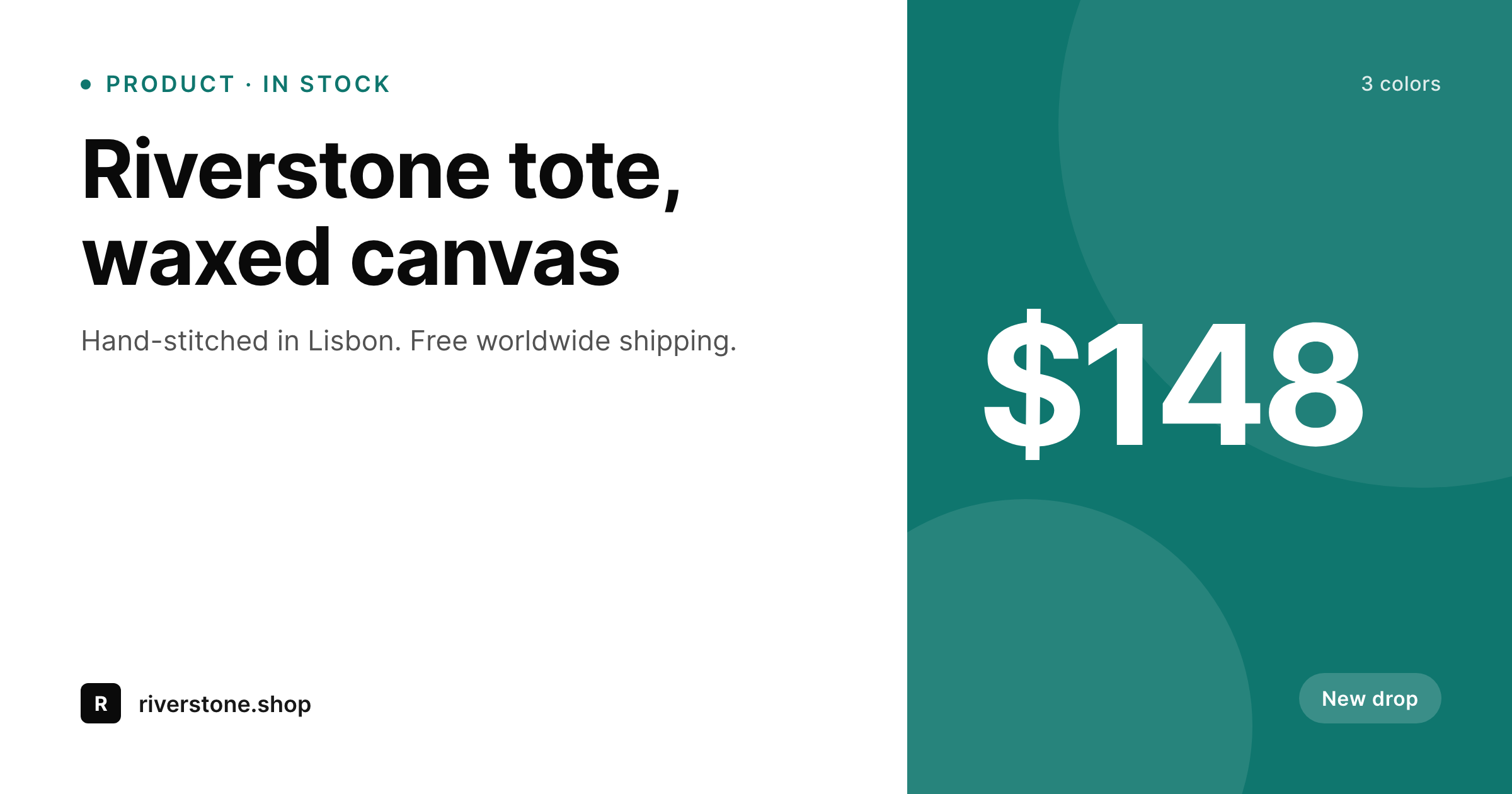
Shopify catalog, WordPress storefront content
A huge slice of direct-to-consumer brands sells on Shopify and publishes on WordPress in parallel. The Shopify side handles checkout, inventory, and shipping. The WordPress side carries the editorial weight: the lookbook, the brand story, the journal posts, the press, the affiliate landing pages. Product mentions live across both worlds, and the social shares of those mentions almost always come from the WordPress URLs because that is where the long-form content lives.
The mechanics of getting Shopify products onto WordPress vary by setup. Some teams use the Shopify Buy Button embed. Some use a sync plugin that mirrors products as custom posts. Some build editorial product pages by hand and link out to the Shopify product URL for checkout. In all of those cases the WordPress page is the canonical URL being shared on Twitter, Instagram, Pinterest, and Slack, and the default OG image for that page is usually the site logo. Every product link looks identical in the preview, no matter which product it points to.
SleekPixel renders the share image from whatever product fields are on the WordPress post: title, price, featured image, badge, brand color. A WooCommerce-style sync stores those fields as post meta, a manual editorial page stores them as ACF fields, a Buy Button block stores them in the block attributes. SleekPixel reads what is there and renders the OG image on save. Every Shopify product mentioned on the site shares with a real card, even though checkout still runs on Shopify.
Workflow
From Shopify sync to share-ready in one save
Decide where the Shopify data lives
Build the product template
Save the post
Share anywhere
Output
What ships with every Shopify product post
A 1200 by 630 OG image with product title, price, featured image, and brand wordmark, rendered from the fields on the WordPress post that represents the Shopify product.
Comparison
Default site OG vs Shopify-aware rendering
Default site OG image
- Every product mention shares with the same site logo regardless of which product
- Featured image gets cropped at the wrong ratio on Twitter and LinkedIn previews
- Price is invisible on the share card even though it is on the page
- Sale or new-drop status never makes it to the social preview
- Affiliate posts on Pinterest open with stretched homepage banners
SleekPixel
- Reads Shopify product fields synced into WordPress as post meta or block data
- Title, price, featured image, and badge render onto the share card
- Sale state and new-drop badges render conditionally per product
- Bulk re-render the whole catalog when the brand or template changes
- Compatible with Buy Button, sync plugins, and hand-built editorial pages
Features
What SleekPixel gives you for Shopify products
Field-bound rendering
Whatever holds the Shopify product data on the WordPress post, ACF, post meta, block attributes, becomes the source for the share image.
Price and badge logic
Sale prices, new-drop badges, and low-stock notices render only when the data on the post says they should. The card stays current with the campaign.
Featured image as art
The product photo from the Shopify sync composites into the card with safe padding and consistent crop, so every product looks intentional.
Use cases
Who uses SleekPixel for Shopify products
DTC brands with editorial WordPress sites
The journal posts, lookbooks, and press pages all mention products. Each mention now shares with the right product card instead of the brand logo.
Affiliate content publishers
Gift guides and roundup posts get individual product OG images when linking out to Shopify products. Pinterest pins and Twitter shares actually look like products.
Seasonal campaigns
A spring drop swaps accent color and badge in one template, then re-renders every product post for the campaign without per-product design work.
The bigger picture
Why product share previews matter for hybrid Shopify and WordPress brands
Brands running Shopify for checkout and WordPress for content live with a split that customers never see. From the visitor's perspective, the brand is one thing: a journal post mentions a tote, a Pinterest pin shows the tote, a Twitter share announces the new color. The fact that checkout happens on a Shopify subdomain is invisible until the buy button is clicked.
What is visible is whether the share previews look like the brand or like a stock CMS. Every social impression of a product link is a small recognition cue. When the cue is the brand logo on every product, no recognition happens and click-through rates compress toward random curiosity.
When the cue is a real product card with the actual tote and price, the share becomes a small ad for that specific product. The second reason is volume. Editorial WordPress sites for Shopify brands accumulate hundreds of product mentions over time, across journal posts, lookbooks, press, and seasonal campaigns.
Designing share images for each mention by hand is unrealistic, so most posts default to the homepage banner. SleekPixel renders them automatically from data the site already has, so every mention old or new shares with a current card, and brand evolution becomes a single template change instead of a manual catalog rebuild.
Questions
Common questions about SleekPixel for Shopify products
No. SleekPixel reads WordPress post data: post meta, ACF fields, block attributes. Getting Shopify product data into those fields is handled by your sync plugin, Buy Button embed, or manual entry. SleekPixel renders from whatever fields are present on the WordPress side.
Those plugins typically mirror Shopify products as custom posts or blocks with the product fields stored as meta. SleekPixel can read those fields directly and render the share image on save, the same way it reads WooCommerce fields on a WooCommerce product.
The Buy Button block stores the product ID and some attributes. If the post also has the product title and image elsewhere on the page or as fields, SleekPixel can render from those. If only the embed is on the page, you may need a small bridge field that mirrors the product title and image for rendering.
Only if the WordPress side is updated. If your sync plugin polls Shopify on a schedule and updates post meta, the next save triggers a re-render. If product posts are hand-maintained, the share image updates when someone edits and saves the post.
Yes. Conditional logic in the template can switch layout, badge, or accent color based on a sale field. The card shows a strikethrough price during a sale and reverts to the regular layout when the sale ends and the field updates.
Variants are usually represented on the WordPress side as either separate posts or as taxonomy terms. If each variant has its own URL, each can have its own share image. If the WordPress post represents the parent product, the share image typically renders the parent product photo and lists variants as a small footer.
No. SleekPixel only writes og:image and twitter:image meta on the WordPress pages. Shopify checkout, inventory, payment processing, and order fulfillment all run untouched on the Shopify side. The plugin has no awareness of Shopify itself.
Pinterest reads OG and product schema from the URL being pinned. SleekPixel handles the OG image. Product schema markup is a separate concern: an SEO plugin or sync plugin typically writes the structured data. Pinterest then combines both to render the rich pin.
Pricing
More than 1000+
happy customers
Explore our flexible licensing options tailored to your needs. Upgrade your license anytime to access more features, or opt for a lifetime license for ongoing value, including lifetime updates and lifetime support. Our hassle-free upgrade process ensures that our platform can grow with you, starting from whichever plan you choose.
Lifetime ♾️
Most popular
EUR
once
- Unlimited websites
- Lifetime updates
- Lifetime support
...or get the Bundle Deal
and save €250 🎁
💎 Want everything forever? The All Access Pass is going away on 01.08.2026.
The Bundle (unlimited sites)
Pay once, own it forever
Elevate your WordPress site with our exclusive plugin bundle that includes all of our premium plugins in one package. Enjoy lifetime updates and lifetime support. Save significantly compared to buying plugins individually.
What’s included
-
SleekAI
-
SleekByte
-
SleekMotion
-
SleekPixel
-
SleekRank
-
SleekView
€749
Continue to checkoutBrowse more
- Discord event cover
- Threads profile banner
- Threads story-style images
- Douyin cover
- LinkedIn showcase page banners
- Snapchat Spotlight covers
- LinkedIn post images
- LinkedIn article covers
- Passes page banner
- Dailymotion thumbnails
- Instagram ad images
- Amazon Storefront banners
- Threads profile banners
- Telegram bot avatar
- Klaviyo email banner