






SleekPixel for LinkedIn post images
Templated 1200x627 LinkedIn-friendly cards generated from post data on save. The og:image meta tag is set so links unfurl with a real, branded card in the feed.
♾️ Lifetime License available
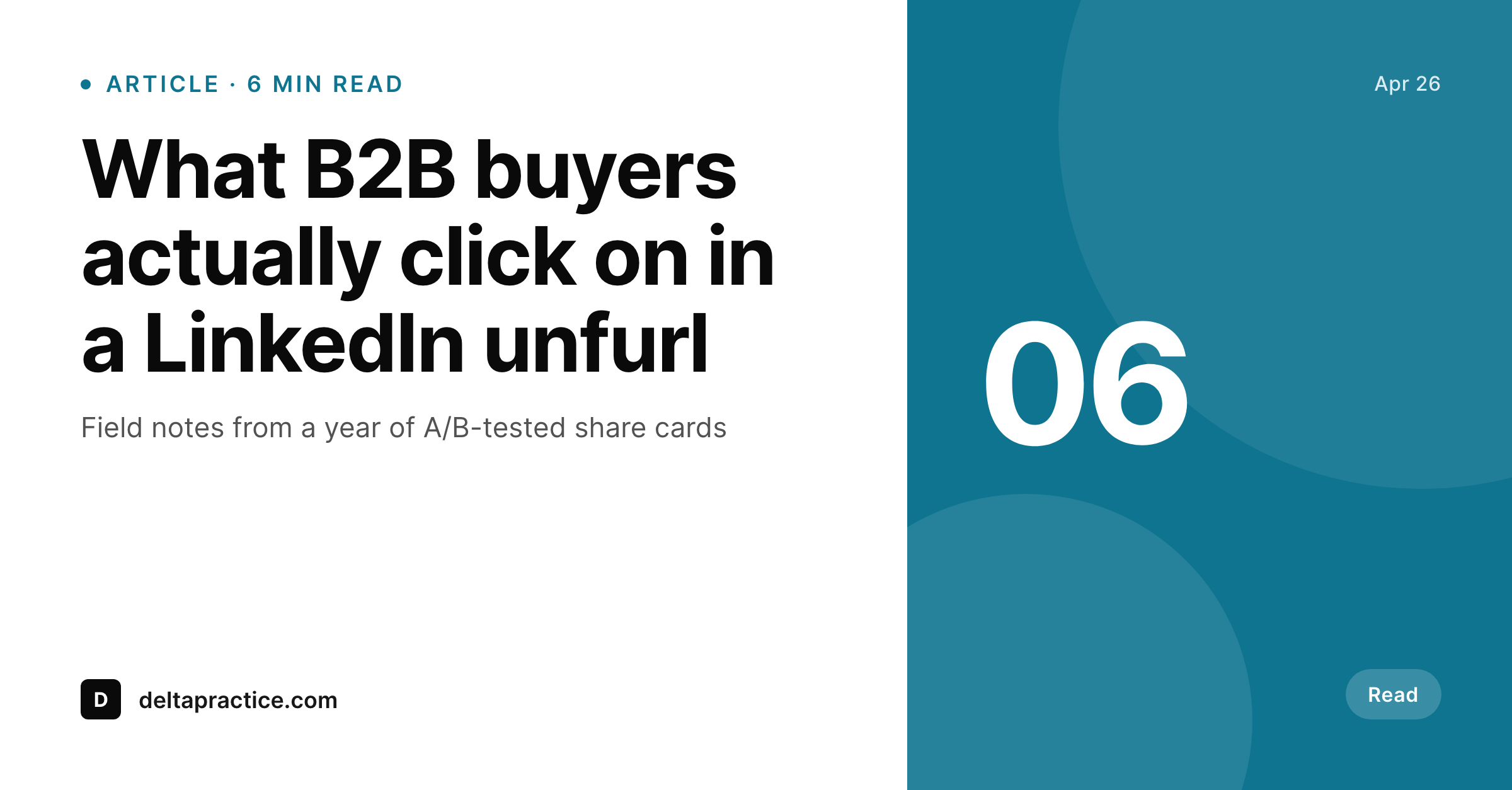
LinkedIn unfurls decide whether the link gets clicked
LinkedIn pulls the og:image when a link is shared and crops it to roughly 1.91:1. A featured image sized for a blog grid does not survive that crop. A real 1200x627 card with the post title surfaces above the fold, fills the unfurl region without bars, and renders the brand mark at a readable size on both desktop and mobile feeds. SleekPixel produces this card automatically on save, so the long tail of articles being shared by sales, marketing, and the author themselves all unfurl with a real card instead of a stretched header photo.
The render uses post title, author, and any field you map into the template, including the publication date, an estimated read time, and a category badge. The template is HTML and CSS, so the LinkedIn card matches the brand on the website without any approximation. The PNG is written to the uploads directory and og:image is set in the post head, which is also what LinkedIn's Post Inspector reads when validating the share preview.
Editors stop having to ask the design team for a one-off card every time a thought-leadership piece needs to ship. The card already exists from the moment the post is published.
Workflow
From post save to LinkedIn-ready unfurl
Design the card
Bind the fields
Save the post
Validate in Post Inspector
Output
What gets generated per post
A 1200x627 PNG with the post title, author, and read time, sized for the LinkedIn share unfurl crop.
Comparison
Manual LinkedIn cards versus SleekPixel
Manual / Canva / Figma
- Featured image gets cropped weirdly to 1.91:1 in the LinkedIn unfurl
- Designer is the bottleneck on every thought-leadership post
- Sales reposts use whatever card the original post had, including stale ones
- LinkedIn Post Inspector flags missing og:image and the card disappears
- One-off Canva cards live in someone's Drive and are hard to keep on brand
SleekPixel
- 1200x627 PNG rendered for every post on save
- og:image meta tag set so LinkedIn unfurls with a real card
- Real PNG in WordPress uploads, served from your domain
- Regenerates on title or field changes so cards stay current
- Author and read-time fields handled cleanly out of the template
Features
What SleekPixel gives you for LinkedIn post images
Per-post render
Every post saves with its own 1200x627 share card. No designer bottleneck for thought-leadership content.
og:image set
The og:image meta tag points to the rendered file. LinkedIn Post Inspector validates the unfurl on the first try.
Author surfaced
The card includes the author and read time so the unfurl carries useful context, not just a logo.
Use cases
Where LinkedIn share cards earn their place
Sales reshare
Sales reposts of company articles unfurl with a clean card every time. Branding holds across the whole sales team.
Thought leadership
Long-form articles ship with a card that surfaces title, author, and read time without a one-off Canva file.
Founder posts
The founder reposts a post and the card carries the brand identity from the website to the founder's audience.
The bigger picture
Why LinkedIn cards matter for B2B distribution
LinkedIn is where B2B distribution actually happens, and the unfurl is the entire competitive surface for a link in the feed. Posts that unfurl with a real card get more attention than posts that unfurl with a logo or a cropped header image. Most companies lose this battle on volume, because their best content gets a designer-made card and their long tail gets a default that crops badly.
With SleekPixel, every post unfurls the same way, regardless of whether it is a flagship article or a quick update. The card carries the title, the author, and any context the template surfaces, and it does so without anyone opening Figma. Sales reshares, founder reposts, and external mentions all pull the same card, so the brand reads consistently across every share.
The work that used to be a designer-and-editor handoff is replaced by a template plus a save action, and the result is a feed presence that does not depend on someone remembering to make a card.
Questions
Common questions about SleekPixel for LinkedIn post images
LinkedIn historically recommended 1200x627 for share images and the difference of three pixels is invisible in practice. Either dimension unfurls correctly. SleekPixel ships 1200x627 as the default for LinkedIn-specific templates and 1200x630 for general OG.
Yes. The og:image tag points to the rendered file URL. LinkedIn Post Inspector reads that tag on first request and caches the card. A re-render and a fresh inspector run refresh the cache.
No. SleekPixel hands the URL to Yoast or Rank Math when they are active, so their og:image output uses the rendered file. There is one og:image tag in the head.
Yes. The template can pull the author display name, avatar, or a custom byline field. The card surfaces the author cleanly without overlapping the title.
If your theme or a plugin already calculates read time, you can map that value into the template. SleekPixel does not calculate it on its own, but reads the value if it is exposed as a post field.
Yes. Run batch regenerate from the SleekPixel admin and every existing post is rebuilt with a fresh card matching the current template.
In the WordPress uploads directory, served from your domain. It is a real PNG, included in your normal backups, and downloadable from the editor sidebar.
No. The render runs once on save and the result is a static file. No per-view API call, no third-party renderer, no usage cap.
Pricing
More than 1000+
happy customers
Explore our flexible licensing options tailored to your needs. Upgrade your license anytime to access more features, or opt for a lifetime license for ongoing value, including lifetime updates and lifetime support. Our hassle-free upgrade process ensures that our platform can grow with you, starting from whichever plan you choose.
Lifetime ♾️
Most popular
EUR
once
- Unlimited websites
- Lifetime updates
- Lifetime support
...or get the Bundle Deal
and save €250 🎁
💎 Want everything forever? The All Access Pass is going away on 01.08.2026.
The Bundle (unlimited sites)
Pay once, own it forever
Elevate your WordPress site with our exclusive plugin bundle that includes all of our premium plugins in one package. Enjoy lifetime updates and lifetime support. Save significantly compared to buying plugins individually.
What’s included
-
SleekAI
-
SleekByte
-
SleekMotion
-
SleekPixel
-
SleekRank
-
SleekView
€749
Continue to checkoutBrowse more
- Threads social images
- LinkedIn event banners
- Douyin cover
- Poshmark listing images
- Threads profile banners
- Snapchat ad images
- Snapchat snap images
- Substack podcast cover
- GitHub README banners
- VSCO cover
- Kick stream thumbnails
- LinkedIn ad images
- Lemmy post images
- YouTube Shorts thumbnails
- Bluesky profile banners