






SleekPixel for Phorum topics
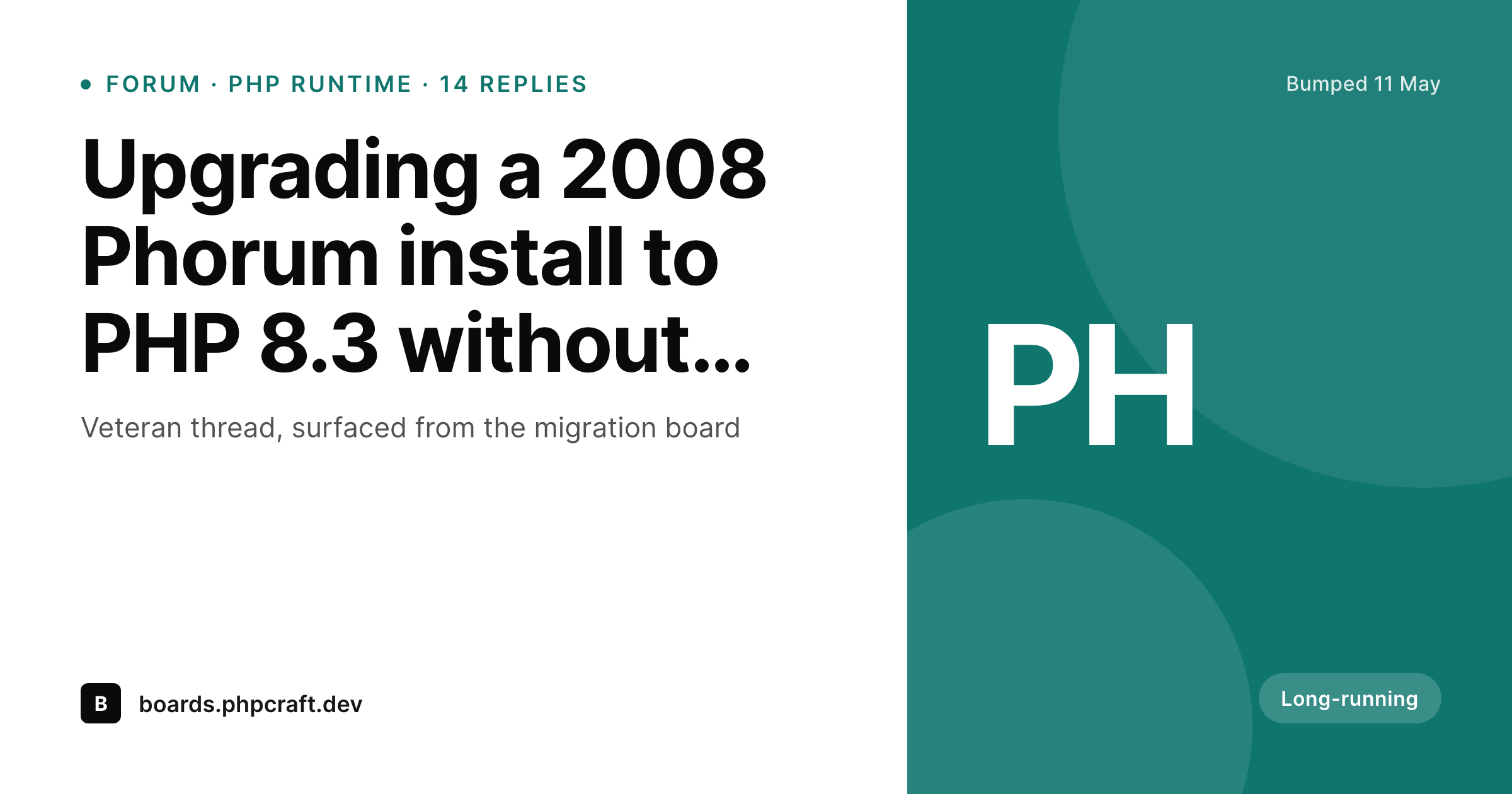
Phorum installs still host years of high-signal threads, but their default share treatment looks like 2008. SleekPixel sits on the WordPress side of a Phorum to WordPress bridge and renders a branded 1200 by 630 card per topic.
♾️ Lifetime License available
Old forums, real content, no modern preview
Phorum installs are still around. They host a decade of niche technical discussion, hobbyist communities and long-running support threads that the rest of the web has not replicated. The content is valuable. The presentation is not. Default Phorum installations predate the Open Graph spec, and link previews fall back to whatever the host's homepage tells the social network to use.
When a community manager wants to share a great Phorum thread on LinkedIn or in a customer email, the link unfurls as a generic preview at best and as a bare URL at worst. Across a year of community marketing that means hundreds of valuable threads never get the visual reach they could have had.
SleekPixel sits on the WordPress side of a Phorum to WordPress bridge. A small REST or database mirror copies topic metadata (title, board, replies, last poster, last bump date) into a WordPress custom post type, one post per topic. SleekPixel reads those fields and renders a branded 1200 by 630 card per topic. Sharing a WordPress URL surfaces the modern card; the click still resolves the reader through to the live Phorum thread.
Workflow
From Phorum topic to branded share card
Mirror Phorum into WordPress
Build the topic template
Render on save
Promote the WordPress mirror
Output
What ships for every Phorum topic
A 1200 by 630 OG-sized PNG: topic title, board name, reply count, last bump date and a brand wordmark, rendered from the metadata mirrored from Phorum.
Comparison
Default Phorum share vs SleekPixel card
Default Phorum share
- Phorum predates Open Graph and ships no og:image tags by default
- Most links unfurl as the homepage banner or as a bare URL
- Board name and reply count never reach the social preview
- Brand styling of the parent project is absent on every share
- Threads from 2008 and 2024 look identical in any social feed
SleekPixel
- Reads WordPress fields mirrored from Phorum topics
- Per-topic 1200 by 630 PNG sized for OG and Twitter
- Board, replies and last bump date bind to dedicated slots
- Variant slot for sticky and locked threads
- Bulk re-render across thousands of legacy topics
Features
What SleekPixel gives you for Phorum topics
Legacy-aware templates
Templates can show the original post date alongside the last bump, so a great thread from 2014 still reads as relevant rather than stale on a modern feed.
Board slot
The board name binds to its own slot with a color cue. Readers see which corner of the forum the thread came from before they click.
Backfill rendering
A WP-CLI command renders cards across the full topic archive in one pass, so a legacy forum gets caught up to modern presentation in a single batch.
Use cases
Who shares Phorum topics as branded cards
Niche technical projects
Hobbyist and open-source projects with active Phorum communities promote answer threads in their newsletters with proper preview cards.
Educational communities
Long-running teaching forums in language learning and hobby spaces share top threads on social with a real card instead of a homepage banner.
Knowledge archives
Veteran support forums turn evergreen answer threads into branded social posts that drive readers back to the original Phorum link.
The bigger picture
Why legacy forums deserve a modern card
Phorum is not the platform a new community would start on today, but the communities that picked it years ago have produced some of the deepest threads on the web. The hardest part of valuing that archive is making it look as serious as the content actually is. A bare URL pasted into a LinkedIn post sets expectations that the link is old, dusty and not worth opening.
A branded card with the board, the reply count and a clean wordmark sets the opposite expectation. SleekPixel does not migrate Phorum, replace Phorum, or pull readers away from it. The forum stays where it has always been.
The WordPress side is a thin metadata mirror that exists for SEO, search and modern social previews. SleekPixel attaches the brand layer to that mirror, and the archive starts paying social dividends without anyone having to move a single thread.
Questions
Common questions about SleekPixel for Phorum topics
No. SleekPixel reads WordPress post fields. Mirroring Phorum data into WordPress is a separate step, handled by a small PHP script reading the Phorum tables, a custom REST endpoint on the Phorum side, or a cron-driven sync.
Not if the mirror runs on a cron with a 'last updated' cursor. Phorum schemas are well-indexed on topic id and bump time, so an incremental sync only reads recently changed rows. Most installs handle the load without noticing.
The mirror script reads whatever tables the install has. Older Phorum versions have a more compact schema but still expose topic id, title, board, post count and bump date. As long as those fields exist, the card has enough to render.
Either pattern works. The WordPress post can render a short summary plus a prominent 'Open thread on the forum' button, or it can 301-redirect straight to the Phorum URL after the card has done its job in the social feed.
Yes. The mirror carries the topic's status flags. The template branches on those flags: a sticky pill, a locked icon, a muted accent for closed threads. One template, multiple visual variants.
Avatars can be mirrored as a URL field and rendered into a small slot on the card. Many teams skip avatars on the card to keep the typography clean and the topic title front and center, but the option is there.
Yes. A read-only Phorum archive is the cleanest case because nothing changes after the initial mirror. One bulk render covers the entire archive, and the cards never need to re-render again unless the brand template changes.
Yes. The mirror carries the original Phorum URL as a custom field on the WordPress post. The post's body or its canonical link points at that URL, so readers always end up on the real Phorum thread.
Pricing
More than 1000+
happy customers
Explore our flexible licensing options tailored to your needs. Upgrade your license anytime to access more features, or opt for a lifetime license for ongoing value, including lifetime updates and lifetime support. Our hassle-free upgrade process ensures that our platform can grow with you, starting from whichever plan you choose.
Lifetime ♾️
Most popular
EUR
once
- Unlimited websites
- Lifetime updates
- Lifetime support
...or get the Bundle Deal
and save €250 🎁
💎 Want everything forever? The All Access Pass is going away on 01.08.2026.
The Bundle (unlimited sites)
Pay once, own it forever
Elevate your WordPress site with our exclusive plugin bundle that includes all of our premium plugins in one package. Enjoy lifetime updates and lifetime support. Save significantly compared to buying plugins individually.
What’s included
-
SleekAI
-
SleekByte
-
SleekMotion
-
SleekPixel
-
SleekRank
-
SleekView
€749
Continue to checkoutBrowse more
- win celebration cards
- release day cards
- anniversary promo card
- open-source launch card
- lead magnet card
- behind the scenes cards
- privacy update cards
- certification badges
- north star metric card
- weekend project card
- guest spot card
- valuation card
- assignment cards
- podcast clip cards
- LinkedIn update cards
- Telegram channel cover images
- YouTube end cards
- Mastodon post images
- Instagram feed posts
- Beacons.ai banner
- Facebook event covers
- Instagram Reels covers
- YouTube channel banners
- Bandcamp release cover
- TikTok ad images
- WeChat Moments images
- Twitter/X header
- Bluesky feed banner
- X list banners
- Apple Podcasts covers