






SleekPixel for release day cards
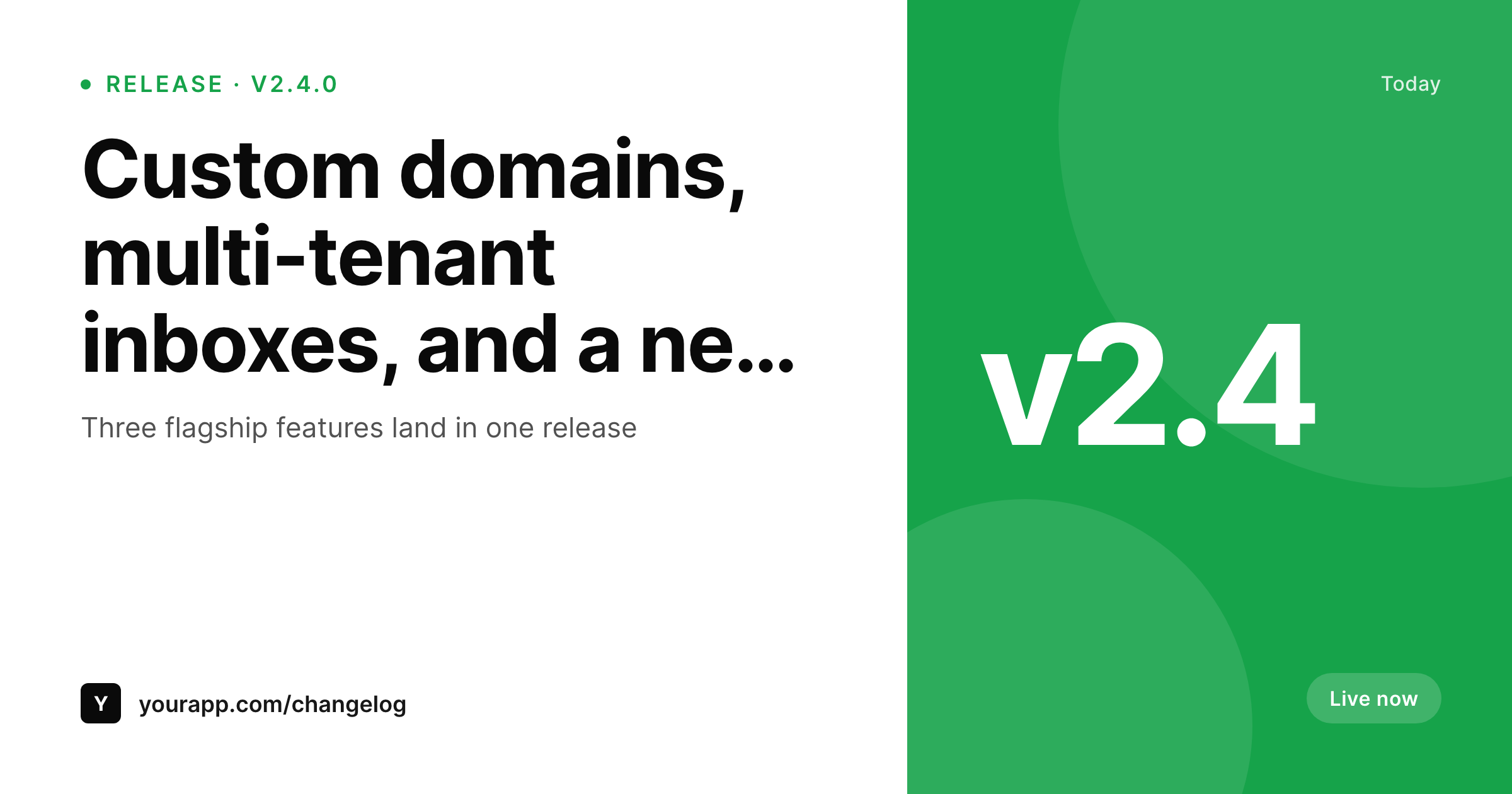
Big releases deserve a real card, not a stock screenshot. SleekPixel renders a 1200x630 OG and Twitter card for every release post, with the version, headline, and three flagship features already laid out from the WordPress fields.
♾️ Lifetime License available
Release-day energy dies in the design step
Teams ship something big, write a release post, and then sit on the announcement for two days because the social card is not ready. Or they ship without a card and the launch tweet looks the same as a regular tweet. Either way the energy drops between the build and the announcement.
SleekPixel collapses the gap. The release post in WordPress holds the version, the headline, and three flagship features as fields. On save, SleekPixel renders the 1200x630 PNG with those fields in fixed slots. The og:image meta tag points at the file. The Gutenberg sidebar exposes a download button for the launch tweet and the LinkedIn post.
The team that just shipped writes the post, hits publish, and the announcement is ready in one motion. No design ticket, no waiting on a marketer, no copying yesterday's release card and editing the version number in Figma.
Workflow
From release post to launch image in one save
Design the release template
Bind to the changelog post type
Ship the release post
Attach to the launch tweet
Output
What the release-day card carries
A 1200x630 image with the version mark, headline, three flagship features, and the changelog brand. The same template handles a patch release and a flagship release.
Comparison
Stock screenshot vs SleekPixel release-day card
Stock screenshot or no image
- Stock screenshots show the UI but bury the version and the headline
- Designing a card per release blocks the launch for hours or days
- Version numbers get retyped from the changelog into a design tool
- Different team members produce visibly different cards over time
- No path from the changelog post to the launch tweet image
SleekPixel
- 1200x630 OG and Twitter card rendered per WordPress release post
- Version, headline, and flagship features bind to post fields
- Same image used for og:image, Twitter card, and the launch tweet attachment
- Patch releases and flagship releases use the same template
- Edit the template once and every past release card refreshes
Features
What SleekPixel gives you for release day cards
Version slot
A fixed slot for the version string so readers know at a glance whether this is a patch or a flagship release. The format is yours, the position is consistent.
Three-feature stack
Three short feature lines render in the same position on every card. A patch release with one line and a flagship with three both look balanced.
Twitter and LinkedIn ready
The 1200x630 size works as the OG image on the website, the Twitter card, and the LinkedIn post attachment. One render covers every launch surface.
Use cases
Where release-day cards earn the shipping team an hour
SaaS shipping cadences
A team shipping every two weeks ships the release post and the card together. No design ticket, no holding the launch tweet.
Open-source maintainers
Each tagged release gets a card matching the GitHub release notes. The same PNG ends up on the repo readme and the launch tweet.
Solo founders
Indie devs who ship without a designer get a card that looks designed every time, without a tool other than WordPress.
The bigger picture
Why a real release card pays back faster than most launch work
Release-day tweets get more impressions than any other day in a product's two-week cycle. A card that carries the version and the flagship features is the difference between a tweet that earns a retweet and a tweet that earns a like. Most teams know this and still ship without a card, because the design step blocks the launch.
Removing the design step means more launches with a card than without, which over a year compounds into hundreds of branded impressions instead of zero. The same card lives on the changelog page as the og:image, so every retroactive share of an old release also carries the brand. The cost of one well-built template gets amortized across every future release the product ever has.
Questions
Common questions about SleekPixel for release day cards
Yes. Add a version field to the release post and map it to a placeholder in the template. The PNG renders with the version in the same position on every release, patch or flagship.
Yes. Map a screenshot placeholder to the featured image or an ACF image field on the release post. The template crops it into the screenshot slot, with the headline and version on top.
Yes. Editing and re-saving the release post regenerates the PNG and the og:image meta tag. Twitter and LinkedIn cache previews, so use their card debuggers if you need to force-refresh after a republish.
Yes. Templates can hide slots when a field is empty. A patch release with a single line of notes still renders cleanly without the three-feature stack.
If the changelog plugin stores releases as a WordPress post type, yes. SleekPixel binds to any post type. If the plugin stores releases outside the WordPress posts table, you can mirror them into a regular post type and bind from there.
Yes. Run batch regenerate from SleekPixel and every existing release writes a new PNG at the same upload URL. Useful after a brand refresh or after introducing a feature stack to older releases.
Indirectly. SleekPixel renders the PNG; you can attach the rendered image to the GitHub release manually, or use a CI step to pull the upload URL into the GitHub release body. The asset is the same in both places.
Yes. Register templates per post type or per category. A multi-product company can run a Releases post type per product with its own template, each rendering to its own brand.
Pricing
More than 1000+
happy customers
Explore our flexible licensing options tailored to your needs. Upgrade your license anytime to access more features, or opt for a lifetime license for ongoing value, including lifetime updates and lifetime support. Our hassle-free upgrade process ensures that our platform can grow with you, starting from whichever plan you choose.
Lifetime ♾️
Most popular
EUR
once
- Unlimited websites
- Lifetime updates
- Lifetime support
...or get the Bundle Deal
and save €250 🎁
💎 Want everything forever? The All Access Pass is going away on 01.08.2026.
The Bundle (unlimited sites)
Pay once, own it forever
Elevate your WordPress site with our exclusive plugin bundle that includes all of our premium plugins in one package. Enjoy lifetime updates and lifetime support. Save significantly compared to buying plugins individually.
What’s included
-
SleekAI
-
SleekByte
-
SleekMotion
-
SleekPixel
-
SleekRank
-
SleekView
€749
Continue to checkoutBrowse more
- Buy Me a Coffee banners
- KakaoTalk channel banners
- Bluesky link cards
- Twitch offline banners
- YouTube channel banners
- Spotify podcast covers
- TikTok cover images
- WhatsApp status images
- Substack podcast cover
- Apple Music cover art
- Instagram feed posts
- Mailchimp email headers
- Pinterest shop banners
- Twitch starting soon screen
- Behance project covers