






SleekPixel for GitHub release card
GitHub releases auto-generate notes inside GitHub, but the announcement post on your blog is where the social share lives. SleekPixel renders a release card from that post with version, tag, contributor count, and highlights pulled from fields.
♾️ Lifetime License available
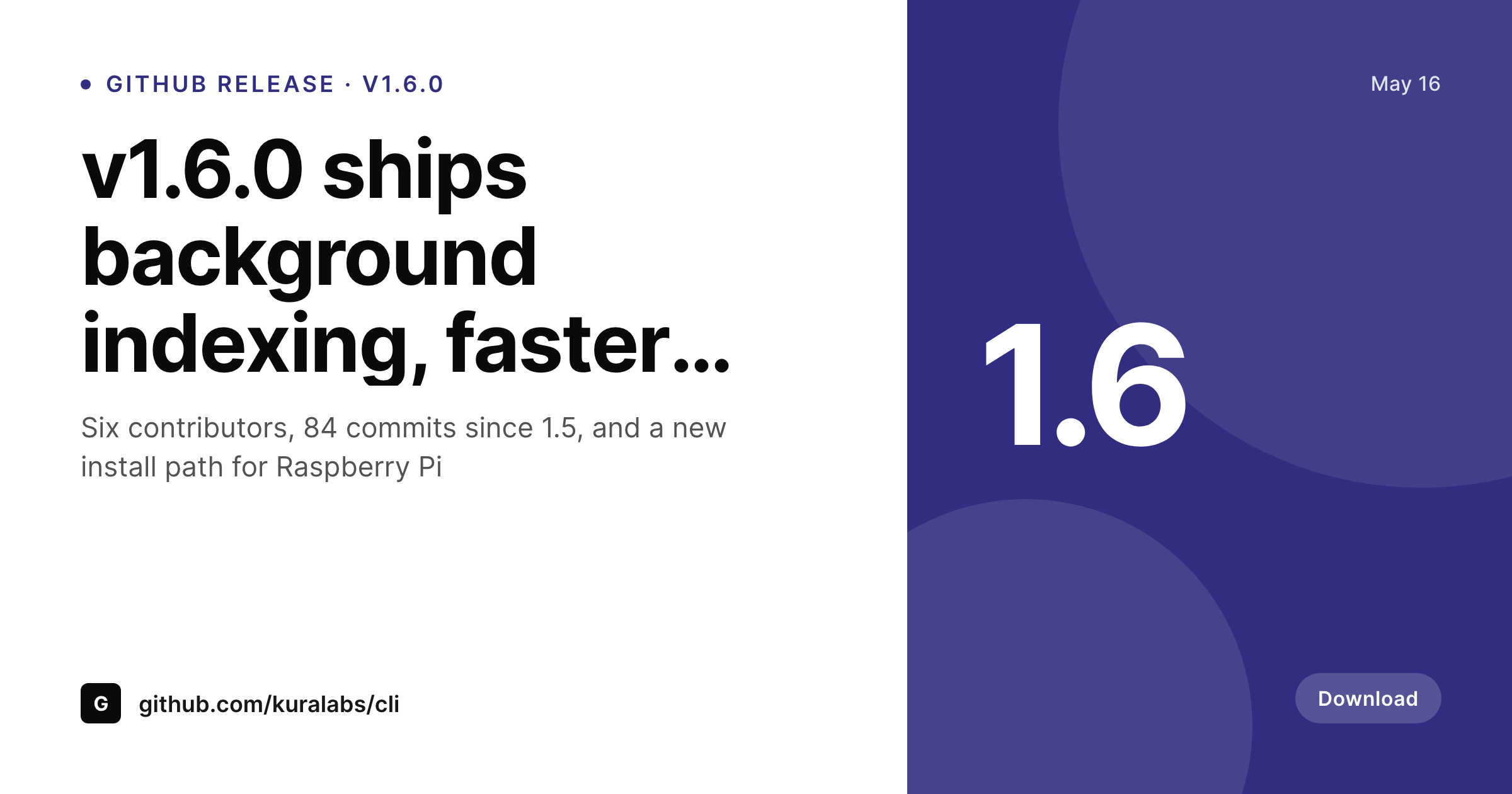
GitHub's release page is not the share preview
GitHub releases are good at one thing: showing the technical changelog inside the GitHub UI to people who already use the repo. They are not designed to win clicks on Twitter, LinkedIn, or Hacker News. When you share a GitHub release URL on social media, the preview is a generic GitHub card, recognizable only to people who already know what GitHub looks like. That preview does not communicate the version, the highlights, or what makes this release worth opening.
The fix is a companion announcement post on your blog. The release tag goes into a custom field. The contributor count goes into another. The top three highlights become bullets. SleekPixel renders a card from those fields with your branding, your typography, and your accent color. The post URL is what you share, not the GitHub release URL, and the preview looks like your project, not GitHub.
The GitHub release stays the canonical source for downloads. The blog post becomes the marketing surface. The card becomes the recognition mark.
Workflow
From git tag to announcement card
Design the release template
Write the release post
Save and announce
Tweet, post, ship
Output
Sample GitHub release card
A 1200x630 OG card with the release tag, version number, contributor count, and three highlights, rendered from the announcement post.
Comparison
GitHub default share vs SleekPixel
github.com/repo/releases share
- GitHub release URL shares with a generic GitHub card preview
- Version and highlights only visible after clicking through to GitHub
- No brand recognition for the project itself in the share
- Cannot customize the GitHub preview for individual releases
- Repos with a real brand lose distribution to better-marketed competitors
SleekPixel
- Release tag, contributor count, and highlights bound to post fields
- Card renders on save, ready for the launch tweet
- og:image and twitter:image meta tags written into the post head
- GitHub remains the download source, the blog becomes the marketing surface
- Bulk regenerate across all historical releases when the brand updates
Features
What SleekPixel gives you for GitHub release card
Tag-first layout
The release tag (v1.6.0) renders prominently. Readers who track the project version see the tag immediately, without needing to click into GitHub.
Contributor recognition
Number of contributors and commits since last release render as small metrics. Healthy contributor counts signal a living project, which earns attention.
Top-three highlights
Three bullets summarize what shipped. The full GitHub changelog is one click away, but the card alone tells the reader whether the release is worth investigating.
Use cases
GitHub release patterns this fits
Open-source CLIs and libraries
CLI tools with frequent releases that want to build a recognizable brand. Each tag gets a card that reads like your project, not like GitHub's default.
Self-hosted apps
Self-hosted software where the release announcement also drives download traffic. The card communicates the release tag and improvements before the click.
Community-led projects
Projects with multiple contributors that want to credit the team on each release. The contributor count signals project health to potential new adopters.
The bigger picture
Why GitHub releases need a marketing layer
GitHub is a great hosting platform and a poor marketing surface. Its share previews are designed to identify GitHub, not your project. For repositories with a brand of their own, that mismatch is a quiet form of lost distribution.
A user scrolling a feed sees a GitHub link, recognizes nothing specific, scrolls past. The exact same release announcement, shared as a blog post URL with a branded card, gets two to three times the click-through. The math is simple, but the operational reality of maintaining a parallel announcement post for every release is what makes most projects skip it.
SleekPixel removes the friction. The blog post lives where the other project documentation lives. The card renders on save.
The GitHub release stays the canonical artifact for downloads and technical notes. The blog post and its card become the front door for everyone who is not already inside the project's GitHub presence, which is where new adopters actually come from.
Questions
Common questions about SleekPixel for GitHub release card
No. The post fields (tag, contributors, highlights) are typed manually or populated via the WordPress REST API at release time. Pulling live from the GitHub API would be a separate integration, which is not part of SleekPixel's scope.
Yes, if you build the workflow yourself. The workflow can call the WordPress REST API to update the field on the announcement post when a release is tagged. SleekPixel renders the card on save.
Those stay on GitHub. SleekPixel renders the marketing card for the blog post. The post body typically links to the full GitHub release notes for technical depth. The two layers complement each other.
Yes. Configure a second template at 1080x1080 for Discord-friendly sharing. Both render on save, drop the square into the announcement channel.
Yes. Major releases (v2.0.0) can use a hero template with a longer description, minor releases (v1.6.1) use the standard card. Templates assign by version pattern or a custom 'release-type' field.
The template works either way. The 'version' field accepts any string. Calendar versioning (2026.05.16), semver (1.6.0), or arbitrary tags all render the same way in the corner.
Yes. Add a contributors-list field and render up to N names in the card. For releases with 30+ contributors, the metric ('30 contributors') reads better than a list. Both options are available.
Yes. Each package's release post is a separate WordPress post. Templates can scope to the package name via a custom field. Different packages, same plugin, different cards.
Pricing
More than 1000+
happy customers
Explore our flexible licensing options tailored to your needs. Upgrade your license anytime to access more features, or opt for a lifetime license for ongoing value, including lifetime updates and lifetime support. Our hassle-free upgrade process ensures that our platform can grow with you, starting from whichever plan you choose.
Lifetime ♾️
Most popular
EUR
once
- Unlimited websites
- Lifetime updates
- Lifetime support
...or get the Bundle Deal
and save €250 🎁
💎 Want everything forever? The All Access Pass is going away on 01.08.2026.
The Bundle (unlimited sites)
Pay once, own it forever
Elevate your WordPress site with our exclusive plugin bundle that includes all of our premium plugins in one package. Enjoy lifetime updates and lifetime support. Save significantly compared to buying plugins individually.
What’s included
-
SleekAI
-
SleekByte
-
SleekMotion
-
SleekPixel
-
SleekRank
-
SleekView
€749
Continue to checkoutBrowse more
- Discourse topics
- Vidstack player
- HT Easy Google Analytics
- ActiveCampaign emails
- SendGrid emails
- WP Event Manager events
- Formidable Forms
- Akismet Anti-Spam
- Ultimate Addons for Gutenberg
- Advanced Shipment Tracking
- WP Google Maps
- Orderable
- Modern Events Calendar events
- WooCommerce Blocks
- The SEO Framework
- Klaviyo email banner
- Behance project covers
- Kick stream thumbnails
- LinkedIn showcase page banners
- Ko-fi shop images
- Lens Protocol posts
- Medium article headers
- YouTube banner art
- Patreon cover images
- Tumblr header
- Apple Podcasts covers
- Lemon Squeezy product covers
- Shopify product images
- Douyin thumbnails
- LINE official account banners