






SleekPixel for FAQ cards
SleekPixel turns each FAQ entry into a branded card on save. Question, category, and short answer all come from real fields, so the OG card, the help center index thumbnail, and any in-article embed share one consistent layout.
♾️ Lifetime License available
FAQs travel further than the help center thinks
FAQ entries are written for the help center, but they get shared everywhere. Sales pastes them into prospect emails. Support links to them in chat. Social teams post them as quick answers. Buyers find them on Google for question-shaped queries that the marketing site does not target. The volume is high, the format is rigid, and the design treatment is almost always default.
SleekPixel turns the FAQ card into a derived artifact. The FAQ post type already holds the question, the category, and the short answer. The template encodes the layout once, with rules for short and long questions and with category-driven accents. Save the entry and the renderer writes the OG card, the help center thumbnail, and any in-article embed in one pass. The same primitives cover product FAQs, billing FAQs, shipping FAQs, and policy FAQs because the layout adapts to category, not to topic.
The result is an FAQ program that travels well. Sales emails, support chats, and social posts all carry a card that signals the brand and answers the question at a glance. The help center index becomes a coherent product instead of a list of links. And the back catalogue can be brought into the current look in a single bulk regenerate after a brand update.
Workflow
From an FAQ entry to a ready-to-ship card
Encode the FAQ layout
Connect the category palette
Publish the entry
Refresh the FAQ
Output
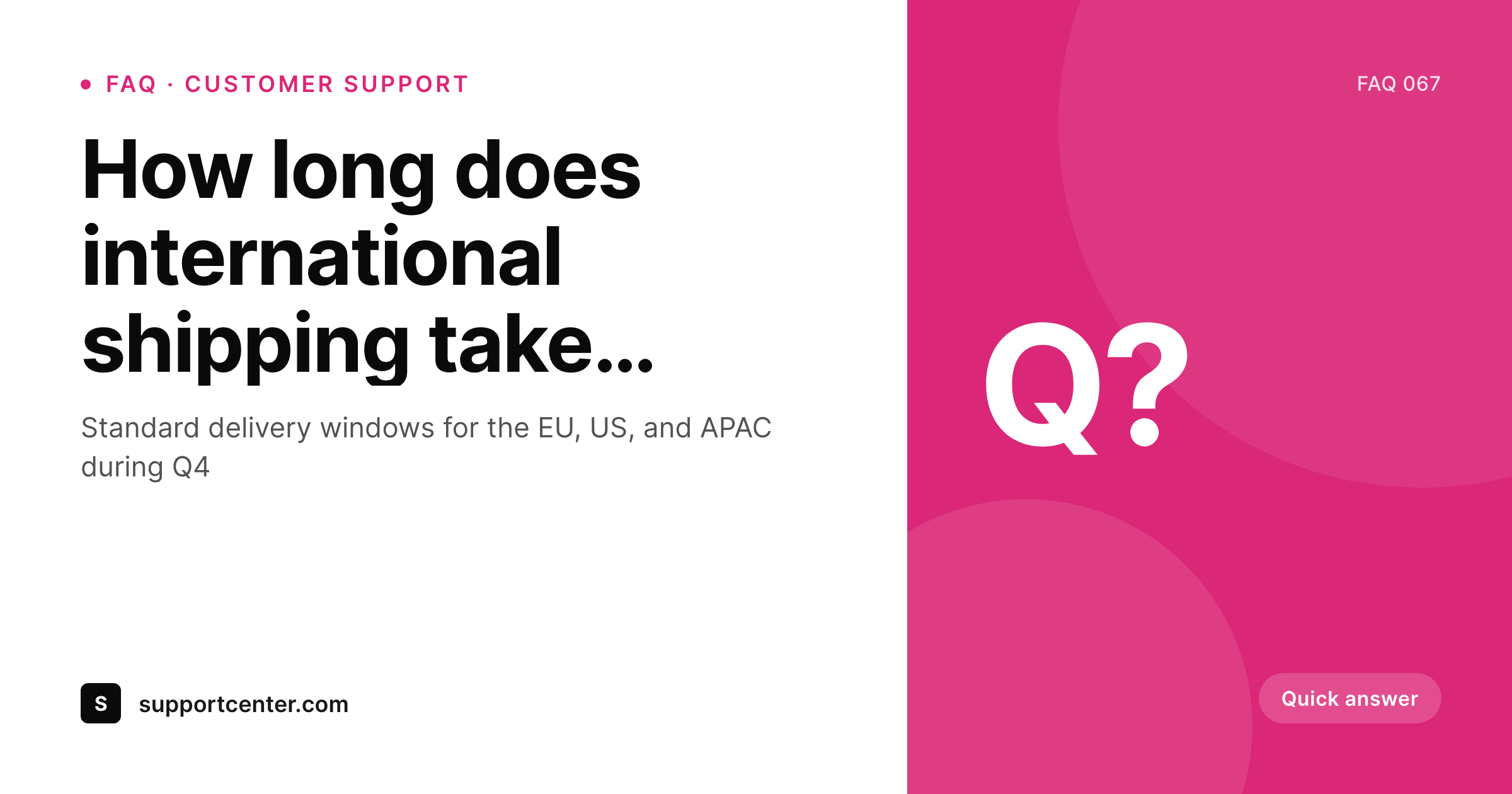
How an FAQ card composes
An OG card with the question, category, short answer, and brand mark, all assembled from real FAQ fields.
Comparison
Default FAQ cards vs rendered ones
Default site card on every FAQ
- Every FAQ ships with the same generic site OG card
- Sales emails linking to FAQs land with mismatched previews
- Help center index thumbnails are a placeholder grid
- Long questions overflow the layout designed for short ones
- A brand refresh skips the FAQ because the volume is too high
SleekPixel
- FAQ cards render from real post fields the moment you save
- Category drives the accent color across a thousand entries
- Long questions auto-fit so the layout never breaks
- OG card, help center thumbnail, and embed share one template
- Bulk regenerate brings the whole FAQ in line in one pass
Features
What SleekPixel gives you for FAQ cards
Question-aware
Questions of varying length all sit cleanly through auto-fit type rules. A short question and a 200-character question both land inside the safe area.
Category-colored
Category taxonomy drives the accent palette. Product, billing, shipping, and policy FAQs all read as distinct without separate templates.
Card and embed together
Register an OG size and an in-article embed size against the same template. Sales emails, social posts, and the help center page stay coherent.
Use cases
FAQ formats this template covers
Product FAQs
Product-specific questions tied to a product post type. Category color resolves per product line so each set feels distinct.
Billing and policy FAQs
Account and policy entries with longer answers. The card focuses on the question with a category badge for context.
Shipping and logistics FAQs
Shipping and return entries that change seasonally. Bulk regenerate refreshes them when policies update.
The bigger picture
Why FAQ cards travel further than the help center
Help center pages are written as if they will be read once, on the help center, by a customer who is already on the site. In practice, an FAQ entry on a product question gets pasted into sales emails, linked in support chats, shared on Twitter when a customer is frustrated, and indexed by Google for question-shaped queries that the marketing site does not target. The link travels.
The OG card travels with it. A generic site card on every FAQ means every shared link looks like spam. A branded, question-aware card means every shared link looks like a real answer from a real company.
SleekPixel makes that the default. Every FAQ entry, including the long tail, ships with a real card because the same template renders the same primitives from real post fields. Over time the help center stops being a back-room of the site and starts being a public-facing product, the way Stripe and Shopify built theirs.
Questions
Common questions about SleekPixel for FAQ cards
Yes. Auto-fit rules in the template scale type between min and max bounds based on question length. A short question and a 200-character question both land inside the safe area.
Yes. Map the accent color in the template to a category taxonomy term. Each category resolves to a brand color, so product, billing, and shipping FAQs feel distinct without separate templates.
Yes. SleekPixel attaches templates to whichever post types you choose. Your existing FAQ post type, with its question and answer fields, becomes the data source. No migration required.
Yes. Register OG, the help center thumbnail, and an in-article embed size against the same template. SleekPixel renders all of them on save and they stay coherent.
Yes. Each FAQ post has a Gutenberg sidebar with download buttons for every registered size. Sales and support can grab the latest card directly from the post for emails and chats.
Yes. The admin has a one-click bulk regeneration that re-renders all FAQ cards using the template. Useful after a policy update or a brand refresh.
No. The image is rendered once at save time and stored as a static PNG/JPG. Visitors load a regular image URL, no rendering happens at view time.
Yes. Filter rendering by post status, a custom field, or a taxonomy term. Internal-only FAQs can be excluded so no card is produced for them.
Pricing
More than 1000+
happy customers
Explore our flexible licensing options tailored to your needs. Upgrade your license anytime to access more features, or opt for a lifetime license for ongoing value, including lifetime updates and lifetime support. Our hassle-free upgrade process ensures that our platform can grow with you, starting from whichever plan you choose.
Lifetime ♾️
Most popular
EUR
once
- Unlimited websites
- Lifetime updates
- Lifetime support
...or get the Bundle Deal
and save €250 🎁
💎 Want everything forever? The All Access Pass is going away on 01.08.2026.
The Bundle (unlimited sites)
Pay once, own it forever
Elevate your WordPress site with our exclusive plugin bundle that includes all of our premium plugins in one package. Enjoy lifetime updates and lifetime support. Save significantly compared to buying plugins individually.
What’s included
-
SleekAI
-
SleekByte
-
SleekMotion
-
SleekPixel
-
SleekRank
-
SleekView
€749
Continue to checkoutBrowse more
- GitHub README banners
- Bandcamp banner
- Weibo post images
- KDP paperback cover
- Ghost feature images
- Farcaster cast images
- Apple Podcasts covers
- Mastodon link previews
- WeChat Moments images
- YouTube Shorts thumbnails
- Apple Music cover art
- Twitter header banners
- LinkedIn newsletter headers
- YouTube Shorts cover
- LinkedIn showcase page banners