






SleekPixel for Ghost feature images
Templated 1200x630 feature images rendered from your WordPress post data, hot-linkable into Ghost or downloadable from the editor sidebar. Cross-publication setups stay visually consistent without redrawing each post in Canva.
♾️ Lifetime License available
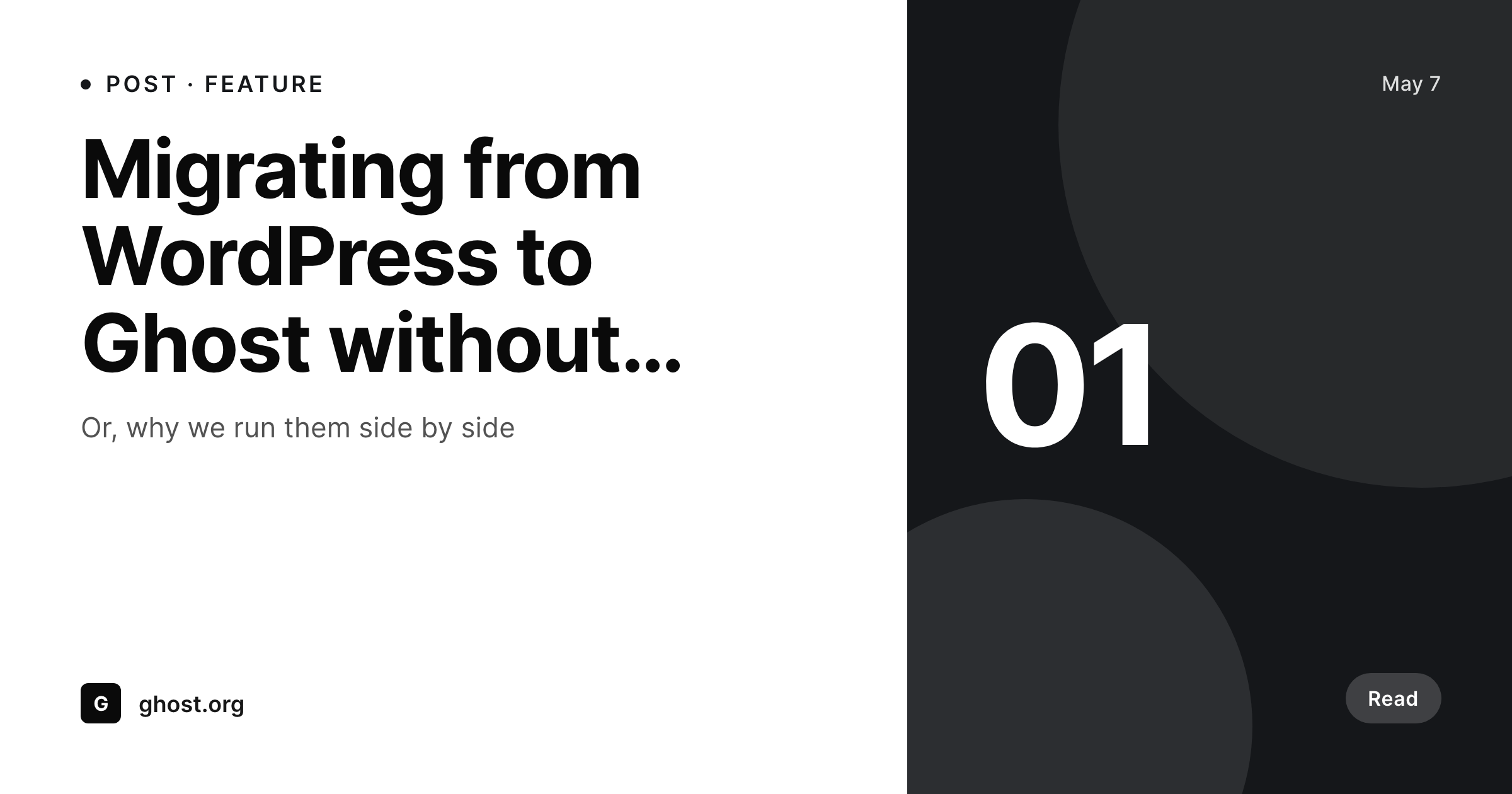
Cross-publishing to Ghost loses the visual identity by default
Plenty of teams run WordPress and Ghost side by side. WordPress hosts the marketing site and the long-form archive, Ghost hosts the paid newsletter and the membership product. The content overlaps, and editors cross-publish posts between them. The default behavior on Ghost is to use the feature image as both the hero on the post page and the unfurl image, sized at 1200 by 630. Done manually, the cross-publish involves designing the same image twice in Canva, once for WordPress, once for Ghost, with no version control between them.
SleekPixel makes the feature image a render of the WordPress post. The template is 1200 by 630, in HTML and CSS, and the same file works as both the WordPress og:image and the Ghost feature image. Cross-published posts share a single source of truth. A title rewrite or author swap on the WordPress side updates the image and the Ghost feature image references the new file URL on the next fetch.
For workflows that prefer to upload the file rather than hot-link, the editor sidebar exposes a download button. The PNG is named after the post, sits in uploads, and is ready for the Ghost feature image dialog.
Workflow
From WordPress post to Ghost-ready feature image
Design the template
Bind the post fields
Save the post
Reference from Ghost
Output
What gets generated per post
A 1200x630 PNG sized for the Ghost feature image slot, with the post title, author, and any field mapped from the WordPress post.
Comparison
Manual Ghost cross-publish versus SleekPixel
Manual / Canva / no image
- Cross-published posts have two slightly different feature images that drift over time
- Title rewrites on WordPress never propagate to the Ghost feature image
- Editors design the same Canva file twice, once per platform
- The Ghost feature image often falls back to a stretched stock photo
- Branding refreshes have to be done in two places
SleekPixel
- 1200x630 PNG rendered per WordPress post on save
- Same file works as og:image and Ghost feature image
- Hot-linkable into Ghost via the rendered file URL
- Sidebar download for editors who prefer to upload manually
- Real PNGs in uploads, served from your own domain
Features
What SleekPixel gives you for Ghost feature images
Per-post render
Each WordPress post produces its own 1200 by 630 image that doubles as the WordPress og:image and the Ghost feature image.
Hot-linkable
Ghost accepts external feature image URLs. Reference the rendered file URL and updates on WordPress propagate to Ghost.
Sidebar download
Prefer a clean upload? Click download in the editor sidebar and use the PNG in the Ghost feature image dialog.
Use cases
Where Ghost feature images need WordPress as the source of truth
Cross-publication
Posts cross-published from WordPress to Ghost share the same feature image, eliminating drift between platforms.
Membership content
Paid newsletters in Ghost reference the rendered file from WordPress, so the brand stays consistent across the funnel.
Archive refresh
Branding refreshes re-render the WordPress archive, and the Ghost references update on the next fetch.
The bigger picture
Why cross-publication needs one source of truth
Cross-publishing to Ghost is supposed to save effort by reusing content across platforms, but the visual layer usually undoes that gain. Editors end up designing the same image twice, once for WordPress and once for Ghost, with no version control between them, and the two posts drift visually within a few months. Branding refreshes mean redoing the work in two places.
SleekPixel makes the image a render of the WordPress post and the same file works on both platforms. Hot-linking from Ghost keeps WordPress as the source of truth, so a title rewrite or rebrand on WordPress propagates to Ghost without anyone re-uploading. Editors stop being the bottleneck for visual consistency on the cross-publish path.
The brand reads the same on the marketing archive, the unfurl, and the paid newsletter.
Questions
Common questions about SleekPixel for Ghost feature images
No. The rendered file lives on WordPress uploads. Ghost references it as a feature image URL (hot-link) or you can download the PNG from the editor sidebar and upload manually into Ghost.
1200 by 630, the size Ghost expects for feature images and the same OG default. The dimension is configurable in the template.
Yes. SleekPixel renders one PNG per post and writes og:image on the WordPress side. Ghost references the same file URL as its feature image.
Yes. Ghost accepts any public image URL as a feature image. The rendered file is a static PNG on your own domain, so it loads inside Ghost and on the public newsletter.
Use a different template or a different post field for the Ghost-bound image. SleekPixel can render multiple templates per post, so each platform can have its own variant.
Yes, including self-hosted custom fonts. The template is HTML and CSS, so any font you can serve works.
In the WordPress uploads directory as real PNGs, served from your own domain. They are in the media library and included in normal backups.
No. Rendering happens on save. There is no per-view API call and no usage cap.
Pricing
More than 1000+
happy customers
Explore our flexible licensing options tailored to your needs. Upgrade your license anytime to access more features, or opt for a lifetime license for ongoing value, including lifetime updates and lifetime support. Our hassle-free upgrade process ensures that our platform can grow with you, starting from whichever plan you choose.
Lifetime ♾️
Most popular
EUR
once
- Unlimited websites
- Lifetime updates
- Lifetime support
...or get the Bundle Deal
and save €250 🎁
💎 Want everything forever? The All Access Pass is going away on 01.08.2026.
The Bundle (unlimited sites)
Pay once, own it forever
Elevate your WordPress site with our exclusive plugin bundle that includes all of our premium plugins in one package. Enjoy lifetime updates and lifetime support. Save significantly compared to buying plugins individually.
What’s included
-
SleekAI
-
SleekByte
-
SleekMotion
-
SleekPixel
-
SleekRank
-
SleekView
€749
Continue to checkoutBrowse more
- book quote cards
- customer story card
- scheduled maintenance card
- incorporation card
- roadmap update cards
- integration launch card
- case study banner
- explainer video thumbnails
- customer spotlight cards
- experiment recap card
- patch note cards
- feature flag card
- rating cards
- newsletter issue card
- valuation card
- Patreon tier images
- YouTube end cards
- Depop listing images
- VSCO cover
- Spotify playlist cover
- Tumblr header
- Twitch offline banners
- Lemmy post images
- Farcaster cast images
- Discord server banners
- Substack post thumbnail
- Mailchimp email headers
- Ko-fi banners
- LINE official account banners
- Notion page covers