






SleekPixel for book quote cards
Readers who save book passages can publish each one as a WordPress post. SleekPixel renders a 1080x1080 card for the post the moment you save, with the quote, author, and book title pulled from the fields.
♾️ Lifetime License available
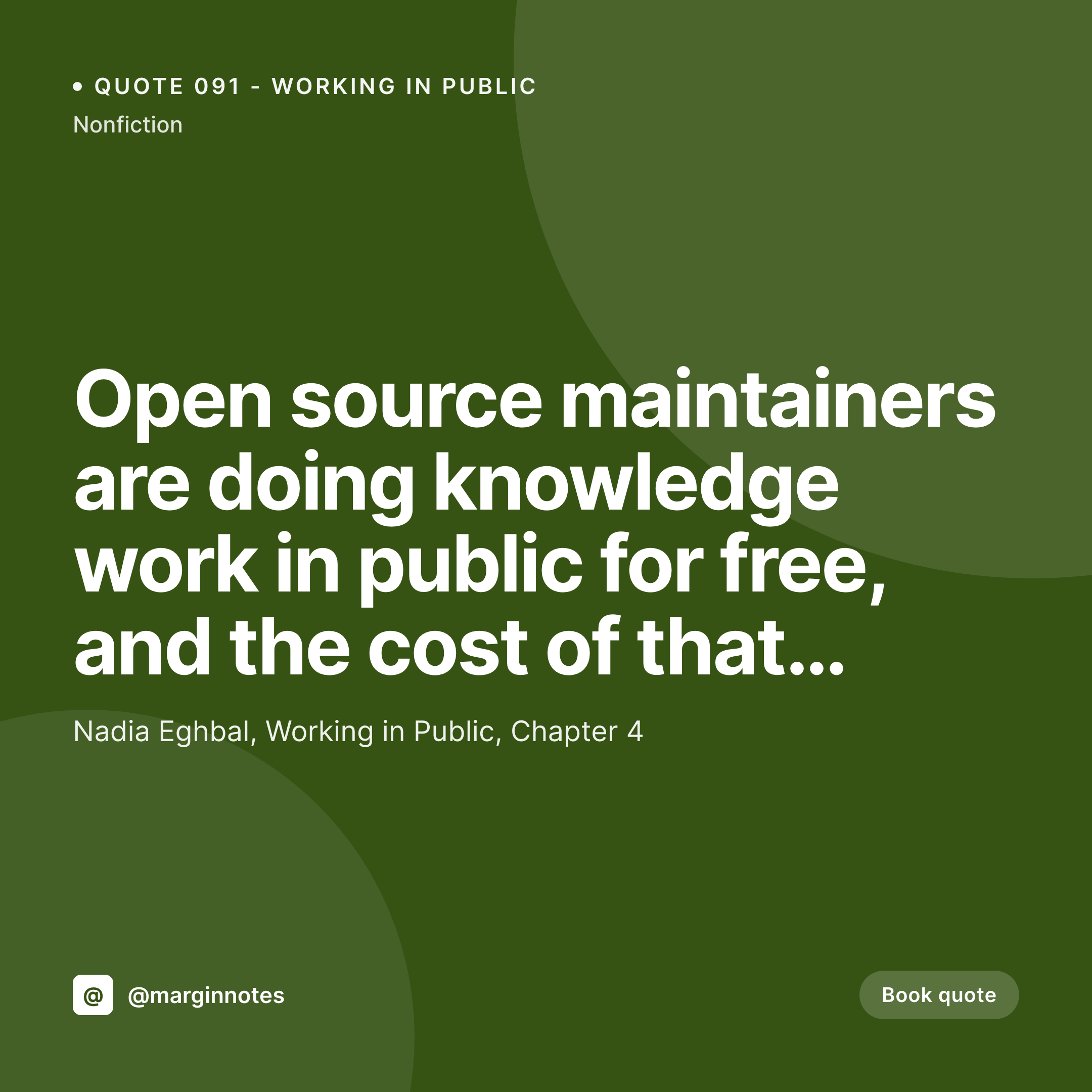
Book quote cards keep the source attached
The act of marking a book passage and sharing it online is its own content format. Readers screenshot Kindle highlights, type quotes from print into Twitter, and build personal libraries of marginalia. The format works when the source stays attached: the quote, the author, the book title, the chapter. Without attribution, the passage drifts into a generic motivational quote and the original work loses the discovery channel that quote-sharing usually provides.
Most quote-sharing is done badly because the producer is moving fast. Snap a photo of a Kindle page, post to Instagram, forget which chapter it came from. Or paste a quote into Canva, add the author's name, and call it done. By the tenth quote, the format has drifted: some have chapters, some have only authors, some have the cover, some do not. The library reads as a sequence of one-off posts.
SleekPixel makes the quote post the source. Quote text, author, book title, chapter, and category all live on the post. The template binds to those fields and renders a 1080x1080 card to /uploads on save. The og:image powers the web archive, the download lives in the Gutenberg sidebar. Every quote ships with full attribution and a consistent visual system, no matter how many years the reader keeps the habit.
Workflow
From highlighted passage to ready-to-share card
Design the template
Publish the quote post
Share to Instagram
Correct freely
Output
What a rendered book quote card looks like
A 1080x1080 PNG with the quote, author, book title, and chapter pulled from the post fields, laid out in the locked template.

Comparison
Default book quote card vs SleekPixel
Default book quote cards image
- Attribution gets dropped on screenshots
- Book title and author drift across the year
- Long quotes overflow the safe area
- Chapter and source data rarely included
- Canva templates differ between posts and weeks
SleekPixel
- Render runs on save for every quote post
- Quote, author, book title, and chapter from post fields
- Attribution stays anchored regardless of quote length
- og:image and twitter:image meta tags written automatically
- Per-category accent colors for fiction, nonfiction, philosophy, and more
Features
What SleekPixel gives you for book quote cards
Source-aware
A book reference field on the post drives the author, title, and chapter line. The renderer keeps source attribution consistent across every quote in the library.
Auto-fit type
Long and short quotes both occupy the same square frame. Type scales between configurable min and max sizes so a 12-word passage and a 60-word passage both look intentional.
Edits regenerate
Fix a transcription error a week later and the card regenerates on save. The og:image meta tag points at the same file path so the corrected version goes out next.
Use cases
Who uses SleekPixel for book quote cards
Marginalia writers
Readers publishing a personal commonplace book online. The card supports the social share that turns private marginalia into a public reading habit.
Reading-focused publications
Sites curating passages from books, similar to Brain Pickings or Farnam Street. The card system enforces a recognizable visual signature across thousands of entries.
Reading-group publishers
Book clubs and academic reading groups publishing chapter quotes weekly. The card carries the group's brand on shares back to the discussion post.
The bigger picture
Why book quote cards anchor attribution to the source
A book passage that gets screenshotted and reshared without attribution loses its origin in a single hop. The reader who encounters the passage on Twitter has no way to find the book, and the author loses the discovery channel that quote-sharing usually provides. Attribution is the entire point of a quote card, and yet most casual quote-sharing strips it.
SleekPixel makes attribution a property of the post rather than a property of the producer's discipline. The template anchors the author and the book title on every card. The renderer keeps the slot locked across the entire library.
Every screenshot that travels into the world carries the source back to its book, which is good for the reader, good for the author, and good for the curator who built the library in the first place. That fidelity to source is what separates a real reading habit from a generic motivational feed.
Questions
Common questions about SleekPixel for book quote cards
Yes. A book reference field, an ACF group field, or a Meta Box group can hold the author, title, chapter, and even ISBN. The template binds each layer to the matching subfield.
The quote text auto-shrinks between configurable min and max sizes. Short quotes fill the frame, longer passages scale down with the attribution anchored at the bottom regardless of quote length.
Yes, with a book taxonomy on the quote post type. Each book gets a term, and the archive page lists all the quotes from that book. SleekPixel renders the card the same way for any of them.
Yes. A category taxonomy drives the accent. Fiction, nonfiction, philosophy, and poetry can each carry their own color from a palette you define.
Yes. SleekPixel binds to any post type. ACF, Meta Box, Pods, and native custom fields are all supported as data sources.
Yes. Register a 1200x630 size against the same post type and SleekPixel renders both formats on save. The square covers Instagram, the OG image covers Twitter and LinkedIn.
No. SleekPixel renders the PNG inside WordPress and exposes a download button in the Gutenberg sidebar. Posting still happens through a scheduler or a manual upload.
Yes. Each quote post produces its own file in /uploads, named per the slug. The archive is browsable from the WordPress media library by date and parent post.
Pricing
More than 1000+
happy customers
Explore our flexible licensing options tailored to your needs. Upgrade your license anytime to access more features, or opt for a lifetime license for ongoing value, including lifetime updates and lifetime support. Our hassle-free upgrade process ensures that our platform can grow with you, starting from whichever plan you choose.
Lifetime ♾️
Most popular
EUR
once
- Unlimited websites
- Lifetime updates
- Lifetime support
...or get the Bundle Deal
and save €250 🎁
💎 Want everything forever? The All Access Pass is going away on 01.08.2026.
The Bundle (unlimited sites)
Pay once, own it forever
Elevate your WordPress site with our exclusive plugin bundle that includes all of our premium plugins in one package. Enjoy lifetime updates and lifetime support. Save significantly compared to buying plugins individually.
What’s included
-
SleekAI
-
SleekByte
-
SleekMotion
-
SleekPixel
-
SleekRank
-
SleekView
€749
Continue to checkoutBrowse more
- anniversary promo card
- side project card
- open role card
- music recommendation cards
- Twitter thread card
- diversity report card
- open-source launch card
- partnership card
- award announcement images
- webinar replay card
- weekly roundup cards
- SDK release card
- conference banner cards
- industry report cards
- product page
- LinkedIn post images
- X social cards
- WhatsApp status images
- Snapchat Spotlight covers
- Substack post headers
- Substack podcast cover
- Twitch starting soon screen
- Kindle book cover
- Pinterest shop banners
- Pinterest board covers
- Twitter header banners
- Telegram channel images
- eBay listing images
- YouTube Music cover art
- Bluesky link cards