






SleekPixel for Tella videos
Tella turns recordings into polished video pages. SleekPixel renders the matching share card on the WordPress side, so embedded Tella demos open on socials with title, duration, and brand mark instead of a generic theme banner.
♾️ Lifetime License available
Tella looks edited. The share preview should match.
Tella sits between Loom and a full production tool. The output is intentionally branded, with backgrounds, layouts, and chapters, which means teams use it for asset-grade demos and announcement videos that get embedded on marketing pages. The Tella page itself has a clean preview when shared on socials. The WordPress page that embeds the Tella video usually does not. The marketing site falls back to whatever og:image the theme provides, and the considered Tella demo loses its frame the moment somebody pastes the marketing URL into LinkedIn.
The miss is small but visible. Tella demos are exactly the kind of content that ends up in outbound emails, partner threads, and X posts. The link being shared is rarely the raw Tella URL; it is the product page or feature announcement page that embeds the demo. That page is the one that needs the card, and it is the one most often shipped with a default theme image.
SleekPixel reads the embedded Tella URL, pulls the title from the page or a custom field, takes the duration from a custom field or the Tella API, and renders a card that matches the demo's brand. New demos ship with cards on save. The marketing surface keeps the polish that the demo itself already has.
Workflow
From Tella recording to share-ready in one save
Embed the Tella video
Build the demo template
Save the post
Share anywhere
Output
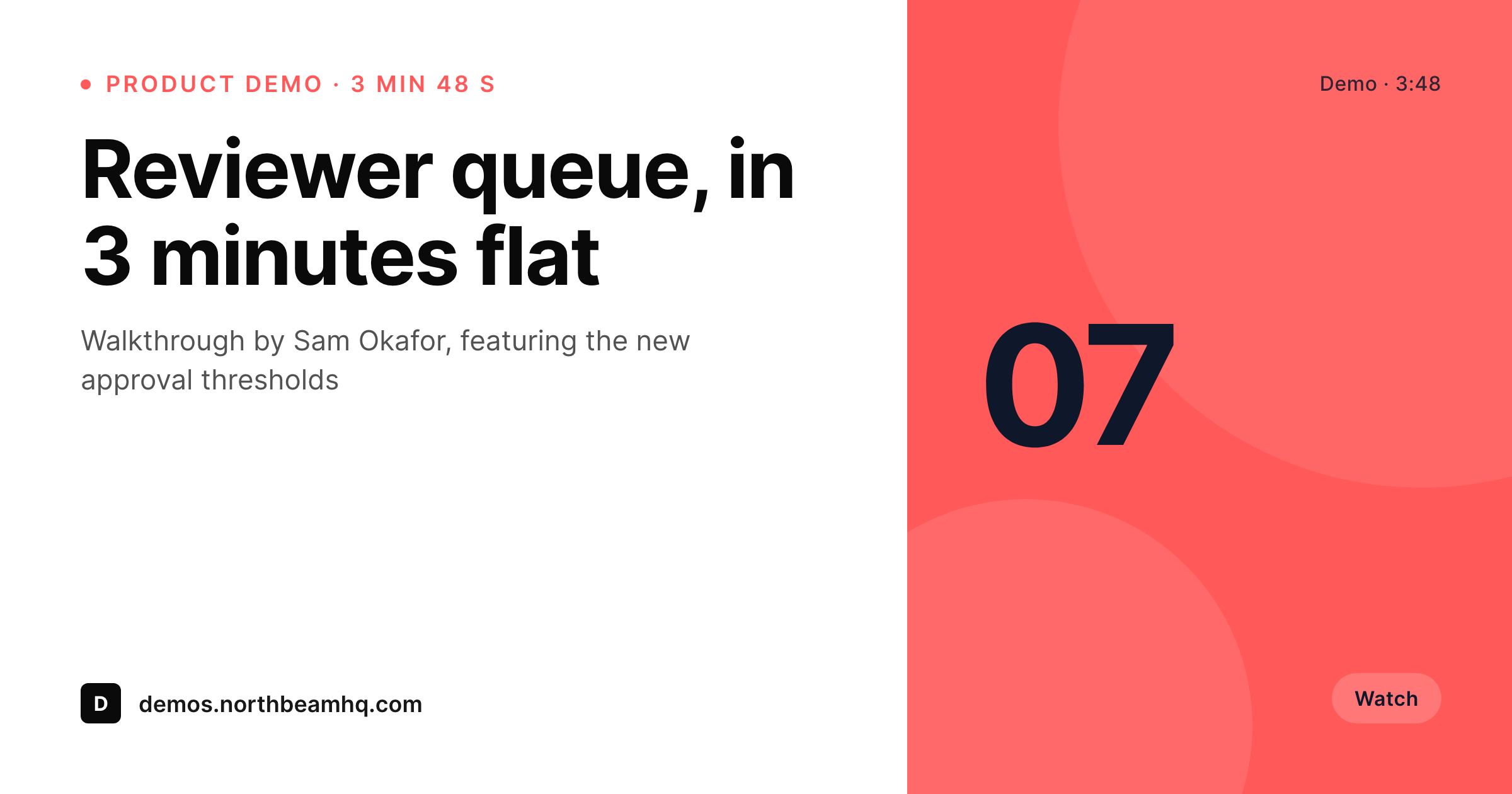
Sample Tella demo card
A 1200 by 630 OG image: demo title, duration, host name, demo number, and brand wordmark, rendered from the post on save.
Comparison
Default Tella share vs SleekPixel rendering
Default theme OG image
- Tella's own page preview only applies when the raw Tella URL is shared
- Marketing pages that embed Tella demos share with the site logo by default
- Duration, host, and demo number never appear on the share preview
- Manual share-card design stops happening after the first launch
- Brand refreshes leave older demo embeds with mismatched previews
SleekPixel
- Reads the embedded Tella URL and uses it as the canonical video reference
- Title, duration, host, and demo number render from post fields
- Works with iframe embeds and Tella's recommended embed code
- Bulk re-render product and feature pages when the brand evolves
- Suitable for product demos, feature launches, customer-facing walkthroughs
Features
What SleekPixel gives you for Tella videos
Demo-title headlines
The post title or a dedicated demo title field becomes the card headline. Feature launches and walkthroughs carry their real name into every share.
Runtime in the meta
Demo duration renders into the meta line. Prospects scanning a feed know if the link is a 90-second teaser or a 6-minute deep dive before they click.
Host bylines
Custom field for the host or presenter renders as a small byline. Customer-facing demos feel attributed and personal.
Use cases
What Tella-powered sites generate with SleekPixel
Feature launch pages
Each launch page embeds a Tella demo and shares with a card showing the feature name, duration, and host. Launch tweets and partner posts open with a real preview.
Product walkthroughs
Long-form walkthroughs share with chapter or section titles. Sales decks and outbound emails link confidently to the right demo.
Onboarding videos
Customer-facing onboarding videos render with module name and duration. The help center back catalog stays consistent on socials and chat previews.
The bigger picture
Why marketing-page shares carry the brand, not the demo URL
Tella demos are usually one part of a larger marketing page: a feature announcement, a product walkthrough, a customer onboarding article. The URL that gets shared is the marketing URL, not the raw Tella link. Tella's hosted page has its own preview, but that preview only applies when somebody shares the Tella URL directly, which is rare for produced content.
The marketing page is where the share lives, and that is where the brand impression happens. A team that took the time to produce a Tella demo also took the time to write the marketing page, choose a hero, and pick a headline. The share card should match the same care.
SleekPixel renders that card from the post fields the team already wrote. The marketing surface gets a small but visible upgrade, especially for product launches that lean heavily on demo videos to drive trial signups.
Questions
Common questions about SleekPixel for Tella videos
By default it uses the embed URL as a reference and pulls metadata from post fields. If you want to pull title and duration from Tella directly, a small helper can fetch the public page metadata and cache it. Most teams find post fields sufficient and faster.
If the Tella URL changes, update the post and save; the new URL becomes the reference and the card re-renders with any updated title or duration fields. If the URL stays the same and only the recording changes, update the post fields manually.
Yes. The iframe contains the Tella URL in the src attribute, which SleekPixel parses. Alternatively, you can put the Tella URL in a custom field on the post for a cleaner template binding.
Yes, via a custom field for chapter title. Long-form walkthroughs that chapter a demo can use the chapter field for context, while shorter feature demos can leave it blank.
Tella's preview only applies when somebody shares the raw Tella URL. SleekPixel renders the og:image for the WordPress marketing page that embeds the demo, which is the URL that actually gets shared in launches and outbound.
Yes. Feature launches can use one template, customer onboarding videos another, and product walkthroughs a third. A custom field or category selects the template at render time.
The WordPress post and its og:image stay intact, so older share links keep working. The page itself will show whatever fallback Tella shows for a removed embed, but the social preview keeps rendering from the stored PNG.
Only marginally. If you use post fields exclusively, the save is unchanged. If you opt into fetching Tella metadata, the call is cached after the first save, so subsequent saves use the cache and stay fast.
Pricing
More than 1000+
happy customers
Explore our flexible licensing options tailored to your needs. Upgrade your license anytime to access more features, or opt for a lifetime license for ongoing value, including lifetime updates and lifetime support. Our hassle-free upgrade process ensures that our platform can grow with you, starting from whichever plan you choose.
Lifetime ♾️
Most popular
EUR
once
- Unlimited websites
- Lifetime updates
- Lifetime support
...or get the Bundle Deal
and save €250 🎁
💎 Want everything forever? The All Access Pass is going away on 01.08.2026.
The Bundle (unlimited sites)
Pay once, own it forever
Elevate your WordPress site with our exclusive plugin bundle that includes all of our premium plugins in one package. Enjoy lifetime updates and lifetime support. Save significantly compared to buying plugins individually.
What’s included
-
SleekAI
-
SleekByte
-
SleekMotion
-
SleekPixel
-
SleekRank
-
SleekView
€749
Continue to checkoutBrowse more
- Tumblr header
- Behance project covers
- Telegram channel images
- Open Graph images
- Linktree banner image
- Instagram highlight covers
- Pinterest video pin covers
- Dribbble shot covers
- Twitch camera frame
- Tidal cover art
- Notion page covers
- YouTube Music cover art
- Amazon Storefront banners
- Twitter/X header
- Discord server icon