






SleekPixel for annual report card
Companies publish annual reports as long HTML pages or downloadable PDFs. The share card is usually an afterthought. SleekPixel renders a branded preview from the report post on save, with the fiscal year, the headline figure, and the report title, so the link shared on LinkedIn looks as considered as the report itself.
♾️ Lifetime License available
Annual reports take months, the share preview takes seconds
An annual report is a months-long project. Audited financials, narrative section, executive letter, design, legal review. By the time the report is ready to publish, the team is exhausted and the share card is the last thing on the list. Most reports go live with a default site logo as the social preview, which undersells the work that went into the document.
SleekPixel turns the share card into a side effect of publishing. The report post on the company site has the fiscal year, the headline figure, the title, and the cover image as fields. On save, SleekPixel renders a 1200x630 card with those elements and the company logo. The og:image meta tag points at the rendered card. When the CEO posts the report link on LinkedIn the morning of release, the preview shows the fiscal year and the headline number, not a homepage screenshot.
The same card carries through every onward share. Investors forwarding the link to peers, employees posting it on their own profiles, journalists quoting it in coverage - all see the branded card. The report itself stays as a PDF or a long-form web page; the card is independent and always reflects the latest version on file.
Workflow
From report publish to share-ready preview in one save
Build the report template
Publish the report post
Card renders to uploads
Share across channels
Output
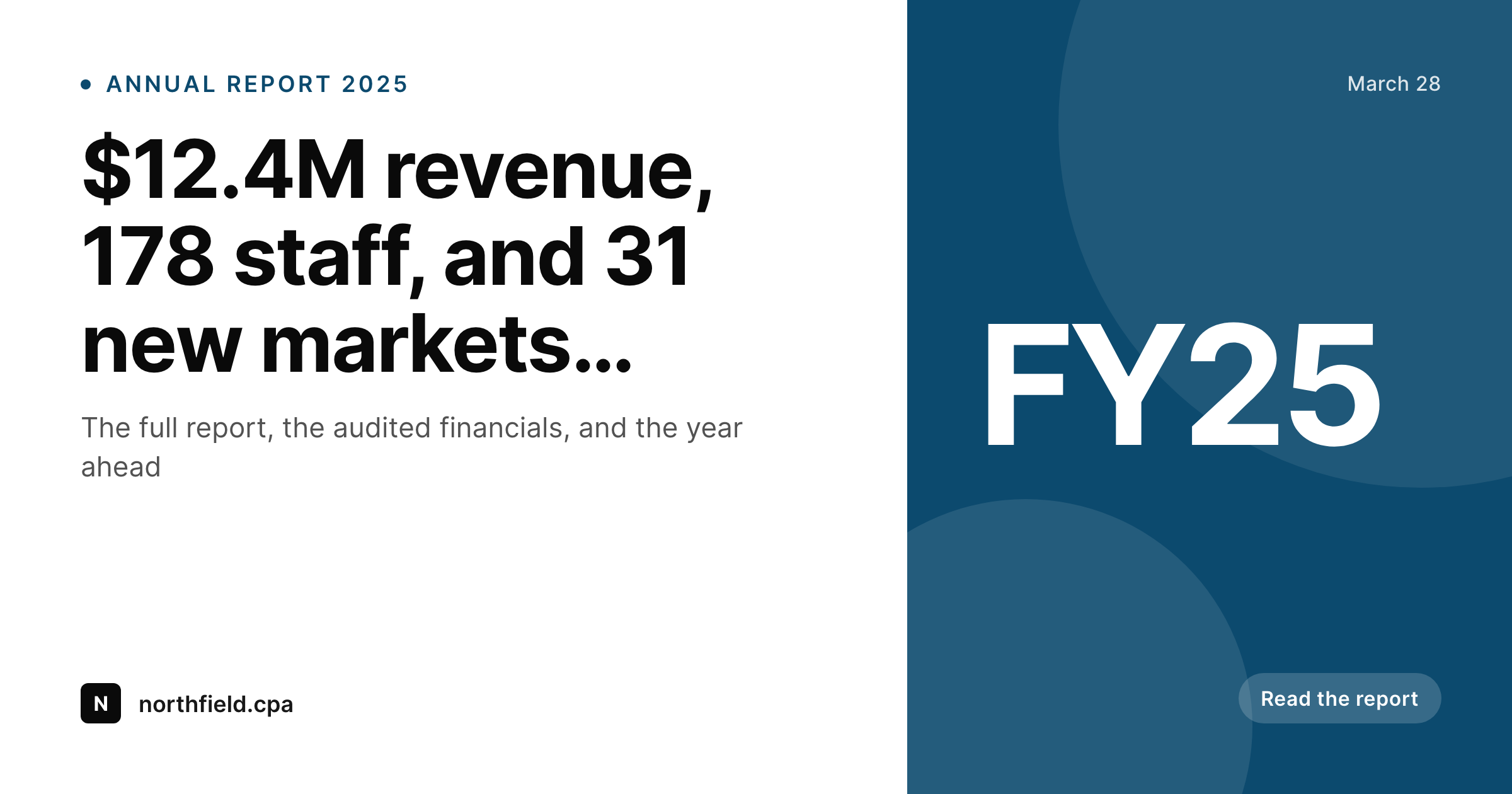
Sample annual report card
A 1200x630 OG card with fiscal year, headline figure, and report title rendered from the report post.
Comparison
Default site logo vs SleekPixel
Generic homepage preview
- Annual report link previews as the homepage logo
- Fiscal year is missing from the social card
- Headline figure that took months to land is invisible at preview level
- Designer who built the report is unavailable for the share-card pass
- Older annual reports show inconsistent previews across years
SleekPixel
- Renders on save with the report post as the source
- Fiscal year, headline figure, and report title bound to post fields
- Same card across LinkedIn, Twitter, Slack, and email previews
- Past reports can be backfilled to the current brand in one bulk run
- Per-year template variants supported for color or theming changes
Features
What SleekPixel gives you for annual report card
Year-aware layout
Fiscal year badge sits prominently. FY25, FY24, FY23 all render from a post field, so the investor knows which year the report covers at a glance.
Headline figure forward
Revenue, customers, markets, headcount - whichever metric leads the report, that is the figure the card renders large. The share preview tells the story before the click.
Cover image support
If the report has a designed cover image, the template can layer it under the type elements. The card reads like an extension of the report rather than a separate graphic.
Use cases
Where annual report cards earn their keep
Public-facing companies
Investor relations pages, corporate sites, and annual report archives all share links that should preview consistently. SleekPixel handles the entire archive.
Nonprofits and foundations
Annual impact reports get shared by board members, donors, and partners. The preview signals that the organization treats reporting as a serious annual moment.
B Corp and ESG reporting
Sustainability and impact reports published alongside financial annual reports use the same template family. Different content, consistent brand across the reporting suite.
The bigger picture
Why the annual report card carries the report's weight
An annual report is one of the few moments a company gets to set its own narrative for the year. The report itself is the work product, but the share card is the artifact that travels. Most readers of the share card never open the full report.
They see the link on LinkedIn, the fiscal year and the headline figure in the preview, and form an impression of the company's year in two seconds of skim. The companies that take this seriously make the card consistent with the report's design language. Same fonts.
Same color block. Same hierarchy. The preview reads as a smaller, intentional extract of the document rather than a default site logo.
SleekPixel makes that consistency structural. The report post is the source. The card renders on save.
Older years can be backfilled in a single bulk operation when the brand updates, so a fifteen-year archive of annual reports shares with the current visual identity without anyone re-exporting from old InDesign files.
Questions
Common questions about SleekPixel for annual report card
Yes. Bind any custom field to a text layer in the template. Revenue, EBITDA, customer count, headcount - any figure the report leads with can render on the card as the headline number.
Create a landing post in WordPress for the report. The post body can link to the PDF download. The card renders for the landing post URL, which is what gets shared on LinkedIn and forwarded by readers.
Yes. Bulk regenerate runs the current template across every annual report post. Past reports pick up the current brand identity in a single batch, with no need to reopen old design files.
Yes. The plugin does not care whether the report is financial, impact, sustainability, or DEI. Each report post can use its own template variant tied to a category or post type.
If the microsite runs on WordPress, the cards work the same way. Each page of the microsite that should share independently can have its own SleekPixel template and post-bound fields.
Yes. Run two posts: one for the summary, one for the full report. Each gets its own card and its own URL. Readers share either link and the preview matches the audience.
SleekPixel runs inside WordPress, so it handles the cards for any annual report content hosted on a WordPress install. If the IR site is on a separate platform, the cards apply to the WordPress portion only.
The og:image timestamp updates each save. Investors who want to confirm the current version can refresh the preview through LinkedIn's post inspector or Twitter's card validator, both of which re-scrape og:image on demand.
Pricing
More than 1000+
happy customers
Explore our flexible licensing options tailored to your needs. Upgrade your license anytime to access more features, or opt for a lifetime license for ongoing value, including lifetime updates and lifetime support. Our hassle-free upgrade process ensures that our platform can grow with you, starting from whichever plan you choose.
Lifetime ♾️
Most popular
EUR
once
- Unlimited websites
- Lifetime updates
- Lifetime support
...or get the Bundle Deal
and save €250 🎁
💎 Want everything forever? The All Access Pass is going away on 01.08.2026.
The Bundle (unlimited sites)
Pay once, own it forever
Elevate your WordPress site with our exclusive plugin bundle that includes all of our premium plugins in one package. Enjoy lifetime updates and lifetime support. Save significantly compared to buying plugins individually.
What’s included
-
SleekAI
-
SleekByte
-
SleekMotion
-
SleekPixel
-
SleekRank
-
SleekView
€749
Continue to checkoutBrowse more
- Behance project covers
- Vimeo channel banners
- Telegram channel images
- Linktree banner image
- YouTube Shorts covers
- Bluesky profile banners
- LinkedIn newsletter headers
- Substack post headers
- X community banners
- YouTube playlist covers
- Klaviyo email headers
- Facebook event covers
- Spotify playlist cover
- Discord server banners
- KDP hardcover cover