






SleekPixel for survey result card
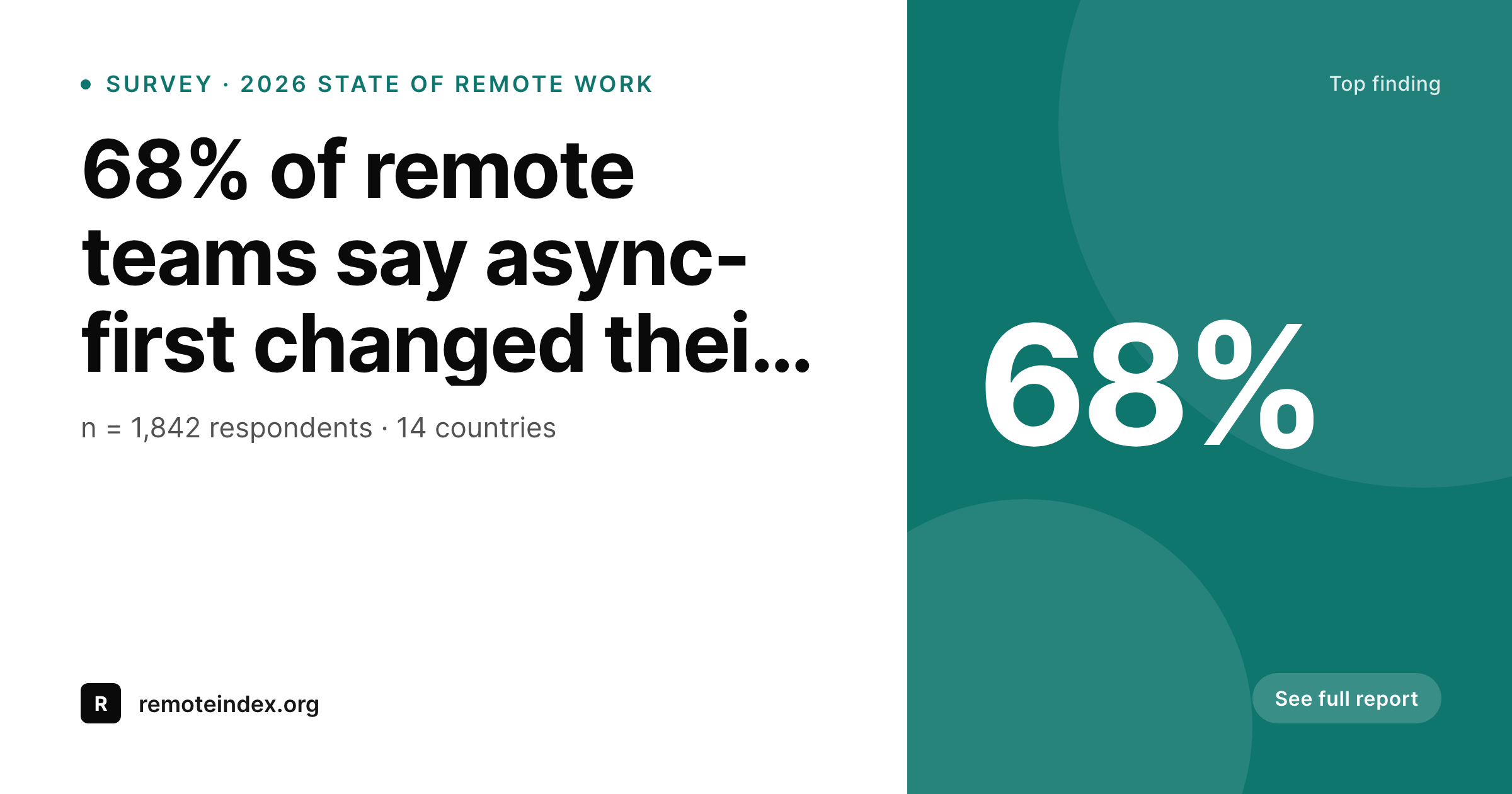
SleekPixel turns each survey result post into a branded OG card on save. The headline percentage, the question, the sample size, and the survey wave are all template fields, so cards stay accurate even when results get revised.
♾️ Lifetime License available
Survey result cards drift the moment numbers move
A research team that publishes a survey rarely publishes one card. There is the headline finding, the demographic cut, the year-over-year comparison, the regional breakdown, the methodology callout. Each of those is a separate share asset, each one needs the same brand treatment, and each one carries a number that might shift after a late data review or a revised weighting. The design pass produces eight cards on a Friday, and on Monday a stats correction means three of them are wrong and the team has to find the source files.
SleekPixel takes the survey result post and builds the card from its fields. The percentage, the question, the sample size, and the wave are placeholders in a template. A correction is a single field edit, not a re-export run. Every cut of the data uses the same layout, so a thread of eight findings reads as one report rather than eight design experiments. New waves of the survey ship with their cards already attached.
The methodology footer is a template constant, so it stays consistent across every card whether it shows a percentage, a delta, or a multiple. Editorial focuses on the finding. Design focuses on the layout once. The cards stay aligned with the live numbers because they are the live numbers.
Workflow
From survey row to share-ready card
Build the survey template
Capture findings as posts
Render on save
Correct without re-export
Output
What a rendered survey card looks like
An OG card with the headline percentage, the question text, the sample size, and the survey wave laid out from the post fields.
Comparison
Bespoke survey graphics vs auto-rendered cards
Designer-built per finding
- Each finding waits for a designer to build a custom card
- Late data corrections leave outdated numbers on social
- Cards across the same survey use slightly different layouts
- Sample size and methodology lines drift between cards
- Year-over-year comparisons need a brand-new design pass
SleekPixel
- Headline percentage is a real field, not text in an image
- Sample size and wave label render consistently across cards
- A correction propagates the moment the post saves
- One template covers percentage, delta, and multiple
- Methodology footer stays identical across the whole report
Features
What SleekPixel gives you for survey result card
Number-aware layout
The template handles 9%, 68%, and 4.2x with the same visual weight. Auto-fit rules scale the number type so short and long values both feel intentional.
Sample size baked in
n value, wave name, and field dates render from a single survey-meta group. Every card from the same wave shares the exact methodology line.
Series rendering
An ACF repeater of findings produces one card per row. A thread of eight survey results ships as eight matched OG cards from a single post.
Use cases
Survey card patterns it covers
Headline findings
The single number that leads the report. The card foregrounds the percentage and pairs it with the question in legible body type.
Demographic cuts
Same finding sliced by role, geography, or company size. The cut label sits in the meta slot, the rest of the layout stays steady.
Year-over-year deltas
A delta finding pairs two waves. The template can render an arrow and a percent change without a second design pass.
The bigger picture
Why surveys belong in a render pipeline
Survey content has a brutal mismatch between production cost and design cost. The team spent weeks designing the instrument, fielding the panel, weighting the data, and writing the analysis. Then, at the very end, a designer is asked to produce twenty share cards in two days.
The result is either rushed work, a delayed launch, or a single hero card and twenty plain text tweets. SleekPixel fixes that imbalance by treating the cards as a function of the data, not a separate asset class. Every finding the team is willing to publish gets a card with no marginal effort.
Demographic cuts that would have been cut for time get rendered too, which means the report has more entry points into search and social. Late corrections, which used to be a nightmare for distributed assets, become a single save. The cost of high-quality survey distribution drops to the cost of writing the finding, which is exactly where it should be.
Questions
Common questions about SleekPixel for survey result card
Yes. The template can include CSS rules that scale the number type between min and max bounds so 9% and 4.2x both anchor the card. Long localized strings like 24.000 patients also fit because the slot is text, not a fixed shape.
Yes. Store cuts as rows in a repeater and register a card size that iterates over the repeater. You get one PNG per cut, all sharing the same layout, ready to drop into a thread or carousel.
Edit the post field and save. The PNG regenerates at the same /uploads URL. The og:image meta tag points at the unchanged URL, so platforms re-crawl the corrected file the next time the link is shared.
Yes. Put the methodology string in a template constant or in a survey-wave post that all findings reference. Every card from the same wave inherits the same methodology line without manual copying.
Yes. The question slot has its own auto-fit rules, separate from the number. Long questions wrap to two lines and shorter ones use a larger size, so the card never feels empty or cramped.
Yes. Logo placeholders can map to the survey post, a related survey-wave post, or a partner taxonomy term. A multi-partner survey can render a logo strip without a separate design.
Yes. The Gutenberg sidebar exposes a download for every rendered size on every finding post. Sales picks the finding most relevant to a prospect and pulls the PNG without a design ticket.
It does not care which one you put in the field. The render is downstream of your stats decision. Pick the number you want to publish, drop it in the field, and the card renders. The methodology line documents which one it is.
Pricing
More than 1000+
happy customers
Explore our flexible licensing options tailored to your needs. Upgrade your license anytime to access more features, or opt for a lifetime license for ongoing value, including lifetime updates and lifetime support. Our hassle-free upgrade process ensures that our platform can grow with you, starting from whichever plan you choose.
Lifetime ♾️
Most popular
EUR
once
- Unlimited websites
- Lifetime updates
- Lifetime support
...or get the Bundle Deal
and save €250 🎁
💎 Want everything forever? The All Access Pass is going away on 01.08.2026.
The Bundle (unlimited sites)
Pay once, own it forever
Elevate your WordPress site with our exclusive plugin bundle that includes all of our premium plugins in one package. Enjoy lifetime updates and lifetime support. Save significantly compared to buying plugins individually.
What’s included
-
SleekAI
-
SleekByte
-
SleekMotion
-
SleekPixel
-
SleekRank
-
SleekView
€749
Continue to checkoutBrowse more
- YouTube Shorts covers
- Mastodon link previews
- Twitch alert
- Poshmark listing images
- Buy Me a Coffee banners
- Snapchat Discover tiles
- X social cards
- Twitch panel images
- Etsy shop banners
- Twitter header banners
- GitHub README banners
- Snapchat ad images
- kbin post images
- Twitch schedule banners
- Patreon tier images