






SleekPixel for Twitch panel images
Render schedule, socials, donations, rules, and gear panels from one WordPress channel post. Same brand template, fields swap per panel.
♾️ Lifetime License available
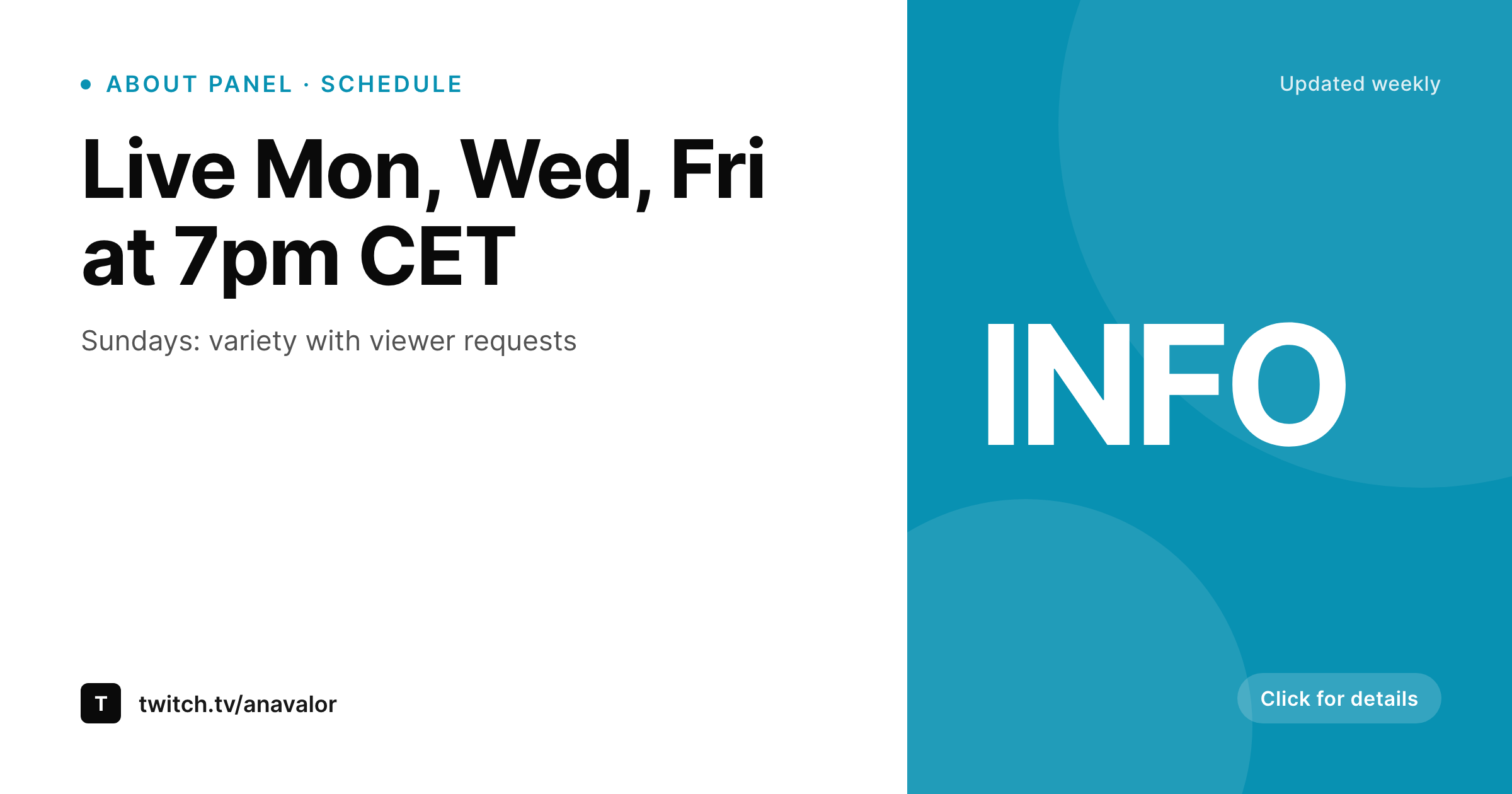
Panels are the about page Twitch never built
Below every Twitch channel sits a row of about-section panels: schedule, socials, donations, sponsors, gear, rules. They are the most-overlooked surface on the channel and the one viewers actually read when deciding whether to follow. The default move is a stack of mismatched Canva images that drift apart as the channel grows.
SleekPixel renders panel images from a single WordPress channel post that holds the schedule string, the donation handles, the socials list, the gear list, and the rules. Each panel is a variant of the same template family, so they all read as the same channel.
When the schedule changes for a new season, one field update plus a save re-renders the schedule panel without touching the others. Same for sponsors and gear.
Workflow
From a channel post to the full panel row
Build the panel templates
Create the channel post
Save the post
Upload to Twitch
Output
Sample Twitch panel image
Branded panel image sized for Twitch's about-section panel slot. Used for schedule, socials, donations, gear, or rules.
Comparison
Canva panels vs SleekPixel for Twitch panels
Stack of Canva panels
- Each panel is its own Canva file, with its own owner
- Fonts, accents, and corner radii drift between panels
- Schedule panel goes stale because nobody owns the refresh
- Sponsors and gear panels lag behind the channel's current setup
- Rebranding the channel means redoing every panel by hand
SleekPixel
- Panel images rendered from one WordPress channel source
- Schedule, socials, donations, gear, rules as field-driven variants
- Shared template family so every panel reads as one channel
- Save a field and the relevant panel re-renders
- Batch regenerate every panel after a brand refresh
Features
What SleekPixel gives you for Twitch panel images
Schedule that stays current
Schedule field renders as the schedule panel. Update one field when the season changes and the panel reflects the new times.
Socials and donations
Social handles and donation links live as a list field. The panel renders them with the right icons and brand styling.
Gear and sponsors
Gear list and sponsor logos render as a structured panel rather than a wall of text or a screenshot of an Amazon list.
Use cases
Where Twitch panels carry weight
Esports and competitive channels
Schedule, rank, and team panels stay aligned with the channel's actual competitive context, not last season's setup.
Creative and IRL channels
Tools, materials, and Q&A panels showing what the channel is using right now. Updates per project rather than once a year.
Community-led channels
Rules, mod team, and community Discord panels all read as the same channel rather than as five different aesthetics.
The bigger picture
Why panel consistency is a quiet retention boost
Twitch panels are the channel's only persistent surface that lives outside the stream itself. A returning viewer scrolling the about section is checking the schedule, the rules, and the socials. A first-time viewer doing the same is deciding whether the channel is worth a follow.
Mismatched panels read as a channel that has not been tended in a while, even if the streamer is broadcasting six times a week. Templating from a single WordPress source flips that. Every panel reads as the same channel, every refresh is a field update, and the cost of keeping panels current drops from a Canva session per panel to a save.
Questions
Common questions about SleekPixel for Twitch panel images
Twitch allows many panels per channel. SleekPixel can render as many as you need, each tied to its own field set on the channel source post.
Twitch displays panel images at 320 pixels wide at most. SleekPixel can render at higher resolution for crispness and at the exact aspect Twitch shows. Defaults match the recommended panel dimensions.
Yes. The link is set inside the Twitch panel editor, not on the image. The image is the visual surface; the URL is configured per panel on Twitch.
No. Twitch does not expose a third-party panel upload API. SleekPixel renders the PNGs; an admin uploads them via the Twitch channel about-section editor.
Yes. Add multiple schedule fields with different locales. SleekPixel renders one panel per locale, each with the right time formatting.
Twitch panels accept GIFs. SleekPixel currently renders PNGs. Animated panels need to be assembled separately and uploaded directly.
In the WordPress uploads directory. Each panel saves as its own file, easy to find by name from the media library.
Yes. Update the sponsors field on the channel post. The sponsors panel re-renders on save, ready to re-upload.
Pricing
More than 1000+
happy customers
Explore our flexible licensing options tailored to your needs. Upgrade your license anytime to access more features, or opt for a lifetime license for ongoing value, including lifetime updates and lifetime support. Our hassle-free upgrade process ensures that our platform can grow with you, starting from whichever plan you choose.
Lifetime ♾️
Most popular
EUR
once
- Unlimited websites
- Lifetime updates
- Lifetime support
...or get the Bundle Deal
and save €250 🎁
💎 Want everything forever? The All Access Pass is going away on 01.08.2026.
The Bundle (unlimited sites)
Pay once, own it forever
Elevate your WordPress site with our exclusive plugin bundle that includes all of our premium plugins in one package. Enjoy lifetime updates and lifetime support. Save significantly compared to buying plugins individually.
What’s included
-
SleekAI
-
SleekByte
-
SleekMotion
-
SleekPixel
-
SleekRank
-
SleekView
€749
Continue to checkoutBrowse more
- Instagram highlight covers
- Twitch starting soon screen
- Pinterest video pin covers
- Apple Podcasts covers
- YouTube Shorts thumbnails
- podcast cover art
- Ghost feature images
- Fanvue page banner
- Mastodon profile header
- Facebook Shop product images
- LinkedIn company banners
- Snapchat Discover tiles
- Farcaster cast images
- Odnoklassniki banners
- Fansly banner