






SleekPixel for speaker cards
Conference sites in WordPress usually keep one post per speaker. SleekPixel turns that post into a branded share card with headshot, title, talk name, and stage time, written into og:image so every share looks like the event.
♾️ Lifetime License available
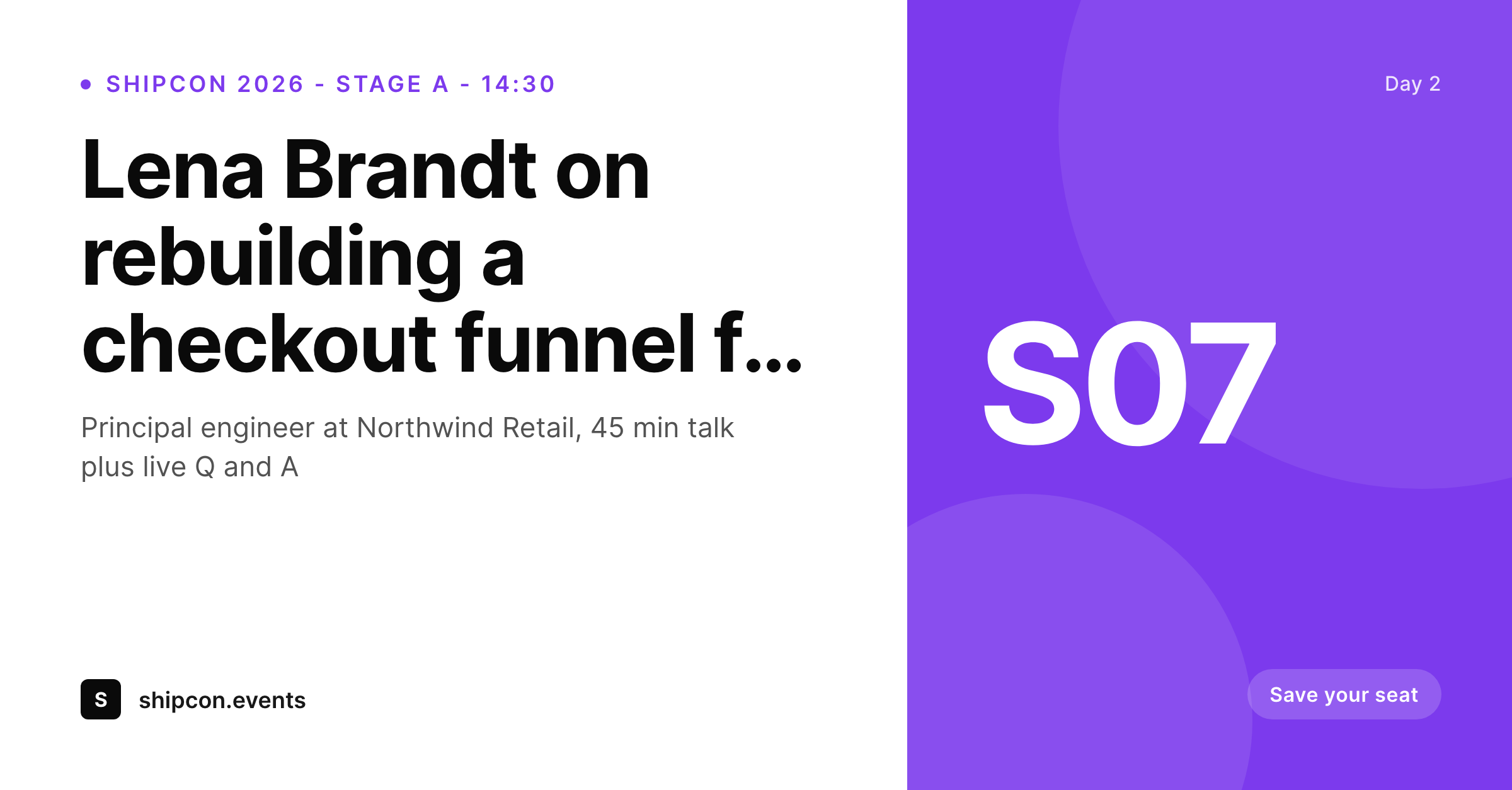
Speaker pages are the most-shared URLs on a conference site
Every speaker on a conference lineup has their own page on the event site. That page is the one they share when they post their talk announcement, the one their employer's marketing team links to in the newsletter, the one attendees forward to teammates when they recommend a session. The link card on that share decides whether the click happens or not.
The default WordPress share, a stretched logo over a flat color, treats a featured speaker the same as a generic page. Big-budget events fix that by hand-designing a card per speaker in Figma or Canva, which works until the lineup hits 40 names and a sponsor swap forces a re-render of the entire deck.
SleekPixel binds the speaker card to the speaker post. Headshot from the post featured image, name and title from custom fields, talk name from the linked session post, stage and time from the schedule. The render fires on save, the og:image and twitter:image tags get written, and the next time the speaker posts their bio link the card shows up branded to the event.
Workflow
From lineup announce to social-ready cards in one save
Design the speaker template
Add speakers to WordPress
Speakers and sponsors share the URL
Swap a stage or time and re-render
Output
What a generated speaker card looks like
A 1200x627 LinkedIn-tuned PNG built from the speaker post, with headshot on the left, name and talk title on the right, and stage plus time in the corner badge.
Comparison
Default speaker share image vs SleekPixel
Default speaker cards image
- Same conference logo card on every speaker URL
- Headshot uploaded to Canva, exported by hand, re-uploaded
- Talk title or stage time drifts from the schedule
- Featured image gets center-cropped and cuts the speaker's face
- No template lock, every speaker card looks slightly different
SleekPixel
- Render fires on save for every speaker post
- Headshot, name, title and talk name from post fields
- Stage and time pulled from the linked session post
- og:image and twitter:image written automatically
- Bulk regenerate after a schedule swap or sponsor change
Features
What SleekPixel gives you for speaker cards
Headshot-aware crops
Smart crops respect the featured image focus point so a speaker's face never gets centered out of frame on a wide card.
Schedule-linked
Stage and time come from the linked session post, not a copy-pasted field. Move a talk on the schedule and every card updates.
Per-track templates
Different tracks, workshops, or sponsored sessions can each get a distinct accent and badge while keeping the masthead locked.
Use cases
Who uses SleekPixel for speaker cards
Conference organizers
Multi-day events with 30 to 200 speakers. SleekPixel removes the per-speaker design step so the lineup ships consistently across the announce campaign.
Community meetups
Local chapters running monthly talks. The speaker card slots into the recurring announcement flow without anyone touching Canva again.
Sponsor and partner teams
Sponsored sessions and partner talks ship with a distinct template so the sponsorship tier reads from the share card without breaking the event brand.
The bigger picture
Why the speaker card sells the ticket
A conference sells most of its tickets through the speakers themselves. The single highest-converting traffic source on most event sites is a speaker posting their talk announcement to LinkedIn and X. That post links to the speaker page, and the link card on that post is the first impression a prospective attendee gets.
A generic event logo on a flat background reads like a side project, and a real card with the speaker's headshot, talk title and stage time reads like a curated lineup worth flying in for. Conferences that grow past their first edition cannot keep producing those cards by hand. SleekPixel ties the card to the WordPress post for each speaker so the announce wave, the encore wave, and the schedule reshuffle all keep producing the same caliber of share asset without anyone reopening a design file.
Questions
Common questions about SleekPixel for speaker cards
No. SleekPixel is a WordPress plugin that renders share images for existing speaker, session, and schedule posts. The event site itself can be any WordPress theme. SleekPixel only writes the og:image asset and meta tags.
Yes. SleekPixel reads the WordPress featured image by default and supports smart crops with a configurable focus point so faces stay centered.
Yes. SleekPixel reads native post meta, ACF, Meta Box, and Pods. Bind a template layer to whatever field already holds the speaker title, employer, or talk name.
Yes. Use a category, term, or custom field to flag sponsored sessions and assign a different template. The plugin picks the right template per speaker automatically.
Update the speaker post status or schedule field, save, and the card regenerates accordingly. The bulk regenerate command can refresh every linked session card after a major reshuffle.
Yes. Set up a separate template bound to the session CPT. Most event sites run both, speaker cards on speaker URLs and session cards on session URLs.
Yes. SleekPixel writes both meta tags, plus og:image:width and og:image:height. The card validators on X and LinkedIn pick the speaker card up immediately on first share.
Those are separate assets and usually live in a print or stage-graphics workflow. SleekPixel focuses on the web share card, the asset social platforms read from the speaker URL.
Pricing
More than 1000+
happy customers
Explore our flexible licensing options tailored to your needs. Upgrade your license anytime to access more features, or opt for a lifetime license for ongoing value, including lifetime updates and lifetime support. Our hassle-free upgrade process ensures that our platform can grow with you, starting from whichever plan you choose.
Lifetime ♾️
Most popular
EUR
once
- Unlimited websites
- Lifetime updates
- Lifetime support
...or get the Bundle Deal
and save €250 🎁
💎 Want everything forever? The All Access Pass is going away on 01.08.2026.
The Bundle (unlimited sites)
Pay once, own it forever
Elevate your WordPress site with our exclusive plugin bundle that includes all of our premium plugins in one package. Enjoy lifetime updates and lifetime support. Save significantly compared to buying plugins individually.
What’s included
-
SleekAI
-
SleekByte
-
SleekMotion
-
SleekPixel
-
SleekRank
-
SleekView
€749
Continue to checkoutBrowse more
- north star metric card
- weekly digest cards
- sale banner images
- support update cards
- early access card
- contributor spotlight card
- monthly roundup cards
- roadmap update cards
- podcast appearance card
- byline card
- case study banner
- track release cards
- tool of the day cards
- prediction cards
- benchmark report cards
- Spotify Canvas
- Pinterest Idea Pins
- Mailchimp email headers
- LinkedIn document post covers
- Mastodon link previews
- Substack post headers
- Bandcamp banner
- Etsy cover photos
- Facebook Marketplace images
- Douyin cover
- Shopify product images
- LinkedIn banner images
- Twitch stream overlay images
- Twitter/X header
- Facebook group banners