






SleekPixel for keynote cards
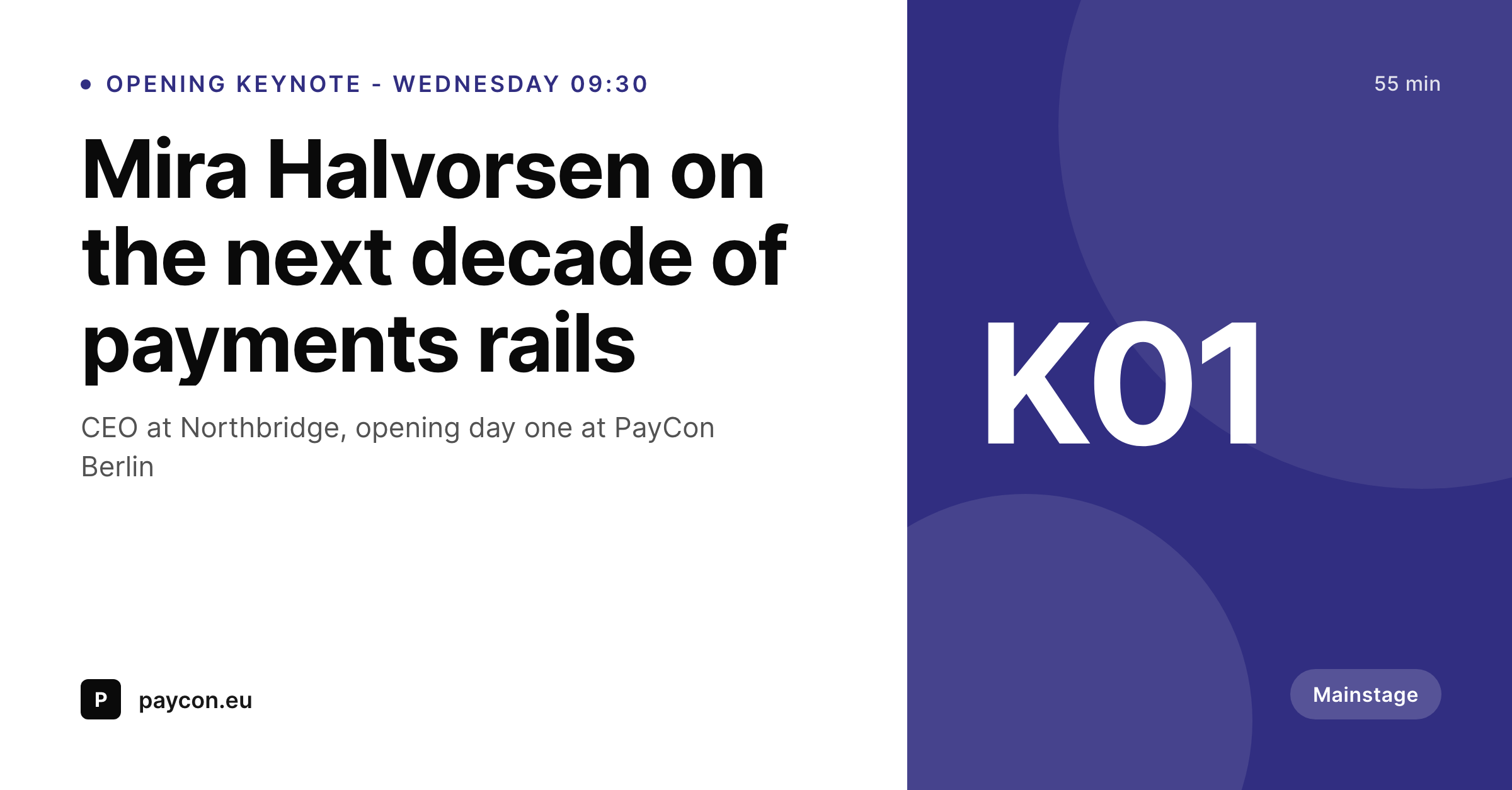
Keynotes carry the announce campaign, and their share card should not look like the breakout sessions. SleekPixel renders a dedicated keynote template with a stronger headline, marquee positioning, and a clear mainstage badge.
♾️ Lifetime License available
Keynotes anchor the lineup and sell the ticket
Every conference has two or three keynotes that do the heavy lifting in the announce campaign. The opening keynote, the closing keynote, sometimes a Tuesday night marquee, those are the names that travel the furthest on LinkedIn and X. The page for each of those keynotes is one of the highest-traffic URLs on the event site in the weeks leading up to the event.
The standard speaker card works fine for breakouts and panels, but it undersells the keynote. The keynote is the reason the ticket gets bought, and a card that looks like every other session on the schedule does not communicate that. Hand-designed marquee posters fix that for one or two keynotes and ignore everything else. The result is uneven announce wave, where the breakouts ship and the marquee gets a custom asset that never quite matches the brand.
SleekPixel runs a separate keynote template that shares the speaker template's data binding but uses a larger headshot slot, a stronger headline, and an explicit mainstage badge. The render fires on save for any session flagged as a keynote, and the announce wave goes out with the same level of polish on every keynote post.
Workflow
From keynote announce to social-ready marquee in one save
Design the keynote template
Flag the session as keynote
Speaker and conference accounts share the URL
Adjust the keynote slot and re-render
Output
What a generated keynote card looks like
A 1200x627 LinkedIn-tuned PNG built from the keynote session post, with a marquee headshot, large talk title, speaker name and role, and a clear mainstage badge.
Comparison
Default keynote share image vs SleekPixel
Default keynote cards image
- Same breakout card style for the marquee keynote
- Manual poster designed once, never matches the rest of the brand
- Talk title gets buried under speaker name in the layout
- No mainstage indicator, attendees miss the priority signal
- Schedule edits never update the marquee asset
SleekPixel
- Dedicated keynote template, distinct from breakout cards
- Marquee headshot crop with stronger headline emphasis
- Mainstage badge auto-applied when session is flagged as keynote
- og:image and twitter:image written on save
- Same data binding as speaker cards, no duplicate field setup
Features
What SleekPixel gives you for keynote cards
Marquee positioning
Larger headshot, larger talk title, and a stronger accent treatment communicate that the session is part of the marquee lineup at thumbnail size.
Mainstage badge
An explicit badge tells the feed which session is the keynote, separating it from breakouts when both are shared in the same announce wave.
Shared data with speaker cards
The keynote template reads the same fields as the speaker template. Flagging a session as keynote switches the layout without duplicating any setup.
Use cases
Who uses SleekPixel for keynote cards
Flagship industry conferences
Events where the keynote names sell the ticket. SleekPixel keeps the marquee asset locked to the brand and current to the schedule.
Vendor and product summits
Company-run conferences where a CEO or product head delivers the opener. The keynote card carries the announce wave from registration open to event week.
Academic and policy keynotes
Convenings with named keynote chairs from major institutions. The marquee treatment respects the formality and the brand affiliation.
The bigger picture
Why the keynote card needs a distinct asset class
The economics of a conference depend on the keynote performing in the announce wave. Tickets get bought in the days after the keynote lineup goes public, and the share card on that announce post is the single most-seen visual of the entire event cycle. A breakout-style card on the keynote post wastes that moment, because the feed cannot tell the marquee session from a 25-minute breakout.
SleekPixel separates the keynote into its own template with the same data binding so the marquee asset stays both branded and current. The announce wave hits with the right visual hierarchy, the keynote sells the ticket, and the breakouts still get their own consistent treatment without competing for the same layout.
Questions
Common questions about SleekPixel for keynote cards
Use a session-type term, category, or custom field on the session post. SleekPixel switches into the keynote template automatically when the flag is present.
Yes. That is the default. The keynote layout is a variant of the speaker template, reading the same data and applying a different visual treatment.
Yes. A sponsorship flag or category can route sponsored keynotes to a distinct template with the sponsor's accent or co-brand.
The template can be configured to lay out two marquee headshots side by side with a shared talk title and a single mainstage badge.
Yes. SleekPixel does not require a new post type. It reads the existing speaker or session CPT and switches templates based on the keynote flag.
Yes. The bulk regenerate command refreshes every flagged keynote against the current template after an edit.
Yes. SleekPixel writes og:image, twitter:image, and the matching width and height meta tags so platforms render the keynote card immediately on first share.
Those are separate assets and live in a print workflow. SleekPixel focuses on the web share card, the asset social platforms read from the keynote URL.
Pricing
More than 1000+
happy customers
Explore our flexible licensing options tailored to your needs. Upgrade your license anytime to access more features, or opt for a lifetime license for ongoing value, including lifetime updates and lifetime support. Our hassle-free upgrade process ensures that our platform can grow with you, starting from whichever plan you choose.
Lifetime ♾️
Most popular
EUR
once
- Unlimited websites
- Lifetime updates
- Lifetime support
...or get the Bundle Deal
and save €250 🎁
💎 Want everything forever? The All Access Pass is going away on 01.08.2026.
The Bundle (unlimited sites)
Pay once, own it forever
Elevate your WordPress site with our exclusive plugin bundle that includes all of our premium plugins in one package. Enjoy lifetime updates and lifetime support. Save significantly compared to buying plugins individually.
What’s included
-
SleekAI
-
SleekByte
-
SleekMotion
-
SleekPixel
-
SleekRank
-
SleekView
€749
Continue to checkoutBrowse more
- Snapchat snap images
- Facebook cover photos
- Twitch starting soon screen
- SoundCloud banner
- Facebook post images
- Lemon Squeezy product covers
- Facebook group banners
- YouTube Shorts thumbnails
- YouTube banner art
- Spotify Canvas
- LinkedIn event banners
- Mailchimp email banner
- Slack channel headers
- Ko-fi shop images
- YouTube thumbnails