






SleekPixel for FigJam boards
FigJam is where workshops, retros and discovery sessions actually happen. The recap and synthesis usually live on WordPress, and the share preview defaults to a cropped board thumbnail. SleekPixel reads FigJam board metadata synced into WordPress and renders branded share cards per workshop or readout.
♾️ Lifetime License available
FigJam board crops are not a share preview
FigJam took over a lot of the workshop and brainstorming work that used to happen in Miro or on whiteboards. Discovery sessions, retros, journey maps, prioritization sessions, design crits, all leave behind a FigJam board with hundreds of stickies and a fair number of frames. The board is dense and that is the point during the session. After the session, the value is in the synthesis: which clusters mattered, which hypotheses move forward, what the team is going to test.
The synthesis usually lives on WordPress as a recap post on the studio blog or in an internal newsletter. The link back to the FigJam board comes with a generic thumbnail that does not match the studio's brand and does not communicate the session's outcome.
SleekPixel runs on the WordPress side. Each recap post carries the workshop name, facilitator, date and headline outcome as fields. SleekPixel renders a 1200 by 630 card from those fields with the studio wordmark. The recap post shares with a real synthesis card instead of a thumbnail of the messy raw board.
Workflow
From FigJam workshop to branded recap card
Write the recap post
Build the recap template
Save and render
Share the recap URL
Output
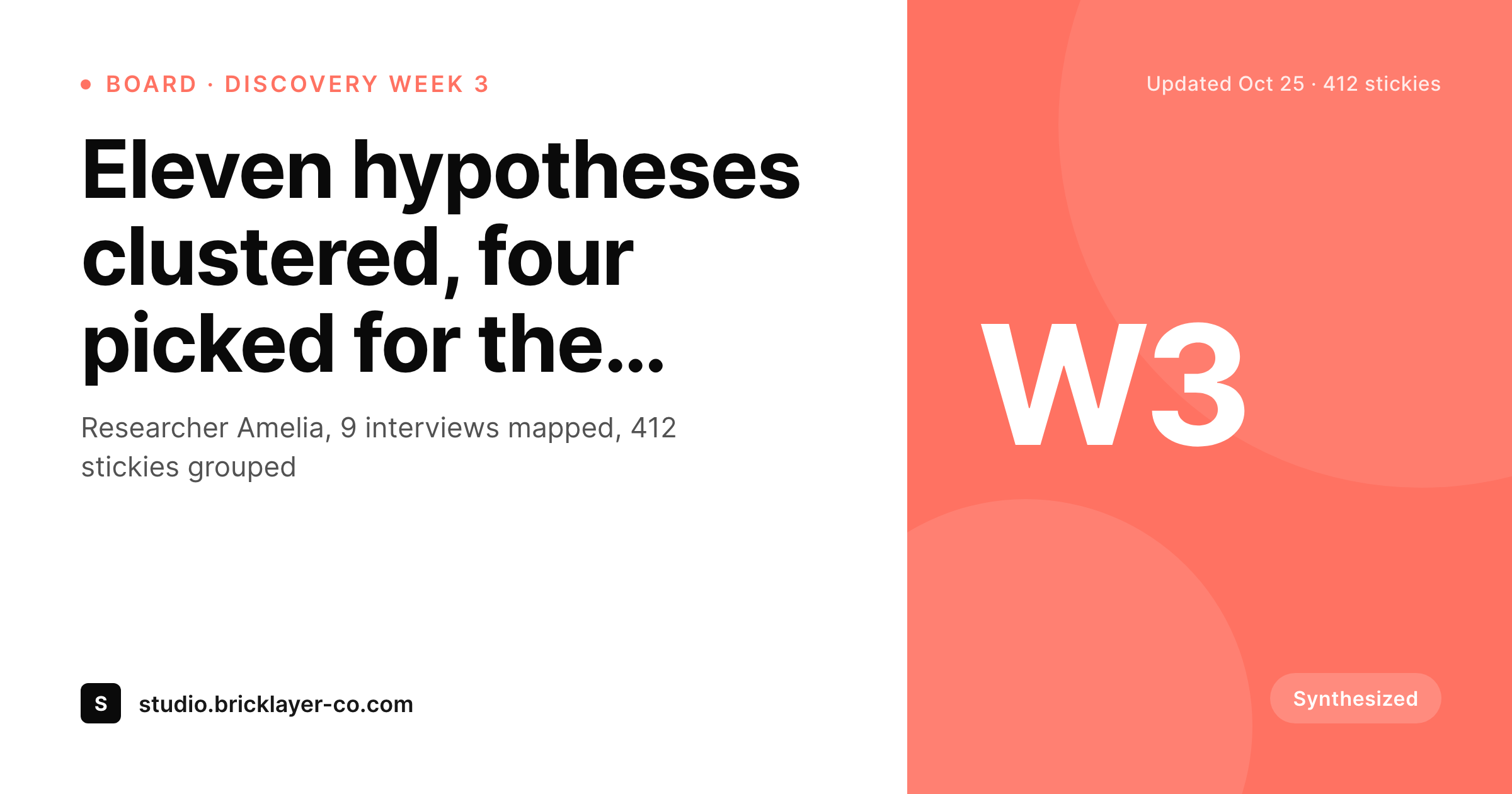
Sample FigJam workshop recap card
A 1200 by 630 OG image: workshop name, date, facilitator credit, sticky count and brand wordmark, rendered from the WordPress recap post.
Comparison
FigJam board thumbnail vs SleekPixel recap card
FigJam board thumbnail
- FigJam thumbnails are unreadable at OG and Twitter card sizes
- Sticky colors clash with the studio's brand palette on the share
- Facilitator and participant credits never reach the share preview
- Synthesis outcome (what was decided) is invisible on the thumbnail
- Every workshop recap shares with the same generic board aesthetic
SleekPixel
- Reads WordPress fields synced from FigJam metadata or set manually
- Workshop name, date, facilitator and outcome bind cleanly to slots
- Re-renders when the recap post is updated post-session
- Bulk re-render the recap archive after a rebrand
- Leaves the FigJam board untouched, only the WordPress share preview changes
Features
What SleekPixel gives you for FigJam boards
Facilitator credits
Each card slots in the lead facilitator and any co-facilitators. Workshop recaps carry the team's names without anyone retyping the session roster.
Outcome line
A single outcome line (hypotheses picked, retro themes, journey-map findings) renders as the card subtitle, so the recap share telegraphs what the session actually produced.
Session date framing
Single-day and multi-day workshops each render cleanly. The card shows the workshop type and date so a reader scanning a feed knows the scale of the session.
Use cases
Who shares FigJam workshops as branded cards
Design studio discovery recaps
Studios that publish discovery recaps for clients get a branded card per session. The studio's case-study archive looks like a publication, not a series of board crops.
Team retrospectives
Engineering and product teams that publish sprint retros internally use FigJam to run the session and WordPress to recap. The card carries the sprint number and retro theme.
Cross-functional workshops
Brand strategy, marketing and product joint sessions get a recap each with consistent branding. The cross-functional record reads as deliberate work.
The bigger picture
Why the synthesis layer is the brand layer
Workshops produce two artifacts: the working board itself and the synthesis. The working board is for the team in the room. The synthesis is for everyone outside that room: clients, executives, the rest of the company, future hires reading old recaps to get a feel for how this studio works.
The share preview on the synthesis is the very first impression that audience gets, and it deserves to look intentional. A FigJam thumbnail flattens the synthesis into a mess of stickies. A branded card with the workshop name, the outcome and the facilitator credit reframes it as edited work, which is what a synthesis post actually is.
Across a year of sessions, every recap participates in the same visual identity and the body of work becomes legible from the outside. SleekPixel does not replace FigJam and does not pretend to. FigJam keeps running the session.
WordPress becomes the brand layer for the recap, and the card renders from the fields you fill in there.
Questions
Common questions about SleekPixel for FigJam boards
No. SleekPixel reads WordPress post fields. Workshop metadata can be set manually on the recap post or synced from the Figma API. FigJam boards share the Figma API surface, so the same scripts work for both types.
Yes, by pulling a board thumbnail through the Figma API and storing it as the post's featured image. The template can render it in a small slot, with the rest of the card carrying brand styling.
The recap post on WordPress can be sanitized: workshop name swapped for a codename, client redacted, outcome described at a high level. The card renders from what you put on the post, so confidentiality stays controlled.
Yes. The template family can include variants for different session types: a discovery recap variant, a retro variant, a crit variant. The variant selects on a 'session type' field.
Yes, if you sync or fill in a participant count field. For workshops where the count is sensitive (small private sessions), leave the field empty and the slot collapses in the template.
Yes. Figma's AI-generated summary of a FigJam board can be copied into the recap post body. The card on the share stays clean and brand-aligned, while the post body carries the AI-assisted synthesis.
Yes. A client taxonomy on the post selects a brand variant. Multi-brand studios that run workshops for several clients can render cards in each client's palette while keeping a consistent layout family.
Yes. Bulk re-renders queue in the background and do not block regular post saves. Studios with several hundred archived recaps can refresh the whole back catalog after a rebrand in a single queued job.
Pricing
More than 1000+
happy customers
Explore our flexible licensing options tailored to your needs. Upgrade your license anytime to access more features, or opt for a lifetime license for ongoing value, including lifetime updates and lifetime support. Our hassle-free upgrade process ensures that our platform can grow with you, starting from whichever plan you choose.
Lifetime ♾️
Most popular
EUR
once
- Unlimited websites
- Lifetime updates
- Lifetime support
...or get the Bundle Deal
and save €250 🎁
💎 Want everything forever? The All Access Pass is going away on 01.08.2026.
The Bundle (unlimited sites)
Pay once, own it forever
Elevate your WordPress site with our exclusive plugin bundle that includes all of our premium plugins in one package. Enjoy lifetime updates and lifetime support. Save significantly compared to buying plugins individually.
What’s included
-
SleekAI
-
SleekByte
-
SleekMotion
-
SleekPixel
-
SleekRank
-
SleekView
€749
Continue to checkoutBrowse more
- Twitch profile banner
- Lens Protocol posts
- GitHub social preview images
- Snapchat Spotlight covers
- WhatsApp status images
- LinkedIn company banners
- Slack channel headers
- Telegram channel banner
- Dribbble shot covers
- Audible audiobook cover
- Signal sticker pack
- WeChat Moments images
- Kick stream thumbnails
- YouTube Music cover art
- Twitch camera frame