






SleekPixel for Notion pages
Public Notion pages mirrored through WordPress get a real share image: page title, owner, status and last edit, rendered on save into a card that holds up on every social channel.
♾️ Lifetime License available
Notion's own share previews are generic by design
Notion is built around its workspace, not around the public web. The native share preview on a notion.site URL surfaces a small Notion logo and an emoji - friendly inside the product, indistinct outside it. Teams who publish docs, marketing pages, knowledge bases or roadmaps from Notion onto a public surface run into the same issue: their carefully written page lands on Twitter or Slack looking like every other Notion page in the wild.
The workaround for serious public publishing is to mirror Notion content into WordPress, either through one of the Notion-to-WP bridges or via a custom sync. Once the content lives on a WordPress post, it can have its own URL, its own SEO and its own social card. That is where SleekPixel fits.
The template reads the mirrored post fields - page title, owner, status, last edit, any custom property - and renders a branded share image on save. Subsequent edits in Notion sync to WordPress, trigger a save, and refresh the share card. Every Notion page that escapes into the public web carries a preview that actually represents the page.
Workflow
From Notion page to branded share card
Mirror Notion to WordPress
Bind the synced fields
Edit in Notion
Share anywhere
Output
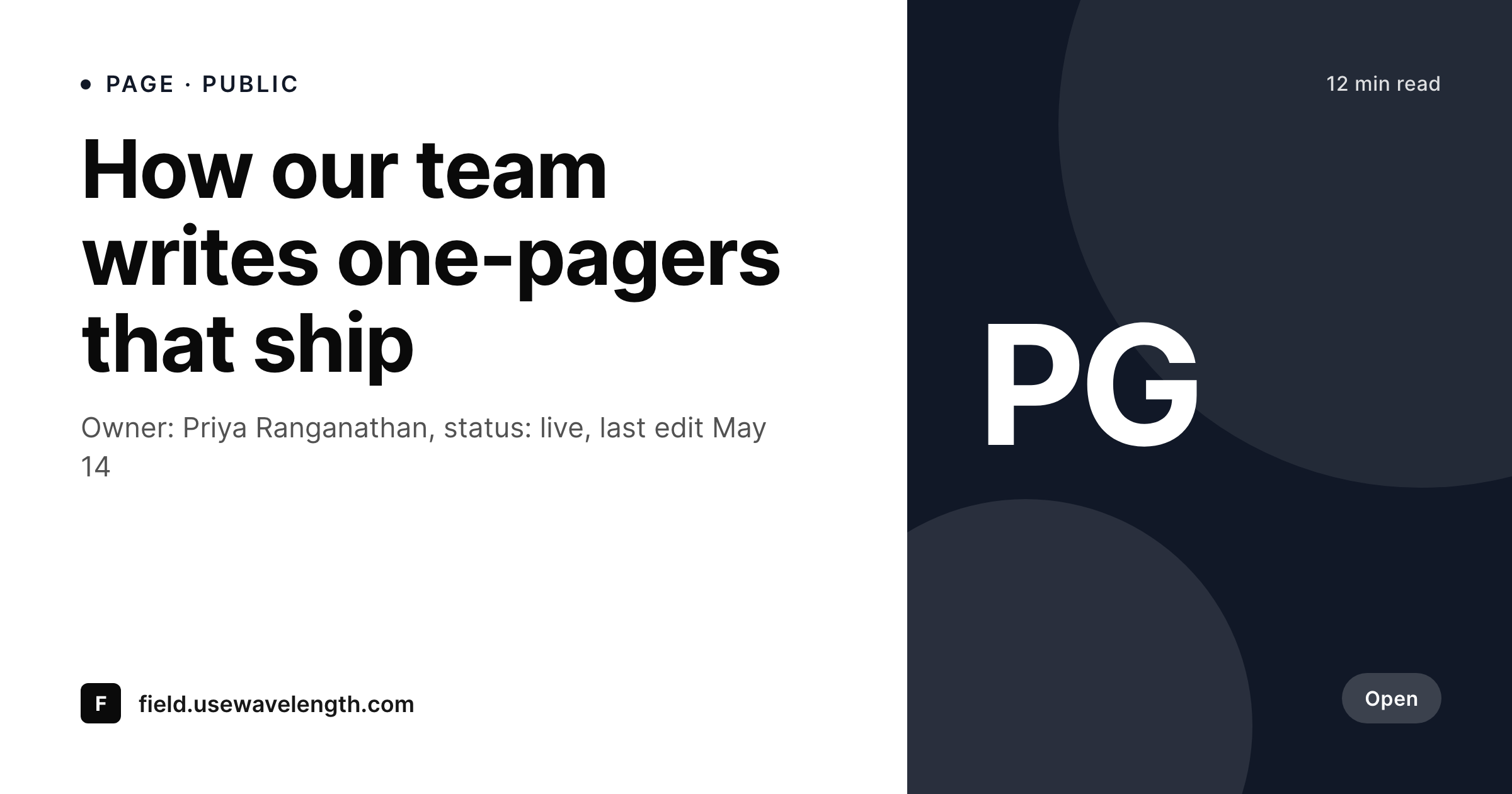
Sample Notion page share card
A 1200 by 630 OG image rendered from a Notion page mirrored into WordPress: title, owner, status and last edit, in your brand colors.
Comparison
Native Notion preview vs SleekPixel via WordPress
Native notion.site preview
- Native preview shows a small Notion logo and the page emoji, nothing brand-specific
- Page owner and status never reach the share card
- Custom domains alone do not change the OG image, only the URL
- Pages mirrored elsewhere usually share with whatever default the host provides
- Manual social art per Notion page is unrealistic at workspace scale
SleekPixel
- Renders from mirrored Notion fields without any manual re-entry
- Owner, status and last edit surface in every share preview
- Custom properties from Notion databases bind into template slots
- Edits in Notion that sync to WordPress trigger a render automatically
- PNGs stay in your uploads, served from your own domain
Features
What SleekPixel gives you for Notion pages
Page-aware fields
Title, owner, status, last edit and any custom property bind into template slots. The card carries real metadata, not template defaults.
Owner attribution
Page owner from Notion - or the author of the WordPress mirror - renders onto the share card so readers see who is responsible for the page.
Sync-friendly
Notion-to-WP bridges that update the post on Notion edits automatically trigger a SleekPixel render. The share image stays current.
Use cases
Where Notion-WP teams use SleekPixel
Public docs sites
Knowledge bases or handbooks mirrored from Notion get share cards that match each page's identity, useful for support links and onboarding.
Launch one-pagers
Drafted in Notion, mirrored to WordPress, shared on launch day with a card showing the launch title, owner and ship date.
Investor and partner pages
External-facing pages mirrored from Notion share with cards that include the audience or partner name, not a generic site banner.
The bigger picture
Why public Notion content deserves real previews
Notion has become the default writing surface for product, marketing, ops and engineering teams. The same teams that draft strategy memos in Notion publish public-facing pages from Notion: handbooks, changelogs, careers pages, customer references. The product is excellent at workspace work and indifferent to public web work, which is fine for internal docs but expensive on anything customers or partners see.
The shape of the fix is well known: mirror Notion to a real public surface, almost always WordPress, and let WordPress own the SEO and the social layer. SleekPixel completes that picture. The Notion page does the writing, the WordPress mirror does the publishing and the SleekPixel template does the share image.
When a sales rep pastes the customer reference page URL into a Slack channel for a prospect, the card carries the customer logo and use-case headline. When a candidate gets a careers page link, the card shows the role and the team. The work that went into the Notion page actually reaches the people who land on the share.
Questions
Common questions about SleekPixel for Notion pages
Most teams use one of the Notion-to-WordPress bridges or run a custom sync against the Notion API. Once the Notion page lives as a WordPress post, SleekPixel reads from the post meta like any other field.
No. The rendered PNG can be hot-linked from Notion using its URL, which is useful for Notion page covers. The reverse - pushing into a Notion page property - requires the Notion API and is outside SleekPixel's scope.
Yes, as long as they sync into post meta on the WordPress side. Status, priority, owner, due date and any select or multi-select field can be bound to template slots.
Not directly. notion.so pages serve their own OG tags and ignore external image hosts. SleekPixel works on the WordPress mirror of the Notion page, which has its own URL and meta tags.
Notion-to-WP syncs typically run on a schedule or via webhooks. SleekPixel re-renders on the WordPress save that follows the sync, so the share card lags edits by the sync interval.
Yes. If the Notion-to-WP sync maps each database to a category, post type or taxonomy on WordPress, SleekPixel can apply different templates per group. Docs database gets one layout, projects database gets another.
The WordPress mirror is independent of Notion once synced. Templates and rendered PNGs stay in place. Future edits would happen in WordPress directly or from a different source.
No. SleekPixel only writes OG and Twitter meta tags. Notion-side embeds in WordPress posts continue to render normally.
Pricing
More than 1000+
happy customers
Explore our flexible licensing options tailored to your needs. Upgrade your license anytime to access more features, or opt for a lifetime license for ongoing value, including lifetime updates and lifetime support. Our hassle-free upgrade process ensures that our platform can grow with you, starting from whichever plan you choose.
Lifetime ♾️
Most popular
EUR
once
- Unlimited websites
- Lifetime updates
- Lifetime support
...or get the Bundle Deal
and save €250 🎁
💎 Want everything forever? The All Access Pass is going away on 01.08.2026.
The Bundle (unlimited sites)
Pay once, own it forever
Elevate your WordPress site with our exclusive plugin bundle that includes all of our premium plugins in one package. Enjoy lifetime updates and lifetime support. Save significantly compared to buying plugins individually.
What’s included
-
SleekAI
-
SleekByte
-
SleekMotion
-
SleekPixel
-
SleekRank
-
SleekView
€749
Continue to checkoutBrowse more
- panelist cards
- Product Hunt launch card
- feature comparison cards
- countdown banners
- feature press card
- side project card
- term explained cards
- company milestone card
- pricing comparison cards
- checklist download card
- speaker cards
- holiday greeting cards
- Series A cards
- conference recap card
- summit recap card
- Ghost feature images
- LinkedIn article covers
- LinkedIn carousel slides
- Pinterest pins
- X list banners
- Bluesky profile banners
- Telegram channel cover images
- Gumroad product covers
- Threads social images
- Mailchimp email headers
- Behance banner
- Bluesky link cards
- Telegram bot avatar
- Discord stage banner
- LinkedIn showcase page banners