






SleekPixel for pressure washing company
Driveway restoration, house-wash, deck-restoration, and concrete pages on a pressure washing company site already carry square footage, surface types, and neighborhood references. SleekPixel renders a branded share card on save so Facebook and Nextdoor shares arrive looking like the company.
♾️ Lifetime License available
Pressure washing converts on visible before-after, and previews are the first proof
Pressure washing companies sell on the visible difference between a moss-streaked deck and a restored one, between an oil-stained driveway and a clean concrete surface. Customers research seasonally (spring driveway cleanups, fall deck prep) and increasingly through social posts where neighbors share contractor recommendations with photos attached. The company's website is the verification step: the homeowner clicks through from a Facebook tag or Nextdoor recommendation to see the broader portfolio, the service list, and the booking page. The link preview that loads in the social feed is what decides whether the click happens at all.
The default WordPress preview cuts the conversion before the page loads. A stock pressure washer photo, a theme default banner, or a generic concrete texture all read as a faceless service company. Homeowners on Nextdoor scrolling past dozens of contractor recommendations have a few seconds to evaluate each one, and the share preview is essentially the entire evaluation surface. A preview that shows the actual restored driveway, names the neighborhood, and carries the company wordmark earns the click. A stock photo gets scrolled past.
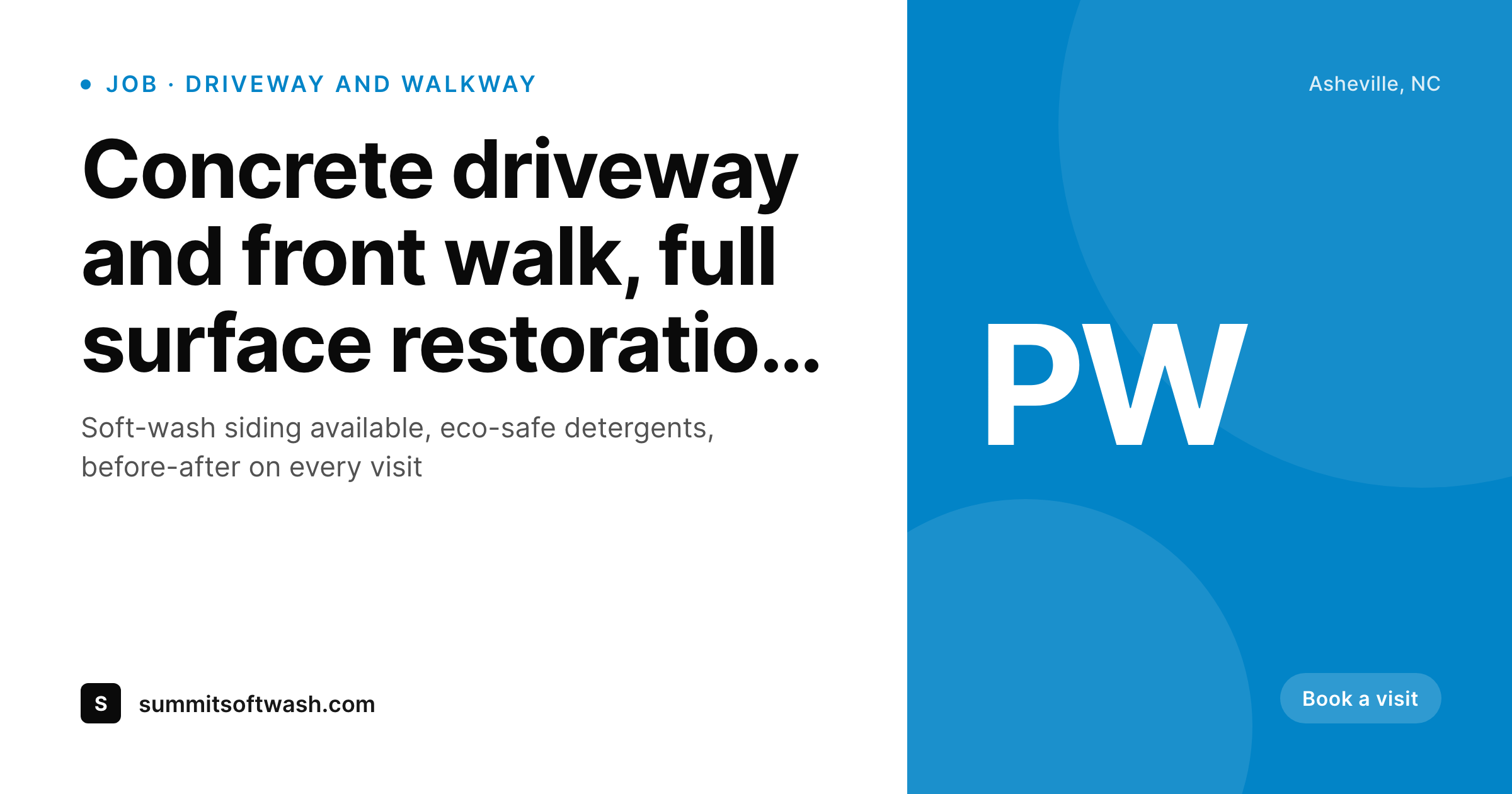
SleekPixel reads each service page, job gallery, and neighborhood landing page on save, pulls the surface type, the neighborhood, and the after-restoration photo, and renders a 1200x630 share card with the company brand. The card matches the truck and the yard sign, signals the local company, and shows the actual visible work. Forwarded links earn the click on Nextdoor and Facebook, the seasonal booking calendar fills, and the company captures the lead before the homeowner shops three more pressure washers.
Workflow
From restored driveway to share-ready preview on save
Set the company template
Map service post types
Save the page
Past customers share the link
Output
What renders on every job page save
A 1200 by 630 share card carrying the surface type, neighborhood, and after-restoration photo behind the company wordmark. Used as og:image for Facebook and Nextdoor forwards.
Comparison
Stock concrete photo vs auto-rendered restoration cards
Stock photo / Theme default
- Stock pressure washer photo on most service company shares
- Theme default banner stretches over every job and neighborhood page
- Surface type and visible after-restoration result lost on share
- Owner-operator can't keep Canva updated during seasonal peak booking
- Old job galleries share with prior brand templates after a truck wrap update
SleekPixel
- Service pages render branded share cards on save
- Surface type and neighborhood pull from post fields directly
- After-restoration photos slot into the share card background
- Eco-safe detergent and licensing callouts render in the card footer
- Bulk re-render the archive after a brand or truck wrap update
Features
What SleekPixel gives you for pressure washing company
Surface-specific cards
Driveway, walkway, deck, siding, and concrete patio pages each save with a share card naming the surface and showing the actual restoration.
Neighborhood pages
Each suburb or city served renders a share card with the area name. The recommended link on the neighborhood Facebook group lands with local context intact.
Eco-safe positioning
Soft-wash and eco-detergent positioning callouts can render in the share card footer. Pages aligned with sustainable cleaning carry the marks; standard pages skip them.
Use cases
What pressure washers generate with SleekPixel
Driveway restoration galleries
Driveway and walkway restoration job pages share with cards showing the actual cleaned concrete and the neighborhood. Neighbor referrals land with proof attached.
House-wash service pages
Soft-wash siding service pages render share cards aligned with the soft-wash positioning, distinct from high-pressure surface work.
HOA and property manager pages
Commercial-targeted pages for HOA contracts and property management firms render share cards with the commercial pitch and certifications visible.
The bigger picture
Why share previews drive seasonal pressure washing bookings
Pressure washing operates on a sharply seasonal demand curve. Spring drives driveway and walkway work, early summer drives deck restoration ahead of outdoor entertaining, fall drives house-wash before winter. Within each compressed booking window, demand tends to outstrip capacity for established companies, but the demand routes through neighbor referral and social recommendation rather than search ads.
The seasonal mention on a neighborhood Facebook group, the Nextdoor post about the company that came out last week, the cul-de-sac SMS thread sharing the contractor name: these are the discovery surfaces that fill seasonal calendars. Every one of those surfaces previews links via og:image, and the preview is the entire evaluation surface for a homeowner scanning recommendations. A clean branded preview showing the restored driveway, naming the neighborhood, and carrying the company wordmark signals a local company that does visible work.
A stock concrete photo signals a generic contractor and gets scrolled past. Across a season, the difference compounds into the booking calendar. The second reason is the verification flow.
Homeowners increasingly verify contractors before booking, and the share preview is the first verification surface. A preview that shows actual restored work and carries licensing or eco-safe marks signals legitimacy in ways the stock photo cannot. SleekPixel renders the branded preview on save, and the seasonal company captures the booking before the homeowner shops competing pressure washers.
Questions
Common questions about SleekPixel for pressure washing company
ServiceTitan and similar field service platforms are not WordPress, so SleekPixel does not integrate with them directly. What it covers: the WordPress marketing site that sits in front of the field service tool. Service pages, gallery pages, and neighborhood landing pages on WordPress all share with branded cards. The dispatching itself stays in ServiceTitan.
Yes. Soft-wash, used on siding and roofs to avoid pressure damage, has emerged as a distinct service positioning from high-pressure surface restoration. Configure variant templates that branch on a service type field, and soft-wash pages share with the eco-positioned card while driveway pages share with the surface-restoration card.
The template defines the photo crop and treatment. As long as the gallery contains a properly oriented hero photo (typically landscape, well-lit), the share card uses it. The template can also overlay a slight darken or gradient to keep text readable over varied photos. For pressure washing, after-photos with consistent framing produce predictable results.
Before-after sliders are an interactive element that does not export to a static image cleanly. SleekPixel uses the after photo (or a configured hero) for the share card background. The interactive slider stays on the page for visitors to engage with after the click. Social shares show the after; the page itself shows the dramatic transition.
Yes. Configure variant templates for residential and commercial service pages. Residential cards lean toward the neighborhood-recognition treatment; commercial cards lean toward the certification and scale-of-property treatment. Both anchor to the same company wordmark, so the brand stays consistent across the two segments.
Yes. Configure those marks as template constants. Every share card renders with the marks in a designated footer slot. The legitimacy signal travels with every forwarded link, which matters when homeowners verify contractors quickly during peak booking weeks.
Configure a promotion field on the service page (a discount code or seasonal offer), and the template can render it as a badge when the field is set. When empty, the badge hides. Spring driveway specials, fall house-wash discounts, and similar seasonal promotions show up in the share preview during the active window.
Yes. Bulk re-render walks every service page and gallery and refreshes the share image to the latest template. Useful after a truck wrap design refresh or a logo update. The full archive returns to coherence in one pass without per-page edits, so old job pages share consistently with new ones.
Pricing
More than 1000+
happy customers
Explore our flexible licensing options tailored to your needs. Upgrade your license anytime to access more features, or opt for a lifetime license for ongoing value, including lifetime updates and lifetime support. Our hassle-free upgrade process ensures that our platform can grow with you, starting from whichever plan you choose.
Lifetime ♾️
Most popular
EUR
once
- Unlimited websites
- Lifetime updates
- Lifetime support
...or get the Bundle Deal
and save €250 🎁
💎 Want everything forever? The All Access Pass is going away on 01.08.2026.
The Bundle (unlimited sites)
Pay once, own it forever
Elevate your WordPress site with our exclusive plugin bundle that includes all of our premium plugins in one package. Enjoy lifetime updates and lifetime support. Save significantly compared to buying plugins individually.
What’s included
-
SleekAI
-
SleekByte
-
SleekMotion
-
SleekPixel
-
SleekRank
-
SleekView
€749
Continue to checkoutBrowse more
- Twitch starting soon screen
- Threads profile banner
- Klaviyo email banner
- Mailchimp email headers
- Twitch alert
- Apple Music cover art
- Discord stage banner
- Facebook event covers
- Lens Protocol posts
- Discord server icon
- Ko-fi banners
- Snapchat ad images
- TikTok shop images
- YouTube thumbnails
- Douyin thumbnails