






SleekPixel for drywall contractor
Whole-house finish projects, ceiling repairs, finish-level service pages, and commercial buildouts on a drywall contractor site already carry square footage, finish levels, and project types. SleekPixel renders a branded share card on save so general contractor and designer forwards arrive looking like the company.
♾️ Lifetime License available
Drywall contractor referrals run through GCs and designers, not consumers
Drywall contractors operate in a peculiar referral market. Direct-to-consumer drywall jobs are typically small repair work, but the bulk of revenue for established drywall contractors comes through referral chains: general contractors recommending drywall sub-trades to other GCs, designers recommending finish-level specialists to clients, and home builders pre-selecting drywall partners on multi-house projects. The referral pathways run through industry-specific Slack workspaces, GC association forums, and designer-to-designer SMS chains, not consumer social networks.
Those B2B referral surfaces still preview links via og:image, and the preview is essentially the entire first impression a recipient GC or designer gets of an unfamiliar drywall contractor. A clean branded preview showing a finished smooth-wall remodel, with the finish level called out and the warranty status visible, signals a contractor capable of high-end work. A theme default banner or a stock drywall texture signals a contractor not worth a callback. The B2B referral funnel leaks at the same point the consumer one does, just on different platforms.
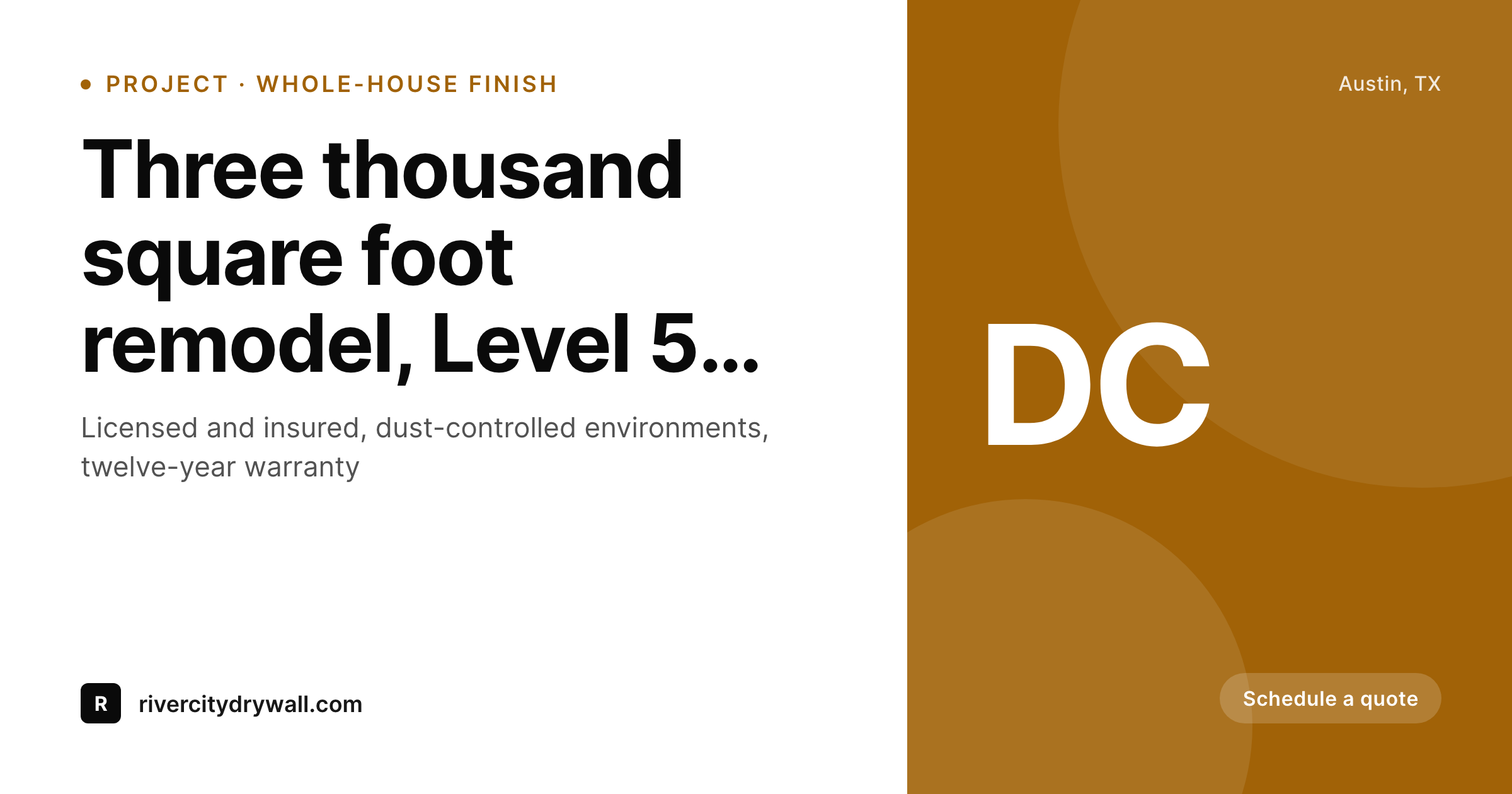
SleekPixel reads each project gallery, service page, and finish-level landing page on save, pulls the project type, square footage, finish level (Level 4, Level 5, smooth-wall), and the actual finished-room photo, and renders a 1200x630 share card with the contractor brand. The card carries the licensing status, warranty terms, and the visible finish quality. GC referrals land with the contractor's capability immediately legible, designer recommendations carry the finish-level signal, and the high-margin remodel and custom-build work routes to the contractor positioned to do it.
Workflow
From completed project to GC-ready preview on save
Set the contractor template
Map project post types
Save the project page
GCs and designers share the link
Output
What renders on every project page save
A 1200 by 630 share card carrying the project type, square footage, finish level, and finished-room photo behind the contractor wordmark. Used as og:image for GC and designer forwards.
Comparison
Stock drywall texture vs auto-rendered project cards
Stock photo / Theme default
- Stock drywall or unfinished construction photo on most contractor shares
- Theme default banner stretches over every project and finish-level page
- Finish level (Level 4, Level 5, smooth-wall) never reaches the share preview
- Warranty terms and licensing status hidden behind the click
- Old project galleries share with prior brand templates after a refresh
SleekPixel
- Project pages render branded share cards on save
- Project type, square footage, finish level pull from post fields directly
- Real finished-room photos slot into the share card background
- Licensing and warranty marks render in the card footer
- Bulk re-render the project catalog after a brand or warranty update
Features
What SleekPixel gives you for drywall contractor
Per-project share cards
Whole-house finishes, ceiling repairs, and commercial buildouts each save with a share card carrying the project type, scale, and finish level.
Finish-level differentiation
Level 4, Level 5, and smooth-wall service pages render distinct share cards. The finish-level signal travels with the link, GC and designer referrals land with capability legible.
Commercial buildout pages
Commercial buildout projects render share cards aligned with commercial pitches: square footage, dust-controlled environment, schedule reliability.
Use cases
What drywall contractors generate with SleekPixel
Whole-house finish projects
Project gallery pages share with cards showing the actual finished room, the square footage, and the finish level. GC referrals land with capability visible.
Repair and patch service pages
Smaller repair service pages share with cards differentiated from full-finish work. Direct-to-consumer repair leads see appropriate scale signals in the preview.
Designer collaboration pages
Designer-collaboration project pages render cards naming the design firm and the project location. Designer-to-designer referrals carry the collaboration signal directly.
The bigger picture
Why drywall contractor growth runs on B2B referral preview quality
Drywall is positioned in the construction trade stack between framing and finish carpentry, and the work quality is essentially invisible to homeowners until the paint goes on, after which the difference between a Level 4 finish and a Level 5 finish becomes obvious in raking light. The customers who care about finish-level distinctions before the paint goes on are general contractors, designers, and home builders, not direct-to-consumer leads. Established drywall contractors therefore build their businesses on B2B referral chains: a GC who used the contractor on a remodel last quarter recommends the contractor to another GC starting a similar project; a designer specifying Level 5 throughout a custom build refers the contractor to a peer designer working on a comparable project; a home builder pre-selecting drywall partners for a development phase brings in the contractor based on prior multi-house results.
Those referral chains run through industry digital surfaces (BuildBook, Procore message threads, ASID designer networks, GC association forums) where link previews still load through standard og:image. The preview is the first impression an unfamiliar GC or designer gets of the recommended contractor. A clean branded card showing the finished work, naming the finish level, and surfacing the warranty terms signals a contractor who plays at the level the project demands.
A theme banner or stock drywall texture signals a contractor not worth the callback that would otherwise come from the referral. Across hundreds of B2B referrals a year, the cumulative difference between branded and unbranded previews compounds directly into the high-margin work that drywall contractors actually want: custom homes, finish-level remodels, designer collaborations, rather than the lower-margin patch and repair work that fills the calendar by default.
Questions
Common questions about SleekPixel for drywall contractor
Procore and BuildBook are project management platforms, not WordPress plugins, so SleekPixel does not integrate directly. What it covers: the WordPress marketing site that GCs and designers reach when they click through from a recommendation. Project galleries, service pages, and finish-level landing pages on WordPress share with branded cards. The active project management itself stays in Procore or BuildBook.
Yes. Configure a finish level field on each project (Level 4, Level 5, smooth-wall, Venetian plaster), and the template can render a finish-level badge. The badge signals the project's finish quality directly in the share preview, which matters for B2B referrals where finish level is the central capability question.
Yes. Configure variant templates for residential and commercial projects. Residential cards lean toward finish-quality and warranty visibility. Commercial cards lean toward schedule reliability, dust-controlled environments, and square-footage scale. Both anchor to the same contractor wordmark.
Yes. Configure warranty terms (twelve-year, lifetime on workmanship, transferable) as template constants, and they render in the footer slot on every share card. The warranty signal travels with every B2B referral, accelerating callback decisions for GCs and designers comparing contractors.
Yes. Add a designer field to the project post type, and the template can render the designer firm name on the share card. Designer-to-designer referrals carry the collaboration credit, which functions as social proof and as professional courtesy. Useful when designers share project pages within their own networks.
Yes. Commercial drywall increasingly competes on dust-controlled environments and site-clean operations (HEPA-filtered work areas, end-of-day cleaning, occupied-space remodels). Configure those callouts as conditional template elements, and they render on commercial project pages where dust control is a differentiator.
The template defines the photo crop and treatment. Drywall finish photos work best when shot in raking light to show finish quality, with proper lighting balance. The template can apply a slight gradient to keep typography readable over varied photos. Most drywall contractors with portfolio-grade photos already shoot for raking light, which produces predictable results.
Yes. Bulk re-render walks every project page, service page, and finish-level landing page and refreshes the share image to the latest template. Useful when warranty terms change, licensing status updates, or the contractor refreshes the visual identity. The full archive returns to coherence in one pass without per-page edits.
Pricing
More than 1000+
happy customers
Explore our flexible licensing options tailored to your needs. Upgrade your license anytime to access more features, or opt for a lifetime license for ongoing value, including lifetime updates and lifetime support. Our hassle-free upgrade process ensures that our platform can grow with you, starting from whichever plan you choose.
Lifetime ♾️
Most popular
EUR
once
- Unlimited websites
- Lifetime updates
- Lifetime support
...or get the Bundle Deal
and save €250 🎁
💎 Want everything forever? The All Access Pass is going away on 01.08.2026.
The Bundle (unlimited sites)
Pay once, own it forever
Elevate your WordPress site with our exclusive plugin bundle that includes all of our premium plugins in one package. Enjoy lifetime updates and lifetime support. Save significantly compared to buying plugins individually.
What’s included
-
SleekAI
-
SleekByte
-
SleekMotion
-
SleekPixel
-
SleekRank
-
SleekView
€749
Continue to checkoutBrowse more
- book quote cards
- case study cards
- lead magnet card
- domain launch card
- acquisition announcement cards
- trademark card
- checklist download card
- data visualization cards
- song of the day cards
- uptime report card
- review cards
- customer spotlight cards
- command of the day card
- course module cards
- holiday promo card
- Vimeo thumbnails
- Facebook ad images
- Passes page banner
- Dribbble shot covers
- TikTok cover images
- Telegram channel cover images
- Douyin cover
- Instagram bio link banners
- YouTube banner art
- Twitch schedule banners
- Twitch camera frame
- Medium article headers
- YouTube channel banners
- TikTok profile banners
- Instagram carousel slides