






SleekPixel for Mailchimp email headers
Templated 600x200 PNGs rendered per post on save. Issue number, date, and headline pulled from the post and stitched into the same branded frame every send.
♾️ Lifetime License available
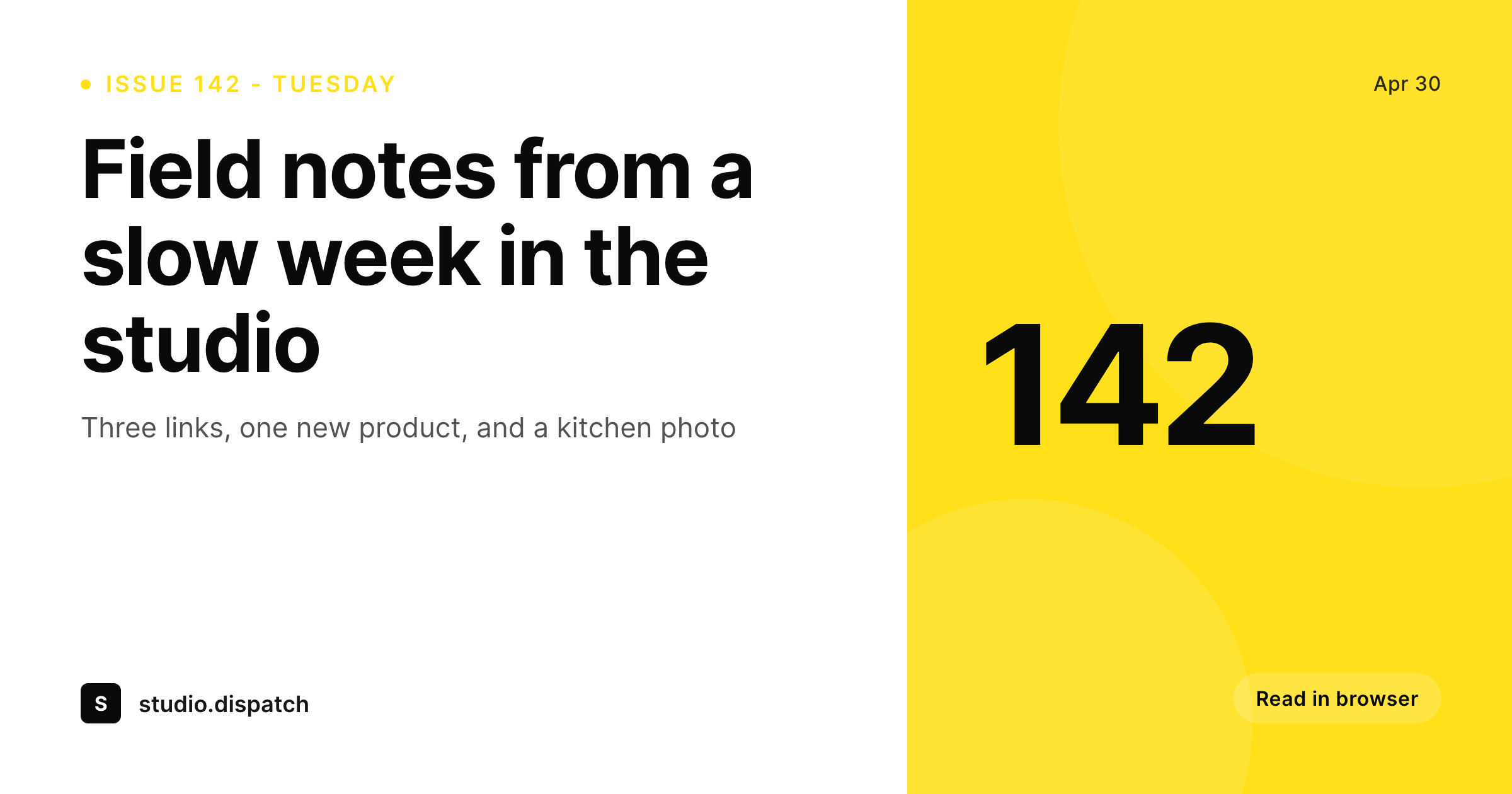
Mailchimp headers are the cover of the issue
The header at the top of a Mailchimp campaign is the first visual a subscriber sees in their inbox preview and again when they open the email. Newsletters that feel like a real product have a header that ties every issue together: a wordmark, an issue number, a date, and a typography system that does not drift between sends. Newsletters that feel like a side project have whatever Canva file the author opened that morning, with a font that quietly changes every third issue.
SleekPixel renders the header from the WordPress post that backs the issue. The post holds the issue number, the date, the title, and the section. The template is a 600x200 layout in HTML and CSS, the same width Mailchimp's default templates use for hero blocks. On save the PNG lands in the uploads directory and the editor downloads it from the sidebar to drop into the Mailchimp campaign builder.
The header stays on brand because the template is locked. Issue 142 looks like issue 1, with the only differences being the data the post supplies. A rebrand re-renders the archive without anyone reopening a Canva file.
Workflow
From issue post to Mailchimp send
Design the header
Pick the post type
Save the issue
Drop into Mailchimp
Output
What gets rendered per issue
A 600x200 PNG sized for the Mailchimp campaign hero, with the issue number, date, and headline pulled from the post.
Comparison
Manual Mailchimp headers versus SleekPixel
Manual / Canva per issue
- A duplicated Canva file every issue, with the issue number typed by hand
- Header fonts and colors drift across sends as the file gets edited
- Late edits to the headline mean re-exporting and re-uploading inside Mailchimp
- A rebrand requires reopening every past issue's Canva file to refresh
- The newsletter archive on the site shows mismatched headers across years
SleekPixel
- 600x200 PNG rendered per issue post on save
- Issue number, date, and headline pulled from real post fields
- Sidebar download per post, ready to drop into the Mailchimp campaign
- Brand refresh re-renders every past issue's header in one batch
- Real PNGs in WordPress uploads, indexed alongside the rest of the media
Features
What SleekPixel gives you for Mailchimp email headers
Campaign-ready
600x200 matches Mailchimp's default hero block width. The PNG drops into the campaign builder without resizing or cropping.
Locked typography
Self-hosted brand fonts and exact brand colors stay identical across issues. The header reads as one publication, not a folder of one-offs.
Sidebar download
Each issue post exposes a download button in Gutenberg. Save the PNG, paste into Mailchimp, send.
Use cases
Where a templated header earns its keep
Weekly newsletters
A weekly issue post becomes a header with the right issue number and date every send, no manual typing.
Monthly digests
Monthly round-ups render with the month and year baked in from post fields, so the archive timeline reads cleanly.
Multi-section newsletters
Section name pulls from a custom field, so a Friday roundup and a Tuesday essay use the same template with different labels.
The bigger picture
Why a locked header changes how a newsletter is read
Newsletters compete for attention in a crowded inbox, and the header is the first frame a subscriber sees inside the email itself. A consistent header signals that the issue is part of a real publication, which is the cue that earns longer reads and lower unsubscribe rates. The trouble for most independent operators is throughput.
A weekly send means 52 headers a year, and the Canva-per-issue workflow is exactly the kind of small repeated friction that erodes brand consistency. Issue numbers get typed wrong, the font silently swaps to a system fallback, the color drifts a few shades. SleekPixel removes the friction by rendering the header from the post that already holds the issue's metadata.
The template is in version control. The fonts are bound to files on disk. Every issue header reads as part of one publication because every issue header is rendered by the same engine.
Subscribers stop seeing a side project and start seeing a brand.
Questions
Common questions about SleekPixel for Mailchimp email headers
No. SleekPixel renders the header PNG inside WordPress. The editor downloads it from the Gutenberg sidebar and pastes it into the Mailchimp campaign builder. Sending the email stays inside Mailchimp.
600x200 by default, which matches Mailchimp's default hero block width and renders cleanly across desktop and mobile email clients. The dimensions are configurable in the template if your campaign uses a custom width.
Yes, since SleekPixel outputs a flat PNG with the design baked in. There is no dynamic color inversion. If dark mode rendering matters, design the template with dark-mode-safe contrast.
Yes. A single post can render several variants if the template defines them, for example a hero header and a section divider. Each renders as its own PNG with its own download in the sidebar.
Both. SleekPixel does not depend on any Mailchimp integration. The PNG sits in the uploads directory and can be referenced by the Mailchimp WordPress plugin, RSS-to-email feeds, or pasted into the campaign builder by hand.
Edit the template once and run batch regenerate from the SleekPixel admin. Every issue post re-renders with the new header, replacing the old PNG in uploads.
Yes, including self-hosted brand fonts. Upload the font file in the SleekPixel editor or reference it from a CSS @font-face rule in the template. Google Fonts work without a separate license.
In the WordPress uploads directory. They are real files in the media library, included in normal backups, and re-downloadable from the post sidebar at any time.
Pricing
More than 1000+
happy customers
Explore our flexible licensing options tailored to your needs. Upgrade your license anytime to access more features, or opt for a lifetime license for ongoing value, including lifetime updates and lifetime support. Our hassle-free upgrade process ensures that our platform can grow with you, starting from whichever plan you choose.
Lifetime ♾️
Most popular
EUR
once
- Unlimited websites
- Lifetime updates
- Lifetime support
...or get the Bundle Deal
and save €250 🎁
💎 Want everything forever? The All Access Pass is going away on 01.08.2026.
The Bundle (unlimited sites)
Pay once, own it forever
Elevate your WordPress site with our exclusive plugin bundle that includes all of our premium plugins in one package. Enjoy lifetime updates and lifetime support. Save significantly compared to buying plugins individually.
What’s included
-
SleekAI
-
SleekByte
-
SleekMotion
-
SleekPixel
-
SleekRank
-
SleekView
€749
Continue to checkoutBrowse more
- Substack post headers
- YouTube playlist covers
- Threads social images
- Facebook ad images
- Patreon post thumbnails
- Instagram feed posts
- Xiaohongshu cover images
- Douyin cover
- Lemon8 post
- YouTube channel banners
- YouTube thumbnails
- Etsy shop banners
- X Space banners
- Facebook event covers
- Bandcamp release cover