






SleekPixel for Klaviyo email headers
Templated 600x200 PNGs that match your store's brand, generated per post or product on save. The same fonts, the same grid, on every flow and broadcast.
♾️ Lifetime License available
Klaviyo flows fail when the headers feel different from the store
Klaviyo is the email engine for most serious WooCommerce stores. The flows do real work: welcome series, abandoned cart, post-purchase, win-back. The reason any of those flows convert is that they feel like extensions of the storefront, not generic transactional templates. The header at the top of each email carries most of that brand burden, and it is exactly the asset that operators spend the least time on because every flow needs its own variant and Canva is where the workflow goes to die.
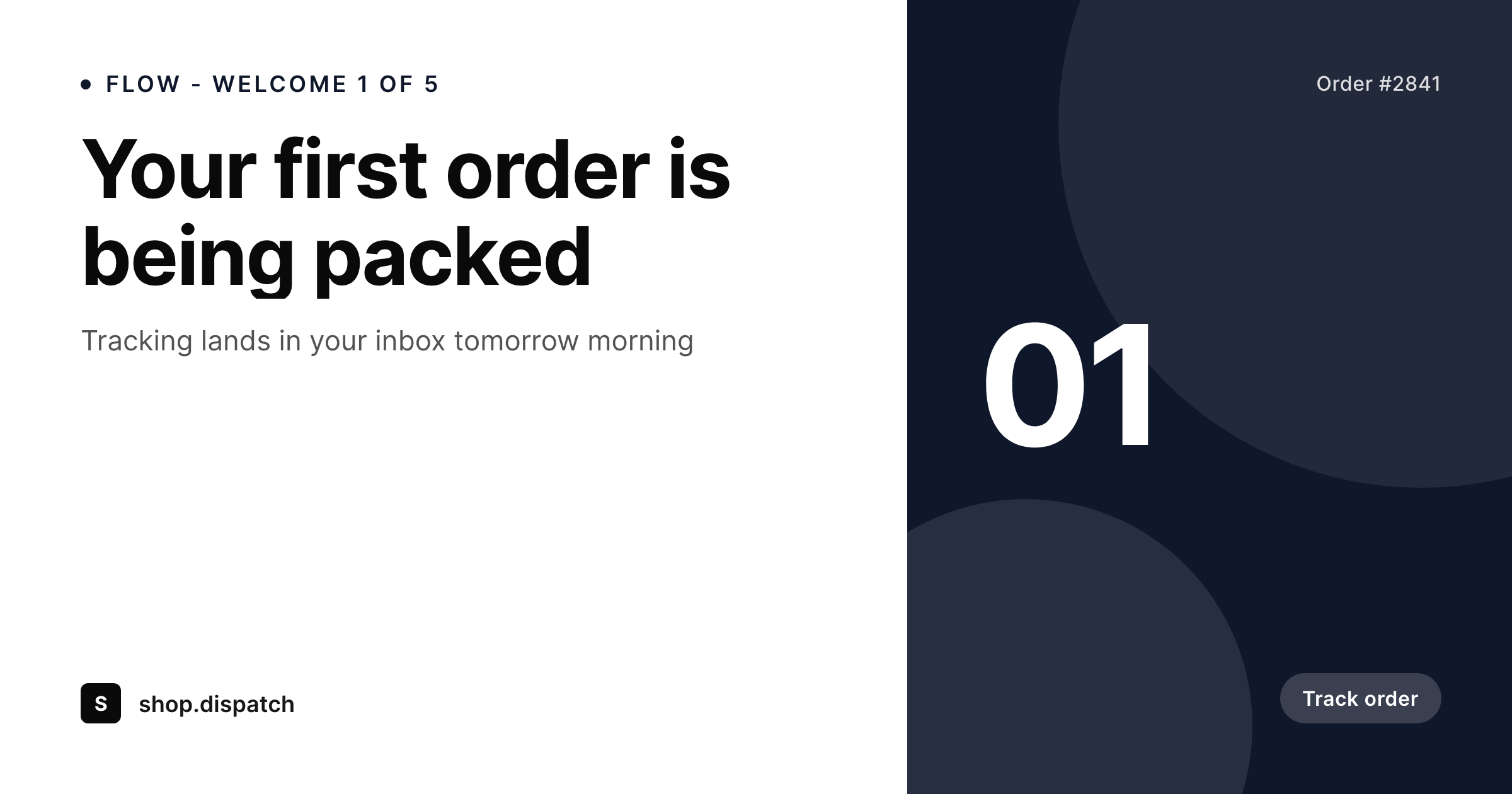
SleekPixel ties the header to the WordPress post or product that the email is about. A welcome email pulls the customer's first product. A post-purchase email pulls the order's hero product. A broadcast pulls the latest blog post or sale event. The 600x200 layout uses the store's real fonts and colors, lives in version control, and renders to the uploads directory on save.
The editor downloads the PNG from the sidebar and drops it into the Klaviyo template editor. Flows that used to feel templated start feeling like the storefront, because they are rendered by the same engine that produces every other on-brand image on the site.
Workflow
From product save to Klaviyo flow
Design the header
Map post and product fields
Save the source post
Reference in Klaviyo
Output
What gets rendered per flow
A 600x200 PNG with the flow name, order or product reference, and headline, sized for the Klaviyo template hero block.
Comparison
Klaviyo's stock blocks versus SleekPixel
Klaviyo defaults / Canva
- Stock Klaviyo blocks look generic and ignore your storefront brand
- Canva-per-flow means every variant drifts as different team members edit
- Order numbers and product names are typed into images by hand
- Late copy edits force a re-export and re-upload inside Klaviyo
- Rebrand requires reopening every flow's Canva file
SleekPixel
- 600x200 PNG rendered per post or product on save
- Flow name, order number, product, and headline pulled from real fields
- Sidebar download per post, ready for Klaviyo template upload
- Brand refresh re-renders the entire library in one batch
- Real PNGs in uploads, accessible by URL for dynamic Klaviyo blocks
Features
What SleekPixel gives you for Klaviyo email headers
Flow-ready
600x200 fits the Klaviyo hero block exactly. Drop the PNG in and the email renders edge-to-edge on desktop and mobile.
Storefront brand
The same self-hosted fonts and exact colors used on the storefront render into every email header without Klaviyo's stock approximations.
URL-addressable
Every rendered PNG sits in uploads with a stable URL, so Klaviyo's dynamic image blocks can reference the per-product or per-post image directly.
Use cases
Where Klaviyo flows benefit from real templates
Welcome series
Each step in the welcome flow renders a header with the step number and a relevant product or category cue.
Abandoned cart
The header pulls the abandoned product's title and image, baked into the brand frame on save.
Post-purchase
Order confirmation and shipping headers reference the order's hero product so the email feels tied to the purchase.
The bigger picture
Why on-brand Klaviyo headers move conversion
Klaviyo's revenue per recipient leans heavily on whether the email looks like the storefront or like a generic template. A welcome series that opens with a stock Klaviyo block and a different font set undercuts the trust the storefront just earned. Subscribers do not consciously parse this, but they read the inconsistency as amateur and act accordingly.
The fix is a real header, on-brand, on every flow and every broadcast. The reason most stores never ship that fix is throughput. Each flow has multiple steps.
Each step needs its own variant. Designers cannot keep up. SleekPixel removes the throughput problem by treating the header as a side effect of saving a post or product.
Welcome step one, step two, abandoned cart, post-purchase, win-back, all driven by the same template engine, all rendered from real WordPress data, all sitting in uploads and addressable by URL. The store's email program starts feeling like the store itself, which is the only state where Klaviyo flows hit their real ceiling.
Questions
Common questions about SleekPixel for Klaviyo email headers
No. SleekPixel renders the header PNG. The editor uses it inside the Klaviyo template editor or references the uploads URL from a Klaviyo dynamic image block. Sending stays in Klaviyo.
600x200 by default, which fits the Klaviyo hero block width across desktop and mobile email clients. The template can be set to any custom size for sub-blocks or full-width images.
Yes. Each rendered PNG has a stable URL in WordPress uploads. Klaviyo's dynamic image block can pull that URL using the product or post identifier in the flow trigger.
Yes. WooCommerce products are post types like any other. Bind product title, price, image, and category into the template, and every product save renders a flow-ready header.
Yes. Templates are scoped per post type or category. A welcome flow can use one template, abandoned cart another, with different layouts and field bindings.
Yes, the rendered PNG is flat. Dark mode email clients display it as designed without dynamic color inversion. Design the template with dark-mode-safe contrast if relevant.
Edit the template and run batch regenerate from the SleekPixel admin. Every product and post re-renders with the new design, replacing the old PNG in uploads.
In the WordPress uploads directory as real PNGs, accessible by URL, in the media library, and included in normal backups.
Pricing
More than 1000+
happy customers
Explore our flexible licensing options tailored to your needs. Upgrade your license anytime to access more features, or opt for a lifetime license for ongoing value, including lifetime updates and lifetime support. Our hassle-free upgrade process ensures that our platform can grow with you, starting from whichever plan you choose.
Lifetime ♾️
Most popular
EUR
once
- Unlimited websites
- Lifetime updates
- Lifetime support
...or get the Bundle Deal
and save €250 🎁
💎 Want everything forever? The All Access Pass is going away on 01.08.2026.
The Bundle (unlimited sites)
Pay once, own it forever
Elevate your WordPress site with our exclusive plugin bundle that includes all of our premium plugins in one package. Enjoy lifetime updates and lifetime support. Save significantly compared to buying plugins individually.
What’s included
-
SleekAI
-
SleekByte
-
SleekMotion
-
SleekPixel
-
SleekRank
-
SleekView
€749
Continue to checkoutBrowse more
- Pinterest product pin covers
- Snapchat Discover tiles
- KDP hardcover cover
- GitHub README banners
- Twitch panel images
- VSCO cover
- X social cards
- Facebook Shop product images
- Snapchat ad images
- LinkedIn newsletter headers
- LinkedIn document post covers
- Threads post images
- eBay listing images
- Discord server banners
- X list banners