






SleekPixel for checklist download card
A checklist with eighteen items lands differently than one with three. SleekPixel renders a 1080x1080 share card that puts the item count in the corner, the title at the top, and a sample of items down the side, so readers know the depth before they download.
♾️ Lifetime License available
Checklists are sold by the item count
'A 5-item checklist for X' converts differently than 'a 25-item checklist for X.' The number is a quality signal. The longer list reads as more thorough; the shorter list reads as more actionable. Either positioning works, but only if readers see the number before they click. A generic OG card hides this. Readers click, see the count after the download, and either feel rewarded or disappointed, but the campaign never gets to set the expectation in the share preview.
SleekPixel surfaces the item count as a first-class element on the card. The template has a dedicated count badge. The title anchors the layout. A few sample items render down the side as proof of substance. On save, the card renders from the post's item-count field and a small array of representative items. The og:image meta tag updates. Every LinkedIn, Twitter, and Instagram share previews the depth of the checklist accurately.
The team controls the positioning: thoroughness or speed. The reader sees the count and self-selects. The card is rendered automatically from the post. Item count becomes a structural part of the brand, not a buried detail.
Workflow
Checklist cards from a repeater field
Add a checklist repeater
Design the template
Fill in the items
Publish
Output
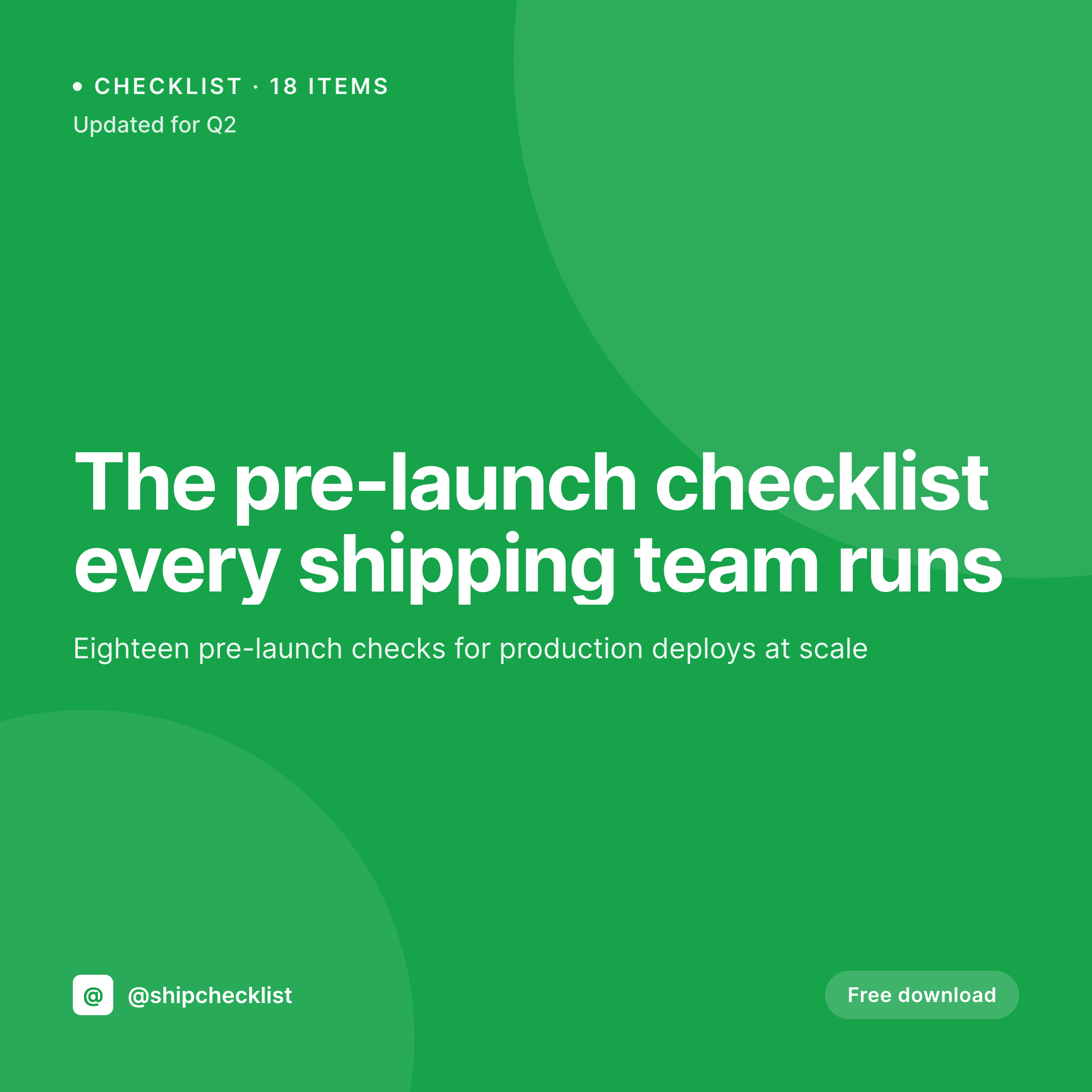
Sample checklist download card
A 1080x1080 Instagram-ready card with the title, a prominent item count, and a few sample items rendered from a repeater field on the post.


Comparison
Generic OG image vs SleekPixel
Default OG image
- Item count never appears on the share preview
- Readers cannot judge thoroughness before clicking
- Updates to the checklist length never refresh the card
- Sample items are unavailable as proof of substance
- Old checklists keep stale counts on their share cards
SleekPixel
- Item count badge anchors the layout
- A handful of representative items render as proof
- Updates to the count flow into the next render automatically
- One template across all checklists keeps the brand uniform
- Bulk refresh past checklists when the template evolves
Features
What SleekPixel gives you for checklist download card
Item count first
A dedicated count badge in the template makes the depth of the checklist visible at preview size, before the click.
Sample items as proof
Three to five representative items render down the side of the card. Readers see the kind of detail they will get, without revealing the whole list.
Counts stay current
Adding or removing items in the repeater updates the count automatically on save. The card refreshes to match the actual checklist length every time.
Use cases
Where checklist cards earn their keep
Operations and engineering
Deploy checklists, incident-response checklists, and runbook summaries get share cards that signal the rigor of the operation at preview size.
Consulting checklists
Consultants publishing audit-style checklists for sales, marketing, or finance teams ship preview-ready share cards that signal depth before the click.
Education and certification
Study checklists, exam-prep lists, and certification prep guides communicate scope to learners through the share preview rather than after the form.
The bigger picture
Why the item count is the most useful number on the card
Numbers communicate scope better than adjectives. 'A thorough deploy checklist' tells the reader nothing about how much time they need to read it. 'An 18-item deploy checklist' tells them exactly what to expect.
The share card is one of the few surfaces in a campaign where a single number can carry that signal cleanly. Most publications bury the count inside the article and lose the chance to set the expectation in the preview. SleekPixel makes the count a structural part of the template.
The author maintains the checklist in a repeater inside the post; the count comes from the array length automatically. Updates flow into the card on save without anyone retyping the number. The brand stays consistent across every checklist the publication ships.
Readers learn to look at the count badge the way they learn to look at minute counts on podcasts or page counts on ebooks. The single most useful piece of information on the share preview becomes a default rather than a designer's afterthought.
Questions
Common questions about SleekPixel for checklist download card
From the array length of the repeater field. Add or remove items in the post editor and the count updates automatically. No separate count field to keep in sync.
By default the first three or five entries in the repeater, depending on the template. Authors can re-order the repeater to put their strongest items at the top.
Yes. The count badge is conditional on a template flag. Some publications prefer a clean title-only card for certain categories. Both modes coexist in one template.
Yes. SleekPixel can read the core/list block as a source for both the count and the sample items. The author writes the checklist in the native block editor.
If the repeater has icon or color fields, the template can render small icons next to each sample item. Otherwise the items render as plain text with a check glyph.
Yes. Configure a second template at 1080x1920 bound to the same fields. SleekPixel renders both formats on save.
Yes. The sample items on the card always reflect the current order of the repeater. Reordering items in the post is a way to swap which ones surface on the preview.
Yes. Each translation has its own count and item samples. SleekPixel renders one card per locale and og:image points at the right card per language.
Pricing
More than 1000+
happy customers
Explore our flexible licensing options tailored to your needs. Upgrade your license anytime to access more features, or opt for a lifetime license for ongoing value, including lifetime updates and lifetime support. Our hassle-free upgrade process ensures that our platform can grow with you, starting from whichever plan you choose.
Lifetime ♾️
Most popular
EUR
once
- Unlimited websites
- Lifetime updates
- Lifetime support
...or get the Bundle Deal
and save €250 🎁
💎 Want everything forever? The All Access Pass is going away on 01.08.2026.
The Bundle (unlimited sites)
Pay once, own it forever
Elevate your WordPress site with our exclusive plugin bundle that includes all of our premium plugins in one package. Enjoy lifetime updates and lifetime support. Save significantly compared to buying plugins individually.
What’s included
-
SleekAI
-
SleekByte
-
SleekMotion
-
SleekPixel
-
SleekRank
-
SleekView
€749
Continue to checkoutBrowse more
- fundraising announcement cards
- diversity report card
- incident report cards
- keynote cards
- win celebration cards
- code snippet card
- podcast quote cards
- book recommendation cards
- webinar
- cohort announcement card
- waitlist closing card
- API update card
- office hours recap card
- longform article card
- podcast appearance card
- Mastodon post images
- Facebook Marketplace images
- Instagram feed posts
- Mailchimp email headers
- Tumblr header
- Stan Store cover
- Discord stage banner
- Weibo post images
- YouTube banner art
- Mastodon profile header
- Threads story-style images
- SoundCloud track art
- Lemmy post images
- Behance project covers
- Linktree banner image