






SleekPixel for template download card
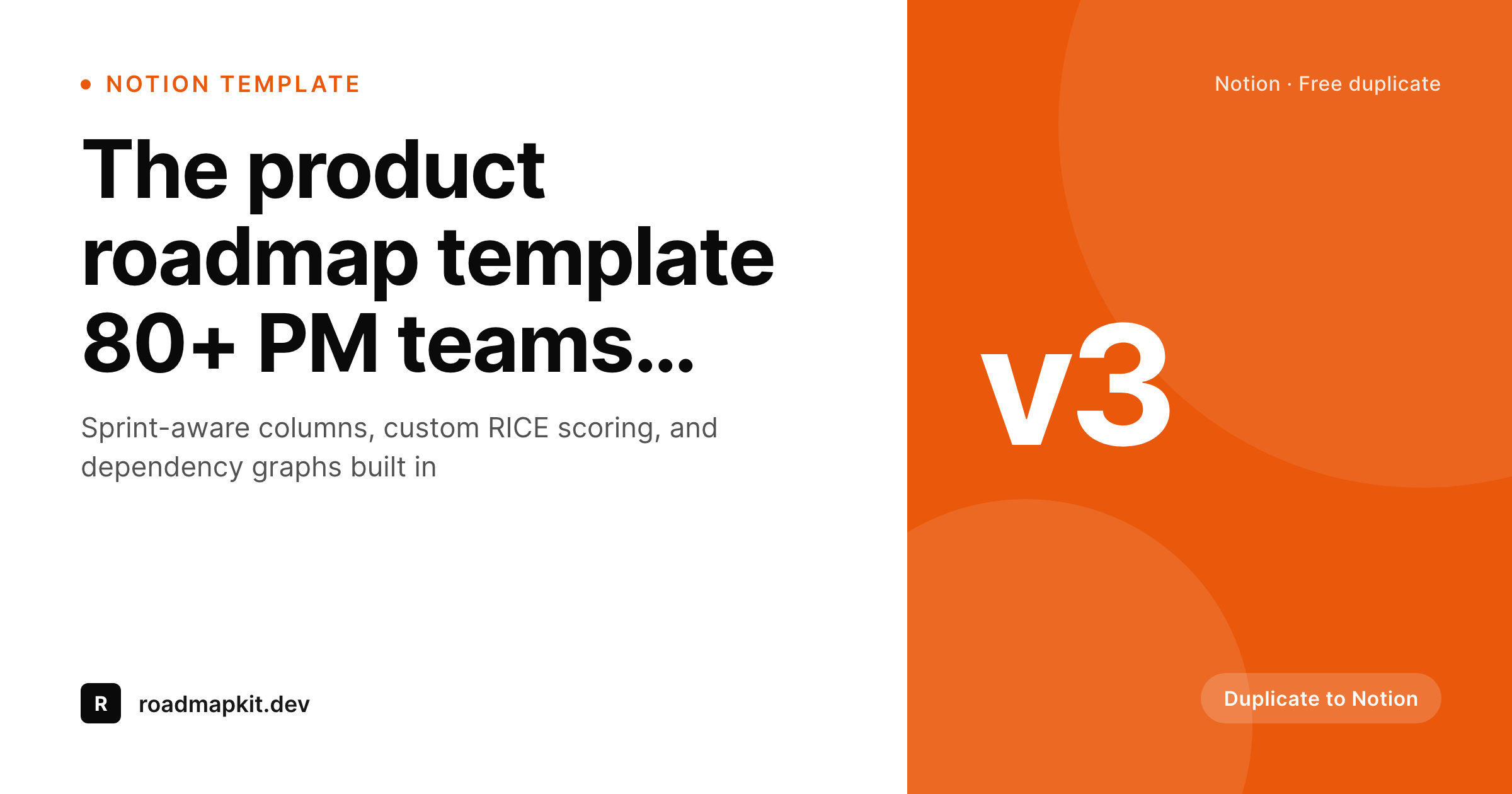
Readers click templates differently when they know it is a Notion duplicate versus a Figma file versus an Airtable base. SleekPixel renders a 1200x630 OG card that shows the format up front, with the title, the version, and a clear download cue rendered from the post on save.
♾️ Lifetime License available
Format is the first decision the reader makes
A reader sees a tweet for a free template and the first question is 'what is this in?' A Notion template, a Figma file, an Airtable base, an Excel sheet, and a Google Doc each have different audiences. A Figma user does not want to discover after the click that the template is in Notion, and vice versa. Most share cards make readers find out the hard way: click, scroll, see the duplicate button, decide it is not for them, bounce.
SleekPixel surfaces the format directly on the share card. The template format pulls from a post field: Notion, Figma, Airtable, Google, Excel, Linear. The card has a dedicated format cue rendered in a corner or as a tag near the title. The version pulls from a separate field for templates that iterate. On save, the OG image updates and og:image points at the rendered card. Every share previews the format honestly.
Readers who are not Notion users keep scrolling. Readers who are click through, knowing exactly what they are getting. The template gets better-qualified traffic. The post is the source. The format is visible. The campaign measures itself.
Workflow
Template downloads with format-aware previews
Design the template card
Tag the template
Publish
Iterate versions
Output
Sample template download card
A 1200x630 OG card with the title, a format tag, a version mark, and a clear duplicate cue rendered from fields on the post.
Comparison
Generic share card vs SleekPixel
Default share card
- Format isn't communicated on the share preview
- Readers discover the wrong-format mismatch after the click
- Version numbers never appear on the social card
- Templates rebrand and old share cards stay stale
- Different template categories share one undifferentiated card style
SleekPixel
- Format tag (Notion, Figma, Airtable, etc.) renders on every card
- Version mark surfaces template iterations
- Title anchors the layout regardless of length
- On-save render keeps the card current with the live template
- Bulk regenerate across the whole template library
Features
What SleekPixel gives you for template download card
Format tag built in
A dedicated format slot on the template renders 'Notion,' 'Figma,' 'Airtable,' or whichever field value the post carries. Readers see the format at preview size.
Version awareness
A version field on the post drives a small version mark on the card. Useful for templates that iterate, where v3 carries new columns over v2.
Per-format accents
Templates can use format-specific accent colors. Notion templates lean black, Figma templates lean purple, Airtable templates lean orange. The brand stays consistent within each format.
Use cases
Where template download cards earn their keep
Operator template libraries
Operators publishing template kits for product, marketing, and ops get cards that communicate format and version cleanly across the library.
Design template shops
Design template sellers and freebie sites get share cards that say 'Figma' or 'Sketch' up front, qualifying clicks before the landing page.
Community resource hubs
Indie communities curating templates from members get a uniform card style across every contribution, with format and version visible.
The bigger picture
Why surfacing format respects the reader's time
Free templates live in a feed of competing free templates. A reader who is a Notion user has thirty other Notion templates to choose from, plus Notion-adjacent assets, plus a backlog of templates they already saved. They do not have patience for share previews that obscure the format.
Hiding the format until after the click optimizes for impressions but punishes the audience. SleekPixel's format-aware cards do the opposite: they qualify the click. Notion users see Notion templates and click.
Figma users see Figma templates and click. Misaligned readers keep scrolling, which is the correct outcome for everyone. The template library gets better-qualified traffic and the readers' time is respected.
The mechanism is structural rather than editorial. The format field on the post drives the card automatically, so no editor has to remember to update a graphic when a template's format changes. The card stays honest about the offer at all times.
Questions
Common questions about SleekPixel for template download card
Any short label: Notion, Figma, Airtable, Google Sheets, Google Docs, Excel, Linear, Coda, Pitch. The format field is open text, so the team types whatever applies.
Yes. If the template has icon glyphs for each format, the template editor can place a small format icon next to the tag text. SleekPixel ships a starter set of common format icons.
Multi-format templates can list both: 'Notion + Airtable' as a tag, or render two small tags. The template editor handles either layout.
No. The version field is open text. 'v3,' '2026 edition,' 'Spring update,' or any short label works. The mark renders whatever value the field carries.
Yes, if the count lives on a field. Some teams update a 'duplicate count' field manually or via a webhook from Notion. The card displays the number as social proof.
Yes. SleekPixel renders the share card for the WordPress landing page. The Gumroad embed continues to handle the purchase flow. The card describes the offer; Gumroad delivers it.
Yes. Update the template, run bulk regenerate across the template post type. Every template's card refreshes in one batch without re-publishing the posts.
Yes. SleekPixel writes og:image and twitter:image on save. Yoast or Rank Math continue to handle og:title and og:description without conflict.
Pricing
More than 1000+
happy customers
Explore our flexible licensing options tailored to your needs. Upgrade your license anytime to access more features, or opt for a lifetime license for ongoing value, including lifetime updates and lifetime support. Our hassle-free upgrade process ensures that our platform can grow with you, starting from whichever plan you choose.
Lifetime ♾️
Most popular
EUR
once
- Unlimited websites
- Lifetime updates
- Lifetime support
...or get the Bundle Deal
and save €250 🎁
💎 Want everything forever? The All Access Pass is going away on 01.08.2026.
The Bundle (unlimited sites)
Pay once, own it forever
Elevate your WordPress site with our exclusive plugin bundle that includes all of our premium plugins in one package. Enjoy lifetime updates and lifetime support. Save significantly compared to buying plugins individually.
What’s included
-
SleekAI
-
SleekByte
-
SleekMotion
-
SleekPixel
-
SleekRank
-
SleekView
€749
Continue to checkoutBrowse more
- X Space banners
- Threads profile banner
- Twitch overlay
- YouTube playlist covers
- Twitch stream overlay images
- LinkedIn newsletter headers
- Behance banner
- Instagram grid tiles
- Bluesky link cards
- Twitch alert
- Discord stage banner
- Slack channel headers
- YouTube ad thumbnails
- Dailymotion thumbnails
- X ad images