






SleekPixel for LinkedIn showcase page banners
Render distinct 1584x396 banners per showcase page, with each sub-brand or audience carrying its own headline, accent, and hero. One template family, multiple pages.
♾️ Lifetime License available
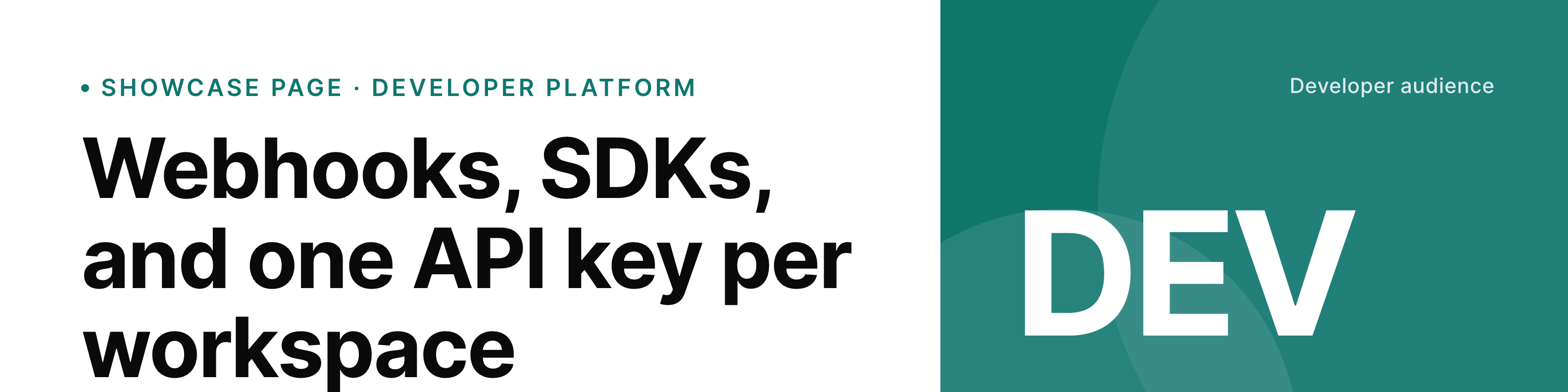
Showcase pages only work when each one looks like its own thing
LinkedIn showcase pages sit under a parent company page and target a specific audience, product line, or sub-brand. The point is to give each focus area its own following and its own content stream. That falls apart when every showcase page uses the same banner as the parent, or when each banner is a separate Canva file that nobody owns clearly.
SleekPixel renders a banner per showcase page from a WordPress source per page. Each banner carries the product or audience name, a focused headline, an accent that ties to that sub-brand, and the right CTA. The shared template keeps them feeling like one family while each page reads as distinct.
When a showcase page shifts focus from a launch to a hiring push, the source post updates and the banner re-renders. No designer in the loop, no Canva sprawl.
Workflow
From a showcase source post to a per-page banner
Design the shared template
Create one source post per page
Save any post
Upload to each showcase
Output
Sample LinkedIn showcase banner
1584x396 PNG with a focused headline, sub-brand accent, and a CTA tag, sized for the LinkedIn showcase page banner slot.
Comparison
One Canva file per showcase vs SleekPixel per page
Per-showcase Canva files
- Each showcase page has its own Canva file with its own owner
- Banners drift apart in font, accent, and layout over time
- Refresh cycles vary per page so some sit stale for quarters
- No straight path from a sub-brand content post to its banner
- A rebrand requires touching every file separately
SleekPixel
- 1584x396 banner per showcase page rendered from its source post
- Shared template family with per-page accent and headline
- Sub-brand mark, focus area, and CTA in template fields
- Save the source post and the banner re-renders
- Batch regenerate all showcase banners after a brand update
Features
What SleekPixel gives you for LinkedIn showcase page banners
One template, many pages
All showcase banners share the layout and brand mark while each page picks its own accent, headline, and hero asset.
Per-page source posts
Each showcase page binds to its own WordPress post. Editors who own the product or audience own its banner content.
Brand refresh in one batch
When the parent brand shifts, batch regenerate updates every showcase banner with the new template in one pass.
Use cases
Where showcase banners hold the sub-brand together
Product lines
Each product gets its own showcase page with a banner that names the product and lists its current focus, like a new SDK or a pricing change.
Audience-specific pages
Developer, customer, and partner audiences each get a showcase page with a banner that speaks directly to that audience without bleeding into the others.
Regional pages
Country or region showcase pages carry their own banner with local language, local team focus, and the relevant CTA for that market.
The bigger picture
Why per-page banners are worth the workflow change
Showcase pages are the LinkedIn answer to a sub-brand or audience-specific narrative. The whole reason to run one instead of cramming everything into the parent company page is the chance to speak directly to that audience without diluting the rest. That only pays off when each showcase looks like its own thing, with a current banner that matches what the page is actually publishing.
Per-page Canva files solve the design problem once and then break under the weight of ongoing updates. Templating the banner from a per-page source post collapses the cost. The same editor who owns the showcase content owns the banner content.
The shared template family is what keeps every page connected to the parent brand at a glance.
Questions
Common questions about SleekPixel for LinkedIn showcase page banners
There is no hard limit. Each showcase page is one source post in WordPress. Stores with dozens of showcase pages work fine.
It is the recommended setup because it keeps the parent brand cohesive. You can run more than one template if a sub-brand needs to look intentionally different.
Yes. Each source post sets its accent. The shared template applies that accent to the headline, the tag, and the mark.
No. LinkedIn does not expose a third-party upload path for showcase banners. SleekPixel renders the PNG. An admin replaces the banner in LinkedIn's page settings.
Event covers use a different size and template. SleekPixel can manage them too, but they live as their own format rather than under the showcase banner setup.
Yes. If a showcase page focuses on a WooCommerce product or category, the banner template can pull the product hero, title, and price into the layout.
In the WordPress uploads directory, with each page's banner saved as its own PNG. Included in your media library backups.
Update the shared template once and run batch regenerate. Every banner under that template re-renders with the new font.
Pricing
More than 1000+
happy customers
Explore our flexible licensing options tailored to your needs. Upgrade your license anytime to access more features, or opt for a lifetime license for ongoing value, including lifetime updates and lifetime support. Our hassle-free upgrade process ensures that our platform can grow with you, starting from whichever plan you choose.
Lifetime ♾️
Most popular
EUR
once
- Unlimited websites
- Lifetime updates
- Lifetime support
...or get the Bundle Deal
and save €250 🎁
💎 Want everything forever? The All Access Pass is going away on 01.08.2026.
The Bundle (unlimited sites)
Pay once, own it forever
Elevate your WordPress site with our exclusive plugin bundle that includes all of our premium plugins in one package. Enjoy lifetime updates and lifetime support. Save significantly compared to buying plugins individually.
What’s included
-
SleekAI
-
SleekByte
-
SleekMotion
-
SleekPixel
-
SleekRank
-
SleekView
€749
Continue to checkoutBrowse more
- Bluesky link cards
- Linktree banner image
- Kick channel banners
- Telegram bot avatar
- Farcaster cast images
- Facebook ad images
- Warpcast frame images
- Telegram channel images
- Lemon8 post
- Medium article headers
- Etsy shop banners
- Dailymotion thumbnails
- SoundCloud banner
- Threads social images
- Notion page covers