






SleekPixel for watch brand
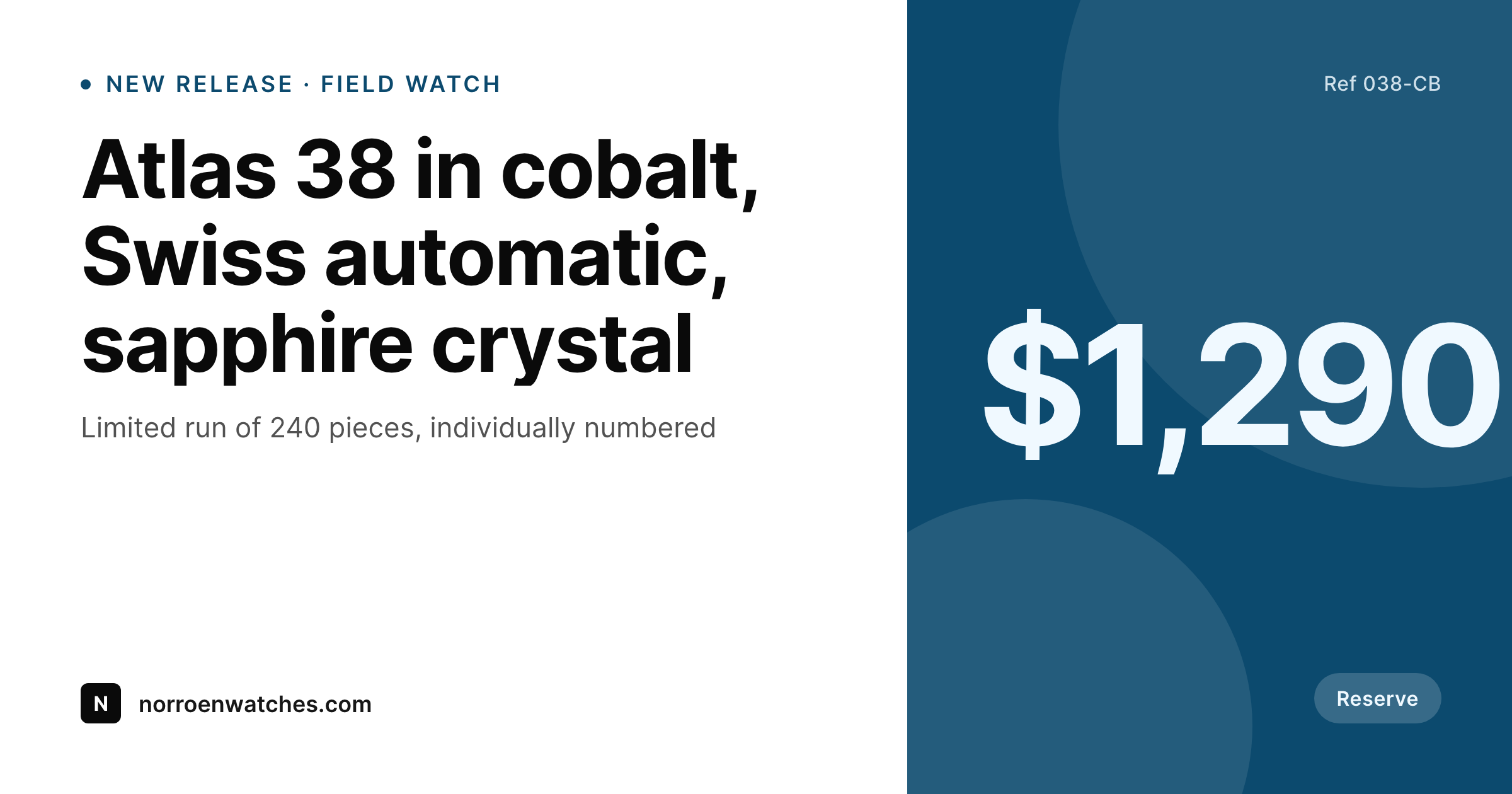
Movement, case size, dial, crystal, water resistance, and price live as fields on the product. SleekPixel renders a branded 1200x630 card the moment a reference goes live, so pre-order pages and DM forwards show the right watch.
♾️ Lifetime License available
Microbrand catalogs add up faster than the marketing team
An independent watch brand publishes a small catalog by industry standards: maybe a dozen references across two collections, plus a few limited runs and the occasional collaboration. But each reference comes in three dial colors, two strap options, and sometimes a steel and a bronze case. The product matrix multiplies, and so does the share-image workload. By the time the social manager has built cards for every dial of the field watch, the dive watch announcement is already live with a placeholder banner.
The data is already on the site. Movement caliber, case size, lug width, water resistance, crystal, dial color, and serial number range are all stored as product fields. The product page renders them in a clean spec table. The share preview, the Pinterest pin, and the newsletter banner each get re-typed by hand because the workflow stops at the website. Customers forwarding a pre-order link see a generic site favicon, and the careful design language of the watch never reaches the buyer's group chat.
SleekPixel makes the share image a property of the reference. Define one collection template, map the product fields, and every dial colorway, every limited run, and every restock saves with a branded card. The tactile detail that distinguishes a good microbrand survives the trip from product page to text message.
Workflow
From new reference to live link preview
Map reference fields
Design the collection template
Publish a new reference
Bulk regenerate on rebrand
Output
What gets generated per reference
A 1200x630 OG card showing the reference, dial color, movement, case size, and price, composed from the product fields.
Comparison
Hand-built launch art vs auto-rendered reference cards
Manual / Canva / WooCommerce default
- Dial colorways and case materials each demand their own Canva file
- Limited runs ship with placeholder cards while design catches up
- Movement caliber and case size get retyped and occasionally wrong
- Pre-order links shared in collector forums show a tiny favicon
- Brand evolution mid-collection means redoing every reference card
SleekPixel
- Every reference saves with a 1200x630 card rendered from its own fields
- Movement, case size, dial, and price pulled from WooCommerce variations
- Limited-run badges and serial ranges drive conditional template variants
- Pinterest pin and Instagram square render alongside the OG card
- Bulk regenerate on rebrand without per-reference rework
Features
What SleekPixel gives you for watch brand
Per-reference card
Each reference and dial color saves with its own card. Movement, case, and price pull from the product fields, not a Canva file.
Limited-run aware
Templates can branch on collection or numbered-run flag. Limited pieces show their run size and serial range without a separate design.
Sidebar export
Need the card for the press kit, the collector newsletter, or a pre-order email? One tap in the Gutenberg sidebar grabs the PNG.
Use cases
Where watch cards earn their keep
Pre-order announcements
New references launch with matching cards across every dial. The pre-order page, social tile, and OG share all carry the same brand.
Forum and DM forwards
Collectors share links across forums and group chats. The preview carries movement, case size, and price instead of a broken thumbnail.
Editorial and reviews
Pieces sent to reviewers come with share cards already in uploads. The reviewer's URL share looks like the brand intends, not a default.
The bigger picture
Why microbrand previews shape collector trust
Independent watchmaking is a credibility business. Collectors discover microbrands through long forum threads, podcast mentions, and group-chat forwards from friends who already own a piece. The link preview is often a buyer's first glimpse of the brand, and a missing or generic card signals that the brand has not yet figured out the basics of digital presentation.
That impression compounds. A buyer who hesitates on a $1,200 reference because the share preview looks unprofessional rarely comes back to give the brand a second chance. SleekPixel makes the card a property of the reference itself, so every dial colorway, every limited run, and every collaboration reaches collectors with the brand intact.
Microbrands cannot match Swiss-conglomerate marketing budgets, but they can match Swiss-conglomerate consistency on the surfaces that matter. The product page, the share card, the email banner, and the Pinterest pin all read as one brand because they all draw from one product record.
Questions
Common questions about SleekPixel for watch brand
Yes. WooCommerce, ACF, Meta Box, or a custom reference CPT all work. SleekPixel reads any post type and any field, so movement, case size, water resistance, and serial range can all map onto the template.
Yes. Templates can branch on a numbered-run flag, a collection taxonomy, or any custom field. Limited pieces can show run size, edition number, and a distinct accent while still pulling from the same product fields.
Collaborations can be their own collection or carry a co-brand field. The template can show two wordmarks side by side and pull both partners' details from the product post. The render still happens automatically on save.
Yes. If the dial color is stored as a hex value or a swatch image on the product, SleekPixel can render it directly into the template. Customers see the actual dial color in the share preview, not an approximation.
Yes. A single reference can render a 1200x630 OG card, a 1080x1080 Instagram square, and a 1000x1500 Pinterest pin in one save. Watch communities use all three channels heavily.
Yes. Edit the template, run a bulk regenerate, and every reference, every dial, and every limited run gets a fresh card. The PNG file is replaced in uploads, so the pre-order pages keep their existing URLs and social platforms re-fetch on their next cache cycle.
Indirectly. Most forums and Reddit pull the og:image meta tag from the linked URL. SleekPixel writes that tag automatically on save, so when a collector posts a pre-order link, the forum and Reddit thumbnail show your card. The brand does not push to any platform directly.
The template can fall back to a brand pattern, an accent block, or a placeholder render when the photo field is empty. Pre-order announcements before factory samples arrive still ship with on-brand cards. When the photo is added later, the next save updates the card.
Pricing
More than 1000+
happy customers
Explore our flexible licensing options tailored to your needs. Upgrade your license anytime to access more features, or opt for a lifetime license for ongoing value, including lifetime updates and lifetime support. Our hassle-free upgrade process ensures that our platform can grow with you, starting from whichever plan you choose.
Lifetime ♾️
Most popular
EUR
once
- Unlimited websites
- Lifetime updates
- Lifetime support
...or get the Bundle Deal
and save €250 🎁
💎 Want everything forever? The All Access Pass is going away on 01.08.2026.
The Bundle (unlimited sites)
Pay once, own it forever
Elevate your WordPress site with our exclusive plugin bundle that includes all of our premium plugins in one package. Enjoy lifetime updates and lifetime support. Save significantly compared to buying plugins individually.
What’s included
-
SleekAI
-
SleekByte
-
SleekMotion
-
SleekPixel
-
SleekRank
-
SleekView
€749
Continue to checkoutBrowse more
- Weibo post images
- Behance project covers
- Stan Store cover
- Xiaohongshu cover images
- Warpcast frame images
- LinkedIn carousel slides
- LinkedIn ad images
- Instagram Shop product images
- Ko-fi shop images
- TikTok ad images
- eBay listing images
- Facebook cover photos
- LinkedIn banner images
- LinkedIn event banners
- LinkedIn newsletter headers