






SleekPixel for hotel
Room name, view, capacity, rate, and inclusions live as fields on the room post. SleekPixel renders a branded 1200x630 card on save, so the booking link looks right whether it goes to a guest, a partner, or a press contact.
♾️ Lifetime License available
Hotel marketing fragments across rooms, packages, and partners
An independent hotel runs a small set of room types but a constantly shifting catalog of offers. Spring rate plans, anniversary packages, dine-and-stay bundles, off-peak weekday pricing, partner-channel promotions: each offer is its own page, its own URL, and its own share moment. The marketing team builds Canva graphics for the hero offers, but the long tail of rooms and packages slips through, and the booking links shared by sales reps and concierge teams arrive in inboxes with the WordPress homepage banner attached.
The data is on the site. The room CPT carries name, capacity, view, square footage, and base rate. The offer CPT carries valid dates, included experiences, and pricing. Each post renders a clean detail page on the website. The share image, the press kit handout, and the partner channel banner each get hand-built from the same data source, and the hotel's brand drifts a little each season as different staff members touch different templates.
SleekPixel makes the share card a property of the room or offer. Define one hotel template, map the post fields, and every new offer, every seasonal rate plan, and every press handout saves with a branded card. The booking funnel keeps its frame from the front page to the reservation system, and the long tail of pages stops being marketing's blind spot.
Workflow
From room post to live booking preview
Map room and offer fields
Design the hotel template
Publish a room or offer
Bulk regenerate on rebrand
Output
What gets generated per room or offer
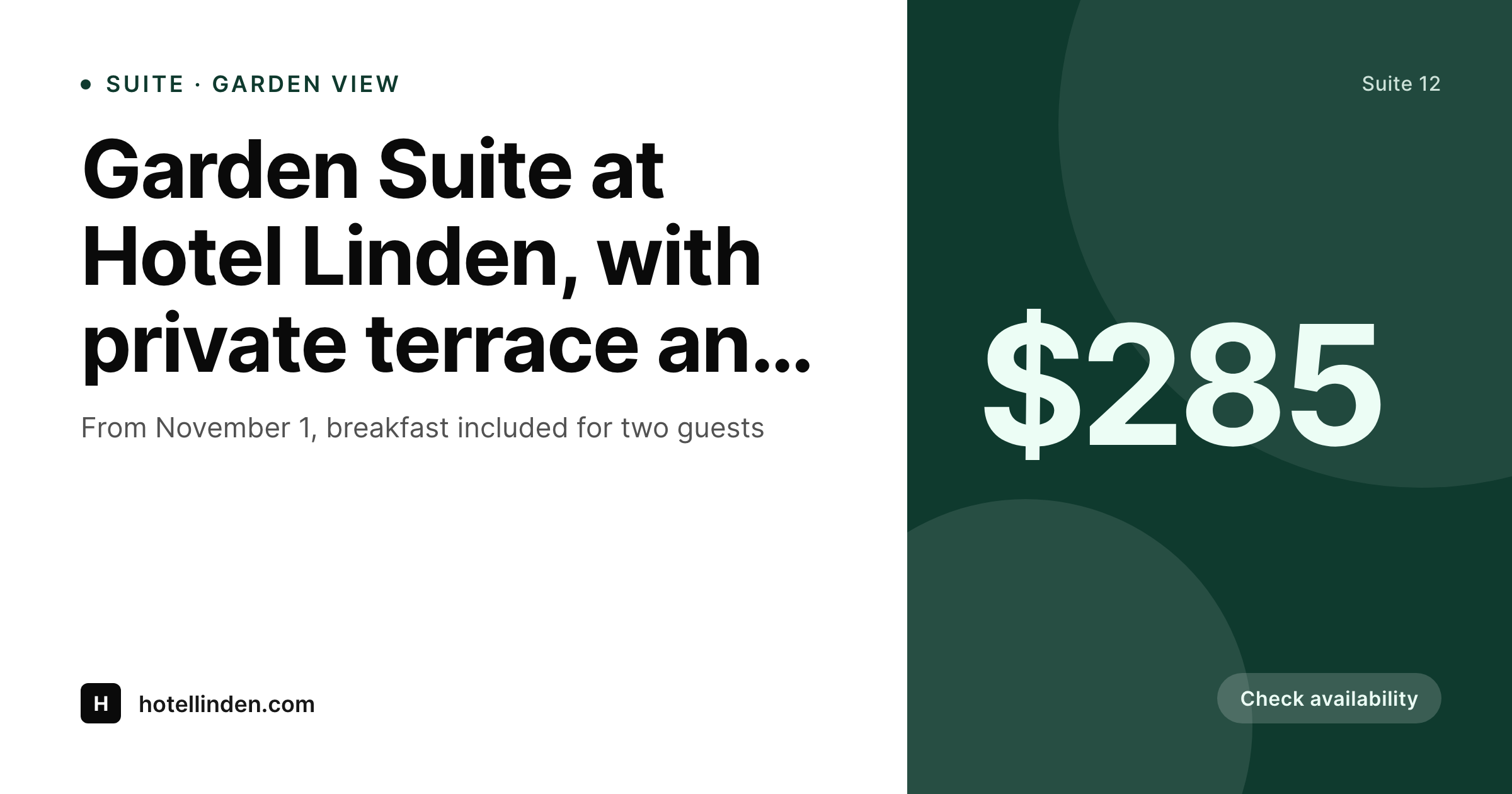
A 1200x630 OG card showing the room or offer name, view or inclusion, rate, and availability window, composed from the post fields.
Comparison
Canva for hero offers vs auto-rendered room cards
Manual / Canva / homepage default
- Concierge sends a booking link and the preview shows the homepage banner
- Seasonal rate plans launch without share art because design ran out of time
- Dine-and-stay packages get retyped into Canva every quarter
- OTA partner emails carry inconsistent branding across rate plans
- Hotel rebrand means rebuilding every room and offer card by hand
SleekPixel
- Every room and offer saves with a branded card from its own post
- Room name, view, capacity, and rate pulled from ACF or a room CPT
- Conditional variants for offers, packages, and seasonal rate plans
- OG card, story, and email banner generated in one save
- Bulk regenerate the website when the hotel rebrand or repackage
Features
What SleekPixel gives you for hotel
Per-room card
Each room and suite saves with its own 1200x630 card. Name, view, capacity, and rate pull from the post, not a Canva file.
Offer-aware
Templates branch on offer type. Anniversary packages, dine-and-stay bundles, and off-peak rates each get their own visual variant.
Property photo composited
The room's hero photo composites into the template alongside metadata. Booking links carry the actual room, not a placeholder.
Use cases
Where hotel cards earn their keep
Seasonal offers
New rate plans launch with matching cards across every offer. Email, social, and OG share all carry the same brand.
Concierge and direct booking links
Reservation links sent by concierge and sales reps arrive with rich previews showing the room and rate, not the homepage banner.
Press and partner channels
Press kits and OTA partner channels pull share-ready cards from the website. Partners see consistent branding across rate plans.
The bigger picture
Why hotel previews shape booking trust
Independent hotels compete on character against chains that have polished every customer touchpoint at scale. The booking link is one of those touchpoints, and a generic share preview from an indie property next to a chain's well-kept OG card sets the smaller hotel up to look operationally weaker than it actually is. Guests forwarding a reservation link to a partner, a colleague, or a parent are making a recommendation, and the preview is the visual frame for that recommendation.
SleekPixel makes the card a property of the room or offer, so every booking link carries the hotel's intended brand. Concierge and sales teams stop unintentionally sharing the homepage banner instead of the suite they meant to highlight, and the hotel's seasonal calendar of offers actually reaches guests at the visual quality the property's photography deserves. The brand survives the operational reality of a small marketing team running a constantly shifting set of rate plans.
Questions
Common questions about SleekPixel for hotel
Yes. MotoPress Hotel Booking, HBook, Bookly, or a custom room and offer CPT all work. SleekPixel reads any post type and any field, so room name, capacity, rate, and inclusions can all map onto the template.
Yes. Templates can branch on post type, offer category, or any custom field. Standard rooms can use one layout, suites another, and seasonal offers a third, all pulling from the same field structure.
If each property runs on WordPress, yes. Multisite installations let each property carry its own template and brand. The same workflow applies across properties, even when the visual identities differ.
Yes. The post's primary image or any gallery image can composite into the template. SleekPixel does not reprocess color, so the property photography stays accurate.
Indirectly. SleekPixel writes the OG image to the WordPress page, so any link to that page picks up the card. Direct posting to Booking.com, Expedia, or other OTAs requires their own image fields and separate integration.
Templates can branch on a member or rate-tier flag. Member rate cards can show one price, public-facing cards another, while both pull from the same offer post.
If valid-from and valid-to dates live as fields on the offer, the template can show the booking window and even render a different card after the offer ends. Saved offers regenerate on edit, so the share image stays current with the offer's lifecycle.
Yes. Edit the template, run a bulk regenerate, and every room and every offer gets a fresh card. The PNG file in uploads is replaced, so concierge links and email templates stay current without manual rework.
Pricing
More than 1000+
happy customers
Explore our flexible licensing options tailored to your needs. Upgrade your license anytime to access more features, or opt for a lifetime license for ongoing value, including lifetime updates and lifetime support. Our hassle-free upgrade process ensures that our platform can grow with you, starting from whichever plan you choose.
Lifetime ♾️
Most popular
EUR
once
- Unlimited websites
- Lifetime updates
- Lifetime support
...or get the Bundle Deal
and save €250 🎁
💎 Want everything forever? The All Access Pass is going away on 01.08.2026.
The Bundle (unlimited sites)
Pay once, own it forever
Elevate your WordPress site with our exclusive plugin bundle that includes all of our premium plugins in one package. Enjoy lifetime updates and lifetime support. Save significantly compared to buying plugins individually.
What’s included
-
SleekAI
-
SleekByte
-
SleekMotion
-
SleekPixel
-
SleekRank
-
SleekView
€749
Continue to checkoutBrowse more
- Ghost feature images
- Medium article headers
- Lemmy post images
- Depop listing images
- Xiaohongshu cover images
- Klaviyo email banner
- Mailchimp email headers
- X social cards
- Twitter/X header
- Passes page banner
- TikTok Now image
- Pinterest video pin covers
- GitHub README banners
- KakaoTalk channel banners
- LINE official account banners