






SleekPixel for dashboard screenshot cards
Teams sharing dashboard reads from a WordPress hub need a card that frames the screenshot, names the metric, and dates the snapshot. SleekPixel composes that card from a post on save and serves it as og:image.
♾️ Lifetime License available
A bare screenshot is not a share card
Teams that ship weekly metrics posts run into the same wall fast. Someone takes a screenshot of a Looker tile or a Metabase question, drops it into the post, and that screenshot becomes the social card by default. The font in the chart is tiny once it hits Slack or LinkedIn. The chart axes have no context outside the dashboard. The snapshot date is nowhere visible. The viewer cannot tell what they are looking at without clicking through, which is exactly when most of the audience drops off.
The common fix is to manually compose a card in Figma or Canva: paste the chart screenshot, add a headline, the metric, the period, a brand mark, export as PNG, upload to the post. It works for one post and falls apart by the third one. The composition drifts between authors, the snapshot date is wrong by the time it is shared, and the social card lives separately from the post that produced it.
SleekPixel binds the framed card to the post itself. The post has fields for the headline metric, the period label, the caption, and the dashboard screenshot. The renderer composes them inside the brand frame, writes the PNG to uploads, and registers it as og:image. Save the post, the card exists. Edit the metric, save again, the card updates and every platform reshare pulls the corrected version.
Workflow
From dashboard tile to a real share card in one save
Design the dashboard frame
Capture the screenshot
Save and publish
Refresh next week
Output
What a generated dashboard card looks like
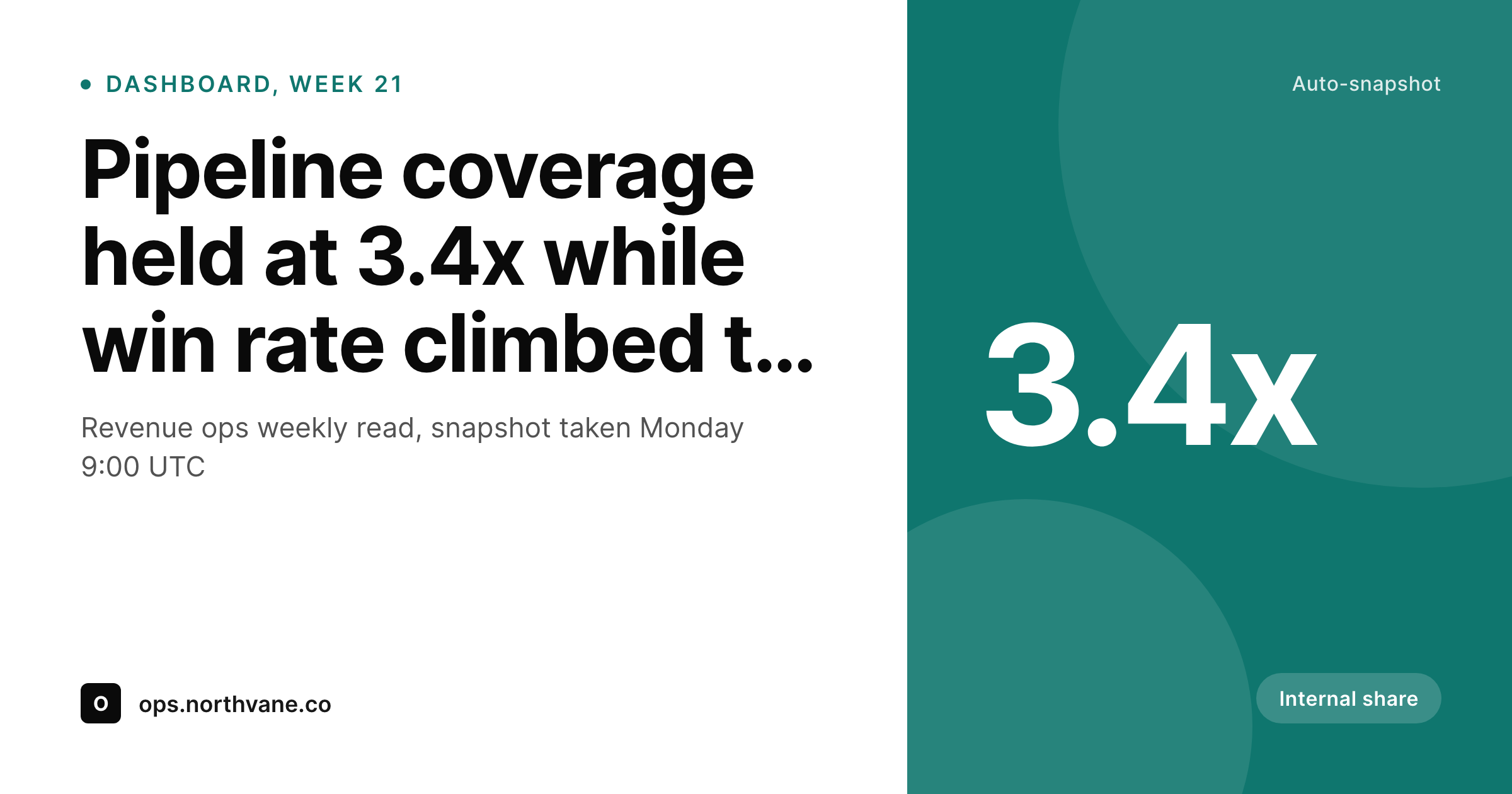
A 1200x630 share card with the headline metric, the period label, the snapshot date, and a framed crop of the dashboard chart.
Comparison
Default dashboard screenshot vs SleekPixel
Default screenshot
- Raw screenshots have tiny axes and labels once posted
- No snapshot date visible inside the image
- Headline metric is buried, not pulled into the card
- Brand frame is missing or pasted differently per post
- No regeneration path when the chart refreshes
SleekPixel
- Render fires on save for every dashboard post
- Headline metric, period, and snapshot date pulled from fields
- Chart screenshot placed inside a consistent brand frame
- og:image and twitter:image meta tags written automatically
- Bulk regenerate to refresh framing after a brand update
Features
What SleekPixel gives you for dashboard screenshot cards
Frames the screenshot
The raw chart sits inside a header line, caption, and brand mark. The composition stays steady whether the screenshot is a bar chart, a sparkline, or a KPI tile.
Snapshot date baked in
The date the metric was captured is rendered into the image. A reader scrolling past in two months still sees the period the number belongs to.
Headline metric pulled out
The post field that holds the lead number renders as the dominant text. The screenshot supports it, not the other way around.
Use cases
Where dashboard cards earn their keep
Revenue ops weekly reads
Pipeline, win rate, ACV snapshots posted to a public or members-only WordPress hub. Each post carries a framed card that reads cleanly in Slack and LinkedIn.
Public metrics pages
Build-in-public founders posting monthly MRR or DAU updates. The card holds the lead number and date so the share works without a click.
Board update digests
Internal board update posts that need a tidy share card for an executive Slack channel. SleekPixel keeps the framing consistent across functions.
The bigger picture
Why dashboard reads need a framed card, not a raw grab
Dashboards are read in detail and shared in passing. The team that owns the dashboard sits with it for an hour. The audience that sees the share card has two seconds to decide whether to click.
A raw screenshot pulled from Looker or Metabase carries everything the team needs and nothing the audience needs. The axes are tiny, the legend is illegible, the time period is implicit, and the brand is absent. By the time the card hits Slack, LinkedIn, or a newsletter, the cost of getting that two-second read right has been pushed onto every reader.
SleekPixel moves the cost back to the post. The headline metric, the period, and the snapshot date are rendered at scale. The chart screenshot supports them inside a frame the team controls.
The card is a side effect of saving the post, which is the moment the team already has the data in front of them.
Questions
Common questions about SleekPixel for dashboard screenshot cards
Yes. SleekPixel reads from the post's image field. Whatever tool produced the screenshot, the renderer places it inside the brand frame. No integration with the BI tool is required.
Yes. The template is yours. Many teams render the lead number at hero scale and use the screenshot as a supporting strip. The split is a template decision, not a renderer constraint.
Map the date in the card to a custom field rather than the post publish date. Editors fill in the actual snapshot time, the post date is independent.
Yes. Per-category templates let revenue, product, and engineering dashboards carry distinct accents while staying inside one visual system.
Yes. Save the post and the PNG regenerates at the same path. The og:image meta tag points to the new file, and any platform that re-scrapes the URL gets the updated card.
The template can position the image within a fixed slot using object-fit. For a tight crop, attach the screenshot pre-cropped or use the SleekPixel image variants.
Yes. Chart screenshots with transparent backgrounds composite cleanly over the frame. The renderer flattens the layers and saves a final PNG.
Yes. The admin offers a bulk action that re-renders every post under the chosen template. Useful after a logo update or a frame redesign.
Pricing
More than 1000+
happy customers
Explore our flexible licensing options tailored to your needs. Upgrade your license anytime to access more features, or opt for a lifetime license for ongoing value, including lifetime updates and lifetime support. Our hassle-free upgrade process ensures that our platform can grow with you, starting from whichever plan you choose.
Lifetime ♾️
Most popular
EUR
once
- Unlimited websites
- Lifetime updates
- Lifetime support
...or get the Bundle Deal
and save €250 🎁
💎 Want everything forever? The All Access Pass is going away on 01.08.2026.
The Bundle (unlimited sites)
Pay once, own it forever
Elevate your WordPress site with our exclusive plugin bundle that includes all of our premium plugins in one package. Enjoy lifetime updates and lifetime support. Save significantly compared to buying plugins individually.
What’s included
-
SleekAI
-
SleekByte
-
SleekMotion
-
SleekPixel
-
SleekRank
-
SleekView
€749
Continue to checkoutBrowse more
- Lemon Squeezy product covers
- Instagram feed posts
- Threads profile banner
- TikTok shop images
- Apple Podcasts covers
- Lemmy post images
- Facebook Shop product images
- Pinterest board covers
- kbin post images
- Buy Me a Coffee banners
- X Space banners
- LinkedIn post images
- Bluesky profile banner
- YouTube ad thumbnails
- Twitter header banners