






SleekPixel for monday.com boards
monday.com is where the work tracks, but public board summaries and client status posts often leak out as a screenshot. SleekPixel reads board items synced into WordPress and renders branded share cards per item, with status, owner and timeline pulled straight from the board.
♾️ Lifetime License available
Board screenshots make a fast tool look slow
monday.com sits at the center of a lot of agencies and marketing teams. Campaign boards, content calendars, client deliverable trackers, all live there with statuses, owners and timeline columns that are kept current by the team daily. The moment a board summary needs to leave monday.com (a weekly client update, a Slack post to executives, a LinkedIn brag about a launch), the workflow falls off a cliff.
Someone screenshots the board, crops it, sometimes blurs a column to hide unrelated work, then pastes it into the doc or post. The screenshot is jagged at retina sizes, the column headers are cut off, the brand colors of the marketing team are nowhere on the image. A tool that the team relies on every hour ends up represented in public by a low-effort capture.
SleekPixel runs on the WordPress side of a monday.com to WordPress sync. The sync is handled by Zapier, Make, or the monday.com API. Each board item that needs a public version becomes a WordPress post. SleekPixel reads the post fields (item name, status, owner, due date, priority) and renders a 1200 by 630 share card per item. Client updates and milestone posts ship as branded images that match the agency template instead of a cropped board screenshot.
Workflow
From monday.com item to branded share card
Sync monday.com items to WordPress
Build the item template
Trigger renders on save
Share from WordPress, not monday.com
Output
Sample monday.com item card
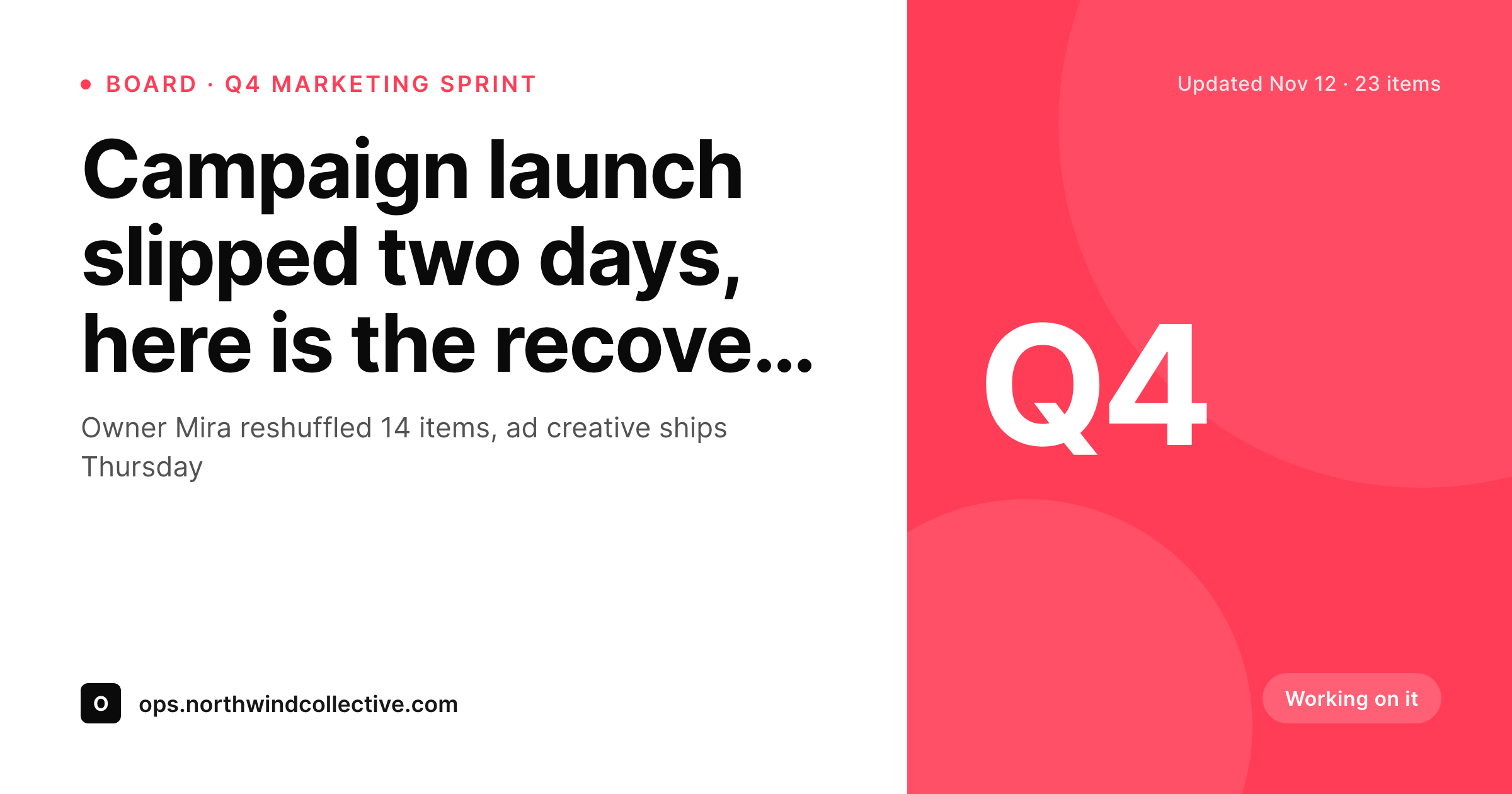
A 1200 by 630 OG image: item title, status pill colored to match the monday.com status, owner avatar slot, due date and brand wordmark, rendered from the synced WordPress post.
Comparison
Cropped monday.com screenshot vs SleekPixel card
monday.com board screenshot
- Board screenshots show unrelated columns that need manual blurring
- Status colors from monday.com do not survive retina downscaling
- Owner names and due dates get cropped to fit the share aspect ratio
- Brand wordmark and agency colors are absent from the captured image
- Re-screenshotting on every status change burns ops time weekly
SleekPixel
- Reads WordPress fields synced from monday.com items via Zapier or Make
- Status pill, owner slot and due date bind cleanly to template slots
- Re-renders automatically when a synced item updates in WordPress
- Bulk re-render the back catalog after a rebrand
- Leaves the monday.com workspace untouched, only the WordPress side renders
Features
What SleekPixel gives you for monday.com boards
Status-aware coloring
Working on it, Stuck, Done and your custom statuses each map to a card style. The pill color matches the board so the share looks like a clean monday.com extract, not a screenshot.
Owner slots
Each item card has a slot for the owner, rendered as a small avatar plus name. Status posts to clients name the person responsible without anyone retyping it.
Timeline column rendering
Start and end dates from the timeline column render as a date range on the card. Milestone posts read at the speed a LinkedIn feed scrolls.
Use cases
Who shares monday.com items as branded cards
Agency client updates
Weekly client status posts ship as branded cards instead of board screenshots. Each deliverable in the campaign board has its own update card with the agency wordmark.
Launch milestone posts
When a high-visibility item moves to Done, the post auto-publishes with a celebratory card. The team gets one click instead of a screenshot ritual.
Internal exec recaps
Department leads share weekly board health to executives with a card per workstream. Status colors and owners render consistently across teams.
The bigger picture
Why client-facing board posts deserve a real card
Agencies and internal marketing teams spend most of their year running campaigns in monday.com and most of their visibility budget on the recap posts that follow. The recap is where a stakeholder, executive or client decides whether the work that month looked like premium delivery or a busy spreadsheet. A jagged screenshot of an internal board, even when the work behind it was excellent, undercuts the perception of craft.
A branded card with the same data but the right typography and the agency colors does the opposite. Across a year, the difference compounds: every weekly client update, every quarterly recap, every public win post participates in the same visual identity. SleekPixel does not replace monday.com and does not pretend to.
monday.com keeps running the work. WordPress becomes the brand layer for board items that need a public version. The card renders from the synced data, so when a status changes in monday.com and the next sync runs, the next render of the card reflects it.
Ops teams stop choosing between fast tooling and presentable output and start getting both from the same flow.
Questions
Common questions about SleekPixel for monday.com boards
No. SleekPixel reads WordPress post fields. Getting monday.com data into WordPress is a separate step, handled by Zapier, Make, the monday.com API or a custom webhook. Once items are posts, SleekPixel binds to the fields and renders cards.
Any column you sync into a WordPress field. Common picks are item name, status, person, timeline, priority, tags and numeric columns like budget or hours. The template can bind to any of them and apply conditional styling.
No. Most teams only sync items tagged for public sharing or items in a specific status. A filter on the Zap or Make scenario decides what reaches WordPress; everything else stays internal to monday.com.
The status column value syncs to a WordPress field. The template reads that value and applies a matching color. When the status changes in monday.com and re-syncs, the next render picks up the new color.
Subitems can sync as their own posts or as a nested field on the parent post. Dependencies are usually too granular for a share card and are better left in the board, but a parent card can show a roll-up status across its subitems.
Yes. Both products expose items through the same API and Zapier integration. Whether the item represents a campaign task, a CRM deal or a project deliverable, the WordPress side treats it as a post with bound fields.
The bottleneck is the WordPress side, not SleekPixel. A standard hosted WordPress install handles thousands of synced items without issue. Bulk re-renders queue in the background so a brand refresh across the back catalog does not block normal saves.
No. SleekPixel only affects OG and Twitter card meta on the synced post URLs. monday.com embeds, board widgets and other integrations run independently. The two coexist without conflict.
Pricing
More than 1000+
happy customers
Explore our flexible licensing options tailored to your needs. Upgrade your license anytime to access more features, or opt for a lifetime license for ongoing value, including lifetime updates and lifetime support. Our hassle-free upgrade process ensures that our platform can grow with you, starting from whichever plan you choose.
Lifetime ♾️
Most popular
EUR
once
- Unlimited websites
- Lifetime updates
- Lifetime support
...or get the Bundle Deal
and save €250 🎁
💎 Want everything forever? The All Access Pass is going away on 01.08.2026.
The Bundle (unlimited sites)
Pay once, own it forever
Elevate your WordPress site with our exclusive plugin bundle that includes all of our premium plugins in one package. Enjoy lifetime updates and lifetime support. Save significantly compared to buying plugins individually.
What’s included
-
SleekAI
-
SleekByte
-
SleekMotion
-
SleekPixel
-
SleekRank
-
SleekView
€749
Continue to checkoutBrowse more
- Flickr cover photo
- LinkedIn banner images
- Douyin thumbnails
- Telegram bot avatar
- Amazon A+ content images
- Vimeo thumbnails
- Discord server banners
- Bluesky profile banner
- Weibo post images
- Substack post thumbnail
- LinkedIn post images
- Tidal cover art
- Threads post cover
- GitHub README banners
- YouTube Music cover art