






SleekPixel for X Space banners
Render a 1200x630 Space banner from a WordPress event post. Hosts, date, time, and recording state baked in. Same template, every Space.
♾️ Lifetime License available
A Space lives or dies on the share image
X Spaces are scheduled audio rooms that earn attendees mostly from the share image that hosts post before the event. That share image is the cover banner. When the cover carries a clear title, the host handles, the date and time, and a hint about the recording, listeners can decide in a second whether to set the reminder.
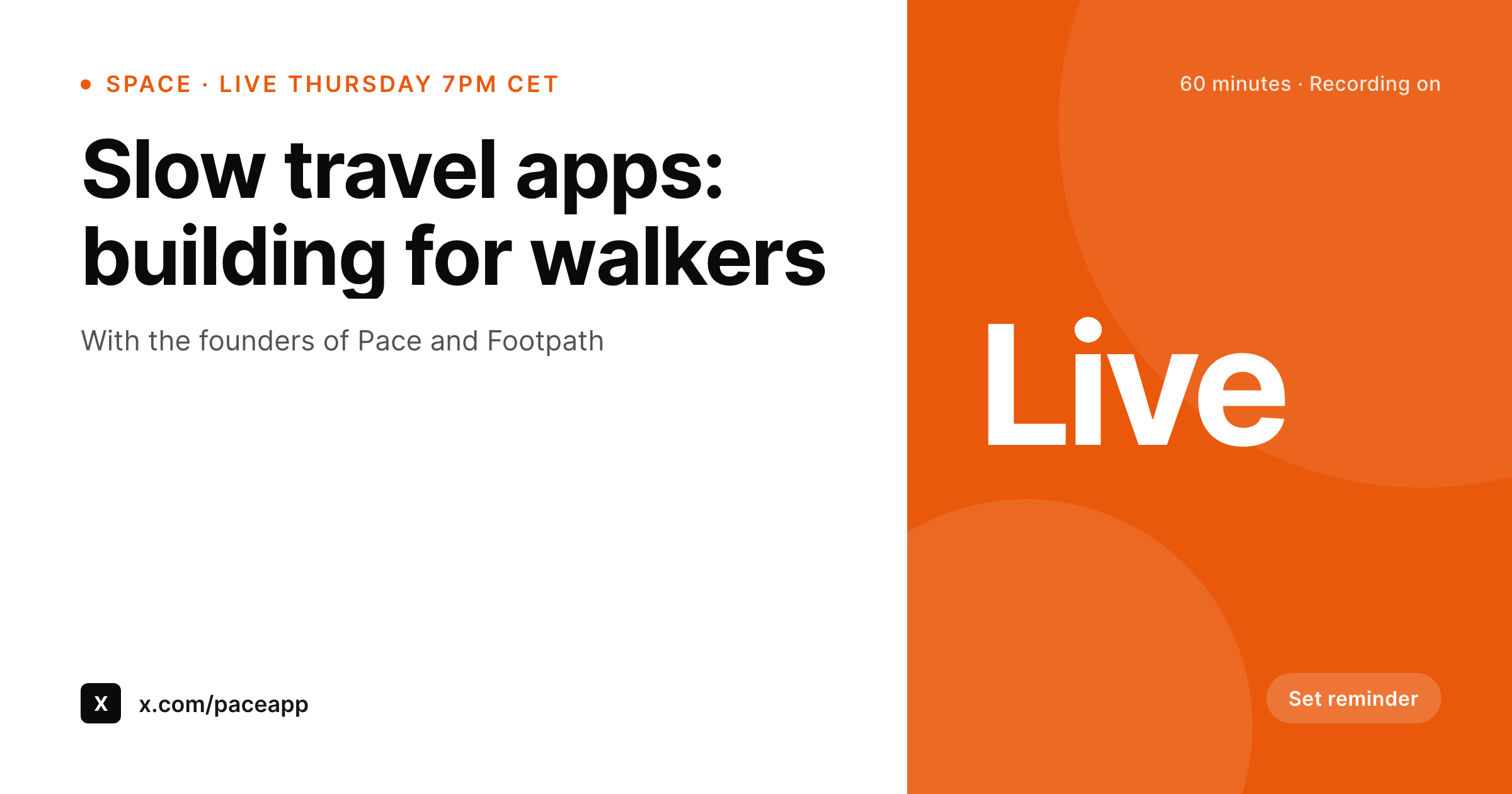
SleekPixel renders the Space banner from a WordPress event post. Title, co-hosts, scheduled time, expected length, and a recording toggle live as fields. The 1200x630 PNG is sized for X's share preview and reads cleanly when reshared.
When a Space gets rescheduled, the field updates and the banner re-renders. The new image carries the new time, no Canva editing required.
Workflow
From a scheduled Space to a current banner
Build the Space template
Create an event post
Save and share before the Space
Flip to recording mode after
Output
Sample X Space banner
1200x630 PNG with Space title, hosts, date, time, and a recording cue.
Comparison
Per-Space Canva edits vs SleekPixel
Canva-edited Space cover per event
- Each Space cover is a Canva session, which gets skipped on busy weeks
- Time, date, and host handles drift between the cover and the post copy
- Rescheduling means re-editing the cover by hand
- No straight path from a Space event post to its banner
- Recordings hit the timeline without a refreshed cover for the replay
SleekPixel
- 1200x630 Space cover rendered per WordPress event post
- Title, hosts, date, time, and recording state in fields
- Reschedule by changing a date field and saving the post
- Recording mode swaps the cover for the replay variant automatically
- Past Spaces re-render after a brand refresh in one batch
Features
What SleekPixel gives you for X Space banners
Hosts and guests
Host and guest handles render as a small avatars row so listeners recognise who is speaking before they tap into the Space.
Date and time, time-zone aware
Scheduled time renders with the host's primary time zone and optionally a second time zone for global audiences.
Recording mode
A recording toggle changes the cover from a reminder cue to a replay cue once the Space ends. Same template, different state.
Use cases
Where Space banners earn the reminder tap
Founder and operator Spaces
Weekly or monthly conversations between founders and operators. The banner reinforces the recurring series brand week to week.
Newsroom-style Spaces
Reporters running scheduled rooms about a story. Banner carries the story angle and the journalist handles, helping the room feel like an event.
Workshop and AMA Spaces
Course operators and consultants running scheduled AMA Spaces. The banner sets the topic, the format, and the cohort context.
The bigger picture
Why a current Space banner earns the reminder
Spaces are a calendar event squeezed into a fleeting timeline. The pre-Space share image has to do most of the persuading because the listener has roughly one chance to tap set reminder before the timeline buries the post. A banner that names the title, the hosts, and the time at a glance is what earns that tap.
Templating it from a WordPress event post means the host can schedule a Space in the morning and have the banner ready in the afternoon, without a designer in the loop. The replay mode keeps the value going after the live event, because the recording also gets a proper share image, not a screenshot of the live banner that no longer matches reality.
Questions
Common questions about SleekPixel for X Space banners
X shows the Space title and host avatars natively. The banner SleekPixel renders is for the share image on the pre-Space post and the post-Space recording.
1200x630 reads cleanly in the timeline preview that X generates for Space links. The template keeps key content inside the safe zone.
Yes. The template can render two time zones side by side, or it can switch based on a per-share locale tag.
Update the scheduled time field on the event post. The reminder banner re-renders on save, ready for a re-share.
Hosts is a multi-value field. The template renders up to four host handles before collapsing into a count plus a co-hosted tag.
No. The share happens manually as a regular post on the host account. The banner is uploaded as the image on that post.
Yes. Add a guests field to the event post. The template can render a small row of guest handles below the host row.
The replay variant is rendered when the recording mode flips. Use it as the cover when sharing the recording link.
Pricing
More than 1000+
happy customers
Explore our flexible licensing options tailored to your needs. Upgrade your license anytime to access more features, or opt for a lifetime license for ongoing value, including lifetime updates and lifetime support. Our hassle-free upgrade process ensures that our platform can grow with you, starting from whichever plan you choose.
Lifetime ♾️
Most popular
EUR
once
- Unlimited websites
- Lifetime updates
- Lifetime support
...or get the Bundle Deal
and save €250 🎁
💎 Want everything forever? The All Access Pass is going away on 01.08.2026.
The Bundle (unlimited sites)
Pay once, own it forever
Elevate your WordPress site with our exclusive plugin bundle that includes all of our premium plugins in one package. Enjoy lifetime updates and lifetime support. Save significantly compared to buying plugins individually.
What’s included
-
SleekAI
-
SleekByte
-
SleekMotion
-
SleekPixel
-
SleekRank
-
SleekView
€749
Continue to checkoutBrowse more
- Pinterest pins
- YouTube end screens
- Etsy listing images
- Kick channel banners
- kbin post images
- Mastodon profile banners
- SoundCloud banner
- TikTok shop images
- Tumblr header
- Telegram channel cover images
- WhatsApp status images
- Poshmark listing images
- Linktree banner image
- Discord event cover
- LinkedIn newsletter headers