






SleekPixel for flash sale banners
SleekPixel reads each flash sale post's discount, code, end time, and category, then renders a 1200 by 630 banner on save. Time-limited promotions ship to social with the right deadline already on the artwork.
♾️ Lifetime License available
Flash sales need artwork at flash speed, not next morning
Flash sales work because the window is short. Two hours, four hours, twelve hours at most. The whole point is that customers see the offer, click within the window, and convert before they over-think it. Which means the share artwork has to ship in the same minute the sale starts, not the same afternoon. Most teams do not run flash sales as often as they could because the design step does not fit inside the urgency.
SleekPixel removes the design step. You design one flash sale layout in the WordPress admin with placeholders for {discount_percent}, {promo_code}, {end_time}, and {category}. Every flash sale post renders against that template on save. The banner has the discount in big numerals, the code in monospace, the end-time strip with timezone, and a live-now badge, all sourced from the post.
Edit the template once and every active and past flash banner refreshes. The flash logic lives in the post and the e-commerce backend; the banner is a programmatic mirror that can ship in the minute the sale opens.
Workflow
From flash scheduled to live in one save
Design the template
Connect to the flashes post type
Save the flash
Share at minute zero
Output
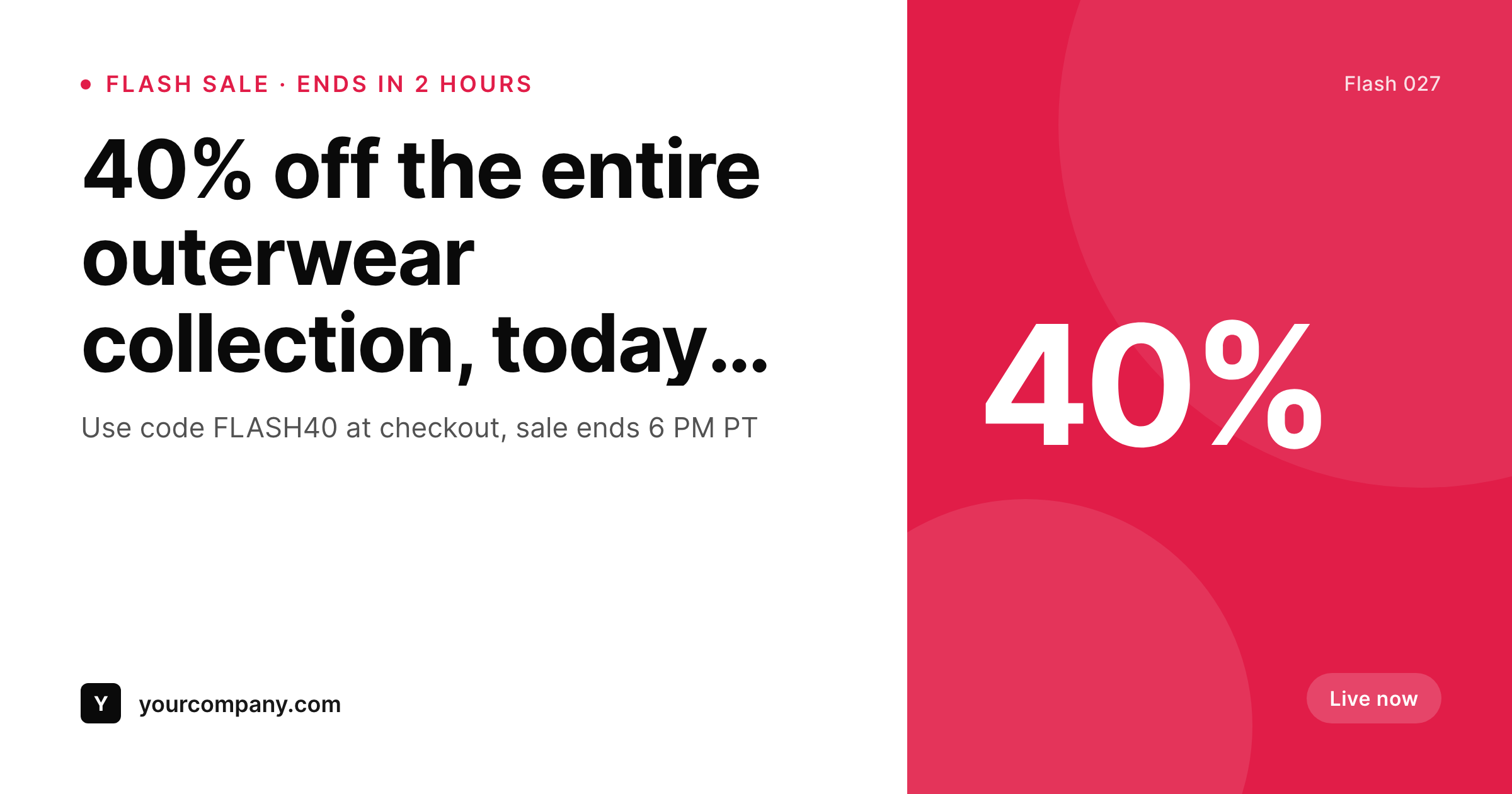
Sample flash sale banner from a real post
Rendered from a flash post's discount, code, and end time. Same template, every flash.
Comparison
Hand-made flash banners vs SleekPixel
Built per flash in Figma
- Design step does not fit inside a two-hour sale window
- End time gets typed by hand and is wrong half the time
- Code is hard to read in the quick-fire layouts
- Last-minute extensions require redoing the artwork live
- Brand refresh leaves last quarter's flash banners dated
SleekPixel
- Auto-generated banner per flash sale on save
- Per-flash variables: discount, code, end time, category, terms
- End-time strip pulls from the post field, never hand-typed
- Edit the template once and every flash banner refreshes
- Falls back gracefully when terms or category is missing
Features
What SleekPixel gives you for flash sale banners
Discount in flash size
Discount renders at maximum scale with auto-fit, so short codes like 25% and longer text like 30% off site sit balanced in the same frame.
End-time strip
End time and timezone render as a clean strip from the post's deadline field. No more typed deadlines drifting from the cart.
Same-minute publish
The banner ships in the same minute the post saves. Flash programs become possible to run weekly, not just on calendar holidays.
Use cases
Where flash sale banners earn their keep
Two-hour flash promos
Short-window sales need same-minute artwork. The banner ships when the post saves, the share goes out before the window opens.
Cart-recovery flashes
Time-limited recovery offers ship with the same template, with the recovery code rendered in monospace and the deadline visible.
Subscriber-only flashes
Email-list-only flashes ship with a private code rendered on the same template, ready to drop into the campaign.
The bigger picture
Why flash sale banners belong in a render pipeline
Flash sales convert when the share goes out at the start of the window, not at the middle. A two-hour flash that ships its banner thirty minutes late has lost a quarter of its life before anyone could see it. The constraint is rarely the offer itself.
It is whether the team can produce on-brand artwork at the speed the program requires. Most stores quietly stop running flash sales because the artwork cost outweighs the upside. A template that renders the banner from the post on save flips that math entirely.
The store can run a flash whenever the merchandise calendar wants one, the artwork is always accurate, the deadline is always live, and the share goes out in minute zero. SleekPixel makes flash programs sustainable as a regular cadence, the same way the daily release calendar at Linear or Vercel becomes possible only when the artwork stops being a project.
Questions
Common questions about SleekPixel for flash sale banners
Yes. The post stores the deadline with a timezone and the template renders both. For multi-region stores, you can route to per-region templates that show local timezones.
Update the post's end-time field and save. SleekPixel re-renders the banner with the new deadline and the same image URL serves the corrected version.
Yes. Routing rules pick the template by category. Subscriber-only flashes can use one accent, sitewide flashes another, all from the same admin.
If the template specifies a monospace family, yes. Monospace is the recommended choice for code legibility on shared images.
Yes. One-click bulk regeneration rebuilds every flash banner so the archive stays consistent after a brand or layout change.
No. Banners render at save time as static PNGs. Visitors load a regular image URL with no runtime cost.
Yes. The same image URL works as a hero image in any email tool that supports remote images, so the social card and the email card stay in sync.
Yes. Banners persist as static PNGs in /uploads, surviving plugin disablement and keeping the flash archive intact.
Pricing
More than 1000+
happy customers
Explore our flexible licensing options tailored to your needs. Upgrade your license anytime to access more features, or opt for a lifetime license for ongoing value, including lifetime updates and lifetime support. Our hassle-free upgrade process ensures that our platform can grow with you, starting from whichever plan you choose.
Lifetime ♾️
Most popular
EUR
once
- Unlimited websites
- Lifetime updates
- Lifetime support
...or get the Bundle Deal
and save €250 🎁
💎 Want everything forever? The All Access Pass is going away on 01.08.2026.
The Bundle (unlimited sites)
Pay once, own it forever
Elevate your WordPress site with our exclusive plugin bundle that includes all of our premium plugins in one package. Enjoy lifetime updates and lifetime support. Save significantly compared to buying plugins individually.
What’s included
-
SleekAI
-
SleekByte
-
SleekMotion
-
SleekPixel
-
SleekRank
-
SleekView
€749
Continue to checkoutBrowse more
- Substack post thumbnail
- Weibo post images
- YouTube channel banners
- Bluesky profile banners
- Vimeo channel banners
- X community banners
- Spotify Canvas
- Mailchimp email banner
- Flickr cover photo
- WeChat Moments images
- Poshmark listing images
- Bluesky link cards
- Threads story-style images
- Lemon8 post
- LinkedIn banner images