






SleekPixel for restock alert cards
SleekPixel reads each restock post's product, sizes back in stock, colorways, and date, then renders a 1200 by 630 card on save. Restock alerts ship to social with the same on-brand layout, every time.
♾️ Lifetime License available
Restock posts ship cleaner when artwork is not the bottleneck
Restock alerts are some of the most reliably converting content a store can publish, and they ship inconsistently because the design step gets in the way. A waitlist customer wants to see the product, the size that came back, and a clear call to action. The store wants to ship that card the moment the SKU is available again, before the buyer drifts to a competitor. Doing it manually means the artwork is the bottleneck, and the bottleneck is shaped wrong for restock work.
SleekPixel turns the restock post into a card the moment it is saved. You design one restock layout in the WordPress admin with placeholders for {product_name}, {sizes_available}, {colorways}, and {restock_date}. Every restock post renders against that template on save. The card has the product image, the size strip, the colorway dots, and a back-in-stock badge, all sourced from the post fields.
Edit the layout once and every restock card refreshes. The product catalog stays where it lives, and the restock asset is a programmatic byproduct of saving the alert post.
Workflow
From restock confirmed to shareable in one save
Design the template
Connect to the restocks post type
Save the restock alert
Share with the waitlist
Output
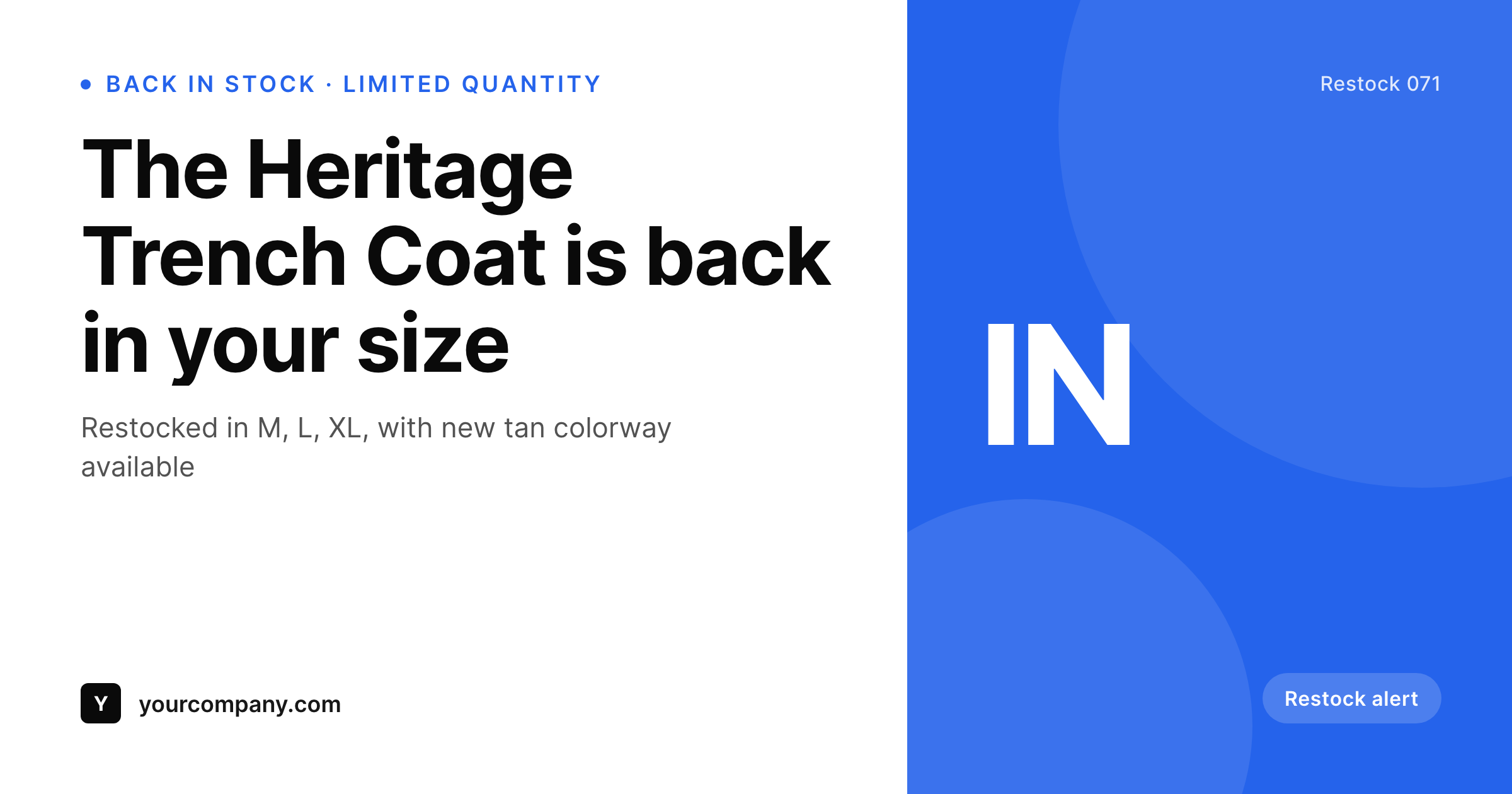
Sample restock card from a real alert post
Rendered from a restock post's product, sizes, and colorways. Same template, every restock.
Comparison
Hand-made restock cards vs SleekPixel
Built per restock in Canva
- Each restock waits behind a design step before it ships
- Available sizes drift between the card and the cart
- Colorway swatches are inconsistent across restock alerts
- Brand refresh leaves last quarter's restocks looking dated
- Some restocks ship with no preview image at all
SleekPixel
- Auto-generated card per restock on save
- Per-restock variables: product, sizes, colorways, restock date
- Size strip pulls from the post field, never hand-typed
- Edit the template once and every restock card refreshes
- Falls back gracefully when colorways or date is missing
Features
What SleekPixel gives you for restock alert cards
Product image slot
Product photo drops into a fixed slot with consistent crop and padding. Twenty restocks, twenty consistent product visuals.
Size strip from data
Available sizes render as chips from the post field. The card matches the cart, no manual size list typing.
Bulk regenerate
Brand refresh, color change, or layout tweak rebuilds every restock card in one click so the archive stays consistent.
Use cases
Where restock cards earn their keep
Apparel restocks
Size and colorway availability render directly on the card so waitlist customers see whether their option is back without clicking through.
Limited-edition restocks
Capsule drops and limited reissues share the restock template with a limited badge field that swaps the badge text per drop.
Holiday gift item restocks
Top sellers heading into a holiday window ship with the restock template and a holiday accent applied via the category field.
The bigger picture
Why restock alert cards belong in a render pipeline
Restock alerts are one of the few content types where the customer is actively waiting for the post. A waitlist sign-up means the buyer raised their hand and asked to know when the product is back. The store has a narrow window to convert that intent before the customer drifts to a competitor or finds something else.
The artwork on the alert directly affects whether the share gets clicks beyond the waitlist itself. Stores that publish a clean restock card every time tend to keep their best customers loyal across stockouts, while stores that ship inconsistent or missing artwork tend to lose them. The constraint is rarely the alert itself.
It is whether the team can produce on-brand artwork at the cadence the catalog demands. SleekPixel turns the restock card into a programmatic byproduct of saving the alert, so the alert program runs reliably without burning out the design queue.
Questions
Common questions about SleekPixel for restock alert cards
Yes. Map the available-sizes field as an array and the template can render only the sizes that are back in stock as chips, hiding the rest.
Yes. Map the colorway hexes from the product post and the template renders dots in those exact colors. New colorways inherit automatically.
The template can fall back to a brand mark or letter mark, so the card always renders even when product photography is incomplete.
Yes. Routing rules pick the template by category, so apparel restocks can use a size-strip layout and accessories can use a colorway-dot layout.
Yes. One-click bulk regeneration rebuilds every restock card from the current template.
No. Cards render at save time as static PNGs. Visitors load a regular image URL with no runtime cost.
Yes. The same image URL works as a hero in any email tool that supports remote images, so the social and the email card stay in sync.
Yes. Cards persist as static PNGs in /uploads, surviving plugin disablement and keeping the restock archive intact.
Pricing
More than 1000+
happy customers
Explore our flexible licensing options tailored to your needs. Upgrade your license anytime to access more features, or opt for a lifetime license for ongoing value, including lifetime updates and lifetime support. Our hassle-free upgrade process ensures that our platform can grow with you, starting from whichever plan you choose.
Lifetime ♾️
Most popular
EUR
once
- Unlimited websites
- Lifetime updates
- Lifetime support
...or get the Bundle Deal
and save €250 🎁
💎 Want everything forever? The All Access Pass is going away on 01.08.2026.
The Bundle (unlimited sites)
Pay once, own it forever
Elevate your WordPress site with our exclusive plugin bundle that includes all of our premium plugins in one package. Enjoy lifetime updates and lifetime support. Save significantly compared to buying plugins individually.
What’s included
-
SleekAI
-
SleekByte
-
SleekMotion
-
SleekPixel
-
SleekRank
-
SleekView
€749
Continue to checkoutBrowse more
- Facebook event covers
- Twitter/X header
- Snapchat Spotlight covers
- Twitch overlay
- Snapchat ad images
- LinkedIn event banners
- Threads profile banner
- Medium article headers
- Instagram stories
- GitHub social preview images
- Facebook Shop product images
- Spotify playlist cover
- Rednote (Xiaohongshu) post
- kbin post images
- Amazon A+ content images