






SleekPixel for electrician
Panel upgrades, EV charger installs, lighting retrofits, and blog posts on an electrician's site already carry headlines and project photos. SleekPixel renders share cards on save so referrals on Facebook and Nextdoor land with the company's real brand instead of a stock outlet image.
♾️ Lifetime License available
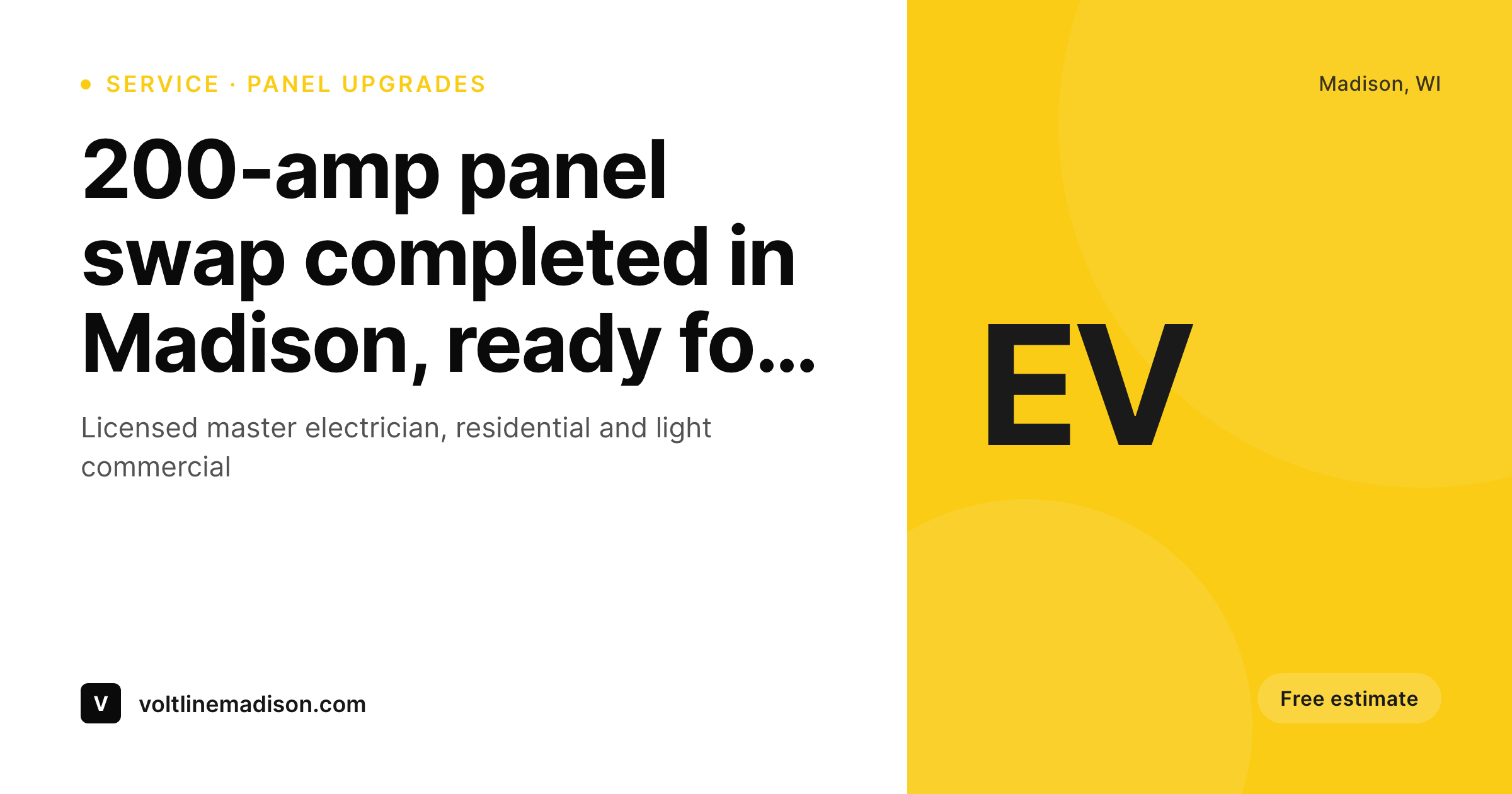
Every electrician's site shares with the same generic outlet photo
An electrician's website does heavy work in a market that runs almost entirely on referrals. Homeowners who need a panel upgrade, an EV charger install, or a knob-and-tube replacement ask their neighbors first, and the neighbors respond by pasting a link in a Facebook group or a Nextdoor thread. That share preview, the small image and headline that appear under the link, is doing the actual selling. Most electrician sites surface a stock photo of an outlet, a generic shot of a hand holding a multimeter, or whatever the WordPress theme came with. The company's truck, the team's portraits, the actual completed projects sit unlinked.
Manually uploading featured images solves it for the first few pages and breaks down at scale. A growing electrician's site has service pages for residential panel work, commercial tenant fit-outs, EV chargers, generator installs, and a blog covering code updates and rebate programs. Designing share images for each, by hand, in Canva, ends up being someone's evening project that never quite finishes. New service pages keep appearing, the queue grows, and the brand drifts with each batch.
SleekPixel reads the page on save and renders the share image directly from the post fields. Service type, neighborhood, license number, and project photo pull automatically. The PNG saves to uploads, og:image and twitter:image meta tags get written, and the next homeowner who shares the link in a neighborhood thread sees a clean, branded preview. The recommendation arrives looking like a real company, not a stock library.
Workflow
From service page to ready-to-share in one save
Set the brand template
Map service post types
Save the page
Customers share the link
Output
What ships with every service or project page
A 1200 by 630 OG image carrying the service or project name, neighborhood, license badge, and the company wordmark. Ready for Facebook, Nextdoor and Google Business shares.
Comparison
Generic outlet photo vs auto-rendered service cards
Stock photo / Theme default
- Same stock outlet photo across every electrician's site in the market
- Theme default banner on every service page, no company brand visible
- Real project photos sit on a phone, never make it to the site
- EV charger and panel upgrade pages share without the relevant context
- Marketing burns out on Canva exports after the first month
SleekPixel
- Service and project pages render branded share images on save
- License number, service area, and certifications baked into the template
- Real installation photos can slot into the share card background
- Blog posts on rebates and code updates share with consistent brand
- Owner taps share on a phone and the preview lands clean
Features
What SleekPixel gives you for electrician
Service-driven cards
Panel upgrades, EV chargers, generator installs, lighting retrofits each save with a share image that names the service and shows the company brand.
Neighborhood pages
Location landing pages for each suburb render share cards with the neighborhood name, the local phone number, and the company's service map detail.
License and bonding visible
License numbers and bonding details render in a footer slot on every share card, so the trust signals homeowners look for arrive in the preview itself.
Use cases
What electricians generate with SleekPixel
EV charger installs
Pages selling Level 2 home charging installs share with a card showing the charger model and the install neighborhood. Useful when EV owners share recommendations.
Panel upgrades
200-amp panel upgrade service pages render share cards with the service name and the rebate eligibility, helpful for homeowners researching upgrades.
Commercial tenant fit-outs
Commercial service pages render distinct share cards aimed at general contractors and property managers, separating B2B leads from residential.
The bigger picture
Why share previews matter for electrical referrals
Electrical work is a high-trust purchase where the homeowner usually starts with a neighbor's recommendation rather than a Google search. The recommendation typically arrives as a pasted link in a Facebook neighborhood group, a Nextdoor thread, or a text message. The first impression of the company is not the website itself but the small share preview that renders under that link.
A clean, branded preview signals an established, organized business; a stock outlet image suggests a generic operator the neighbor probably picked off page one of search results. The cost of a poor preview is invisible because nobody clicks and reports back. The booked job simply went to whichever competitor's link looked sharper.
Across a year of recommendations and dozens of share moments per week, that delta compounds into real revenue. The second reason is the way modern local SEO and EEAT signals interact with social distribution. Search engines now explicitly weight click-through rate from external referrals, and Google Business profiles surface posts whose previews drive engagement.
A site whose every service and location page shares with a coherent branded preview generates more clicks per share, more clicks per share signals a stronger entity, and a stronger entity surfaces more often in local pack results. SleekPixel automates the production of that visual consistency at the moment of save, so the electrician spends the working day on actual jobs while the marketing surface keeps compounding in the background.
Questions
Common questions about SleekPixel for electrician
Yes. The template has a footer slot reserved for license, bonding, and insurance details. Once configured, every page rendered through SleekPixel inherits that footer. Marketing controls the language in one place, and updates propagate across every share card in a single bulk re-render.
Yes, and EV pages benefit specifically because the audience is more likely to share links across forums like Reddit and Facebook EV groups. The template can call out the charger brand, the install rate, and any state or utility rebates in the share preview, raising click-through compared to generic service cards.
The template can switch variants based on a custom field or category. Residential pages can use a homeowner-facing layout with friendly photography; commercial pages can switch to a more formal layout aimed at general contractors and property managers. Both stay anchored to the same brand.
Yes. If a service page has a project gallery custom field, SleekPixel can pull the most recent image as the share card background. New projects update the share card automatically, so the most current work is what neighbors see when the page gets shared.
SleekPixel does not directly integrate with field-service software like ServiceTitan or Housecall Pro. It works at the WordPress level, reading post fields and rendering images. If your CRM publishes case studies or project pages back to WordPress through an API or a custom integration, the resulting posts get share images automatically.
Yes. The template can render different tagline slots based on the service category. EV-related pages can carry an EV-focused tagline, generator installs can carry a backup-power tagline, and the brand wordmark stays constant. The share preview matches the page intent without diluting the company identity.
Add the new technician as a WordPress user with their headshot and license number. Pages tagged with that user render share cards including their portrait. The same technician profile fields drive both the bio page and the share preview, so updates only happen in one place.
Yes. A bulk re-render walks the catalog and refreshes every share image to the new template. File names stay the same, so cached previews on Facebook and other platforms refresh on the next scrape. The whole site rebrands visually without a single page being edited by hand.
Pricing
More than 1000+
happy customers
Explore our flexible licensing options tailored to your needs. Upgrade your license anytime to access more features, or opt for a lifetime license for ongoing value, including lifetime updates and lifetime support. Our hassle-free upgrade process ensures that our platform can grow with you, starting from whichever plan you choose.
Lifetime ♾️
Most popular
EUR
once
- Unlimited websites
- Lifetime updates
- Lifetime support
...or get the Bundle Deal
and save €250 🎁
💎 Want everything forever? The All Access Pass is going away on 01.08.2026.
The Bundle (unlimited sites)
Pay once, own it forever
Elevate your WordPress site with our exclusive plugin bundle that includes all of our premium plugins in one package. Enjoy lifetime updates and lifetime support. Save significantly compared to buying plugins individually.
What’s included
-
SleekAI
-
SleekByte
-
SleekMotion
-
SleekPixel
-
SleekRank
-
SleekView
€749
Continue to checkoutBrowse more
- Patreon tier images
- YouTube Shorts covers
- LinkedIn carousel slides
- Shopify product images
- Nostr note images
- Open Graph images
- Apple Podcasts covers
- Kick channel banners
- Dribbble shot covers
- X social cards
- Facebook ad images
- Instagram collab post images
- SoundCloud banner
- Mastodon profile banners
- YouTube ad thumbnails