






SleekPixel for general contractor
Project portfolios, service pages, and design-build process posts on a general contractor's site already carry headlines and finished-build photos. SleekPixel renders branded share cards on save, so portfolio links land on Houzz and Facebook with the firm's actual identity.
♾️ Lifetime License available
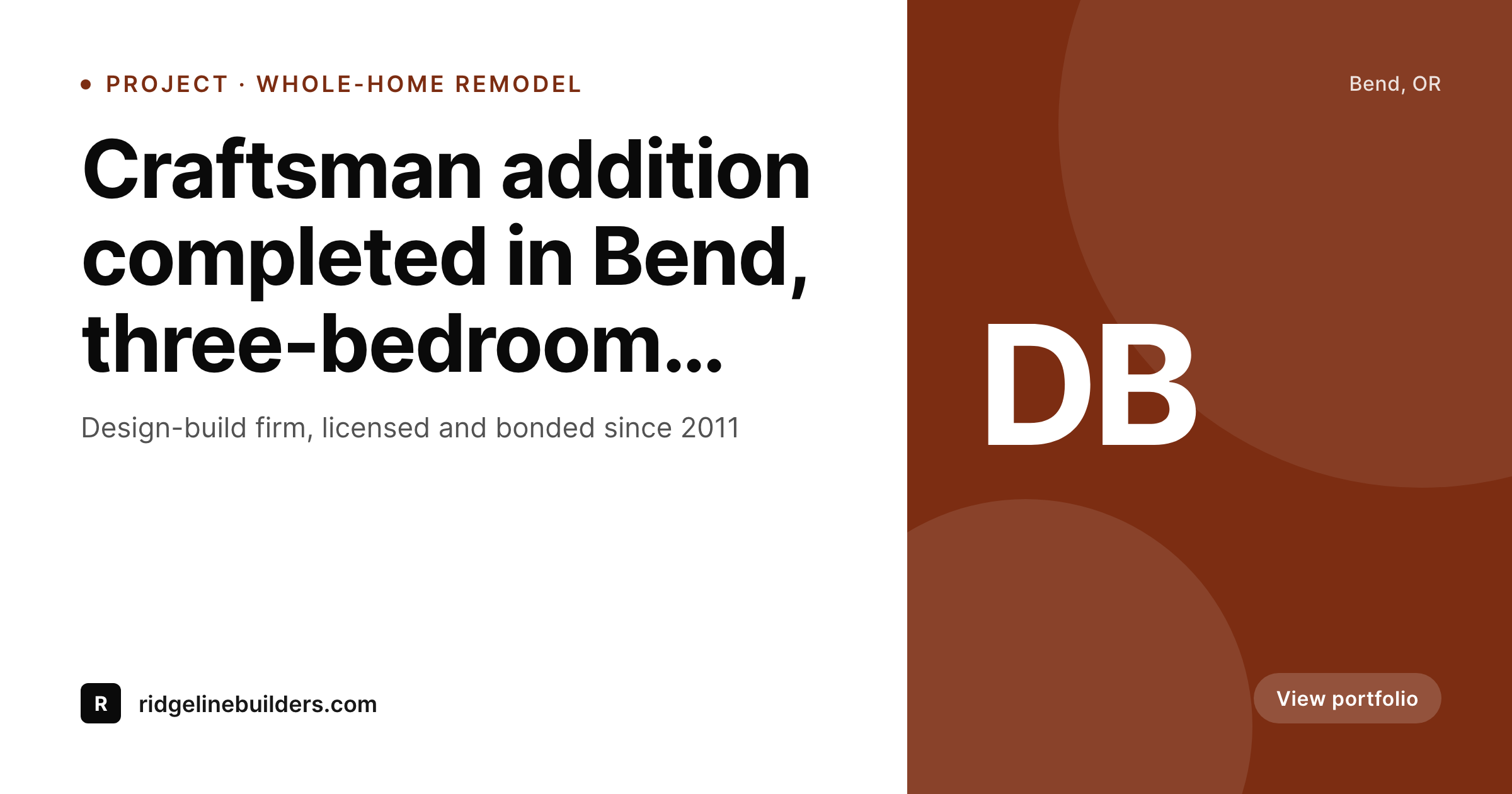
Contractor portfolios live or die in the share preview
A general contractor's website is a portfolio first and a sales tool second. Homeowners researching a kitchen remodel or whole-home addition spend hours scrolling project pages, comparing finishes, and forwarding links to spouses and architects. The single moment that drives the next click is the share preview on the forwarded link. A whole-home remodel project page that shares with a generic stock construction photo, or worse no preview at all, loses to a competitor whose project page shares with the actual completed kitchen, the firm's brand, and the project name visible.
The standard fix is a marketing coordinator who exports portfolio cards in Photoshop or Canva. The reality of a busy design-build firm is that the marketing coordinator left to start their own consultancy, the principal architect is running three jobsites, and the project portfolio gets updated whenever someone has a free Friday afternoon. The new project goes up with no share image, the previous twenty-five projects share with mismatched cards from different eras of the firm's branding, and the portfolio that should be the strongest sales asset becomes a visual mess once it leaves the site.
SleekPixel reads each project page on save and renders the share image from the firm's template. Project name, client neighborhood, square footage, and finished-build hero photo all pull from post fields. The PNG saves to uploads, og:image and twitter:image fire, and the architect or homeowner who forwards the link sees a clean branded preview every time. The portfolio finally travels with the firm's actual brand instead of getting flattened to whatever the social platform fell back to.
Workflow
From project completion to portfolio-ready in one save
Set the firm template
Map project post types
Save the project page
Architects and clients share
Output
What ships with every project page
A 1200 by 630 share image carrying the project name, neighborhood, square footage and finished-build photo behind the firm wordmark. Ready for Houzz, Facebook, and architect referral threads.
Comparison
Mismatched portfolio cards vs auto-rendered project shares
Manual export / Mixed eras
- Project portfolio shares with mismatched cards from years of branding
- Whole-home remodels share with stock construction photos, not real builds
- Marketing coordinator queue means new projects ship with no share card
- Architect referrals open links to bare URLs, no preview at all
- Houzz cross-posts and embeds carry stock art instead of finished work
SleekPixel
- Project pages render branded share cards on save with finished-build photo
- Project name, neighborhood, square footage pull from post fields
- Architect and design partner credits render in template footer
- Portfolio re-renders in bulk after a brand refresh, no per-project work
- Principal forwards links from a phone with a real branded preview
Features
What SleekPixel gives you for general contractor
Project portfolio cards
Each project saves with a share image showing the finished build, project name, and the firm wordmark. The portfolio travels with real brand polish.
Service pages
Whole-home remodels, additions, kitchens, baths each render share cards with the service name and a representative finished-build photo.
Design partners visible
The template can credit architects and interior designers in a footer slot. Cross-promotion on partner channels keeps every party's brand intact.
Use cases
What general contractors generate with SleekPixel
Whole-home remodels
Project pages share with cards showing the finished home, square footage, and architect credit. Useful for portfolio links forwarded to prospects.
Additions and ADUs
Addition project pages render share cards calling out the addition type and the build duration. ADU pages benefit specifically as the category grows in coastal cities.
Commercial fit-outs
Commercial project pages share with a different layout aimed at developers and tenant leads, keeping commercial and residential portfolios visually distinct.
The bigger picture
Why portfolio share previews drive design-build leads
Design-build is one of the highest-stakes purchases a homeowner ever makes, and the research process plays out almost entirely through forwarded links. A homeowner sees a finished kitchen on a friend's Instagram, asks for the contractor, gets a link, and forwards it to their spouse, their architect, and their own group chat. Each forward renders a share preview, and that preview is doing the work of communicating the firm's quality before anyone has clicked through.
A clean branded preview, the actual finished kitchen visible, the firm name and license obvious, sets the frame as a serious operator. A bare URL or a stock construction photo sets the opposite frame, and the conversation moves to whichever competitor's link previewed better. Across the multi-month research cycle, the cumulative effect of a strong share preview compounds into the lead pipeline that fills the firm's calendar a year out.
The second reason is portfolio longevity. Design-build portfolios live for years, and the projects from 2019 still get shared in 2026 when a new homeowner discovers the firm. Without automation, those older projects share with whatever templates were current at the time, creating a portfolio that visually fragments across eras.
SleekPixel binds the share image to the project post itself and re-renders the catalog on demand, so a brand refresh updates the entire portfolio in one pass. The firm's identity stays consistent across every project ever completed, which is exactly the signal a serious prospect is looking for when they ask 'have they been doing this a while?'.
Questions
Common questions about SleekPixel for general contractor
Yes. The template footer can include a 'design partners' slot that pulls from a custom field on the project. Each project credits the architect and interior designer who collaborated on it, which protects partner relationships and supports cross-promotion when partners share the same project on their own channels.
Yes. SleekPixel reads any post type, so a custom project CPT with fields for square footage, completion date, and architect works seamlessly. Existing field mappings stay intact, the share image just gets generated alongside the page on save.
Yes. Bulk re-render walks every project page and refreshes the share image to the latest template. File names stay the same, so cached previews on social platforms refresh on the next scrape. The portfolio rebrands visually in one step instead of needing each project edited by hand.
Houzz reads og:image when projects are linked from external sources, so the share image SleekPixel writes shows up there too. Direct uploads to Houzz still need to be done through Houzz's own tools, but any link that points back to the firm's site arrives with a branded preview.
Yes. The template can switch variants based on project category. Whole-home remodels, additions, and commercial fit-outs can each have their own layout while staying anchored to the same brand wordmark and palette. The category-aware switching makes each portfolio segment visually distinct without diluting the overall identity.
The 1200 by 630 frame stays consistent. The square footage and project name slots adjust their type sizes based on length, so a 12,000 square foot whole-home renovation and a 300 square foot bathroom remodel both render legibly. The composition adapts to the data on the post.
If a project page goes live during construction and gets updated as the build progresses, each save re-renders the share image with whatever data is current. The most recent finished room becomes the share card, the latest square footage shows up, and the page that gets shared mid-build always reflects the latest progress.
Yes. If a gallery plugin stores before-and-after images as custom fields or a gallery on the project, SleekPixel can pull the 'after' image as the share card background. The before image stays in the gallery on the page itself, the after image becomes the share preview, which is exactly the visual hook portfolio links need.
Pricing
More than 1000+
happy customers
Explore our flexible licensing options tailored to your needs. Upgrade your license anytime to access more features, or opt for a lifetime license for ongoing value, including lifetime updates and lifetime support. Our hassle-free upgrade process ensures that our platform can grow with you, starting from whichever plan you choose.
Lifetime ♾️
Most popular
EUR
once
- Unlimited websites
- Lifetime updates
- Lifetime support
...or get the Bundle Deal
and save €250 🎁
💎 Want everything forever? The All Access Pass is going away on 01.08.2026.
The Bundle (unlimited sites)
Pay once, own it forever
Elevate your WordPress site with our exclusive plugin bundle that includes all of our premium plugins in one package. Enjoy lifetime updates and lifetime support. Save significantly compared to buying plugins individually.
What’s included
-
SleekAI
-
SleekByte
-
SleekMotion
-
SleekPixel
-
SleekRank
-
SleekView
€749
Continue to checkoutBrowse more
- Telegram channel cover images
- Ko-fi shop images
- LinkedIn carousel slides
- SoundCloud track art
- Odnoklassniki banners
- Patreon tier images
- Mailchimp email headers
- Mastodon profile header
- Lemon8 post
- Klaviyo email banner
- YouTube end screens
- X ad images
- Discord stage banner
- Stan Store cover
- TikTok shop images