






SleekPixel for free shipping cards
Shops running free shipping promos need the share image to spell out the threshold and the qualifying regions. SleekPixel renders one card per promo in WordPress, generated from the campaign fields on save.
♾️ Lifetime License available
Free shipping converts when the rules are visible
Free shipping is one of the highest-converting promo levers a store can pull, and it works precisely because shoppers understand it instantly: spend X, pay nothing for shipping, done. That clarity collapses the moment the share asset hides the rules. A featured image of a product with a small "free shipping" line off to the side gets read as a generic ad, not as a real offer, and the conversion lift evaporates.
Most marketing teams handle this with a one-off banner per promo. Q4 free shipping, summer free shipping, weekend free shipping, each gets its own Canva file and its own export, and by the third promo there are three slightly different versions of the same statement floating around, with three slightly different threshold numbers. When the threshold changes mid-campaign, the asset on LinkedIn still shows the old number, and customer service spends the week reconciling the gap.
SleekPixel makes the card a function of the campaign post. The threshold, the regions, the start and end dates, and the auto-apply note all bind to fields. The render fires on save, writes the LinkedIn-friendly 1200x627 card to uploads, and serves it as og:image so newsletters, LinkedIn posts, and Slack link previews all pull the same asset.
Workflow
From free shipping promo to a real share card in one save
Design the promo template
Configure the campaign post
Save and publish
Push the campaign
Output
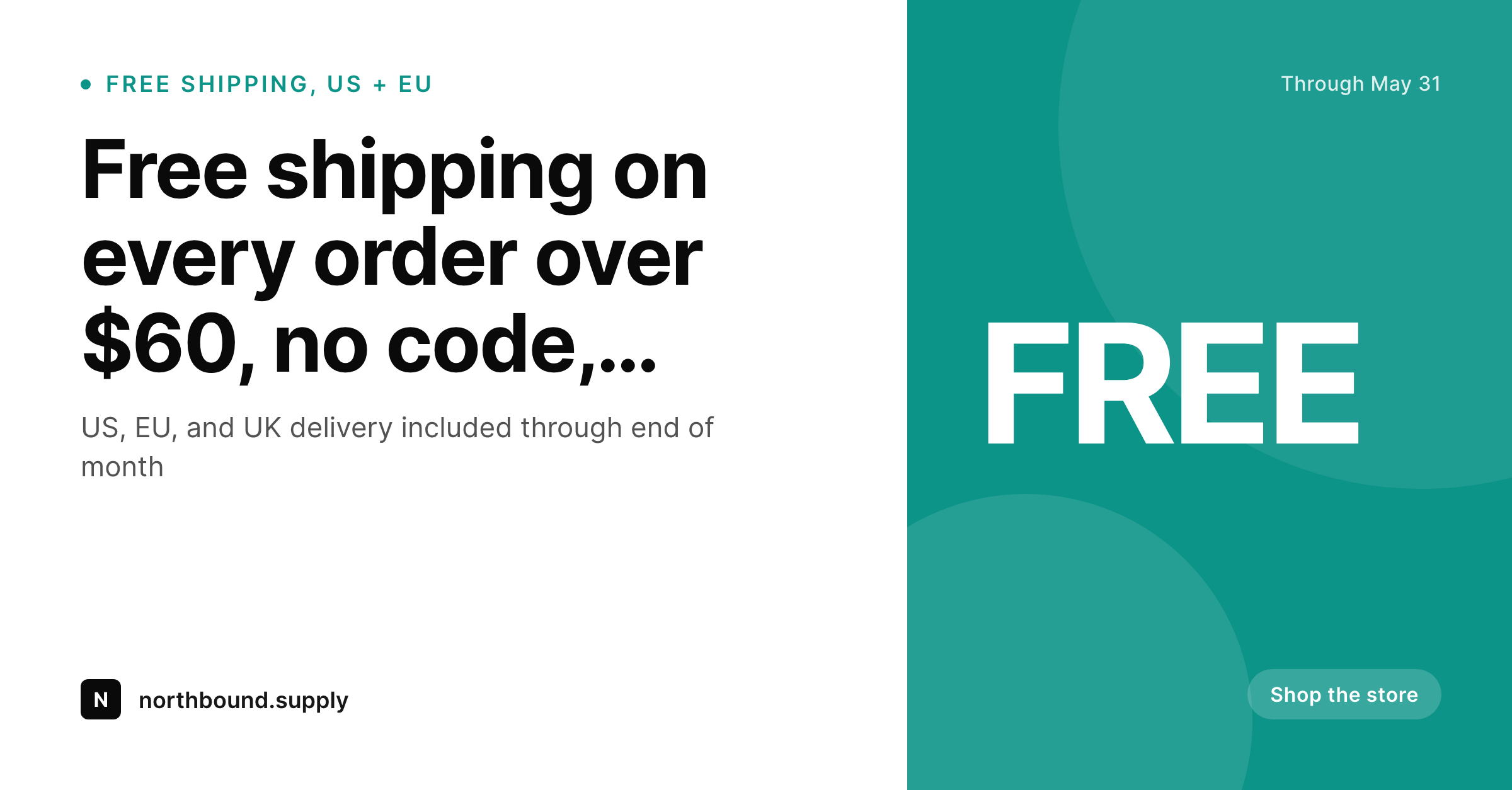
What a generated free shipping card looks like
A 1200x627 LinkedIn-friendly share with the threshold, the regions, and the qualifying dates pulled from the campaign post.
Comparison
Default free shipping image vs SleekPixel
Default free shipping image
- Threshold in the Canva file goes stale when the team changes the math
- Regions covered never appear in the share, shoppers guess
- Every promo cycle creates a new design backlog
- Dates drift between the asset and the actual coupon configuration
- No regeneration path for old assets when the brand updates
SleekPixel
- Render fires on save for every free shipping campaign
- Threshold, regions, and dates pulled from campaign post fields
- og:image and twitter:image meta tags written automatically
- Per-region templates can highlight country flags or carrier badges
- Date edits regenerate the card before the next campaign push
Features
What SleekPixel gives you for free shipping cards
Threshold always current
Bind the threshold to a campaign field. Bump it from $50 to $60 mid-quarter, save, the card on LinkedIn reflects the new number on the next scrape.
Regions made explicit
Render the qualifying regions as flags or short labels. Shoppers outside the covered regions are not lured into a click that ends in disappointment at checkout.
Dates bound to the campaign
Start and end dates render directly from the campaign fields. No more posts on LinkedIn referencing an offer that ended yesterday.
Use cases
Where free shipping cards earn their keep
Direct-to-consumer brands
Shops running quarterly free-shipping windows. The card carries the threshold so LinkedIn followers and newsletter readers see the math before clicking.
Holiday seasonal stores
Q4 free shipping is a make-or-break lever. SleekPixel removes the design step so the offer can ship as a real card the same day the threshold is set.
Cross-border merchants
Shops that ship to US, EU, and UK with different free-shipping rules per region. Per-region templates spell out exactly what is covered where.
The bigger picture
Why free shipping promos need a card, not a banner
Free shipping is a deceptively complex offer. From the operator side it is a single rule, spend X get free delivery, but from the shopper side there are three or four hidden questions, what counts as X, where does it apply, when does it end, and what about my country. A share asset that answers all four in one glance converts at a different rate than one that answers one or two and trusts the page to handle the rest.
The cost of producing a custom asset per campaign is what stops most stores from running this lever as often as the data says they should. SleekPixel collapses that cost to zero per asset, which means the store operator can run free-shipping windows monthly instead of quarterly, with every window getting a real card. The compounding effect across a year is more sales and less customer service noise about expired or misunderstood promos.
Questions
Common questions about SleekPixel for free shipping cards
Yes. Configure per-region templates, US gets the dollar threshold, EU gets the euro threshold, each renders to its own file on save. Pick the right one in each regional share.
SleekPixel reads campaign post fields, not coupon logic directly. Mirror the WooCommerce threshold into a campaign post or coupon meta and the card stays consistent with checkout.
Edit the end date on the campaign, save. SleekPixel re-renders the card, og:image is overwritten in uploads, and the next share scrape pulls the corrected dates.
Yes, although the strongest free-shipping promos are auto-applied at checkout. If a code is required, render it in a dedicated template slot bound to a coupon code field.
LinkedIn uses og:image at a 1.91:1 ratio. The 1200x627 output renders cleanly without cropping in the post composer and the desktop feed.
Yes. Each campaign post produces its own card. A holiday promo and a wholesale-tier promo can run concurrently with different thresholds and different cards.
SleekPixel only handles the image. The subject and body copy are yours. The image carries the threshold and the dates so the email body can be shorter and more focused.
Yes. Per-month or per-quarter templates let a Q4 holiday free-shipping card look distinct from a summer one while keeping the same data structure underneath.
Pricing
More than 1000+
happy customers
Explore our flexible licensing options tailored to your needs. Upgrade your license anytime to access more features, or opt for a lifetime license for ongoing value, including lifetime updates and lifetime support. Our hassle-free upgrade process ensures that our platform can grow with you, starting from whichever plan you choose.
Lifetime ♾️
Most popular
EUR
once
- Unlimited websites
- Lifetime updates
- Lifetime support
...or get the Bundle Deal
and save €250 🎁
💎 Want everything forever? The All Access Pass is going away on 01.08.2026.
The Bundle (unlimited sites)
Pay once, own it forever
Elevate your WordPress site with our exclusive plugin bundle that includes all of our premium plugins in one package. Enjoy lifetime updates and lifetime support. Save significantly compared to buying plugins individually.
What’s included
-
SleekAI
-
SleekByte
-
SleekMotion
-
SleekPixel
-
SleekRank
-
SleekView
€749
Continue to checkoutBrowse more
- restock alert cards
- free resource card
- summit recap card
- referral program cards
- ship it card
- team spotlight cards
- compensation report cards
- conference recap card
- byline card
- office opening card
- employee spotlight card
- press release
- testimonial cards
- pricing comparison cards
- music recommendation cards
- Pinterest shop banners
- Mailchimp email headers
- Kick stream thumbnails
- Kick channel banners
- Reddit subreddit banners
- Lemon8 post
- Pinterest pins
- Pinterest board covers
- X ad images
- Klaviyo email banner
- Patreon cover images
- Buy Me a Coffee banners
- YouTube ad thumbnails
- Threads profile banners
- Odnoklassniki banners