






SleekPixel for press release
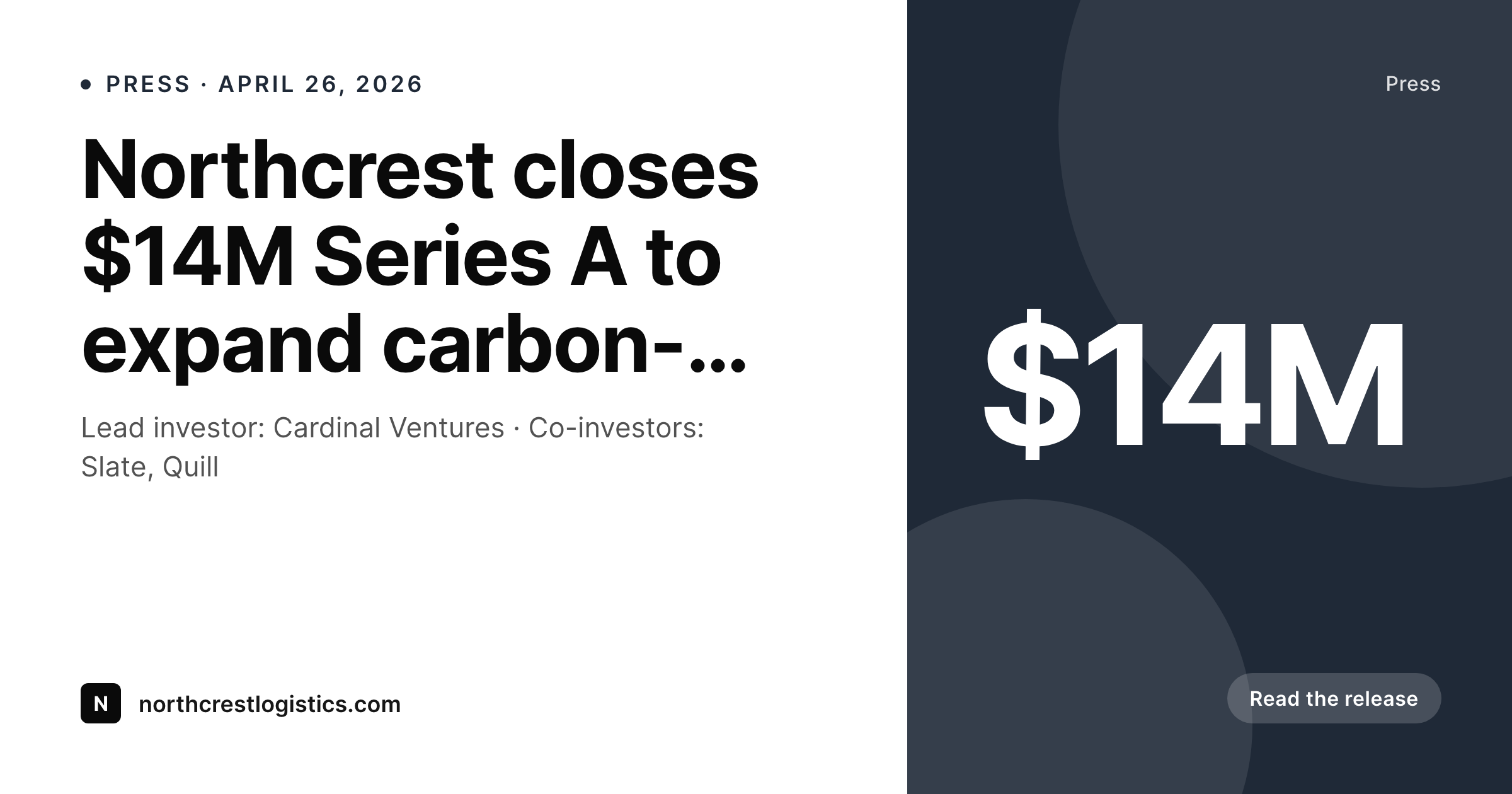
SleekPixel turns each press release into a branded OG card with the headline, dateline, and topline figure laid out and ready. Every release in the press room shares the same layout, so the wire and your site stay visually consistent.
♾️ Lifetime License available
Press releases ship fast and look generic
A press release lives or dies in the first 60 minutes. Wire goes out, embargo lifts, the press room page goes live, and trade reporters who care will skim, share, or skip in that hour. The OG card on the press room URL is the first impression for anyone the release reaches via Twitter, Slack, or an analyst's email forward. In practice, most press rooms ship with a default theme card or a stale corporate banner because comms cannot wait on design for a turnaround that lasts as long as a coffee.
SleekPixel makes the card a function of the release post. The headline, the dateline, the topline figure, and the brand wordmark are fields. The template handles funding announcements, product launches, executive moves, and award wins from the same primitives. Publishing the release writes the og:image meta tag and the file to /uploads. The press room page, the wire's link card, and any reporter's manual share all pull the same asset.
For comms teams that ship multiple releases a quarter, the cumulative time saved matters less than the consistency. Every release looks like it belongs to the brand. The press room reads as a curated archive instead of a stack of random card states. Reporters covering the company see a coherent visual identity even when they only ever encounter the company through embargoed links forwarded by a PR firm.
Workflow
From draft release to wire-ready card
Build the press template
Map release post fields
Stage and embargo
Publish and share
Output
What the rendered press card shows
An OG card with the release headline, dateline, topline figure, and company mark — rendered from the release post.
Comparison
Default press cards vs rendered ones
Default theme OG image
- Press room URL ships with a generic site-wide OG card
- Wire announcement card and website card don't match
- Embargoed release goes out before design has shipped a graphic
- Headline truncation on social shares cuts off the topline figure
- Press archive reads as a stack of inconsistent cards
SleekPixel
- OG card renders from the release post on save, including embargoed drafts
- Headline, dateline, and topline figure all from real fields
- Press archive looks coherent across years of releases
- Bulk regenerate refreshes the archive after a brand update
- og:image meta tag points at the rendered file automatically
Features
What SleekPixel gives you for press release
Release-typed
Layout primitives cover funding, product, exec moves, and awards. A type field on the post drives small variations like figure formatting and accent.
Dateline-aware
Renders the dateline in the right format for press use — city, state, date — pulled from post fields. Embargoed posts can render with a future date.
Embargo-safe
Render the card on a draft so it's ready when the embargo lifts. The file lives at the eventual URL the moment the post is published.
Use cases
Release types this template covers
Funding announcements
Round size and lead investor render as the topline. The figure formats consistently across rounds.
Product launches
Product name, category, and a one-line value prop. The card focuses on the launch headline rather than a number.
Executive moves
New hire or promotion announcements with a headshot, name, and role. One template shape covers leadership news cleanly.
The bigger picture
Why press releases need rendered cards
Press is not a slow content surface. Wires go out at scheduled minutes. Embargoes lift at agreed times.
Trade reporters and analysts read in bursts and forward links by Slack and email. The OG card on the press room URL is doing work the moment the release goes public, and waiting on a designer for a one-hour turnaround is incompatible with how comms operates. The default fallback — a generic site-wide OG image — costs the brand a meaningful share of the first impression.
Manually designing every card would solve the consistency problem, but introduces a queue that breaks under any kind of news velocity. SleekPixel sits between the two failure modes. Comms writes the release in the post; the card is produced as part of saving.
Embargoed drafts render the card in advance, so when the post flips to publish, the file is already in /uploads and the wire's link card and the press room page agree. Over a year, the press archive reads as one continuous body of work, not a series of accidents.
Questions
Common questions about SleekPixel for press release
Yes. SleekPixel renders the card on draft saves, not just publish. Comms writes and saves the release with all fields filled, and the file lives at the eventual /uploads path. When publish flips, nothing else has to happen — the card is already in place.
Add a type field on the release post — funding, product, people, award. The template uses that field to apply small layout variations: figure formatting, accent color, headshot slot. One template still covers the whole press operation.
The dateline renders from the post fields you provide. Most teams use a city plus date format; the template controls casing, separators, and order. Whatever convention your wire requires, the card matches it.
Yes. Run a bulk regenerate against the press post type and every legacy release ends up with a rendered card. The press archive becomes consistent without rewriting a single release.
No. SleekPixel renders the OG card and writes the meta tag. Submitting to a wire service still happens through the wire's portal or your existing process. The card is in place when the release URL goes live, which is the part that affects how the link previews.
Yes. Register multiple templates and let a brand field on the release post pick which one applies. Subsidiaries and parent companies coexist in one site without a single shared visual identity being forced on them.
If translations are separate posts, each post renders its own card with its own translated headline. If translations are alternate fields on the same post, the template can read the right field per locale and produce one card per language at distinct file paths.
Yes. The Gutenberg sidebar exposes a download button for the rendered file. Comms can hand a reporter or analyst the PNG directly from the post, without dipping into a design tool or shared drive.
Pricing
More than 1000+
happy customers
Explore our flexible licensing options tailored to your needs. Upgrade your license anytime to access more features, or opt for a lifetime license for ongoing value, including lifetime updates and lifetime support. Our hassle-free upgrade process ensures that our platform can grow with you, starting from whichever plan you choose.
Lifetime ♾️
Most popular
EUR
once
- Unlimited websites
- Lifetime updates
- Lifetime support
...or get the Bundle Deal
and save €250 🎁
💎 Want everything forever? The All Access Pass is going away on 01.08.2026.
The Bundle (unlimited sites)
Pay once, own it forever
Elevate your WordPress site with our exclusive plugin bundle that includes all of our premium plugins in one package. Enjoy lifetime updates and lifetime support. Save significantly compared to buying plugins individually.
What’s included
-
SleekAI
-
SleekByte
-
SleekMotion
-
SleekPixel
-
SleekRank
-
SleekView
€749
Continue to checkoutBrowse more
- Series A cards
- myth vs fact cards
- salary report cards
- feature launch images
- panel discussion card
- year-end recap card
- longform article card
- LinkedIn update cards
- MRR update cards
- manifesto card
- fundraising announcement cards
- dashboard screenshot cards
- hiring announcement images
- beta launch cards
- framework cards
- TikTok Now image
- kbin post images
- YouTube Music cover art
- Ko-fi banners
- Passes page banner
- YouTube end screens
- Beacons.ai banner
- Instagram grid tiles
- Telegram channel banner
- Etsy cover photos
- Facebook Shop product images
- Twitch stream overlay images
- LinkedIn article covers
- Twitch alert
- TikTok cover images