






SleekPixel for emergency vet clinic
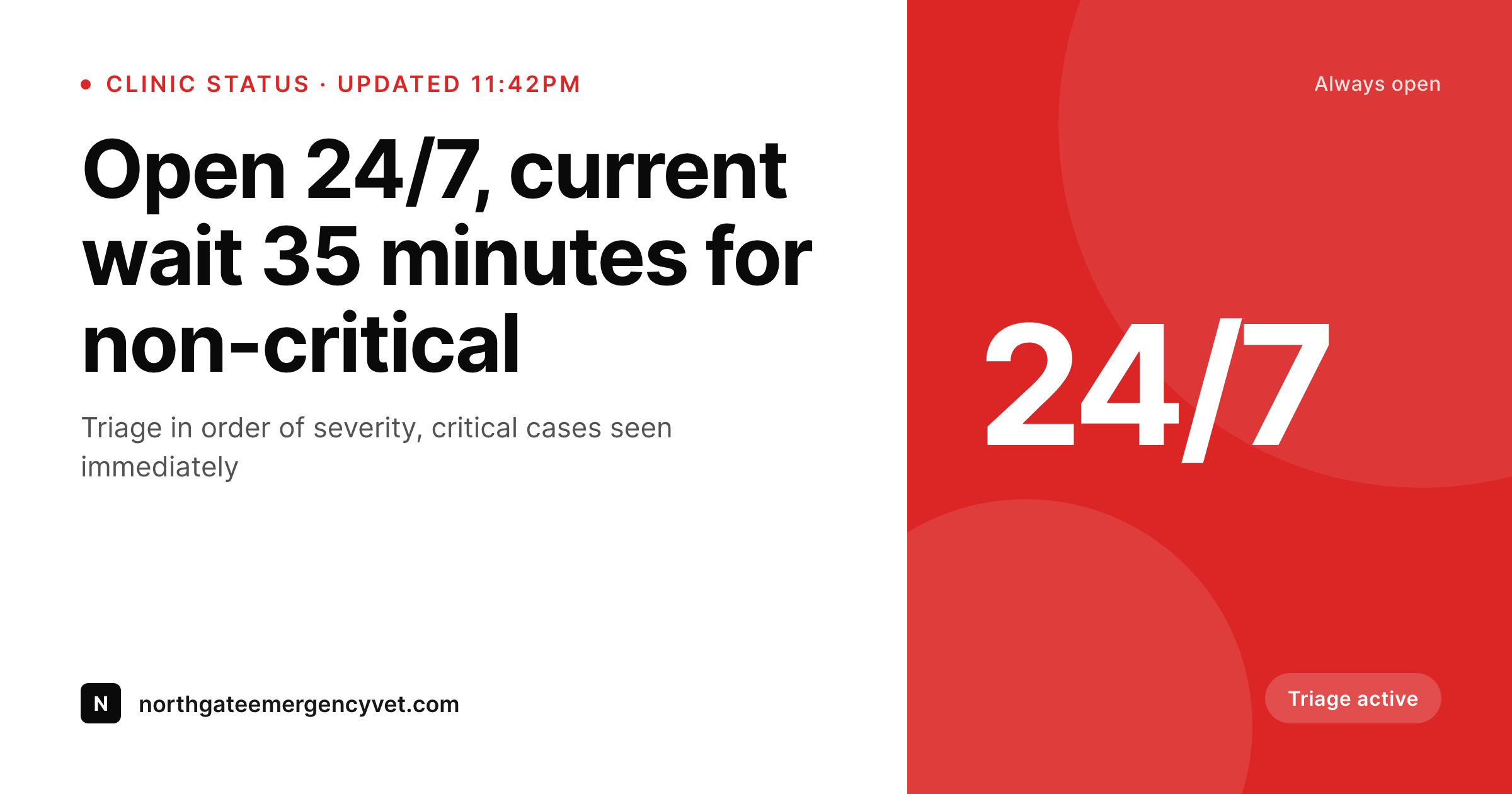
A 35 minute wait at 11pm on a Friday, a temporary surgery-room hold during a critical case, a holiday hours notice. Each clinic status post renders into a 1200x630 OG card with the current wait, hours, and triage policy.
♾️ Lifetime License available
24/7 clinics, current wait, and the panicked phone search
An emergency vet clinic's website is searched on a phone, in a car, by a pet parent who is trying not to drive too fast. They want one thing in the preview: confirmation that the clinic is open, the current wait, and how the clinic triages. They are not browsing, they are checking. The card that appears in the Google preview, the social share, the friend-forwarded text has to answer those questions in a glance.
The data is already in the clinic's system. Most emergency clinics run a status CPT, a hours CPT, and ACF groups for current wait, on-shift vet count, and triage rules. The lead tech updates the status field every hour or two during a shift. The work that keeps repeating is the practice manager forgetting to update the social card after midnight, and pet parents arriving at a clinic the website said was open thirty minutes ago but is now full.
SleekPixel turns the status post into the card. Update the status to a 35 minute wait at 11:42pm on a Friday, the 1200x630 OG image re-renders in uploads and the meta tag updates. A pet parent searching at midnight sees real wait time, real triage info, real hours. The clinic stays trusted as the answer at 2am, the practice manager goes back to the surgery suite, and the status stays live.
Workflow
From triage desk to live card
Map the status fields
Design one clinical template
Update the status during shift
Pet parents see real numbers
Output
What gets generated per status update
A 1200x630 OG card with the clinic name, current wait time, hours, triage policy, and a calm brand frame, pulled live from the status post fields.
Comparison
Default emergency vet image vs SleekPixel
Default emergency vet image
- Practice manager forgets to update the social card after midnight
- Card claims 24/7 but the clinic is on a temporary surgery-room hold
- Wait time on the card is two hours old after a sudden critical case
- Triage policy explanation stripped down to a single confusing line
- Holiday hours never get a card, so pet parents arrive to a locked door
SleekPixel
- Save the status post, the 1200x630 OG card lands in uploads
- Current wait time and clinic status pulled from the status fields
- Card re-renders when the wait time updates or a hold goes into place
- Practice manager updates from the Gutenberg sidebar between cases
- Brand frame stays calm and clinical, not alarmist
Features
What SleekPixel gives you for emergency vet clinic
Live wait card
When the lead tech updates the current wait field, the OG card re-renders with the new number. The preview matches what pet parents will see when they arrive.
Triage policy on the card
The card carries a short, calm explanation of triage by severity, so pet parents understand why a critical case may push their wait time.
Holiday hours notices
Christmas Eve hours, New Year's Day status, holiday weekend coverage. Each holiday hours post renders into its own card with the dates and coverage.
Use cases
Who uses SleekPixel for emergency vet clinics
24/7 emergency clinics
Independent emergency hospitals share live wait, triage policy, and current capacity on cards that update through the shift.
Hospital networks
Multi-location emergency networks share one template across hospitals. Each location's card carries its own wait and on-shift vet count.
Specialty referral hospitals
Specialty hospitals with emergency intake share triage rules, referral policy, and current capacity through consistent cards.
The bigger picture
Why emergency clinic status cards have to match reality at 2am
An emergency vet clinic's website is the first thing a pet parent looks at when something is wrong, often at hours no other business is open. The Google preview, the social share, the friend-forwarded text are all the clinic gets to communicate before the pet parent is in the car. If the card claims a 20 minute wait and the actual wait is two hours, the clinic loses trust the moment the family walks in.
If the card has not been updated since last Tuesday, the family does not know whether the clinic is actually open. Most emergency clinics are short-staffed at the times status matters most, and updating a social card is the work that gets skipped during a busy Friday night shift. Treating the card as a byproduct of the status post means the lead tech updates one field and every preview surface stays current.
Pet parents see the same wait the clinic is seeing, the family arrives prepared, and the clinic earns the trust that 2am decisions are built on.
Questions
Common questions about SleekPixel for emergency vet clinic
Yes. The lead tech updates a current-wait field on the status post (manually from the admin, via a triage tool, or through a webhook from the clinic's PIMS). SleekPixel re-renders the PNG and the og:image meta tag updates within seconds.
A status field can flip the card from open to surgery-room hold, with a short note on expected reopen time. The card carries the hold notice so pet parents on the road can call ahead or head to the next nearest hospital.
Yes. A holiday-hours CPT with date and coverage can render into its own card. Christmas Eve, New Year's Day, and holiday weekend coverage each get a card with the relevant dates and hours.
Yes. With multisite or a location taxonomy, each hospital renders with the same brand frame but its own current wait, on-shift vet, and triage policy. The card stays consistent across the network.
Yes. One save can produce a 1200x630 OG card, a 1200x675 Twitter card, and a 1200x630 Facebook cover. Configure each format once and they all render together when the wait time updates.
No. SleekPixel renders the PNG and saves it to uploads. Posting to Facebook, Instagram, or Google Business is a manual step from the platform's app or a scheduling tool, though many clinics automate that step separately.
No. Generation runs on save in the admin. Families viewing the clinic page on the front end never trigger image rendering, they see the cached PNG. The og:image meta tag points at a static file, so previews are instant.
Yes when the PIMS or triage system writes a wait-time field to a WordPress post (via REST API, webhook, or sync plugin). SleekPixel reads the field like any other CPT meta value and re-renders when the field changes.
Pricing
More than 1000+
happy customers
Explore our flexible licensing options tailored to your needs. Upgrade your license anytime to access more features, or opt for a lifetime license for ongoing value, including lifetime updates and lifetime support. Our hassle-free upgrade process ensures that our platform can grow with you, starting from whichever plan you choose.
Lifetime ♾️
Most popular
EUR
once
- Unlimited websites
- Lifetime updates
- Lifetime support
...or get the Bundle Deal
and save €250 🎁
💎 Want everything forever? The All Access Pass is going away on 01.08.2026.
The Bundle (unlimited sites)
Pay once, own it forever
Elevate your WordPress site with our exclusive plugin bundle that includes all of our premium plugins in one package. Enjoy lifetime updates and lifetime support. Save significantly compared to buying plugins individually.
What’s included
-
SleekAI
-
SleekByte
-
SleekMotion
-
SleekPixel
-
SleekRank
-
SleekView
€749
Continue to checkoutBrowse more
- Instagram Reels covers
- YouTube end screens
- Etsy listing images
- Twitch overlay
- Patreon post thumbnails
- Apple Podcasts covers
- X ad images
- VSCO cover
- Substack podcast cover
- Douyin cover
- LinkedIn showcase page banners
- YouTube Shorts covers
- Kick channel banners
- LinkedIn document post covers
- Facebook Shop product images