






SleekPixel for ceramics studios
Form, glaze recipe, clay body, kiln load, and price already live on the product post. SleekPixel renders a 1080x1080 card on save so the next kiln opens with a grid post ready to ship.
♾️ Lifetime License available
From kiln load to grid in one save
Ceramics studios run on cycles. Throw on Monday, trim Tuesday, bisque, glaze, fire, unload, photograph, post. Every kiln load is a small drop, sometimes a single piece, sometimes a row of mugs in a new glaze test. Each piece wants a square Instagram post with the form, the glaze name, the clay body, the kiln load number, and a price if it's for sale.
The shop already has this data. The product post in WooCommerce or the work-in-progress CPT carries the form, glaze, clay body, dimensions, and price. What's missing is the gap between that post and the grid. Right now that gap is the studio owner opening Canva on a phone with clay-dust fingers, retyping the glaze name, getting the cone wrong half the time.
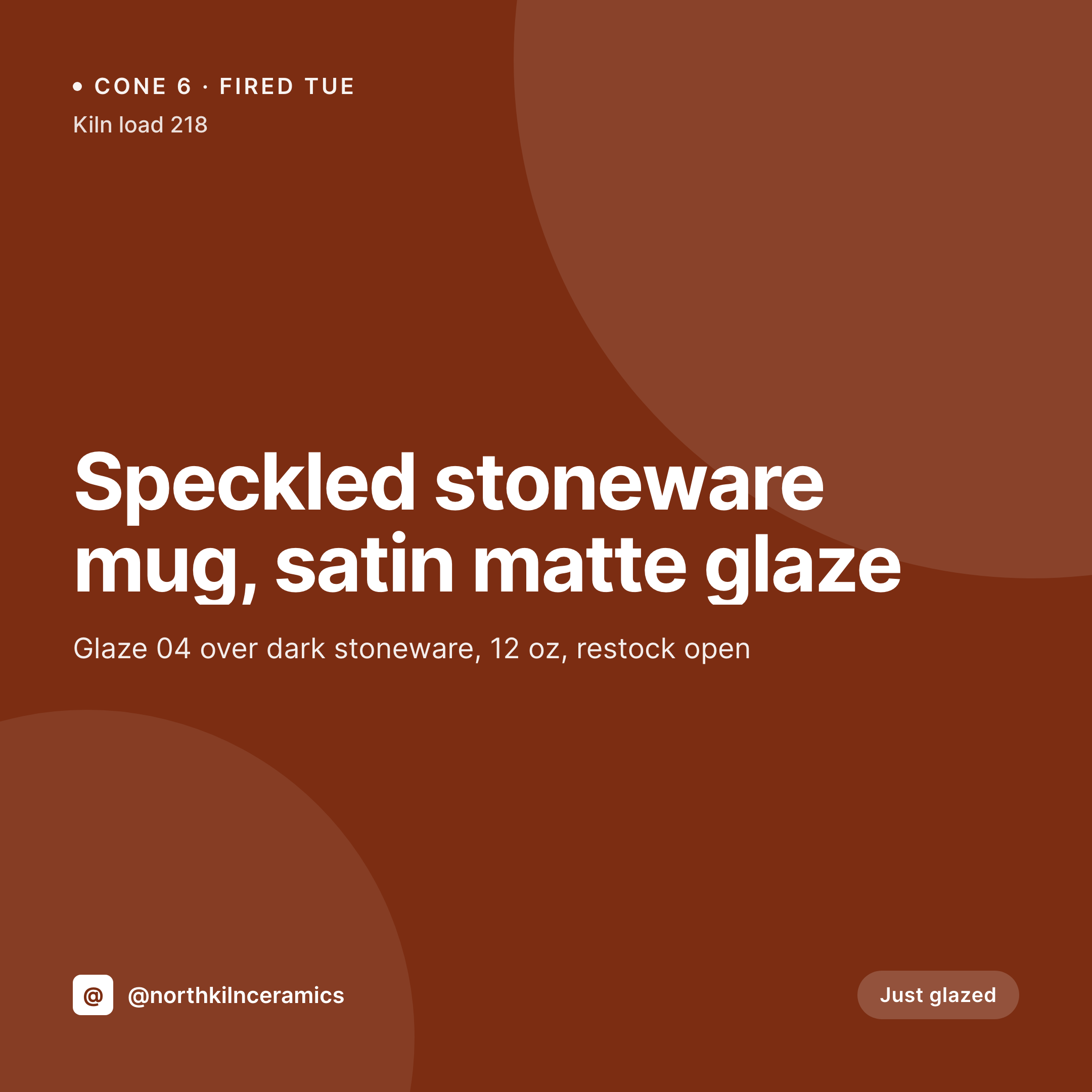
SleekPixel closes the gap. Saving the piece renders a 1080x1080 PNG with the form, glaze, clay body, kiln load, and price. The card uses the studio's wordmark and a glaze-family palette. The PNG sits in uploads, the og:image is wired, and the maker posts the card directly from the product screen.
Workflow
From kiln to grid
Map piece fields
Design one square template
Save the piece
Post from the studio
Output
Sample card from a piece post
A 1080x1080 square rendered from a piece's form, glaze, clay body, kiln load, and price.


Comparison
Default ceramics studio image vs SleekPixel
Default ceramics studio image
- Studio owner rebuilds glaze cards in Canva between firings
- Glaze names and cone numbers drift across posts
- Restocks reuse last season's layout so the grid feels stale
- Studio sales and pop-ups use mismatched announcement cards
- Wholesale lookbooks live separately from the public grid
SleekPixel
- Auto-rendered Instagram card per piece, glaze test, and kiln load
- Form, glaze, clay body, kiln load, and price pulled from the product post
- Glaze-family palette routes color automatically across the grid
- Bulk regenerate after a wordmark update, every past piece refreshes
- Falls back cleanly when fields like kiln load or glaze recipe are empty
Features
What SleekPixel gives you for ceramics studios
Glaze-family routing
Map a glaze family taxonomy to an accent color. Celadon, tenmoku, satin matte, and shino families each render in their own palette.
Kiln load context
Kiln load number and firing date sit on the card, so collectors recognize a piece from a specific firing they followed on the grid.
Form and dimensions
Mug, bowl, vase, plate, and dimensions render from the product post so each card carries the right scale and shape note.
Use cases
Who uses SleekPixel for ceramics studios
Solo studio potters
One-person studios shipping small batches get a coordinated grid without a designer or a Canva subscription.
Teaching studios
Class kiln loads and student showcase pieces render with a class-specific template variant for the studio's program feed.
Wholesale-facing studios
Wholesale lookbook posts render alongside retail drops, both pulling from the same product fields with different layout variants.
The bigger picture
Why a consistent kiln-load grid matters
Ceramics buyers follow studios long before they purchase. They watch a glaze develop across kiln loads, recognize a form they'd like to own, and wait for a restock to drop. The visual grid is the studio's portfolio and its drop calendar at once.
A grid where every piece uses the same notation, palette logic, and brand frame reads as a studio with a coherent practice. A grid where each post is a fresh Canva attempt reads as a hobbyist. Templated cards rendered from the piece data the studio already keeps in WordPress make that coherent practice the default.
The studio spends time at the wheel, not at the laptop, and the grid still looks like one body of work.
Questions
Common questions about SleekPixel for ceramics studios
Yes. SleekPixel reads WooCommerce product fields plus any ACF or Meta Box custom fields you add for glaze, clay body, kiln load, and dimensions.
Yes. Point SleekPixel at any post type. A non-shop CPT works fine if you sell off-grid or only post finished work for press.
Add a glaze-family taxonomy on the product. Map each term (celadon, tenmoku, satin matte) to a template color. SleekPixel routes by term on save.
Yes. Tag a piece 'wholesale' and SleekPixel routes to a wholesale lookbook template that carries pricing and minimums.
Yes. A 'kiln load' CPT or category can route to a multi-piece reveal template. Each piece's thumbnail and label render from the kiln load's content.
Hide the price block on the template, or set a default like 'Commission' so the card renders without an empty field.
Yes. One-click bulk regeneration re-renders every past piece's card with the updated template.
SleekPixel saves the PNG to uploads. Download from the piece post screen, or pull the URL into Later, Buffer, or Meta's scheduler.
Pricing
More than 1000+
happy customers
Explore our flexible licensing options tailored to your needs. Upgrade your license anytime to access more features, or opt for a lifetime license for ongoing value, including lifetime updates and lifetime support. Our hassle-free upgrade process ensures that our platform can grow with you, starting from whichever plan you choose.
Lifetime ♾️
Most popular
EUR
once
- Unlimited websites
- Lifetime updates
- Lifetime support
...or get the Bundle Deal
and save €250 🎁
💎 Want everything forever? The All Access Pass is going away on 01.08.2026.
The Bundle (unlimited sites)
Pay once, own it forever
Elevate your WordPress site with our exclusive plugin bundle that includes all of our premium plugins in one package. Enjoy lifetime updates and lifetime support. Save significantly compared to buying plugins individually.
What’s included
-
SleekAI
-
SleekByte
-
SleekMotion
-
SleekPixel
-
SleekRank
-
SleekView
€749
Continue to checkoutBrowse more
- Rive animations
- Orderable
- Autonami
- Gumroad products
- YITH Booking
- Smash Balloon Facebook Feed
- Facebook for WooCommerce
- Postmark emails
- Vanilla Forums discussions
- HT Easy Google Analytics
- WooCommerce PayPal Payments
- Ghost newsletters
- Advanced Shipment Tracking
- Essential Grid
- WP Job Manager Resume Manager