






SleekPixel for YouTube end cards
End cards need their own promo stills, not the same thumbnail twice. SleekPixel renders a separate 1280x720 PNG per episode using a different template, so the end-card frame matches your channel exactly.
♾️ Lifetime License available
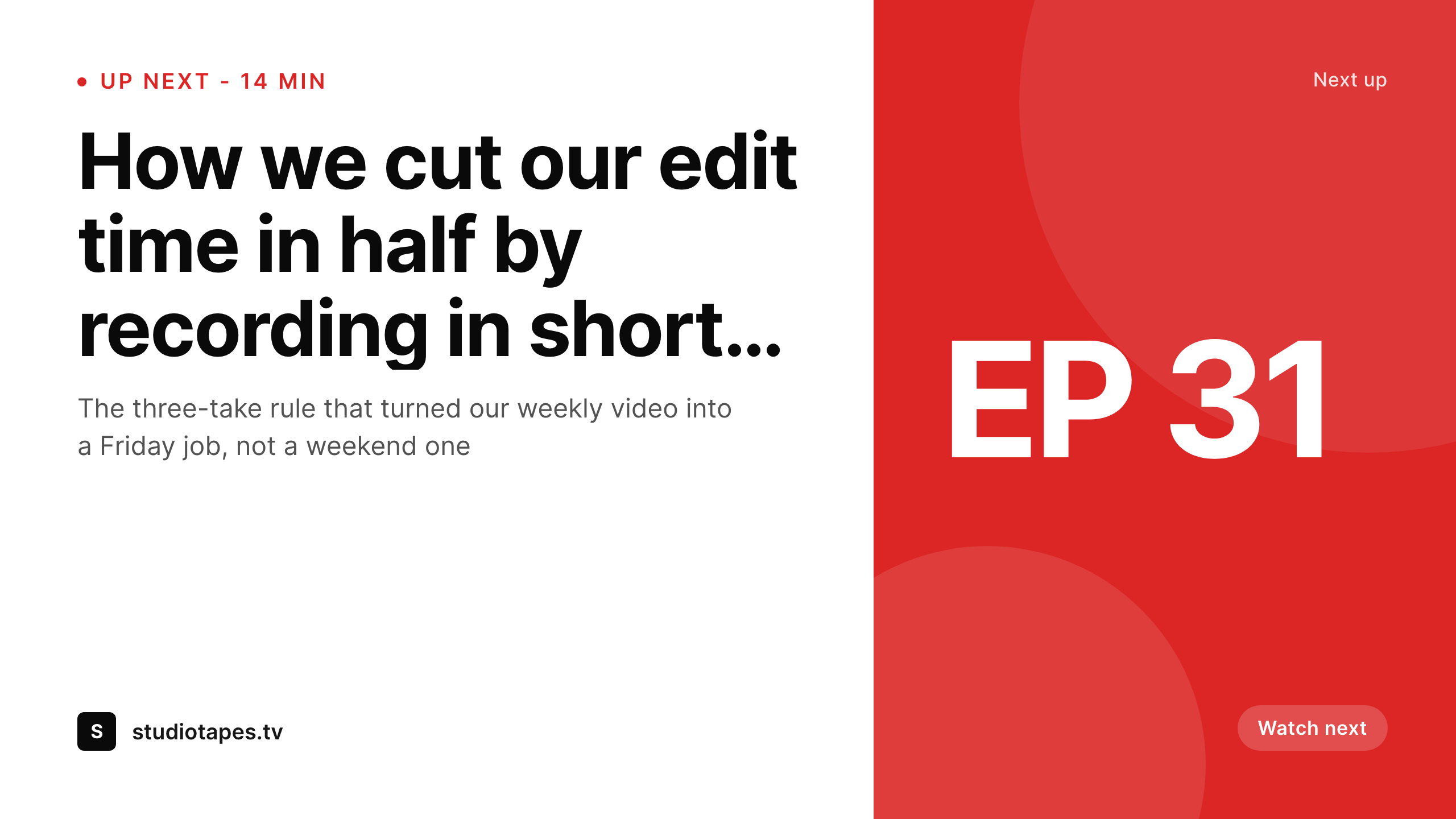
End cards deserve their own design pass
YouTube end cards run in the last 5-20 seconds of a video and let you overlay a clickable element pointing at another video. The default behavior is to show the next video's thumbnail. That works, but it is also the same image your viewer just saw on the homepage feed, so it loses impact at the moment when you most need a click. Channels that take end cards seriously design a separate promo still: a clean frame with the next episode's title, channel mark, and a call-to-action like "Watch next" or "Episode 32" baked in.
The trouble is, that means designing twice as many images. Every episode needs a thumbnail and an end-card still, both 1280x720, both on-brand, both with the right episode metadata. Doing that by hand doubles the design overhead and is the first thing that gets dropped when the producer is tired.
SleekPixel handles this by allowing two templates per episode post. One template is the channel thumbnail, the other is the end-card promo still. Both render on save. The producer downloads both from the Gutenberg sidebar and uses one for YouTube's custom thumbnail and the other in the video editor as the end-card overlay.
Workflow
End-card workflow from post to video
Two templates
Episode page saved
Download both
Drop into editor
Output
What an end-card still looks like
A 1280x720 PNG built from the next episode's title and number with channel branding, designed to drop into the end-card frame of the previous video.
Comparison
Manual end cards vs SleekPixel
Same thumbnail twice
- End card just reuses the YouTube thumbnail and feels redundant
- Custom end-card stills get dropped because designer time runs out
- Producer manually edits each end-card frame inside Premiere or Resolve
- Different episodes have wildly inconsistent end-card visual styles
- Updating an episode title means re-exporting two images, not one
SleekPixel
- Two templates per episode post: thumbnail and end card
- Both render to 1280x720 PNG on save
- Different layouts let the end card emphasize "Watch next"
- Episode title and number pulled from post fields automatically
- Producer downloads both from Gutenberg sidebar in seconds
Features
What SleekPixel gives you for YouTube end cards
Two templates
Configure a thumbnail template and a separate end-card template per post type. Each renders to its own file and shows up in the Gutenberg download list.
Different framing
End-card stills can use a different layout - a wide "Watch next" CTA, the episode number prominent, less imagery - while the thumbnail stays optimized for the homepage feed.
Both downloadable
The Gutenberg sidebar lists both rendered images. Producer grabs the thumbnail for YouTube, the end-card still for the editor timeline, in the same workflow.
Use cases
Channels that need separate end-card art
Episodic shows
Weekly or daily series where each episode points to the next. End-card stills with explicit "Episode 32 next Friday" copy outperform reused thumbnails on click-through.
Tutorial series
Lesson 4 ends with an end-card pointing at lesson 5. The end-card still names lesson 5 directly so viewers know what they are committing to before they click.
Interview shows
End cards point to a related interview. The still pulls the next guest's name and topic from the episode page, not a generic "more interviews" frame.
The bigger picture
Why end cards convert better with custom art
End cards are some of the highest-intent moments on YouTube. The viewer just finished an entire video on your channel. They are warm, they trust the format, they are looking for what to do next.
Showing them the same thumbnail they saw on the homepage two clicks ago is a wasted moment. Showing them a custom still that names the next episode, the next guest, or the next lesson - with a clear "Watch next" treatment - converts visibly better. Most channels know this and most channels still do not do it, because doubling the design work for every episode is exactly the kind of overhead that gets cut when the producer is running late.
The teams that hold the line either have a designer on retainer or have automated the second image. Automation through WordPress is the easier route if the channel already has companion show notes. The data is already in the post.
The brand is already locked. The end-card template just consumes the same fields with a different layout and writes a second PNG. The producer downloads it, drops it into the editor, and ships.
The channel keeps its consistency, the click-through on the end-card stays high, and nobody is rebuilding stills in Photoshop on a Friday afternoon.
Questions
Common questions about SleekPixel for YouTube end cards
No. SleekPixel produces the visual still that fills the end-card frame. The clickable end-card element is added inside YouTube Studio after upload, where you point it at the next video. SleekPixel just provides the on-brand background image.
Yes. SleekPixel supports multiple templates per post type. Configure one as the channel thumbnail and another as the end-card still. Both render on save and appear in the Gutenberg sidebar with separate download buttons.
That happens inside YouTube Studio when you upload the video. SleekPixel only handles the visual asset. If your end-card template needs to mention "Episode 32 next Friday", make sure those fields exist on the post and bind them to the template.
YouTube Shorts do not currently support traditional end cards. SleekPixel can still render a 9:16 promo still you can use as the last frame of the Short, but the clickable end-card overlay is a feature of long-form videos only.
Yes. Edit the post, hit save, the end-card image regenerates. Download the new PNG from Gutenberg, replace the still in your video editor, and re-export. SleekPixel does not modify already-uploaded YouTube videos directly.
SleekPixel produces standard PNG files. Any video editor that imports PNGs works. Drop the rendered end-card still onto a track in Premiere, Resolve, Final Cut, or whatever your editor uses, and overlay it for the last 20 seconds.
You can have one end-card template per show or series. Bind the accent color to a custom field or category, or have separate templates assigned by post category. Each series renders end cards in its own color while sharing the same layout grid.
Yes. Bind an image layer in the template to a guest-avatar custom field. ACF or Meta Box image fields work directly. The avatar gets cropped to the shape you defined in the template and rendered at 1280x720 quality.
Pricing
More than 1000+
happy customers
Explore our flexible licensing options tailored to your needs. Upgrade your license anytime to access more features, or opt for a lifetime license for ongoing value, including lifetime updates and lifetime support. Our hassle-free upgrade process ensures that our platform can grow with you, starting from whichever plan you choose.
Lifetime ♾️
Most popular
EUR
once
- Unlimited websites
- Lifetime updates
- Lifetime support
...or get the Bundle Deal
and save €250 🎁
💎 Want everything forever? The All Access Pass is going away on 01.08.2026.
The Bundle (unlimited sites)
Pay once, own it forever
Elevate your WordPress site with our exclusive plugin bundle that includes all of our premium plugins in one package. Enjoy lifetime updates and lifetime support. Save significantly compared to buying plugins individually.
What’s included
-
SleekAI
-
SleekByte
-
SleekMotion
-
SleekPixel
-
SleekRank
-
SleekView
€749
Continue to checkoutBrowse more
- Pinterest video pin covers
- Facebook event covers
- Kindle book cover
- Twitch alert
- kbin post images
- Bandcamp banner
- Pinterest shop banners
- Tidal cover art
- Mastodon profile banners
- Snapchat Spotlight covers
- Pinterest board covers
- Twitch profile banner
- WeChat Moments images
- Threads post images
- Mastodon post images