






SleekPixel for YouTube thumbnails
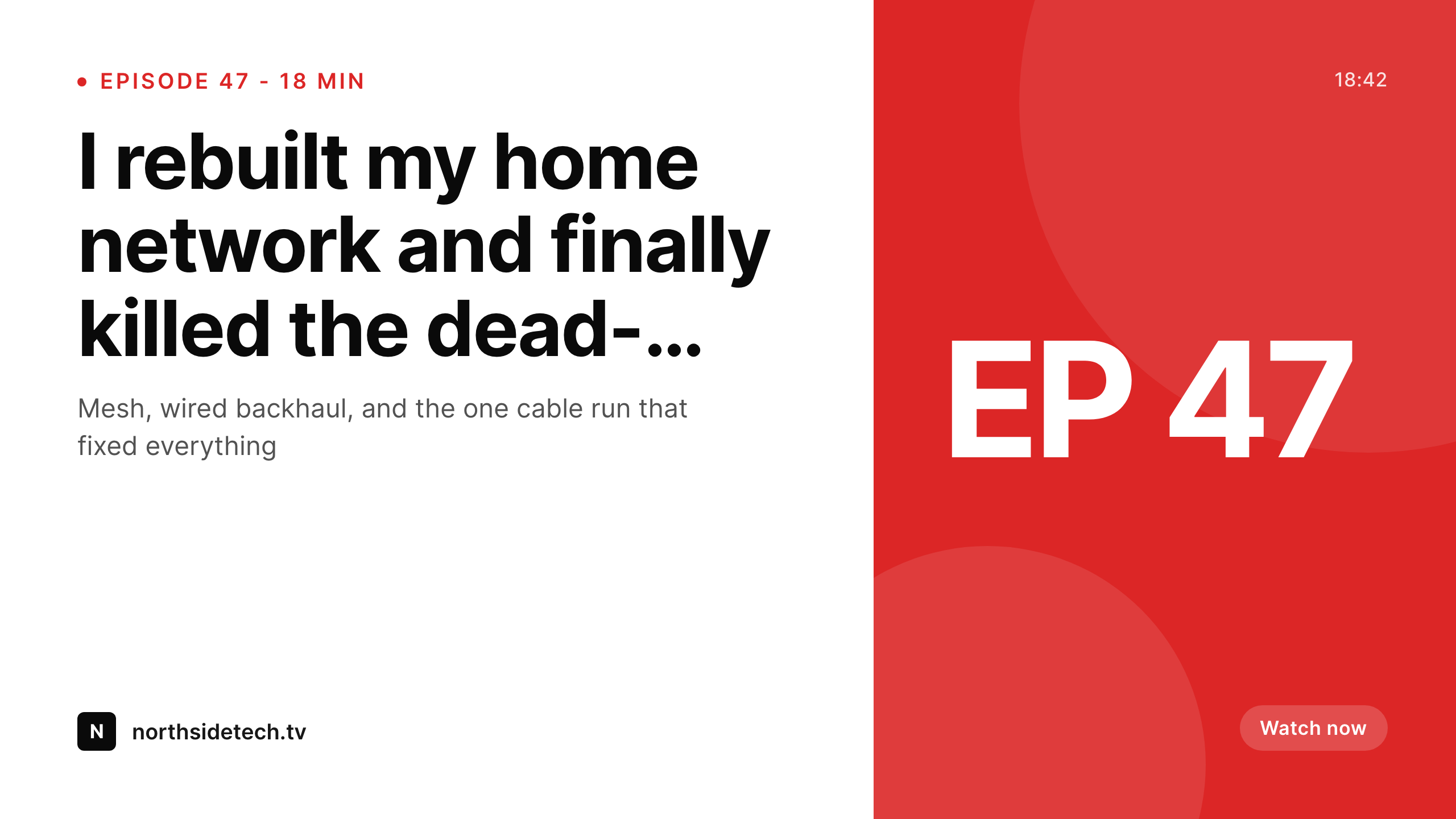
If your video gets a companion blog post, podcast page or show notes entry, SleekPixel renders a 1280x720 thumbnail PNG on save. Episode number, title and host pulled directly from post fields.
♾️ Lifetime License available
Thumbnails are the show, not the video
The thumbnail is what gets clicked. Channels that grow have a consistent visual language across every upload, and the channels that stall have whatever the host could throw together in Photoshop at 2am. The problem with handcrafting every thumbnail is not the design difficulty. It is the consistency. Episode 47 looks nothing like episode 8 because the template drifted, the font changed, the brand moved. New viewers landing on the channel page see a wall of mismatched cards and lose the visual cue that says these all belong together.
SleekPixel solves the consistency problem at the WordPress layer. If you publish show notes, episode pages, or blog companions to your videos, the thumbnail can be rendered from that post automatically. Episode title, episode number, host name, season - all pulled from post fields or ACF. The template is locked. Every render uses the same fonts, same grid, same brand mark in the same corner.
The Gutenberg sidebar exposes a download button. The host or producer hits download, gets a 1280x720 PNG, and uploads it as the YouTube thumbnail. No Figma round-trip, no waiting on the designer, no risk of a fonts-not-installed disaster on a different machine.
Workflow
From show notes to YouTube upload
Build template
Publish episode page
Download from Gutenberg
Upload to YouTube
Output
What a generated thumbnail looks like
A 1280x720 PNG built from episode title, episode number and host name, ready to upload as the YouTube thumbnail.
Comparison
Hand-built thumbnails vs SleekPixel
Photoshop / Canva per episode
- Every episode rebuilt from a duplicated Canva file that drifts over time
- Fonts and brand colors slowly mutate as different team members edit
- Producer waits for designer for every drop, blocking the upload
- Editing the episode title means re-exporting and re-uploading the thumbnail
- Old episodes look nothing like new ones, hurting channel-page consistency
SleekPixel
- Locked 1280x720 template renders identical across every episode
- Episode title, number and host pulled from post or ACF fields
- Download button in Gutenberg sidebar for direct upload to YouTube
- Headline edit on the show notes regenerates the thumbnail
- New host or co-host swaps in via a custom field, not a redesign
Features
What SleekPixel gives you for YouTube thumbnails
Locked layout
Set the grid, the fonts and the brand mark once. Every episode renders inside the same frame so the channel page looks like one show, not 47 different ones.
One-click download
Producer opens the show notes post in Gutenberg, hits download in the SleekPixel sidebar, and gets a 1280x720 PNG ready for the YouTube upload screen.
Title edits regenerate
If the episode title changes after first publish, the thumbnail re-renders. Download the new PNG and replace the YouTube thumbnail in two clicks.
Use cases
Channels that benefit most from this
Podcast video uploads
Audio-first podcasts that also publish a static-video version on YouTube. Each episode page on the site triggers a matching thumbnail with episode number and guest.
Multi-host shows
A panel show with rotating hosts pulls the right host avatar from a custom field. The thumbnail reflects who is actually in the episode without rebuilding the file.
Tutorial series
Long-running how-to series on a single channel. Series name, episode number and lesson title all sit in custom fields and render onto the thumbnail in a consistent layout.
The bigger picture
Why thumbnail consistency moves the needle
YouTube's algorithm rewards click-through, and click-through is driven by thumbnails more than titles. Channels that hit that have a recognizable visual system: same fonts, same color block, same brand mark in the same corner of every thumbnail. New viewers hitting the channel page see a coherent grid and trust they are on a real show.
Channels without that system bleed views even when the videos are good, because the thumbnails feel ad-hoc and the channel feels amateur. The painful part is not designing one thumbnail. It is designing the four-hundredth thumbnail that still matches the first.
Producers cannot keep that template alive forever. Fonts change machines. Brand colors get re-decided.
A guest co-host gets squished into the layout the wrong way. SleekPixel anchors the template in the WordPress install. The episode page is the source of truth.
Every render obeys the same constraints. Episode 400 looks like episode 1, except with the episode number, title and host updated. The producer never opens a design tool.
The channel grid stays clean. The click-through rate stays where it should be.
Questions
Common questions about SleekPixel for YouTube thumbnails
No. SleekPixel renders the PNG inside WordPress. The producer downloads it from the Gutenberg sidebar and uploads it manually through YouTube Studio or whatever scheduling tool they use. Posting to YouTube remains a manual step.
YouTube's recommended thumbnail size is 1280x720 pixels at 16:9 aspect, under 2MB. SleekPixel defaults to that canvas for video-thumbnail templates and outputs PNG by default, well under the file-size limit.
Yes. Templates are per post type or category. A weekly podcast can have one template, a tutorial series another, a panel show a third. Each template binds to its own post fields so the variables stay relevant.
Yes. Upload custom font files (TTF, OTF, WOFF) in the SleekPixel editor or use any free Google Font. Hosted webfont services that require a license key are not bundled - you provide the font file.
SleekPixel renders a single canonical thumbnail per post. For A/B testing, use YouTube's built-in thumbnail test feature - SleekPixel can generate multiple variants if you set up multiple templates and switch which one runs per post.
Yes. SleekPixel works at the post-data layer, not the editor layer. Whether the show notes are written in Gutenberg, Elementor, Bricks or just classic editor, the templating engine pulls from the underlying post fields the same way.
Yes. Any user role that can edit the post can see and use the SleekPixel download button. Editors and contributors do not need full plugin admin access to download the rendered thumbnail.
Yes. SleekPixel auto-shrinks text to fit the bounding box, with configurable min and max font sizes. Long episode titles do not break the layout - they scale down within the frame you defined in the template.
Pricing
More than 1000+
happy customers
Explore our flexible licensing options tailored to your needs. Upgrade your license anytime to access more features, or opt for a lifetime license for ongoing value, including lifetime updates and lifetime support. Our hassle-free upgrade process ensures that our platform can grow with you, starting from whichever plan you choose.
Lifetime ♾️
Most popular
EUR
once
- Unlimited websites
- Lifetime updates
- Lifetime support
...or get the Bundle Deal
and save €250 🎁
💎 Want everything forever? The All Access Pass is going away on 01.08.2026.
The Bundle (unlimited sites)
Pay once, own it forever
Elevate your WordPress site with our exclusive plugin bundle that includes all of our premium plugins in one package. Enjoy lifetime updates and lifetime support. Save significantly compared to buying plugins individually.
What’s included
-
SleekAI
-
SleekByte
-
SleekMotion
-
SleekPixel
-
SleekRank
-
SleekView
€749
Continue to checkoutBrowse more
- Discord stage banner
- Behance project covers
- YouTube end cards
- Depop listing images
- Kick channel banners
- X social cards
- Dailymotion thumbnails
- Twitch stream overlay images
- SoundCloud track art
- Rednote (Xiaohongshu) post
- Lemon Squeezy product covers
- Discord event cover
- KDP paperback cover
- Pinterest Idea Pins
- YouTube Shorts cover