






SleekPixel for Vimeo videos
Vimeo is where serious video lives. SleekPixel renders the share card that the player never owned: film title, runtime, director credit, and brand mark on every WordPress page that embeds a Vimeo video.
♾️ Lifetime License available
Filmmakers care about the share, then forget to make one
Vimeo is the platform of choice for directors, studios, and creative agencies who want their work to look like work, not like a recommendation algorithm. The player is clean, the encoding is honest, the embed code does not show competing thumbnails when the video ends. The piece that frequently falls through is the share preview for the WordPress portfolio site that hosts the embed. A film page on the portfolio shows up on Twitter or in a curator's email pasted into Slack, and the share card is a stretched studio logo.
This matters more for film than for most embeds. Festival programmers, commissioning editors, and other directors scrolling a feed are evaluating whether a link is worth clicking. A real card with the film title, runtime, and director name reads as a portfolio piece. A generic theme banner reads as a personal blog. The difference is not subtle.
SleekPixel pulls the Vimeo title and duration via oEmbed, reads director and year from custom fields, and renders a card that matches the brand of the portfolio. New films get cards on save. The back catalog renders in bulk when the template changes. The work looks edited at the point where it is most likely to be judged.
Workflow
From Vimeo embed to share-ready in one save
Embed the Vimeo video
Build the film template
Save the post
Share anywhere
Output
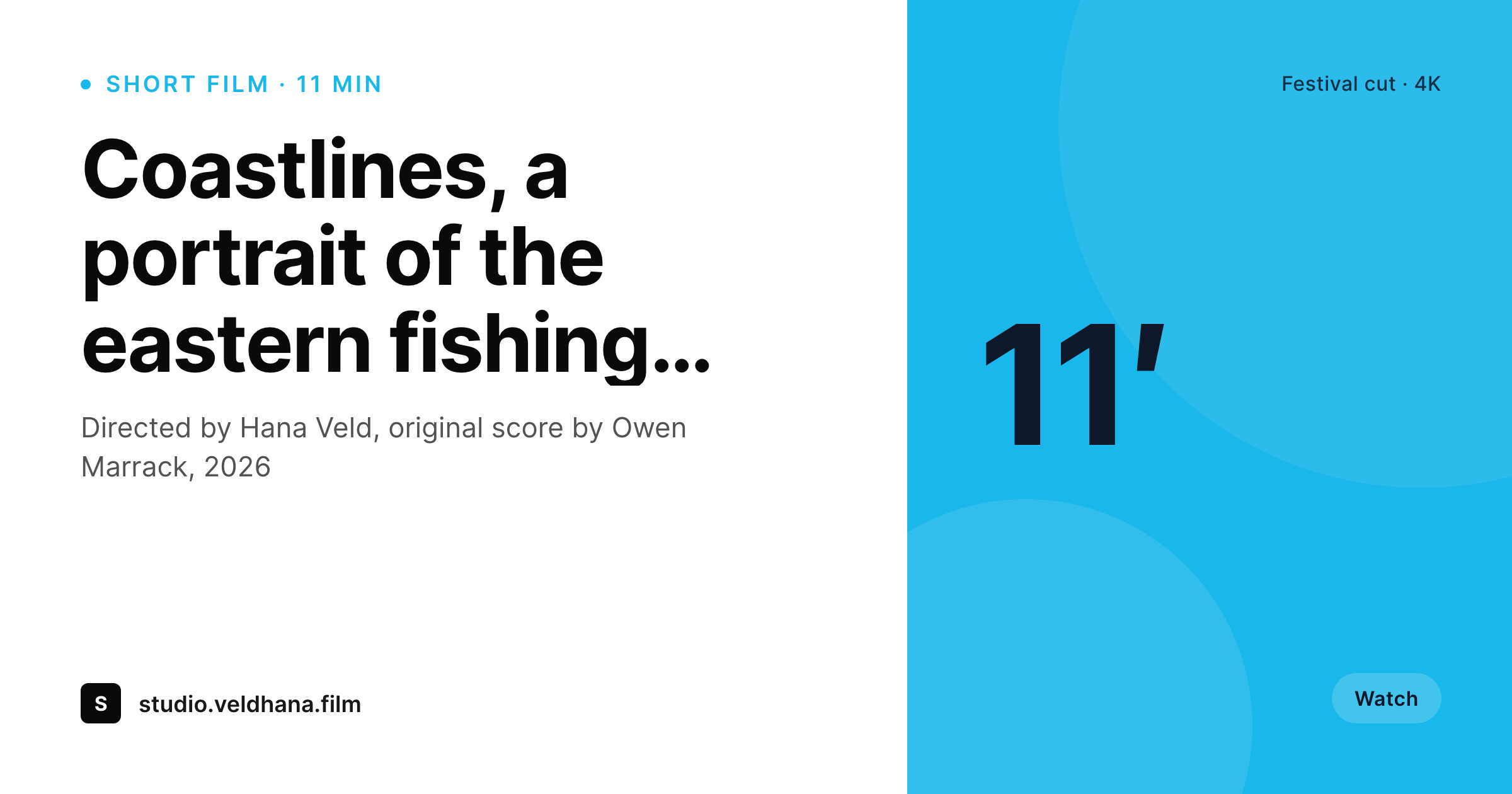
Sample Vimeo film card
A 1200 by 630 OG image: film title, runtime, director credit, year, and studio mark, rendered from the post and Vimeo oEmbed on save.
Comparison
Default Vimeo share vs SleekPixel rendering
Default theme OG image
- Vimeo player thumbnails do not become the WordPress page's og:image
- Film pages share with the studio logo regardless of which work is featured
- Runtime, director, and year never make it onto the social preview
- Hand-designed share cards stop happening after the second film of the year
- Brand refreshes leave older portfolio entries with mismatched art
SleekPixel
- Reads the embedded Vimeo video ID and pulls title and runtime via oEmbed
- Director, cinematographer, and year render from post custom fields
- Works with native Vimeo embeds and with embed plugins
- Bulk re-render the whole portfolio when the studio brand evolves
- Suitable for short films, music videos, commercial reels, and case studies
Features
What SleekPixel gives you for Vimeo videos
Film-title headlines
The Vimeo title or the WordPress post title becomes the card headline. Names are typeset in the studio's actual brand, not a default theme font.
Runtime in the meta line
Duration pulls from Vimeo's oEmbed feed and renders as the meta line. Festival programmers know whether they are looking at a 4-minute spot or a 23-minute documentary.
Director and year credits
Custom fields for director, DP, and year render as a small credit block. The portfolio reads like a real filmography on socials.
Use cases
What Vimeo-powered sites generate with SleekPixel
Short film portfolios
Each film page shares with title, runtime, and director credit. Festival emails and curated lists open with previews that read as portfolio entries.
Music video reels
Music video pages share with artist, song title, and director. Music supervisors who paste links into chat see the right context immediately.
Commercial case studies
Agency case study pages render with client, year, and discipline. New-business emails carry their own visual identity into LinkedIn previews.
The bigger picture
Why portfolio shares are decisive for filmmakers
Film and commercial directors win work primarily through referral and direct outreach. Commissioning editors paste portfolio links into Slack, festival programmers forward URLs to colleagues, music supervisors share videos in group chats while scouting talent. Each of those moments is a free impression with the highest possible intent: someone with hiring authority is looking at the work because someone else thought it was worth flagging.
The share preview is the first frame they see, before the player even loads. A card that looks edited and specific tells the viewer this is a serious portfolio that takes itself seriously. A stretched studio logo tells the viewer this is a hobbyist site or an outdated one.
The difference compounds over a year of referrals into a measurable number of commissions won or lost. SleekPixel makes the consistent card cheap to maintain across the entire body of work, including the back catalog that older referrals still link to.
Questions
Common questions about SleekPixel for Vimeo videos
No. The Vimeo player on the WordPress page is untouched. SleekPixel only renders the og:image meta tag that social platforms scrape when somebody shares the WordPress URL. The video continues to play from Vimeo's CDN as before.
oEmbed will return limited data for unlisted videos, and nothing for password-protected ones. For private screenings, fill the title and runtime as custom fields on the post; SleekPixel will use those instead of the API.
Both. The Showcase block exposes a Showcase ID; a single embed exposes a video ID. The template can render a Showcase-level card with title and item count, or a per-video card. Selection is by post type or custom field.
Yes. Vimeo's oEmbed includes the thumbnail URL; the template can render that thumbnail as a small inset alongside the typographic block. The brand layout still drives the rest of the card.
Vimeo's hosted page on vimeo.com has its own OG image controlled by Vimeo. SleekPixel only affects the WordPress page that embeds the video. If your portfolio links to your own site, that is where SleekPixel renders; the vimeo.com URL is untouched.
Yes. Short films can render in one template, music videos in another, commercial work in a third. A custom field or taxonomy on the post selects the template at render time.
If the Vimeo URL stays the same, yes; the next post save triggers a re-render. If the Vimeo URL changes, update the post field and save; SleekPixel will pull the new title and runtime.
The oEmbed call adds one short network request on save and is cached. Subsequent saves use the cached metadata unless the Vimeo URL changes. The render itself is fast enough that authors do not notice it in normal editing.
Pricing
More than 1000+
happy customers
Explore our flexible licensing options tailored to your needs. Upgrade your license anytime to access more features, or opt for a lifetime license for ongoing value, including lifetime updates and lifetime support. Our hassle-free upgrade process ensures that our platform can grow with you, starting from whichever plan you choose.
Lifetime ♾️
Most popular
EUR
once
- Unlimited websites
- Lifetime updates
- Lifetime support
...or get the Bundle Deal
and save €250 🎁
💎 Want everything forever? The All Access Pass is going away on 01.08.2026.
The Bundle (unlimited sites)
Pay once, own it forever
Elevate your WordPress site with our exclusive plugin bundle that includes all of our premium plugins in one package. Enjoy lifetime updates and lifetime support. Save significantly compared to buying plugins individually.
What’s included
-
SleekAI
-
SleekByte
-
SleekMotion
-
SleekPixel
-
SleekRank
-
SleekView
€749
Continue to checkoutBrowse more
- case study banner
- podcast mention card
- incident report cards
- principle cards
- feature comparison cards
- tech stack card
- uptime report card
- acquisition announcement cards
- webinar replay card
- quote of the day cards
- cheat sheet card
- dashboard screenshot cards
- company update card
- weekly recap banner
- industry update cards
- Lemmy post images
- Lemon8 post
- Lens Protocol posts
- Klaviyo email banner
- Mailchimp email headers
- Apple Podcasts covers
- X community banners
- Tidal cover art
- Reddit subreddit banners
- Etsy cover photos
- Bluesky profile banner
- Instagram feed posts
- Telegram channel banner
- Threads profile banners
- Pinterest Idea Pins