






SleekPixel for LearnDash courses
LearnDash already stores course title, lesson number, instructor and module on every post. SleekPixel renders YouTube-ready thumbnails and OG share images on save - matching across the curriculum without a separate design queue.
♾️ Lifetime License available
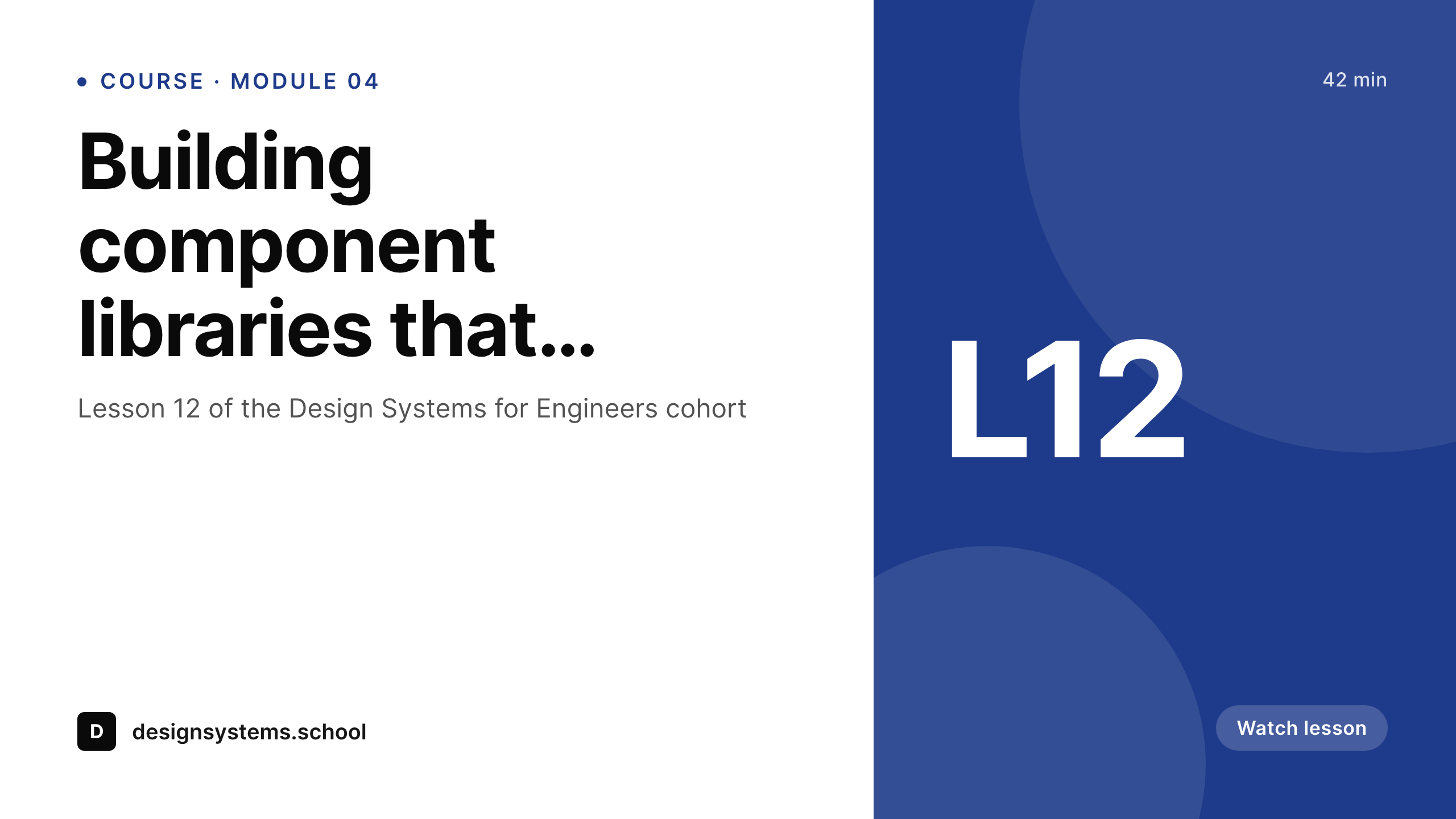
LearnDash content needs visuals at scale
A LearnDash course is rarely one or two videos. A serious cohort program runs five or six modules, each with eight to fifteen lessons, each lesson with a video, often with topics inside the lessons. That is dozens or hundreds of pieces of content per course, and most courses have multiple sub-products - free intro, paid main, advanced specialization. Each video needs a thumbnail. Each lesson page needs a share preview for when learners send links to teammates. The graphic design surface alone is its own workstream.
The standard solution is a Figma file with a thumbnail template, and a designer or marketing person who exports each lesson's thumbnail by hand. The cohort goes live, the founder records ten more lessons after launch based on student feedback, and now ten thumbnails need to be made. Six months later the brand evolves and every existing thumbnail looks dated. The maintenance debt grows quietly until a relaunch is the only realistic option, and that relaunch costs weeks of design time.
SleekPixel binds the thumbnail to the LearnDash lesson record. Title, lesson number, module, instructor and lesson length live on the post. The template renders the thumbnail on save, writes it to uploads and uses it as the OG image. The same template renders matching art across the entire curriculum, including new lessons added later. A brand evolution becomes a template update and a single bulk re-render rather than a manual rebuild of every video card.
Workflow
From LearnDash lesson to thumbnail-ready
Set up course templates
Bind LearnDash fields
Add or edit a lesson
Distribute the curriculum
Output
What ships with every lesson
A 1280 by 720 thumbnail: lesson title, lesson number, instructor and course mark - ready for video pages, share links and inline embeds.
Comparison
Manual thumbnails vs LearnDash-bound rendering
Designer / Manual thumbnails
- Each new lesson needs a hand-made thumbnail in Figma or Canva
- Brand evolution leaves old course material looking dated
- Lesson share links forward with no preview when learners forward URLs
- Cohort relaunches require redoing every thumbnail across modules
- Topics inside lessons rarely get art at all - they share blank
SleekPixel
- Reads LearnDash course, lesson and topic post types directly
- Thumbnails render on save with title, module, instructor and length
- Lesson share links forward with branded OG images for any audience
- Bulk re-render entire curricula when the brand or template changes
- Topics get matching art automatically when the template applies
Features
What SleekPixel gives you for LearnDash courses
Course-aware templates
Course post type, lesson post type and topic post type each get the right thumbnail layout - hierarchy reads visually.
Instructor faces
Headshot from the instructor's profile slots into every lesson card. Multi-instructor cohorts show the right face on each video.
Module progress
Lesson number and module number render onto the thumbnail so learners know where they are in the curriculum at a glance.
Use cases
What LearnDash courses generate with SleekPixel
Course catalog pages
Each course's catalog entry shares with a branded card showing course title, instructor and start date - useful for discovery and affiliate links.
Lesson video pages
Each lesson renders a thumbnail used as the video poster image and the OG image. Forwarded links open with the right context.
Cohort registration
Cohort dates and capacity render onto registration page share images - emails to waitlists open with current dates, not last cohort's.
The bigger picture
Why visual consistency matters for course completion
Course completion rates correlate with whether learners feel they are progressing through a coherent thing. A curriculum whose visuals shift mid-course - because lessons recorded later have different thumbnails - signals that the program is patchy or unfinished, even when the content is excellent. Learners who feel that drop-off accumulates and the course's reputation suffers.
A curriculum with consistent visuals across every lesson signals that the program is taken seriously by the people who built it, which makes learners more willing to take it seriously themselves. Completion goes up and so do testimonials and referrals. The second reason is sales.
Cohort-based programs and evergreen courses both depend heavily on social shares - learners post lesson screenshots, instructors tweet about new modules, affiliates share registration links. Each of those shares carries the OG image as the first impression to a potential customer. SleekPixel makes that first impression branded and current at every share point because rendering is automatic.
Course operators stop losing prospects to broken previews and stop spending design time on lesson thumbnails that should have been generated by the data already in LearnDash. The hours saved go back into the curriculum work that actually compounds.
Questions
Common questions about SleekPixel for LearnDash courses
Yes. LearnDash post types - sfwd-courses, sfwd-lessons, sfwd-topic, groups - are all standard WordPress post types under the hood. SleekPixel can be assigned to any of them and reads their fields directly. LearnDash 4.x exposes more granular metadata, which the templates can take advantage of for richer thumbnails.
Pulled from the LearnDash lesson length field, which most setups fill in manually or via a custom field bound to the video duration. SleekPixel does not introspect video files directly. If you store length as a custom field that mirrors the video runtime, it renders into the thumbnail.
Quiz and assignment post types can have their own templates. A quiz card might render the quiz title, course, and number of questions. Useful for share links to free quizzes that act as lead magnets. Assignment pages can share with a card showing the rubric or due date.
If cohorts are managed via LearnDash groups, the lesson posts themselves are shared across cohorts. The thumbnail is per-lesson, not per-cohort. If you need cohort-specific share images, those usually live on cohort registration pages rather than on the lessons themselves.
Out of scope. The gradebook is internal to learner accounts and does not have public share previews. SleekPixel focuses on the public-facing content - course catalog, lesson pages, blog posts, registration pages - where share images matter. Internal admin views remain untouched.
Yes. Build a certificate-of-completion template that reads learner name, course title and completion date. When a learner finishes a course, render a personal share image they can post about. Drives word-of-mouth: learners share their completion publicly, which doubles as marketing for the course.
LearnDash does not ship with a thumbnail rendering engine - it relies on whatever the theme or SEO plugin provides. SleekPixel layers on top of that, replacing the default OG handling for LearnDash post types with branded, data-driven images. Compatible with Yoast, RankMath and AIOSEO.
Renders happen on save, not on page load. A learner browsing the course catalog hits cached files. Even sites with thousands of lessons render quickly because each lesson only re-renders when its post is saved. The bulk re-render command is the heaviest operation and runs once per template change.
Pricing
More than 1000+
happy customers
Explore our flexible licensing options tailored to your needs. Upgrade your license anytime to access more features, or opt for a lifetime license for ongoing value, including lifetime updates and lifetime support. Our hassle-free upgrade process ensures that our platform can grow with you, starting from whichever plan you choose.
Lifetime ♾️
Most popular
EUR
once
- Unlimited websites
- Lifetime updates
- Lifetime support
...or get the Bundle Deal
and save €250 🎁
💎 Want everything forever? The All Access Pass is going away on 01.08.2026.
The Bundle (unlimited sites)
Pay once, own it forever
Elevate your WordPress site with our exclusive plugin bundle that includes all of our premium plugins in one package. Enjoy lifetime updates and lifetime support. Save significantly compared to buying plugins individually.
What’s included
-
SleekAI
-
SleekByte
-
SleekMotion
-
SleekPixel
-
SleekRank
-
SleekView
€749
Continue to checkoutBrowse more
- Threads profile banners
- GitHub social preview images
- YouTube end screens
- Ghost feature images
- KDP hardcover cover
- Facebook cover photos
- LinkedIn article covers
- LinkedIn post images
- Telegram channel images
- Substack post headers
- Pinterest pins
- X community banners
- Mastodon profile banners
- Twitch stream overlay images
- TikTok profile banners