






SleekPixel for Google Slides
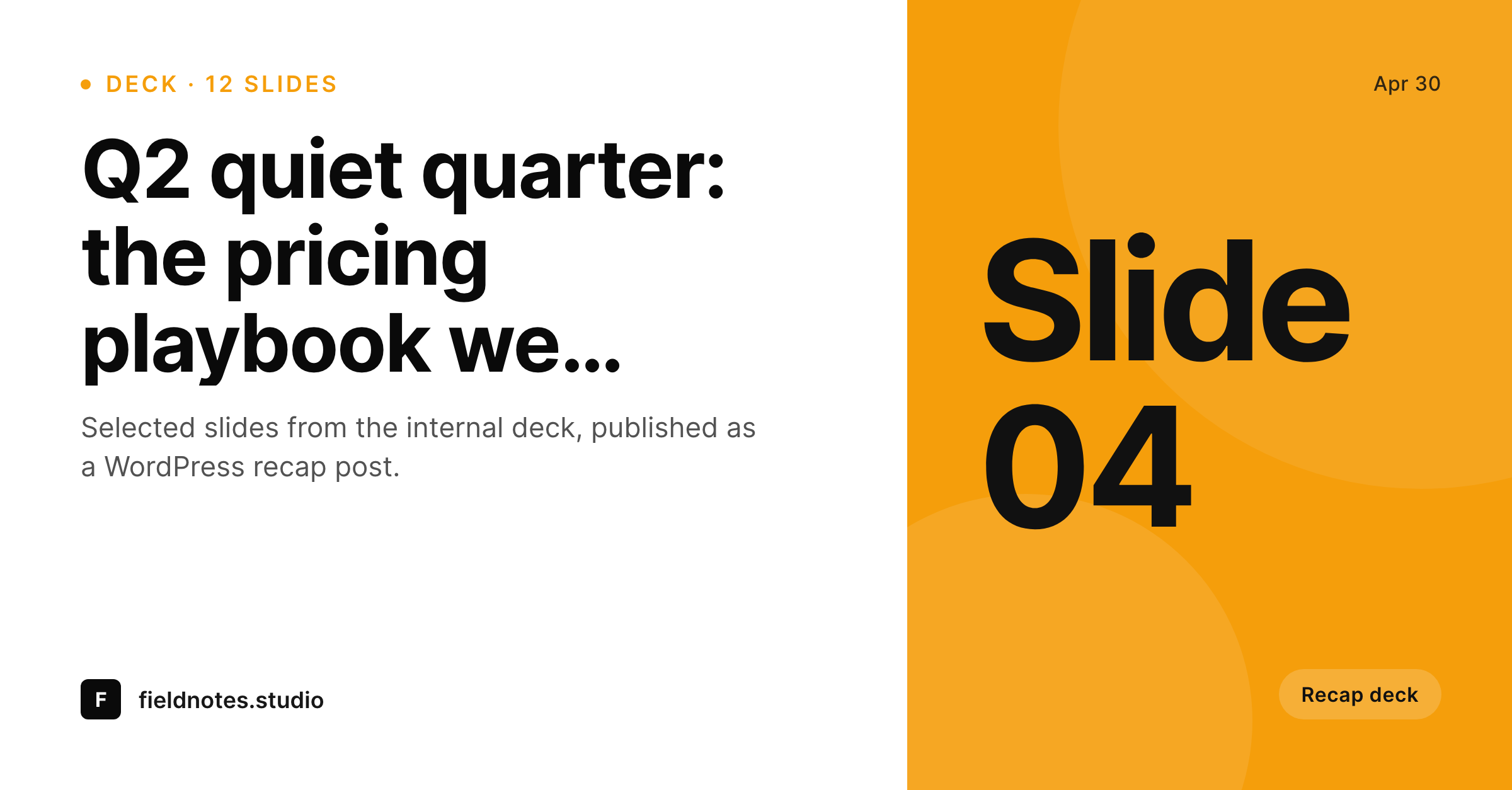
Marketing and sales enablement teams who summarise internal decks into WordPress posts get a 1200 by 627 LinkedIn-shaped share card per recap, with the deck title and slide count visible on the unfurl.
♾️ Lifetime License available
Decks are the source of truth, blog posts are how they travel
Internal decks in Google Slides are the lingua franca of revenue teams. Pitch decks, all-hands recaps, quarterly reviews, customer onboarding decks, all of them live in Slides, and all of them carry knowledge that the rest of the company or the public market would benefit from seeing. The path from Slides to a public-facing summary is rarely automated. Someone reads the deck, pulls out the four or five key slides, writes a short narrative, and ships a WordPress post recapping the deck for an external audience.
The share card on that recap post is what determines whether it travels on LinkedIn, which is where most B2B deck recaps need to land. LinkedIn unfurls a 1200 by 627 card, which is subtly different from the standard 1200 by 630 OG format, and a card built specifically for LinkedIn gets noticeably more engagement than a square or a generic horizontal. SleekPixel ships a LinkedIn-shaped template that reads the deck title, the slide count, the recap author, and renders the card on save inside WordPress.
The composition is tuned for the LinkedIn feed: a strong headline left-aligned, a small slide-count chip in the corner, the author in the bottom band. Optional integrations let the template pull a single export from the deck, the title slide or a chosen highlight, as a background or inset. That way the recap post on LinkedIn looks like a deck recap, not like a generic article. The Slides side stays exactly as the team uses it, the WordPress side ships the share artwork.
Workflow
From Slides deck to LinkedIn-ready recap
Build the deck in Slides
Write the recap in WordPress
Save the post
Share on LinkedIn
Output
What gets generated per deck recap post
A 1200 by 627 LinkedIn-shaped share card with the deck title, slide count, author byline, and an optional deck-slide thumbnail as background.
Comparison
Manual LinkedIn cards versus SleekPixel
Canva LinkedIn card per recap
- Sales enablement team exports a custom card from Canva for every recap post
- LinkedIn-specific 1200 by 627 dimension gets cropped wrong when the team reuses an OG card
- Deck title and slide count never appear on the unfurled link
- Author byline misses on the share preview, so the recap reads as anonymous
- Rebrands force a manual rework of every recap card across the archive
SleekPixel
- Renders a 1200 by 627 LinkedIn-shaped card on save inside WordPress
- Deck title, slide count, and author byline all surface on the card
- Optional deck-slide thumbnail pulls in as a background or inset element
- Brand template enforces visual identity across every recap post
- Bulk regenerate covers an archive of deck recaps in a single command
Features
What SleekPixel gives you for Google Slides
LinkedIn dimension
1200 by 627 is the LinkedIn-specific aspect ratio that does not crop on the feed. SleekPixel renders this dimension natively, not by squishing an OG card.
Slide count chip
A small corner chip shows the slide count, so a reader scanning the LinkedIn feed sees '12 slides' at a glance and understands the depth of the recap.
Author byline
The recap author appears in the bottom band of the card, with their photo if the WordPress user profile has one. The share preview reads as authored, not as anonymous.
Use cases
Where Slides-to-WordPress recap teams gain
Sales enablement recaps
Sales enablement teams summarising customer decks into a public-facing recap get LinkedIn-shaped cards that travel well in B2B feeds without a designer touching each post.
All-hands recaps
Company all-hands or town-hall decks summarised into a public recap post pick up the deck title and slide count on the share card so internal teams resharing it on LinkedIn carry the context.
Conference talk recaps
Speakers who give a talk from a Slides deck and publish a recap post afterwards get a per-talk share card that respects the LinkedIn dimension and shows the talk's slide count.
The bigger picture
Why LinkedIn deserves its own share dimension
LinkedIn shares are the primary distribution channel for most B2B content, and LinkedIn specifically unfurls links into a 1200 by 627 card rather than the OG-standard 1200 by 630. The difference is three pixels in height, which sounds trivial, but the LinkedIn renderer crops aggressively on cards that do not match exactly, and a card sized for the standard OG dimension loses its bottom band, which is often where the byline or call-to-action lives. The first reason a LinkedIn-specific dimension matters is rendering fidelity, the card has to land on the platform looking exactly as the team intended.
The second reason is engagement. LinkedIn rewards posts with the right card dimension and clear text overlay with higher initial reach, and a slide-count chip and visible deck title both improve dwell time on the feed. Teams running recap content programmes will see meaningfully different reach numbers between recap posts with a LinkedIn-specific card and recap posts with a generic OG card.
Slides stays as the deck tool, WordPress publishes the recap, SleekPixel makes the recap travel.
Questions
Common questions about SleekPixel for Google Slides
Not directly. SleekPixel does not call the Slides API. The recap content lives in a WordPress post, and the share card is composed from post fields. If a Slides export is referenced in post meta, the template can use it, but no live API call happens.
Yes, if the team exports the title slide or a chosen highlight as a PNG and uploads it to the WordPress media library. The template can position it as a background, inset, or corner element.
1200 by 627, which is LinkedIn's specific share dimension. This avoids the crop that happens when a 1200 by 630 OG card hits the LinkedIn renderer.
Yes, if configured. SleekPixel supports multiple templates per post type. A recap post can render both the 1200 by 627 LinkedIn card and a 1200 by 675 Twitter card in the same save.
Yes. Slide count is typically stored in a post meta field on the WordPress side, populated manually or by an import script. SleekPixel reads the field by name and renders the value as a corner chip.
Slides themes affect the slides themselves, not the share card. The SleekPixel template uses its own brand configuration, which can match the Slides theme manually, but no automatic theme import happens.
No. SleekPixel does not touch Google APIs. The deck source stays in Slides, the recap post lives in WordPress, and the rendering is fully local to the WordPress host.
Yes. The bulk regenerate WP-CLI command iterates every recap post and renders a fresh card with the new template. A library of two hundred recap posts rebuilds in minutes.
Pricing
More than 1000+
happy customers
Explore our flexible licensing options tailored to your needs. Upgrade your license anytime to access more features, or opt for a lifetime license for ongoing value, including lifetime updates and lifetime support. Our hassle-free upgrade process ensures that our platform can grow with you, starting from whichever plan you choose.
Lifetime ♾️
Most popular
EUR
once
- Unlimited websites
- Lifetime updates
- Lifetime support
...or get the Bundle Deal
and save €250 🎁
💎 Want everything forever? The All Access Pass is going away on 01.08.2026.
The Bundle (unlimited sites)
Pay once, own it forever
Elevate your WordPress site with our exclusive plugin bundle that includes all of our premium plugins in one package. Enjoy lifetime updates and lifetime support. Save significantly compared to buying plugins individually.
What’s included
-
SleekAI
-
SleekByte
-
SleekMotion
-
SleekPixel
-
SleekRank
-
SleekView
€749
Continue to checkoutBrowse more
- Weibo post images
- YouTube channel banners
- Bluesky profile banner
- Lens Protocol posts
- Patreon cover images
- Apple Music cover art
- Apple Podcasts covers
- Signal sticker pack
- kbin post images
- Behance project covers
- Behance banner
- Spotify playlist cover
- Facebook cover photos
- Poshmark listing images
- Twitch profile banner