






SleekPixel for Lens Protocol posts
Generate per-post 1200x630 link previews that Hey, Orb, and other Lens clients render when your publication links to a WordPress post.
♾️ Lifetime License available
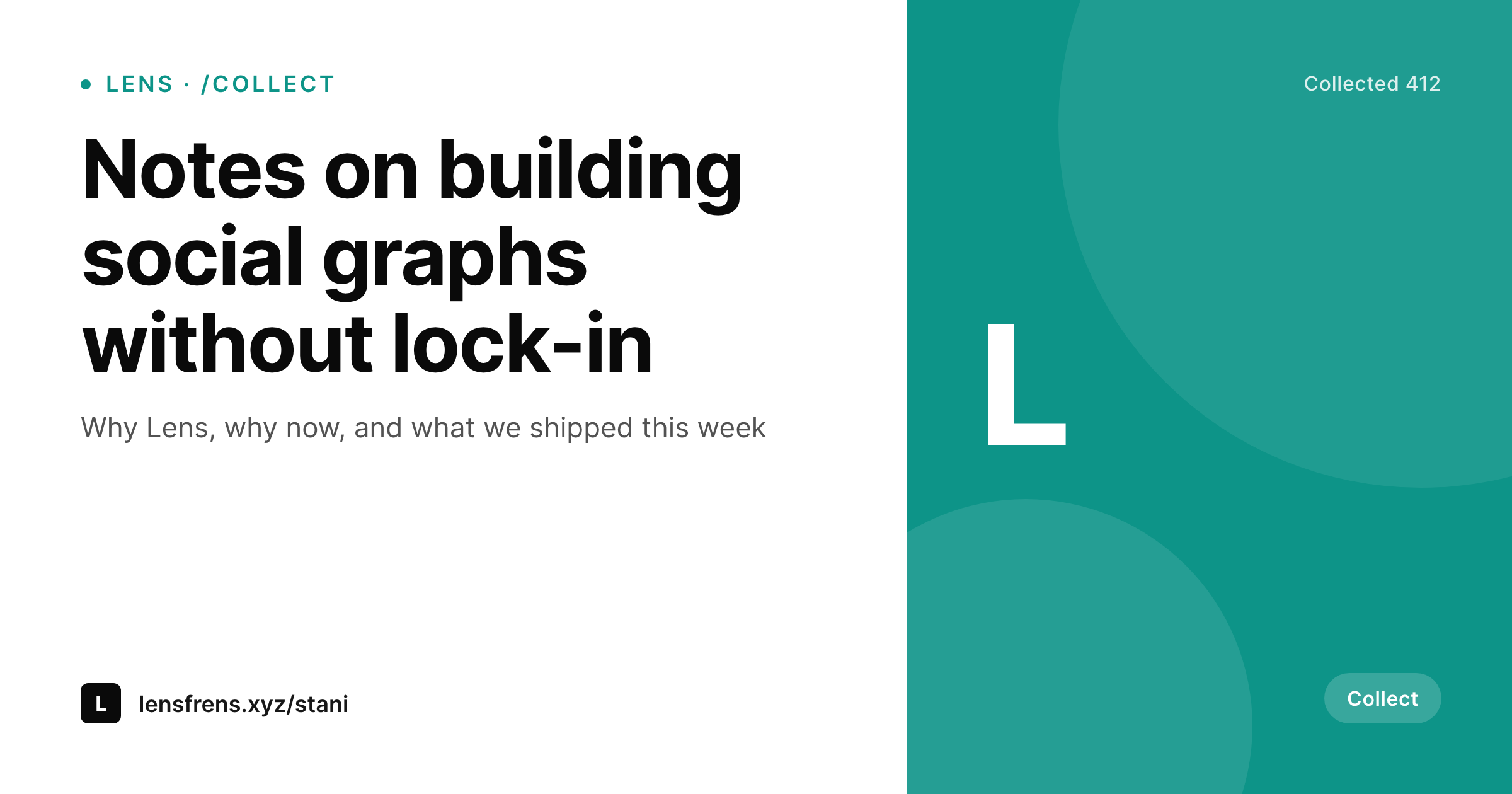
Lens posts deserve more than a default thumbnail
Lens Protocol publications often reference external content. A post on Hey or Orb that links to your essay, product, or release notes surfaces a preview based on the standard og:image and og:title meta tags. WordPress sites that use a static theme image surface the same flat preview on every Lens post, which kills the recognition that Lens clients rely on as you scroll.
SleekPixel renders a per-post PNG and writes the og:image meta tag for every post. When you link from a Lens publication to a WordPress URL, the client pulls the freshly rendered image with the post title, author handle, and any campaign mark you set.
The pipeline is shared with the rest of your OG image system, so each Lens-referenced post is a side effect of saving the post rather than a separate design task.
Workflow
Lens-ready previews from WordPress posts
Design the preview
Bind post fields
Save the post
Link from your publication
Output
What Lens clients see in feed
A 1200x630 card with post title, author, and a small mark, rendered to the dimensions Lens clients display for link previews.
Comparison
Default Lens preview vs SleekPixel for Lens Protocol posts
Default WordPress OG
- Every Lens link previews the same theme OG image
- Featured images get cropped or stretched into the preview slot
- No author handle or campaign mark in the preview
- Long titles get truncated below the image without a visible cue
- Cross-publication referrals fall flat because every link looks the same
SleekPixel
- Per-post 1200x630 PNG with title, handle, and optional mark
- og:image meta tag written into the post head automatically
- Real PNGs stored in WordPress uploads, downloadable from Gutenberg
- Brand refresh re-renders the entire archive at once
- Same render pipeline as the rest of your OG output
Features
What SleekPixel gives you for Lens Protocol posts
Standard OG output
Writes og:image and og:title, which is what Lens clients like Hey and Orb read when a link is referenced from a publication.
Handle slot
Surface your Lens handle or author display name in the card. Cross-references stay recognisable as your work in feed.
Per-collection templates
Scope different templates to WordPress categories so a /collect-style call-to-collect post and a regular essay surface with distinct cues.
Use cases
Where Lens previews compound recognition
Web3 writers
Long-form writers cross-posting to Lens get a preview that signals the piece, not a generic site logo.
Protocol builders
Release notes and changelogs from protocol teams get per-post previews when shared from team publications.
Curators
Curator publications that link out to picks get a recognisable preview for each piece, not a flat list.
The bigger picture
Why per-post Lens previews are worth the setup
Lens publications draw a tighter community than open social platforms, and the cost of an unrecognisable preview is higher because the audience tends to be the same people across multiple sessions. A reader who saw your essay preview last week and sees the same flat logo this week may not realise it is a new piece. Per-post previews keep each cross-reference visually distinct and on brand.
Because SleekPixel uses standard OG meta and renders at save time, the previews work in Hey, Orb, and any future Lens client that respects og:image without extra integration. A rebrand re-renders the archive so older cross-references keep matching the current system.
Questions
Common questions about SleekPixel for Lens Protocol posts
No, posting to Lens is done from a Lens client like Hey or Orb. SleekPixel renders the preview image and writes the og:image meta tag so that when you link from Lens to your WordPress URL, the client pulls a real branded preview.
Any Lens client that renders link previews using standard OG meta tags will pick up the SleekPixel image. Hey and Orb both support this; other clients may vary.
Yes, map your Lens handle field to the brand slot in the template. The handle renders alongside the title and any other fields you bind.
Yes, the rendered image is tied to the WordPress post, not to a specific Lens profile. Any contributor's link to the WordPress URL surfaces the same preview.
Scope a different template to a custom field or category that flags collect posts. The collect post renders with a distinct mark or CTA.
Yes, the PNG re-renders on save. Lens clients may cache the preview per URL, so if a reader saw an older version they might need to refresh the preview from inside the client.
Image render runs after the save commits and takes around 200-500ms. The editor never blocks waiting for the PNG.
In WordPress uploads as real files in your media library, downloadable from the Gutenberg sidebar.
Pricing
More than 1000+
happy customers
Explore our flexible licensing options tailored to your needs. Upgrade your license anytime to access more features, or opt for a lifetime license for ongoing value, including lifetime updates and lifetime support. Our hassle-free upgrade process ensures that our platform can grow with you, starting from whichever plan you choose.
Lifetime ♾️
Most popular
EUR
once
- Unlimited websites
- Lifetime updates
- Lifetime support
...or get the Bundle Deal
and save €250 🎁
💎 Want everything forever? The All Access Pass is going away on 01.08.2026.
The Bundle (unlimited sites)
Pay once, own it forever
Elevate your WordPress site with our exclusive plugin bundle that includes all of our premium plugins in one package. Enjoy lifetime updates and lifetime support. Save significantly compared to buying plugins individually.
What’s included
-
SleekAI
-
SleekByte
-
SleekMotion
-
SleekPixel
-
SleekRank
-
SleekView
€749
Continue to checkoutBrowse more
- Threads post cover
- Facebook ad images
- Substack podcast cover
- LinkedIn post images
- Instagram carousel slides
- Xiaohongshu cover images
- X list banners
- Vimeo channel banners
- Shopify collection banners
- WeChat Moments images
- Twitter card images
- Threads post images
- Reddit subreddit banners
- Pinterest Idea Pins
- Notion page covers