






SleekPixel for tutorial thumbnails
SleekPixel reads each tutorial post's title, episode number, duration, and category and renders a 1280x720 thumbnail on save. Use it as the OG image, the YouTube upload thumbnail, or both.
♾️ Lifetime License available
Stop hand-designing thumbnails for every tutorial
Tutorial creators spend more time on thumbnails than they do on outlines. Every video needs a hand-cropped face, a hand-typed headline, an arrow, a circle, three layers of text shadow. The pattern across a channel ends up looking inconsistent because each thumbnail was a different evening's mood. The viewers who would have clicked never see one that catches them.
SleekPixel handles the structural part - the layout, the brand colors, the typography, the position of the title - and leaves the creative part to you. You build one template in the WordPress admin using fields like {post_title}, {episode_number}, {duration}, and {category}. Every tutorial post you save renders a thumbnail at 1280x720 that you can use as the YouTube upload, the OG image on the show notes page, or both.
Edit the template once and every past tutorial's thumbnail regenerates with the new look. Add a new field - a difficulty level, a software version - every tutorial inherits it. The face on camera and the screen recording stay in the video; the thumbnail wraps both in something that looks like a series.
Workflow
From tutorial post to thumbnail in one save
Design the template
Connect to post type
Save the tutorial
Use it anywhere
Output
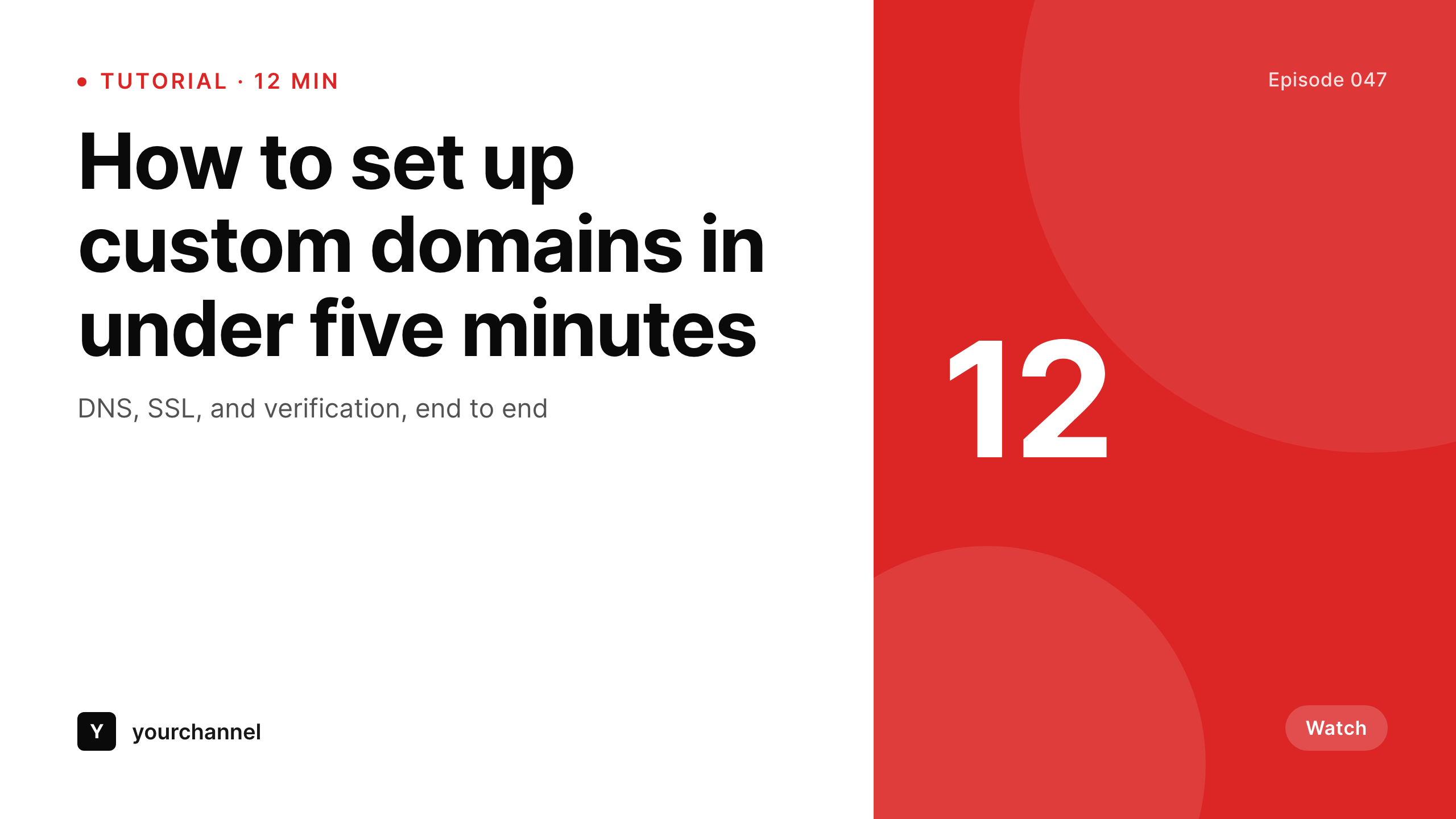
Sample thumbnail from a tutorial post
This thumbnail was rendered from a tutorial post's title, episode number, and duration. Same template, every tutorial.
Comparison
Hand-made thumbnails vs SleekPixel
Manual thumbnail per tutorial
- Each thumbnail is hand-typed, hand-cropped, hand-arranged - hours per video
- The channel pattern drifts because every thumbnail is built fresh
- Updating the brand means re-exporting every past thumbnail one by one
- Episode numbering and duration get formatted differently every time
- No automation - the bottleneck is always the editor's design time
SleekPixel
- Auto-generated 1280x720 thumbnail per tutorial post on save
- Per-post variables: title, episode number, duration, category, custom fields
- One template = one consistent series look across the entire channel
- Edit the template once and bulk-regenerate every past tutorial
- Falls back gracefully if duration or episode number is missing
Features
What SleekPixel gives you for tutorial thumbnails
Template-driven
Design the thumbnail layout once with shapes, text, and dynamic fields. Every tutorial post inherits it automatically on the next save.
OG + Twitter meta
SleekPixel writes the og:image, twitter:image, and twitter:image:alt tags on each tutorial show-notes post - no theme code to touch.
Regenerate on demand
Updated the template after a series rebrand? Bulk-regenerate every past tutorial thumbnail from the admin in one pass.
Use cases
Where this fits best
Tutorial channels
A consistent thumbnail pattern across episodes makes the series recognizable in a feed of unrelated videos.
Course platforms
Lesson title and duration pulled per post - viewers see exactly what they're clicking from the share preview.
Multi-instructor sites
Instructor name and avatar pulled per tutorial - viewers see who's teaching what at a glance from the thumbnail.
The bigger picture
Why a consistent thumbnail matters
Tutorial thumbnails do double work. On YouTube, they decide whether the click happens. On social shares of the show notes page, they decide whether the link looks like part of a series or a one-off video.
Channels that look like a series build subscribers; channels that look like a folder of unrelated uploads don't. Hand-designing every thumbnail is realistic for a creator who publishes once a week with a few hours to spare; for anyone shipping faster, the pattern always drifts. The middle path - a template that fills in title, episode number, and duration automatically - is how series like Fireship, Web Dev Simplified, and ThePrimeagen keep a coherent visual identity.
SleekPixel brings that approach to any WordPress site that publishes tutorial content alongside the videos.
Questions
Common questions about SleekPixel for tutorial thumbnails
Yes. The output is a 1280x720 PNG saved to the uploads folder. Download it from the post and upload it to YouTube, or use a YouTube API integration to push it automatically.
The template renders without it. You can set a default per field (e.g., 'Tutorial' if duration is empty) or design the layout so missing fields collapse cleanly.
Yes. The admin has a one-click bulk regeneration that re-renders all thumbnails for posts using the template. Useful after series rebrands.
No. The image is rendered once at save time and stored as a static PNG. Visitors load a regular image URL - no rendering happens at view time.
The template supports image fields, so if you upload a per-tutorial portrait crop into a custom field, SleekPixel will composite it into the thumbnail layout. Use the WordPress media library.
Yes. SleekPixel supports per-category, per-tag, and per-CPT templates. Tag tutorials by series and route each tag to its own template.
The video embed stays as is - SleekPixel doesn't touch theme content. The thumbnail is a separate piece of metadata that lives in the post's image field and og:image tag.
Stores. Each generated thumbnail is a real PNG saved to the uploads folder. This keeps page loads fast and means images survive even if the plugin is later disabled.
Pricing
More than 1000+
happy customers
Explore our flexible licensing options tailored to your needs. Upgrade your license anytime to access more features, or opt for a lifetime license for ongoing value, including lifetime updates and lifetime support. Our hassle-free upgrade process ensures that our platform can grow with you, starting from whichever plan you choose.
Lifetime ♾️
Most popular
EUR
once
- Unlimited websites
- Lifetime updates
- Lifetime support
...or get the Bundle Deal
and save €250 🎁
💎 Want everything forever? The All Access Pass is going away on 01.08.2026.
The Bundle (unlimited sites)
Pay once, own it forever
Elevate your WordPress site with our exclusive plugin bundle that includes all of our premium plugins in one package. Enjoy lifetime updates and lifetime support. Save significantly compared to buying plugins individually.
What’s included
-
SleekAI
-
SleekByte
-
SleekMotion
-
SleekPixel
-
SleekRank
-
SleekView
€749
Continue to checkoutBrowse more
- Behance banner
- Mailchimp email banner
- KDP paperback cover
- Substack post headers
- Twitch offline banners
- VSCO cover
- Instagram carousel slides
- Twitch camera frame
- Threads post images
- Klaviyo email headers
- Twitch schedule banners
- Patreon cover images
- Signal sticker pack
- Reddit subreddit banners
- YouTube Shorts thumbnails