






SleekPixel for Notion page covers
Templated 1500x600 Notion page covers rendered from your post data. Hot-link from Notion or download from the editor sidebar. Database covers stay consistent across every page in the workspace.
♾️ Lifetime License available
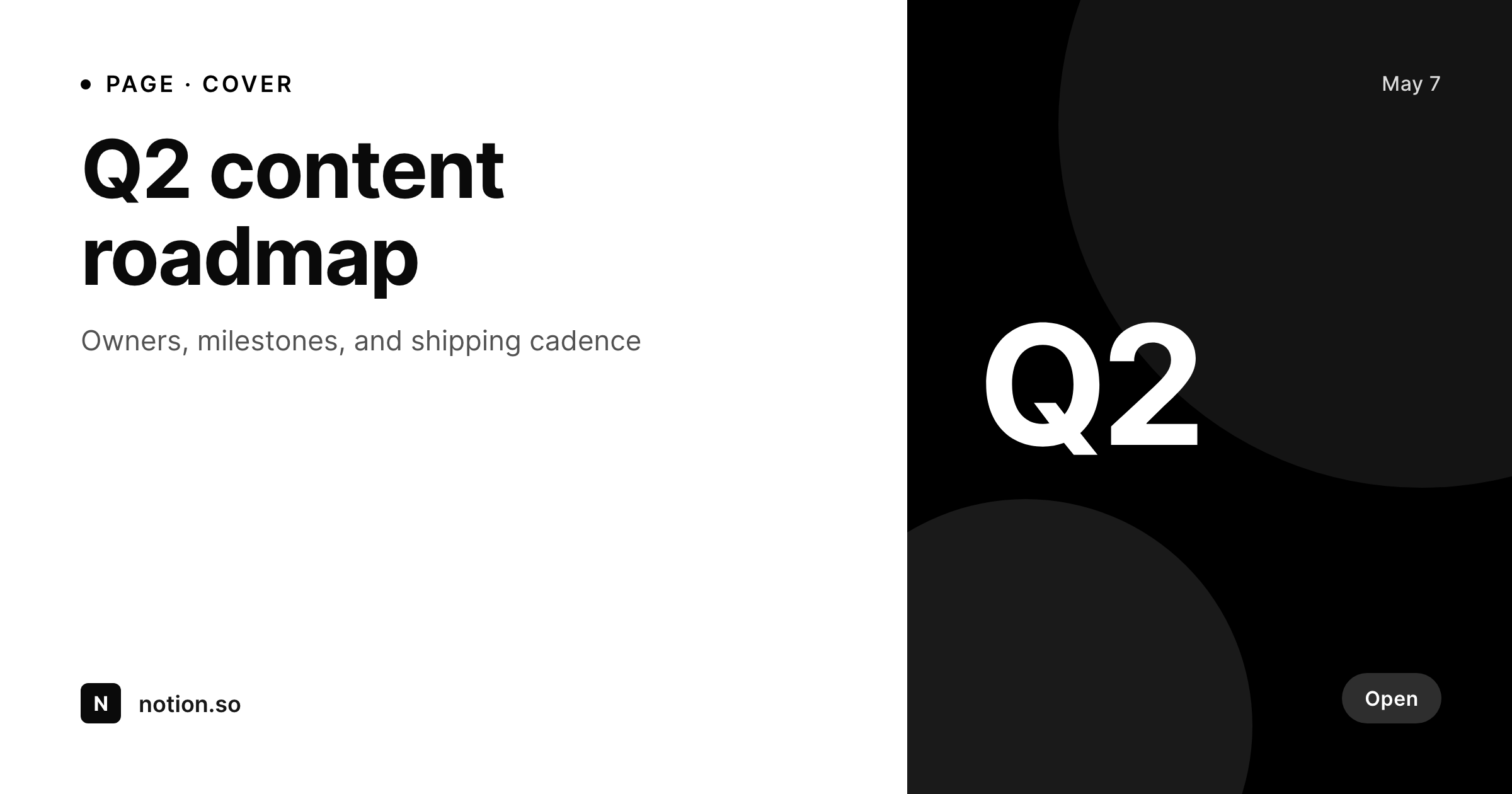
Notion page covers tell you what the page is about, or they don't
Notion uses the page cover as the visual at the top of the page, in linked database galleries, and inside the search preview. By default, Notion ships with a stock cover library and a hot-link option, so most workspaces drift into either generic stock images or no covers at all. Heavy Notion users (knowledge bases, internal wikis, public docs sites that mirror their content from WordPress) end up with a workspace where every page looks like every other page.
SleekPixel renders Notion-sized covers from WordPress posts. The template is 1500 by 600, the Notion-recommended cover size, in HTML and CSS with slots for the page title, owner, status, and any custom field. Public-facing Notion sites that mirror WordPress content get covers that match the source post identity. Internal teams using Notion for documentation can hot-link the rendered file directly into the Notion cover dialog by URL, so updates to the WordPress post propagate to the Notion cover.
For workflows that prefer a clean upload over a hot-link, SleekPixel exposes a download button in the editor sidebar. The PNG is named after the post, in uploads, ready for the Notion cover dialog.
Workflow
From WordPress post to Notion-ready cover
Design the template
Bind the post fields
Save the post
Hot-link or upload
Output
What gets generated per page
A 1500x600 PNG sized for the Notion page cover dialog, with the page title, owner, status, and any field mapped from the post.
Comparison
Manual Notion covers versus SleekPixel
Stock library / no cover
- Every page gets the same Notion stock cover or no cover at all
- Hot-linked covers from Unsplash break when an image is taken down
- Database galleries look identical because every cover is generic
- Status changes on the page never propagate to the cover
- 1500 by 600 is wide enough that Canva templates rarely match cleanly
SleekPixel
- 1500x600 PNG rendered per WordPress post on save
- Title, owner, status, and any custom field bind into the template
- Hot-linkable from Notion via the rendered file URL
- Downloadable from the editor sidebar as a backup option
- Real PNGs in uploads, served from your own domain
Features
What SleekPixel gives you for Notion page covers
Per-page render
Each WordPress post produces its own 1500 by 600 cover with the page title, owner, and status.
Hot-linkable
The rendered file URL drops directly into the Notion cover dialog, so updates on the WordPress side propagate to Notion.
Sidebar download
Prefer a clean upload over a hot-link? Click download in the editor sidebar and use the PNG manually.
Use cases
Where Notion covers shape the workspace
Public docs
Public-facing Notion docs sites mirror WordPress content and keep cover consistency between the source post and the Notion page.
Internal wikis
Database galleries surface real titles and owners on each cover instead of identical stock photos.
Quarterly roadmaps
Roadmap pages render covers with the quarter and milestone, so a glance at the database tells the team what is in flight.
The bigger picture
Why Notion covers carry the workspace identity
Notion lets the cover do the visual lifting, and a workspace with default covers reads as a workspace nobody is curating. Heavy Notion users know this, but the manual cost of designing a cover per page in Canva is too high to sustain across hundreds of pages. The result is a workspace with five lovingly-designed covers and a long tail of stock placeholders.
SleekPixel makes the cover a render of the source post. Public docs that mirror WordPress get covers that match the source identity. Internal wikis get database galleries where every page is visually distinguishable because every cover surfaces the page title and owner.
Quarterly roadmap pages get covers that update when the quarter rolls. Hot-linking means changes on the WordPress side propagate to Notion without anyone re-uploading a file. The workspace stops looking generic and starts looking curated, on every page, in every database.
Questions
Common questions about SleekPixel for Notion page covers
It does not call the Notion API. The rendered file URL can be hot-linked from Notion, so updates on the WordPress side propagate to Notion when Notion fetches the URL. Manual upload via the editor sidebar download is also supported.
1500 by 600, the Notion-recommended page cover size. The dimension is configurable in the template.
Yes. Bind a status, owner, or any custom field on the WordPress post and the template renders that information.
Yes. Notion accepts any public image URL as a cover. The rendered file is a static PNG on your domain, so it loads on every plan.
Use the editor sidebar download to grab the PNG and replace the hot-linked cover with an uploaded one. Both routes use the same rendered file.
Yes, including self-hosted custom fonts. The template is HTML and CSS, so any font you can serve works.
In the WordPress uploads directory as real PNGs, served from your own domain. They are in the media library and included in normal backups.
No. Rendering happens on save. There is no per-view API call and no usage cap.
Pricing
More than 1000+
happy customers
Explore our flexible licensing options tailored to your needs. Upgrade your license anytime to access more features, or opt for a lifetime license for ongoing value, including lifetime updates and lifetime support. Our hassle-free upgrade process ensures that our platform can grow with you, starting from whichever plan you choose.
Lifetime ♾️
Most popular
EUR
once
- Unlimited websites
- Lifetime updates
- Lifetime support
...or get the Bundle Deal
and save €250 🎁
💎 Want everything forever? The All Access Pass is going away on 01.08.2026.
The Bundle (unlimited sites)
Pay once, own it forever
Elevate your WordPress site with our exclusive plugin bundle that includes all of our premium plugins in one package. Enjoy lifetime updates and lifetime support. Save significantly compared to buying plugins individually.
What’s included
-
SleekAI
-
SleekByte
-
SleekMotion
-
SleekPixel
-
SleekRank
-
SleekView
€749
Continue to checkoutBrowse more
- Telegram channel cover images
- WhatsApp status images
- Pinterest video pin covers
- YouTube playlist covers
- Facebook Marketplace images
- KDP hardcover cover
- LinkedIn document post covers
- Mastodon profile banners
- Facebook ad images
- Mastodon profile header
- Instagram carousel slides
- TikTok ad images
- Amazon A+ content images
- Mailchimp email headers
- LinkedIn showcase page banners