






SleekPixel for photographers
SleekPixel reads each journal post's title, the location, the session type, and your wordmark, then renders a square Instagram card on save. Consistent cards across every share, with no design step in the workflow.
♾️ Lifetime License available
Stop redesigning the Instagram card after every shoot
Working photographers publish constantly - journal posts after each session, gallery pages for clients, blog write-ups for portfolio pieces, and announcement posts for new packages. Each one tends to land on Instagram Stories, in DMs, and on partner vendors' feeds, and each time a designer is asked - or the photographer is - to crop a hero frame, set type over it, and push it through. A dozen sessions later the visual identity has drifted because every card was made on a different evening with a different mood.
SleekPixel solves this without taking a single edit out of the photographer's hands. You build one card template in the admin that reflects the brand - the wordmark, the way titles are set, a slot for the session subtitle, and a small badge for the category - using fields like {post_title}, {author_name}, {category}, and {publish_date}. Every time a journal post is saved, SleekPixel renders that template, and the result is sized for a square Instagram share.
Edit the template once and every past journal post picks up the new look. The cover frame from the shoot still drives the post page itself; the social card is a separate, considered piece that keeps the feed and DM previews on-brand. Editorial moods change, but the typographic identity holds.
Workflow
From cull to share-ready in one save
Design the template
Connect to post type
Save the post
Share anywhere
Output
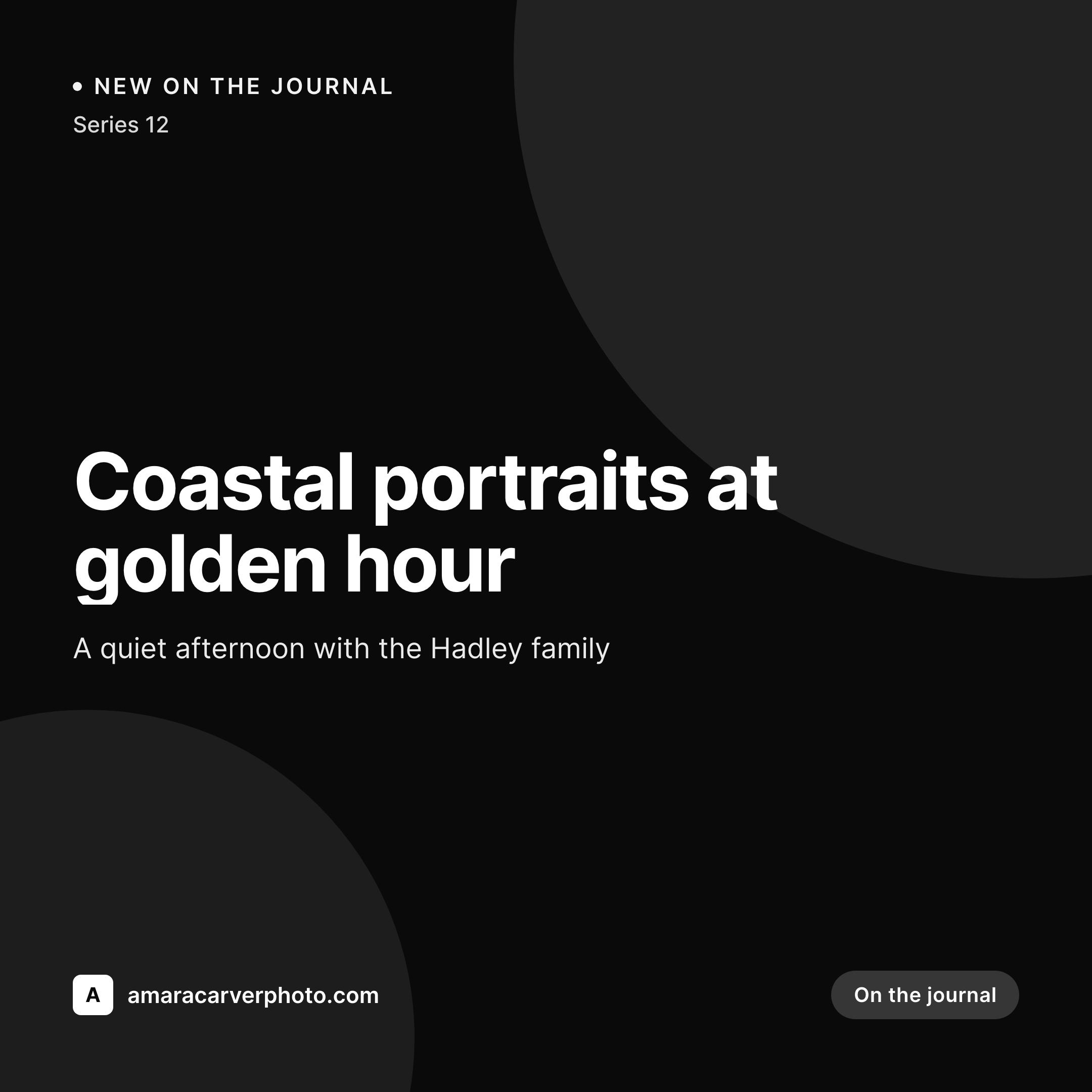
Sample square card from a journal post
This card was rendered from a journal post's title, the location, the session type, and a single dark accent. Same template, every session.

Comparison
Hand-designed Instagram cards vs SleekPixel
Manual designs per session
- Each journal card gets cropped and typeset by hand after the cull
- Type, sizing, and color choices drift across sessions
- Old posts look different from new posts after a brand refresh
- Studio assistants spend hours per week on simple typesetting
- No automation - the share card depends on remembering every time
SleekPixel
- Auto-generated square card per journal post on save, every time
- Per-post variables: title, location, session type, publish date
- One template = one consistent wordmark and type system across the feed
- Edit the template once and every past post's card refreshes
- Falls back gracefully if a session field or location is missing
Features
What SleekPixel gives you for photographers
Template-driven
Design the card layout once with the wordmark, the title slot, and the session subtitle. Every journal post inherits it on the next save.
Square 1:1 by default
Renders at 1080 × 1080 - exactly what Instagram and link-in-bio tools want. No cropping required after the fact.
Regenerate on demand
Refreshed the wordmark or changed type? Bulk-regenerate every journal post's card from the admin so the entire archive is in step.
Use cases
Where this fits best
Session journal posts
Family sessions, weddings, brand sessions - each journal post gets a card tied to the session and location, not a generic studio logo.
Portfolio updates
New portfolio category and series pages each share with their own card so the feed stays varied without losing the studio's identity.
Package announcements
Pricing or seasonal package launches share with a card sized for the feed - no rushed Canva job before posting.
The bigger picture
Why a consistent Instagram card matters for photographers
A photographer's identity lives in the feed and the DMs. A bride sends a vendor friend a journal post, the friend saves it to a planning folder, weeks later a stylist sees the saved card in a deck and asks who shot it. Each step is mediated by a thumbnail.
Generic studio-logo cards waste the moment. Hand-crafted cards drift over months because a different assistant typesets each one. Bespoke per-session designs are unrealistic during peak season.
The middle path - a template that adapts to each session automatically - keeps the wordmark and type system holding the brand together while allowing the imagery on the post page itself to carry the mood. SleekPixel brings that to WordPress without forcing the studio to keep design files in sync across multiple tools, and without putting weekly typesetting work on the assistant's plate.
Questions
Common questions about SleekPixel for photographers
No. The hero on the journal post stays exactly as you set it - usually a full-bleed frame from the shoot. The square card is a separate piece of metadata used for sharing only.
Yes. SleekPixel writes og:image with high priority - it overrides Yoast, Rank Math, and AIOSEO fallbacks cleanly. The rest of the SEO stack keeps doing what it already does.
Yes. The admin has a one-click bulk regeneration that re-renders every journal post's card. After a rebrand, one click brings the entire archive in line.
No. The image is rendered once at save time and stored as a static PNG. Visitors load a regular image URL - no rendering happens on each page view.
Instagram pulls link previews from og:image when journal posts are shared in Stories or DMs and when partner vendors share the URL. Direct in-feed posts still come from the photo file uploaded in the Instagram app.
Yes. SleekPixel supports per-category, per-tag, and per-CPT templates. Routing rules pick the right card so wedding journal posts can look distinct from brand-session posts.
Pinterest reads og:image too, but vertical pins do better. You can set a per-post Pinterest template in vertical 2:3 alongside the square Instagram card.
Stores. Each generated image is a real PNG saved to the WordPress uploads folder, so it survives plugin deactivation and pages stay fast under share-spike traffic.
Pricing
More than 1000+
happy customers
Explore our flexible licensing options tailored to your needs. Upgrade your license anytime to access more features, or opt for a lifetime license for ongoing value, including lifetime updates and lifetime support. Our hassle-free upgrade process ensures that our platform can grow with you, starting from whichever plan you choose.
Lifetime ♾️
Most popular
EUR
once
- Unlimited websites
- Lifetime updates
- Lifetime support
...or get the Bundle Deal
and save €250 🎁
💎 Want everything forever? The All Access Pass is going away on 01.08.2026.
The Bundle (unlimited sites)
Pay once, own it forever
Elevate your WordPress site with our exclusive plugin bundle that includes all of our premium plugins in one package. Enjoy lifetime updates and lifetime support. Save significantly compared to buying plugins individually.
What’s included
-
SleekAI
-
SleekByte
-
SleekMotion
-
SleekPixel
-
SleekRank
-
SleekView
€749
Continue to checkoutBrowse more
- field notes card
- ship log cards
- workshop replay card
- tweet screenshot card
- remote first card
- fireside chat card
- roadmap update cards
- AMA recap card
- trick of the day cards
- year in numbers cards
- hiring announcement images
- lead magnet card
- Product Hunt launch card
- demo day card
- book recommendation cards
- Weibo post images
- Threads profile banner
- Amazon A+ content images
- Mastodon post images
- Kick stream thumbnails
- podcast cover art
- Instagram Shop product images
- Twitch starting soon screen
- TikTok Now image
- Poshmark listing images
- LinkedIn newsletter headers
- Bluesky link cards
- Facebook event covers
- YouTube channel banners
- Instagram highlight covers