






SleekPixel for G2 badge cards
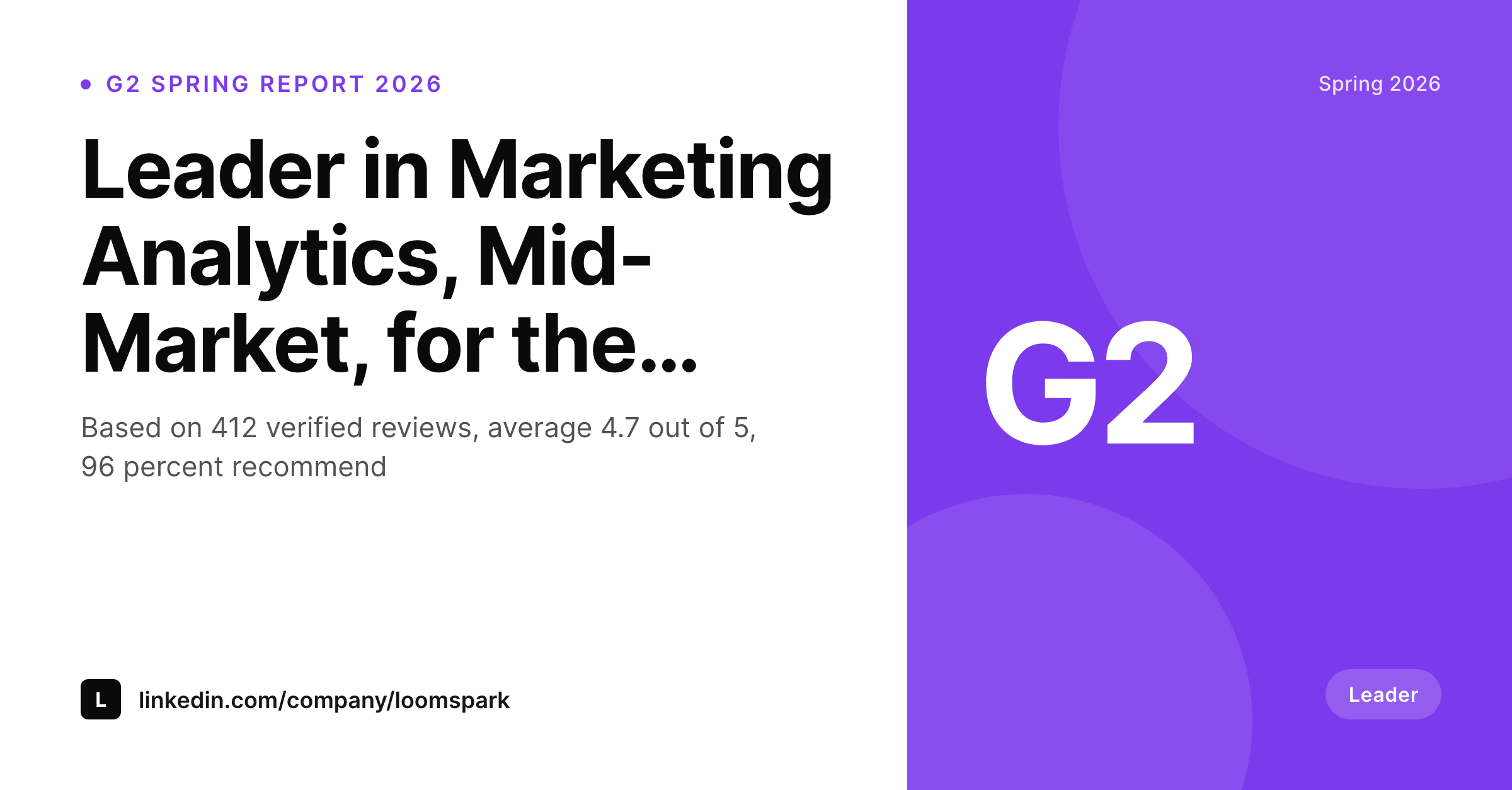
Teams announcing a new G2 badge need a share image that carries the category, the quarter, the review count, and the brand frame. SleekPixel renders one card per award in WordPress, built from the fields on save.
♾️ Lifetime License available
G2 badge announcements need more than the G2 logo
Every B2B SaaS team that earns a G2 badge runs into the same announcement problem. The G2 site provides a download badge, a transparent PNG with the award name on it, and that ends up pasted onto a generic LinkedIn graphic with the company logo above it. The result is a card that looks like every other G2 announcement on LinkedIn that week, and the actual signal, the category, the quarter, the review count, gets lost in the visual noise.
The fix is to treat the badge as one element in a card, not the card itself. Lead with the brand. Name the category specifically. State the quarter. Add the verified review count and the average rating as supporting numbers. Place the G2 badge in a fixed slot as the proof, not as the headline. Built once as a template, this works for every badge the company earns over the next four years, including the ones in categories that did not exist yet when the template was designed.
SleekPixel binds the badge card to a custom award post or a meta block on the company page. Award name, category, quarter, review count, and average rating come from fields. The render fires on save, writes the PNG to uploads, and serves it as og:image. New badge next quarter, same template, fresh card.
Workflow
From G2 report to share card in one save
Design the badge template
Add the G2 badge slot
Save the award post
Post the announcement
Output
What a generated G2 badge card looks like
A 1200x627 LinkedIn-ready card with the award category, the quarter, the review count, and the average rating, framed in brand colors.
Comparison
Default G2 announcement vs SleekPixel
Default G2 announcement image
- G2 badge pasted on a generic LinkedIn graphic with no brand frame
- Award category never visible at thumbnail size
- Review count and average rating live in a separate caption only
- Quarter and report name missing from the share image entirely
- Each announcement designed from scratch, drift accumulates per quarter
SleekPixel
- Render fires on save for every award post or quarterly badge entry
- Award category, quarter, review count, and average rating pulled from fields
- G2 badge slot reserved in the template, not pasted at the top
- og:image and twitter:image meta tags written automatically
- Next quarter's announcement uses the same template with new fields
Features
What SleekPixel gives you for G2 badge cards
Category leads, badge supports
The award category renders as the headline of the card. The G2 badge sits in a smaller slot underneath as the visual proof, which keeps the brand and the specific category at the top of the visual hierarchy.
Quarter on the card
Every G2 report ships per quarter and per region. The template surfaces the quarter and the report name so an announcement from Spring 2026 reads differently from one in Winter 2025 at a glance.
Verified review numbers
Review count and average rating render as supporting numbers below the category line. The card shows the proof that the badge was earned, not just the badge as an asset.
Use cases
Where G2 badge cards earn their keep
B2B SaaS marketing teams
Teams running a quarterly cadence of G2 badge announcements on LinkedIn and the company blog. Each new badge becomes a card on the announcement page and a share asset for sales and leadership.
Customer marketing functions
Customer marketers building review programs that feed into G2. The badge card closes the loop, showing the team and the customer base what their reviews earned this quarter.
Investor and board updates
Founders and operators including G2 standing in investor updates. The card travels into decks and PDFs as a single image with the category, the quarter, and the proof in one frame.
The bigger picture
Why a templated badge card beats a one-off graphic
G2 badge announcements run on a strict quarterly cadence, and the work to design each one tends to fall on whichever marketer is least busy that week, which means the visual treatment drifts year over year. Templated cards keep the visual brand consistent across many quarters, many categories, and many regions, without forcing a designer to start each badge from a blank canvas. The card also surfaces information that the badge alone does not carry, namely the category specificity, the quarter, and the verified review numbers behind the award.
That extra context turns a generic G2 announcement into a credible piece of evidence that a prospect can scan in two seconds and a board member can paste into a deck without reformatting. The compounding value is real once a team earns badges in multiple categories per quarter.
Questions
Common questions about SleekPixel for G2 badge cards
Yes. The same template approach works for TrustRadius, Capterra, Software Advice, and others. Each platform has its own badge PNG, and the template can swap in the right asset based on a meta field.
Create a new award post, fill in the category, the quarter, the metrics, and upload the new G2 badge. Save. SleekPixel renders the card and the announcement URL is ready.
Yes. The template can render up to three badge slots in a row for quarters where the team earns several at once. The category headline can flex to summarise the win across categories.
Upload the new badge asset to the media library and update the award post. The template keeps the same layout and swaps the asset in the slot. No design rework needed.
Yes. Add a second template at 1080x1080 bound to the same fields. SleekPixel can render multiple sizes per post and the admin lets you pick which size powers og:image versus which one is a downloadable asset.
Yes. A region meta field can drive a flag or a region label in a slot on the card. EMEA, Americas, APAC variants of the same award render distinctly without separate templates.
Headless render on save, usually under a second. The save returns immediately and the PNG lands in uploads in the background.
Yes. Create award posts for the past quarters with the right fields. SleekPixel renders the cards on save and each past quarter has a share-ready URL going forward.
Pricing
More than 1000+
happy customers
Explore our flexible licensing options tailored to your needs. Upgrade your license anytime to access more features, or opt for a lifetime license for ongoing value, including lifetime updates and lifetime support. Our hassle-free upgrade process ensures that our platform can grow with you, starting from whichever plan you choose.
Lifetime ♾️
Most popular
EUR
once
- Unlimited websites
- Lifetime updates
- Lifetime support
...or get the Bundle Deal
and save €250 🎁
💎 Want everything forever? The All Access Pass is going away on 01.08.2026.
The Bundle (unlimited sites)
Pay once, own it forever
Elevate your WordPress site with our exclusive plugin bundle that includes all of our premium plugins in one package. Enjoy lifetime updates and lifetime support. Save significantly compared to buying plugins individually.
What’s included
-
SleekAI
-
SleekByte
-
SleekMotion
-
SleekPixel
-
SleekRank
-
SleekView
€749
Continue to checkoutBrowse more
- YouTube playlist covers
- Apple Music cover art
- Stan Store cover
- YouTube podcast thumbnails
- Shopify collection banners
- Etsy listing images
- Facebook event covers
- Kindle book cover
- X list banners
- KDP paperback cover
- Odnoklassniki banners
- Pinterest video pin covers
- Telegram channel banner
- Snapchat Spotlight covers
- SoundCloud track art