






SleekPixel for LottieFiles animations
LottieFiles hosts the animations, WordPress hosts the design library page. SleekPixel renders a per-animation 1080 by 1080 card so the work that goes out on Instagram looks like the brand behind it.
♾️ Lifetime License available
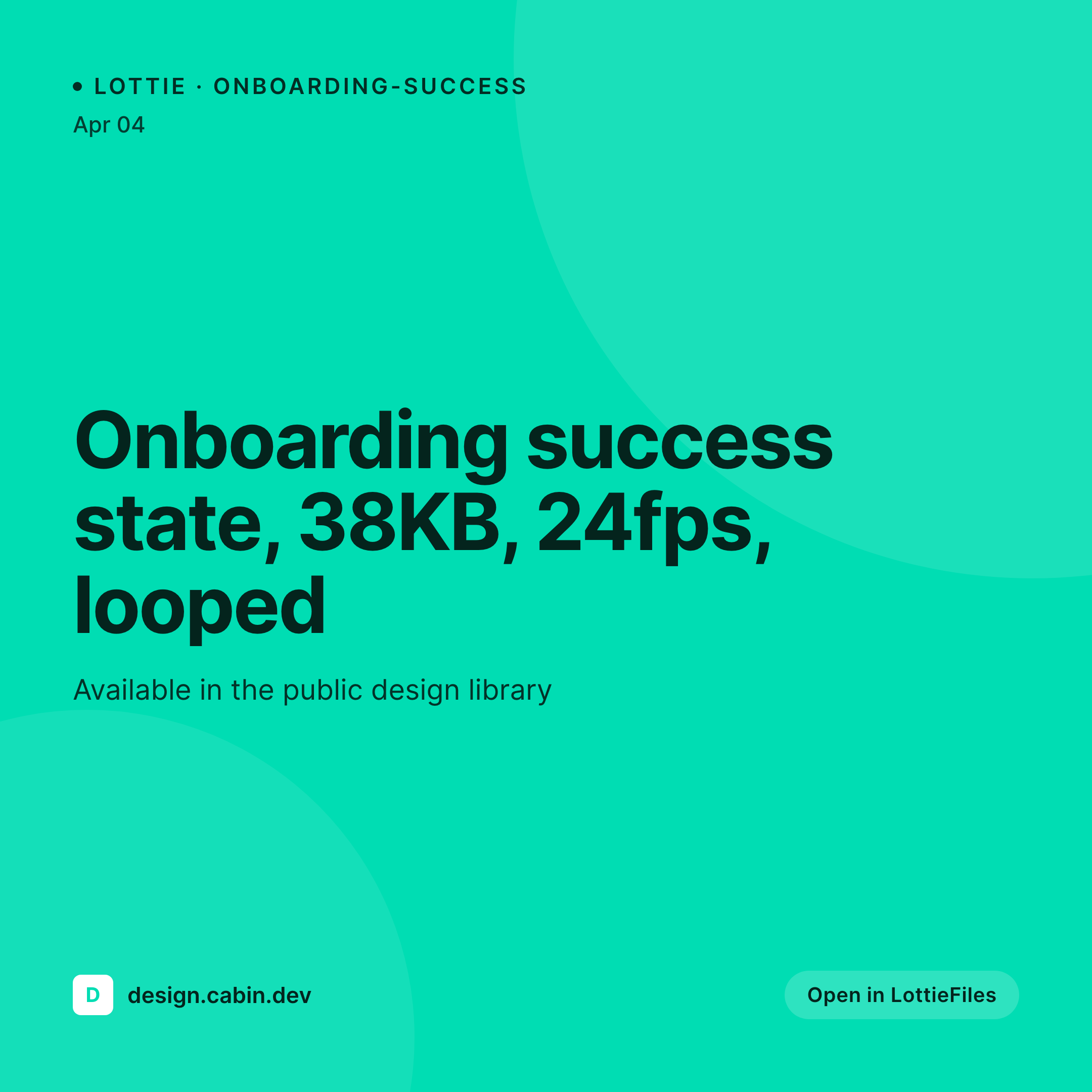
The animation lives on LottieFiles, the share lives on Instagram
LottieFiles is where many design teams publish their animation work. The hosted player handles embeds, the public file URLs make sharing easy, and the marketplace adds a discovery layer. What LottieFiles does not handle is the Instagram-side share preview. A team that wants to announce a new icon set, a loader pack or an onboarding animation drops a link or a clip into a post, and the actual context (animation name, frame count, file size) lives outside the visual.
The pattern that works is to keep LottieFiles as the file host, host a small WordPress page per animation as the marketing entry, and let SleekPixel render the Instagram-sized cards. Each card carries the animation name, the loop length, the file size and the brand mark. Designers post the card to Instagram, and the description links out to the WordPress page, which deep-links to LottieFiles for the live preview.
The whole loop runs in a couple of hours of setup. The repeatable benefit shows up every time the design team ships a new animation, because the card just renders. Brand consistency across the Instagram grid stops being something a designer has to manually carry from animation to animation.
Workflow
From LottieFiles entry to Instagram card
Mirror LottieFiles entries into WordPress
Build the Instagram template
Trigger renders on save
Post the card on Instagram
Output
Instagram square for a Lottie file
A 1080 by 1080 Instagram-ready PNG with the animation name, file size, frame count and brand mark, rendered from the WordPress page that mirrors the LottieFiles entry.
Comparison
Generic Instagram post vs SleekPixel animation card
Default Instagram post art
- Designers manually export Instagram art for every Lottie release
- Brand consistency drifts across the design team grid over time
- Animation name, size and frame count rarely make it onto the post
- Updating a Lottie file does not regenerate the existing Instagram art
- Lottie's own previews are not Instagram-sized or brand-styled
SleekPixel
- Reads WordPress fields synced from LottieFiles entries
- Per-animation 1080 by 1080 PNG ready for Instagram
- Brand color, type and frame stats bind into the card
- Bulk re-render the grid when the brand template changes
- Works alongside any LottieFiles-to-WordPress sync
Features
What SleekPixel gives you for LottieFiles animations
Lottie-aware slots
Animation name, frame count, file size and category bind to template slots. Each card matches the file on the other side.
Instagram dimensions
Cards render at 1080 by 1080 with the safe-zone padding Instagram crops respect. The grid stays consistent across the team's profile.
Re-renders on metadata change
When the LottieFiles entry updates and the WordPress mirror syncs, the card re-renders. Posts already on Instagram keep their old card.
Use cases
Where Lottie creators benefit most
Marketplace contributors
Designers publishing icon and animation packs on LottieFiles use the cards to announce new releases on Instagram and TikTok.
Studio design libraries
Design studios maintaining a public animation library share each new addition as an Instagram square that matches the studio brand.
Animation tutorials
Tutorial creators teaching Lottie workflows share a tutorial card per animation, with file specs visible at thumb scale on the feed.
The bigger picture
Why Lottie creators need a consistent share card
LottieFiles is great at the file side and quiet about the marketing side. The animation work that the team is most proud of often launches on social, and Instagram in particular rewards visual consistency in the grid. Manually building share art for every animation works for a designer-of-one shipping rarely, and breaks down for a studio shipping weekly.
SleekPixel runs the share card off the LottieFiles entry once the mirror is set up, and the grid stays on-brand without anyone exporting another PSD. The animation team spends time on the actual files instead of on the social-card busywork around them.
Questions
Common questions about SleekPixel for LottieFiles animations
No. SleekPixel reads WordPress post fields that mirror LottieFiles entries. Mirroring is handled by a small script using the LottieFiles API or by a manual entry workflow for low-volume teams.
Yes, with a frame-export step. A small Node script using the lottie-web headless renderer can export a frame as PNG, attach it to the WordPress post and let the SleekPixel template composite it into the card.
LottieFiles can generate share clips and previews on its own URLs. SleekPixel covers the case where the team wants to keep the marketing entry on its own WordPress site with brand-styled share art.
Yes. Both are fields on the LottieFiles entry, mirrored into the WordPress post and bound to template slots. The card can show them as text or as small visual indicators.
Yes. SleekPixel does not care where the Lottie file is hosted. It only needs the metadata in WordPress. A team that publishes to LottieFiles plus its own CDN can render the same card and link to either source.
A Lottie block embeds the animation on the page itself. SleekPixel handles the share preview, which is separate from the on-page render. Both can coexist on the same WordPress page.
Vertical 9:16 cards are supported through a different SleekPixel template. The same animation metadata can render both a 1080 by 1080 square and a 1080 by 1920 vertical card.
No. SleekPixel runs on the WordPress side after the mirror writes the post. Publishing on LottieFiles continues unchanged. The card render adds a few hundred milliseconds per post save.
Pricing
More than 1000+
happy customers
Explore our flexible licensing options tailored to your needs. Upgrade your license anytime to access more features, or opt for a lifetime license for ongoing value, including lifetime updates and lifetime support. Our hassle-free upgrade process ensures that our platform can grow with you, starting from whichever plan you choose.
Lifetime ♾️
Most popular
EUR
once
- Unlimited websites
- Lifetime updates
- Lifetime support
...or get the Bundle Deal
and save €250 🎁
💎 Want everything forever? The All Access Pass is going away on 01.08.2026.
The Bundle (unlimited sites)
Pay once, own it forever
Elevate your WordPress site with our exclusive plugin bundle that includes all of our premium plugins in one package. Enjoy lifetime updates and lifetime support. Save significantly compared to buying plugins individually.
What’s included
-
SleekAI
-
SleekByte
-
SleekMotion
-
SleekPixel
-
SleekRank
-
SleekView
€749
Continue to checkoutBrowse more
- policy update cards
- course module cards
- headcount card
- award win card
- open startup cards
- data visualization cards
- feature launch images
- status update cards
- transparency report card
- office hours card
- growth chart cards
- office hours recap card
- newsletter cover cards
- lesson thumbnail cards
- support update cards
- Amazon A+ content images
- Fanvue page banner
- KDP paperback cover
- Pinterest video pin covers
- Instagram bio link banners
- Threads post cover
- Reddit subreddit banners
- YouTube playlist covers
- YouTube banner art
- Bandcamp banner
- Bluesky profile banner
- Pinterest Idea Pins
- Depop listing images
- LINE official account banners
- LinkedIn document post covers