






SleekPixel for dog boarding facility
Thanksgiving suites, spring break openings, the long July 4 weekend. Each booking window post renders into a 1080x1080 tile with the date, suite count, and night rate, so owners can lock dates before the grid moves on.
♾️ Lifetime License available
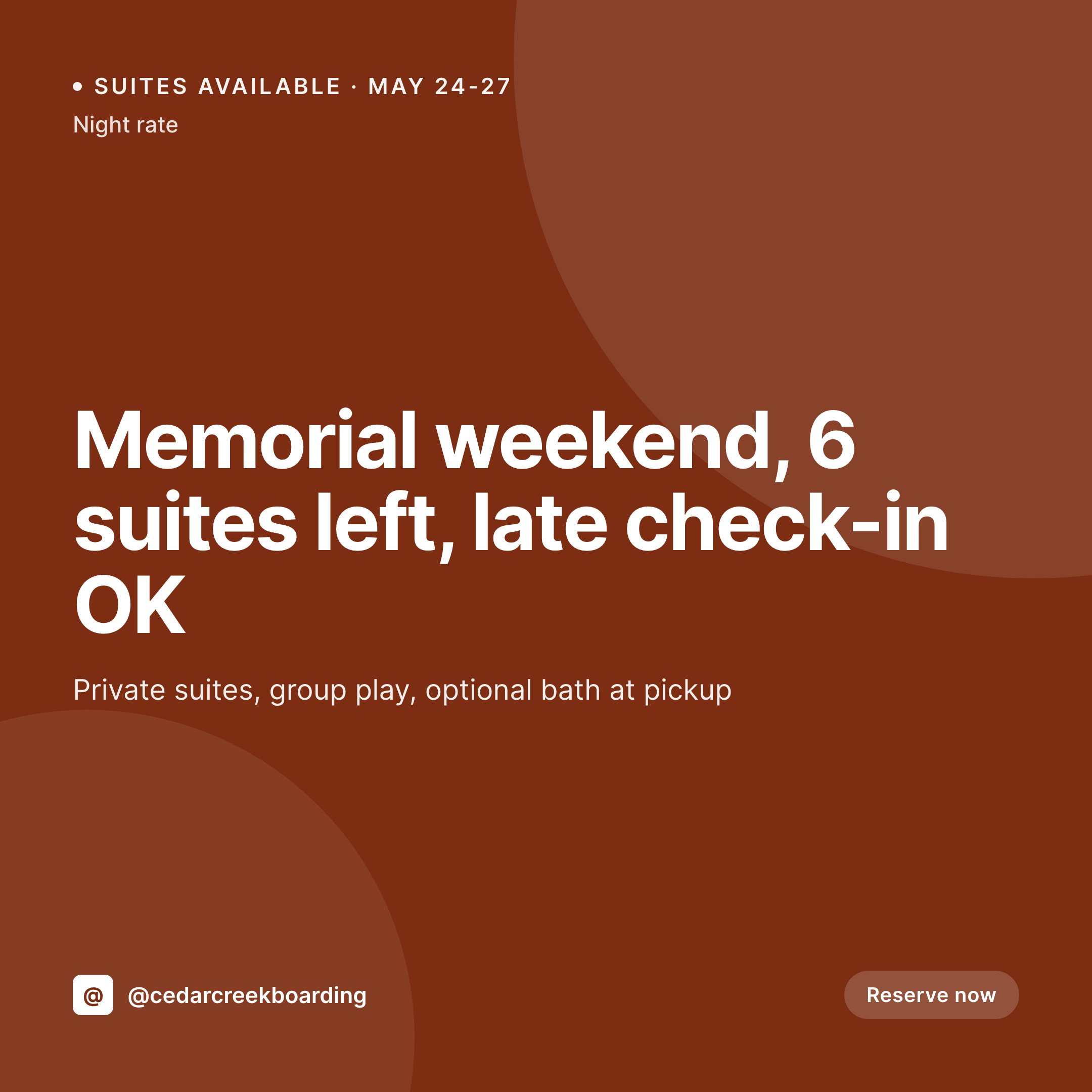
Holiday windows, suite counts, and the booking scramble
A dog boarding facility's revenue lives in a handful of windows. Memorial Day, July 4, Thanksgiving, the week between Christmas and New Year, spring break. Each one sells out, and the question owners want answered on Instagram is simple: are there suites left, what nights, what's the rate. The grid has to answer that fast.
The data is already on the site. Most boarding facilities run a booking plugin (Amelia, LatePoint, Bookly) plus a custom post type for the facility's suites and rates. Suite count, night rate, check-in policy, and the holiday window dates are all typed once when the booking opens. The work that keeps repeating is rebuilding a Canva tile every time availability changes.
SleekPixel turns the booking post into the tile. Save the Memorial Day window with six suites left, the 1080x1080 PNG lands in uploads. Update suite count to four when two more reservations come in, the tile re-renders. Owners scrolling at 9pm see real availability, not last week's count, and the facility doesn't lose a booking to a stale image.
Workflow
From booking calendar to posted tile
Map the booking fields
Design one tile template
Publish or update the window
Post when availability shifts
Output
What gets generated per booking window
A 1080x1080 square card with the holiday window, suite count, night rate, check-in policy, and the facility's brand frame, pulled live from the booking post.

Comparison
Default dog boarding image vs SleekPixel
Default dog boarding image
- Manager opens Canva every time suite availability shifts
- Tile shows 6 suites left when 3 reservations came in this morning
- Holiday rate on the image is last year's price
- Thanksgiving and Christmas tiles drift into different fonts and palettes
- Multi-location chains each post their own off-brand availability cards
SleekPixel
- Save the booking window post, the 1080x1080 tile lands in uploads
- Suite count and night rate pulled live from the booking fields
- Tile re-renders when bookings come in and availability changes
- Manager downloads from the Gutenberg sidebar between check-ins
- One template across locations keeps every facility on-brand
Features
What SleekPixel gives you for dog boarding facility
Window per holiday
Memorial Day, July 4, Thanksgiving, winter break. Each booking-window post renders into a tile with the dates and suite count visible on the image.
Live suite counts
When a booking comes in and the suite count drops, the tile re-renders with the new number. The grid stops lying about availability.
Front desk download
Manager opens the booking window post on a phone, taps download in the Gutenberg sidebar, and posts. No design tool, no font drift.
Use cases
Who uses SleekPixel for dog boarding
Overnight boarding
Holiday windows, multi-night packages, and last-minute weekend bookings each render with their own suite count and night rate.
Cage-free boarding homes
Small facilities running cage-free or in-home boarding share their nightly headcount and remaining spots in a consistent format.
Boarding and grooming groups
Facilities offering bath-at-pickup, training add-ons, or daycare bundles render each package onto the same square tile template.
The bigger picture
Why boarding facilities lose bookings to stale availability
A dog boarding facility makes most of its profit on a small number of holiday windows, and those windows are decided on a phone, late at night, by an owner deciding whether to book or not. If the Instagram grid says six suites left and the website says full, the owner moves on. If the tile shows last year's rate, the owner books somewhere honest.
Most boarding facilities have one or two staff who handle bookings, the front desk, and social, often the same person. Building a fresh Canva tile every time a reservation comes in is the work that gets dropped first, and the grid quietly stops matching reality. Treating the tile as derived from the booking post means availability and rate on the image stay current with what the booking system knows.
The owner sees real numbers, books in one tap, and the facility fills its holiday windows without anyone opening a design tool at 10pm.
Questions
Common questions about SleekPixel for dog boarding facility
Yes for any booking plugin that stores its data as WordPress posts or accessible records. Booking-plugin records map onto a template the same way a CPT does. Plugins that store data in an external cloud need a sync step first.
Yes. When the booking-window post's suite count changes (via a webhook or scheduled task that updates the post field), SleekPixel re-renders the PNG. The grid shows real availability rather than a snapshot from last week.
The field can be remaining spots, headcount limit, or simply open vs closed. Whatever shape the availability data takes in the booking system, the template can read and render it.
Yes. One save can produce a 1080x1080 grid tile, a 1080x1920 story, and a 1200x630 OG image. Owners sharing the booking URL see the same brand frame on every platform.
No. SleekPixel renders the PNG and saves it to uploads. Posting to Instagram, Facebook, or Google Business is a manual step from the platform's app or a scheduling tool.
Yes. Templates can pull from a holiday-rate field when the booking window post has one set, and fall back to the base rate otherwise. The tile shows the correct price for the window owners are about to book.
A dog profile CPT with photo, breed, and notes can render into its own tile when staff toggles a stay-review flag. The image carries the dog's name and overnight notes, framed in the facility's brand.
No. Generation runs on save in the admin. Owners viewing the booking calendar on the front end never trigger image rendering, they see the cached PNG. The og:image meta tag points at a static file.
Pricing
More than 1000+
happy customers
Explore our flexible licensing options tailored to your needs. Upgrade your license anytime to access more features, or opt for a lifetime license for ongoing value, including lifetime updates and lifetime support. Our hassle-free upgrade process ensures that our platform can grow with you, starting from whichever plan you choose.
Lifetime ♾️
Most popular
EUR
once
- Unlimited websites
- Lifetime updates
- Lifetime support
...or get the Bundle Deal
and save €250 🎁
💎 Want everything forever? The All Access Pass is going away on 01.08.2026.
The Bundle (unlimited sites)
Pay once, own it forever
Elevate your WordPress site with our exclusive plugin bundle that includes all of our premium plugins in one package. Enjoy lifetime updates and lifetime support. Save significantly compared to buying plugins individually.
What’s included
-
SleekAI
-
SleekByte
-
SleekMotion
-
SleekPixel
-
SleekRank
-
SleekView
€749
Continue to checkoutBrowse more
- Audible audiobook cover
- Snapchat Spotlight covers
- LinkedIn banner images
- Warpcast frame images
- Lens Protocol posts
- Tumblr header
- LinkedIn event banners
- Bluesky profile banners
- Dribbble shot covers
- Nostr note images
- Ko-fi shop images
- Rednote (Xiaohongshu) post
- Instagram carousel slides
- LinkedIn post images
- VSCO cover