






SleekPixel for NitroPack
NitroPack runs cloud-side caching, image compression, and asset optimization. SleekPixel renders 1200x630 PNGs at save time so the og:image is already correct before NitroPack gets a chance to cache or optimize it.
♾️ Lifetime License available
Cloud optimization plus save-time image rendering
NitroPack is a cloud-based performance service for WordPress that combines caching, image optimization, lazy-loading, and asset minification under a single dashboard. Pages get processed through NitroPack's cloud and served back as optimized variants. The plugin focuses on delivery and asset compression. It does not generate Open Graph images.
SleekPixel works on the source side. We render a 1200x630 PNG per post at save time, store it in the uploads folder, and write the URL into the og:image meta tag (or into your SEO plugin's social field). The image exists as a static asset before NitroPack caches the page or optimizes uploads. NitroPack then handles delivery as it normally would.
The two plugins keep separate scopes. NitroPack speeds up delivery. SleekPixel ensures every post URL has a branded share card. Both plugins run with their default settings, and the site ends up fast on load and branded on share.
Workflow
How both plugins coexist on one site
NitroPack keeps optimizing
SleekPixel renders at save
URL goes into og:image
NitroPack caches and serves
Output
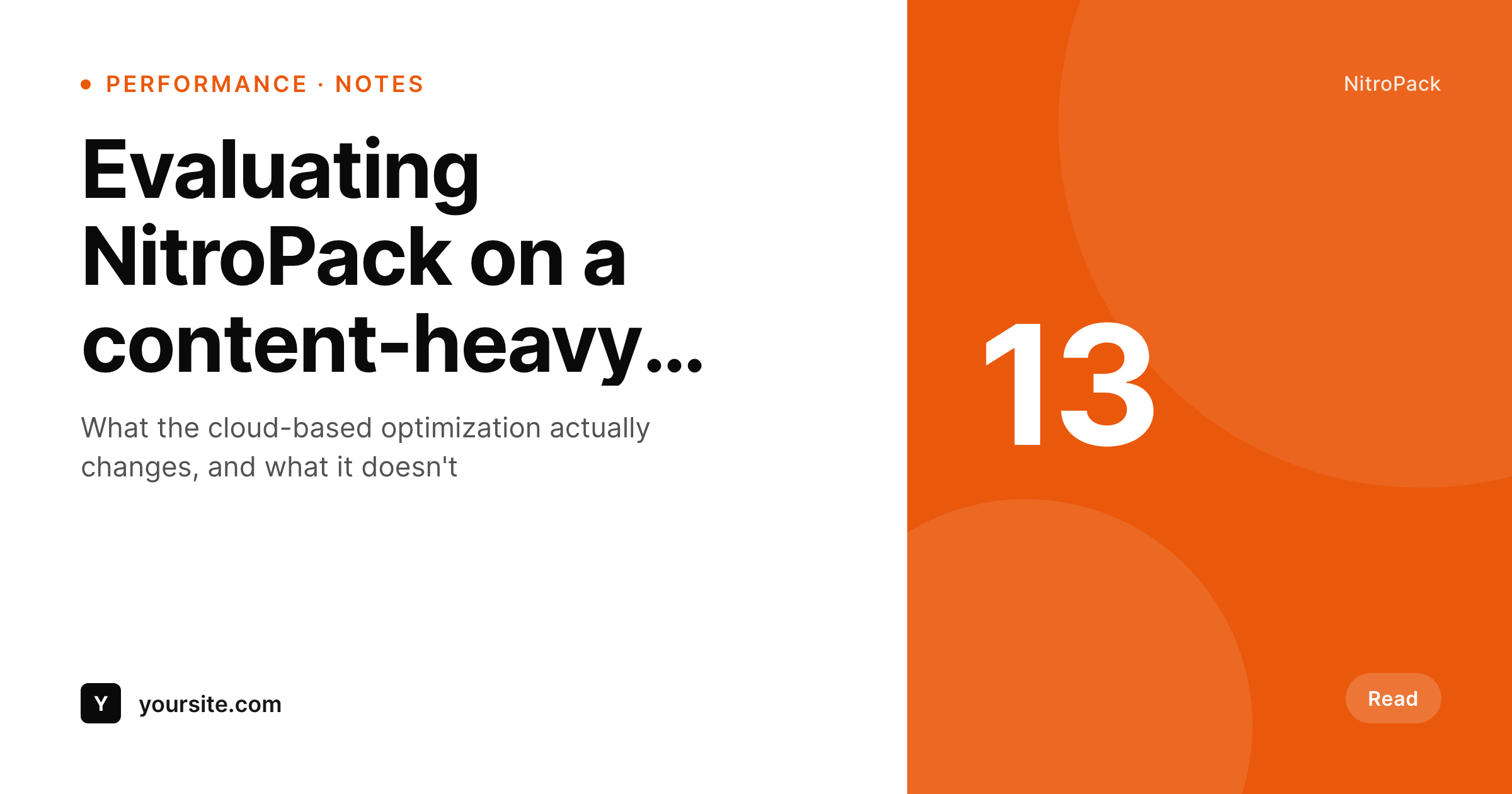
Sample share card from a SleekPixel post
A 1200x630 PNG, rendered at save before NitroPack's cloud cache and image optimization touch the asset.
Comparison
NitroPack alone vs NitroPack plus SleekPixel
NitroPack without OG rendering
- NitroPack optimizes delivery but doesn't generate OG images
- Posts still need a manually uploaded share image, or fall back to a default
- Backlog posts share with whatever the feature image happened to be
- Designing 1200x630 cards per article is a manual workflow NitroPack doesn't help with
- Site is fast under NitroPack but link previews still look generic on social
NitroPack + SleekPixel
- Renders OG images at save time, before NitroPack caches the page
- Static PNG output that NitroPack's cloud optimization can serve as-is
- Pre-sized at 1200x630 - no aspect-ratio cropping by social platforms
- Works alongside NitroPack's CDN and image-compression pipeline
- Two plugins, two scopes, no overlapping settings
Features
What SleekPixel gives you for NitroPack
Pre-rendered PNGs
SleekPixel outputs 1200x630 PNGs at save time. NitroPack's cache and CDN see them as regular static assets in uploads.
No runtime cost
Rendering happens once at save. Visitors load a static asset with no per-request rendering pressure on the host or the cloud cache.
No setting overlap
NitroPack manages caching and asset optimization. SleekPixel manages OG image rendering. Each plugin has its own admin surface.
Use cases
Where the combination fits
High-traffic publishers
Sites scaled on NitroPack's cloud get auto-generated share cards on every URL without compromising cache hit rates.
WooCommerce stores
Product pages share with cards pulled from product fields while NitroPack continues to optimize storefront delivery.
Editorial sites tuned for Core Web Vitals
Blogs running NitroPack for Core Web Vitals scores get branded social previews on every article without changing the load profile.
The bigger picture
Why this matters for cloud-optimized sites
Sites running NitroPack often have meaningful traffic and aggressive Core Web Vitals targets, which means OG image generation has been ignored not because it's unimportant but because it isn't a delivery problem. The cloud cache can't synthesize a branded share card from nothing. SleekPixel adds the rendering step at save time, which means the PNG exists as a regular static asset by the time NitroPack caches the page.
NitroPack's hit rates and asset compression keep working without modification, and every post URL on the site ships with a real branded share card. Two scopes, no overlap, both useful.
Questions
Common questions about SleekPixel for NitroPack
No. SleekPixel renders an image at save time and writes a URL into the og:image meta tag. NitroPack caches the page output (including the meta tag) and the static PNG. The scopes don't overlap.
NitroPack's image optimization runs on uploads, so it may re-encode the PNG. As long as the dimensions stay at 1200x630, social platforms accept the result. If you want the PNG served exactly as rendered, you can exclude the SleekPixel uploads folder in NitroPack's settings.
No. Rendering is done once at save. Visitors and crawlers load a static PNG, which is exactly what NitroPack is built to deliver efficiently.
Yes. SleekPixel outputs static PNGs in the uploads folder. NitroPack's CDN serves them like any other static asset.
Usually not. The image URL changes when the PNG is regenerated, so the new meta tag points at a fresh asset. If you change the URL pattern itself, a cache purge ensures the new tag goes live.
Yes. SleekPixel supports per-category, per-tag, and per-CPT templates so different sections of the site can have distinct card layouts.
Yes. The two plugins are independent. SleekPixel works with any caching or optimization setup, or none at all.
Already-generated PNGs stay in uploads and continue to be referenced by the og:image meta tag. New posts won't get auto-rendered cards until the plugin is reactivated.
Pricing
More than 1000+
happy customers
Explore our flexible licensing options tailored to your needs. Upgrade your license anytime to access more features, or opt for a lifetime license for ongoing value, including lifetime updates and lifetime support. Our hassle-free upgrade process ensures that our platform can grow with you, starting from whichever plan you choose.
Lifetime ♾️
Most popular
EUR
once
- Unlimited websites
- Lifetime updates
- Lifetime support
...or get the Bundle Deal
and save €250 🎁
💎 Want everything forever? The All Access Pass is going away on 01.08.2026.
The Bundle (unlimited sites)
Pay once, own it forever
Elevate your WordPress site with our exclusive plugin bundle that includes all of our premium plugins in one package. Enjoy lifetime updates and lifetime support. Save significantly compared to buying plugins individually.
What’s included
-
SleekAI
-
SleekByte
-
SleekMotion
-
SleekPixel
-
SleekRank
-
SleekView
€749
Continue to checkoutBrowse more
- Discord stage banner
- Rumble thumbnails
- Instagram stories
- Slack channel headers
- X ad images
- Bandcamp release cover
- Threads post cover
- Facebook Marketplace images
- LinkedIn post images
- LinkedIn document post covers
- Apple Music cover art
- TikTok cover images
- Instagram feed posts
- Kick stream thumbnails
- LinkedIn carousel slides