






SleekPixel for Brevo
SleekPixel reads the post that hosts the Brevo signup form and renders a custom OG image from its title, offer name, and custom fields. Lead-magnet and newsletter signup pages get share previews that match the offer.
♾️ Lifetime License available
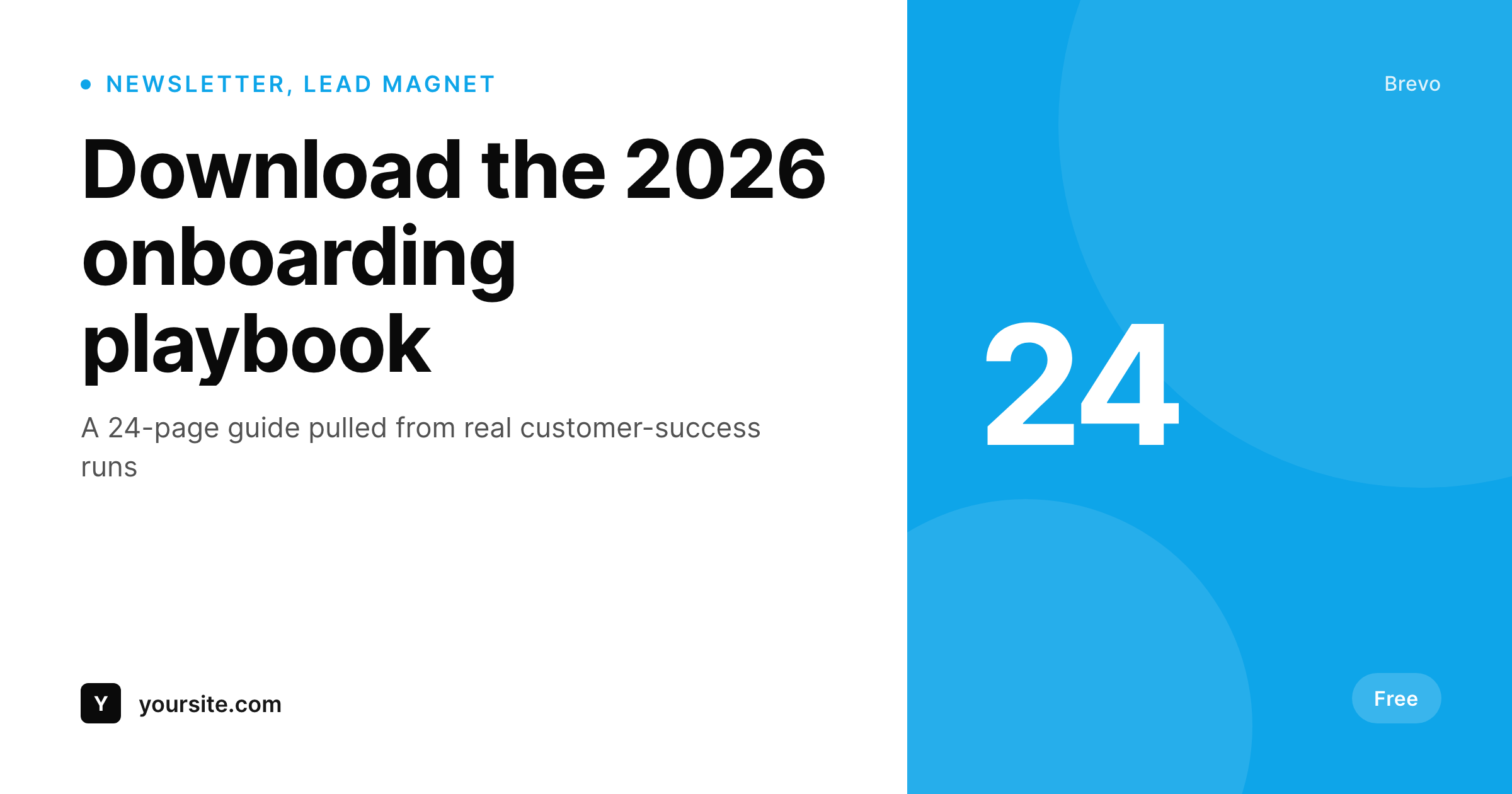
Brevo lead-magnet pages need previews that match the offer
Brevo (formerly Sendinblue) sits behind a lot of WordPress signup forms via its plugin or HTML embed. The form handles list selection, double opt-in, GDPR fields, and posts to the Brevo API. The signup converts when people land on the page. The page itself, however, is a regular WordPress post or page, and its social-share preview is whatever your theme defaults to. Lead-magnet pages, newsletter signups, and event-registration pages all share with a generic site logo.
SleekPixel handles the metadata layer Brevo does not try to touch. You build one template in the WordPress admin with dynamic fields like {post_title}, {offer_name}, {list_name}, and any custom field on the post. Every save regenerates the OG image. Embed a Brevo signup form in the page body, set a meta field for the offer name or list, and the share card ships with the URL.
SleekPixel does not modify Brevo itself, it works at the post level. Brevo keeps doing what it does: list management, sending, automations, transactional, and the form embed. SleekPixel handles the metadata around the form so the lead-magnet page looks intentional wherever the URL gets shared.
Workflow
From form embed to share-ready in one save
Design the template
Connect to post type
Save the page
Share anywhere
Output
Sample social card for a Brevo lead-magnet page
This card was rendered from the lead-magnet post's title, offer name, and accent color. Same template, every signup page.
Comparison
Generic site logo vs SleekPixel
Default site logo on every signup page
- Every Brevo signup or lead-magnet page shares with the same site logo
- Lead-magnet and newsletter pages look identical in share previews
- Updating the lead-magnet name on the page doesn't update any card
- Multiple list-specific signups become indistinguishable when shared
- No automation, card creation falls to a designer or never happens
SleekPixel
- Auto-generated OG image per post on save, every time
- Pulls from any field on the post (offer name, list, headline)
- Works on any post or page that hosts a Brevo signup form
- Edit the template once and every past signup page regenerates
- Does not touch Brevo itself, list selection and sending stay as configured
Features
What SleekPixel gives you for Brevo
Template-driven
Design the signup-page social card layout once with dynamic fields. Every Brevo landing post inherits it on save.
OG + Twitter meta
SleekPixel writes og:image, twitter:image, and twitter:image:alt on each signup post, no theme code to touch.
Regenerate on demand
Updated the template? Bulk-regenerate every past Brevo signup page from the admin in one pass.
Use cases
Where this fits best
Lead-magnet landing pages
Gated PDFs, reports, and templates get cards that show the offer name pulled from the post.
Newsletter signup pages
Subscribe pages get share cards with the actual newsletter name and cadence, not a generic logo.
Event and webinar registrations
Event date and topic pulled per post, share previews communicate which event the form is for.
The bigger picture
Why signup-page share cards matter
Lead-magnet pages are bottom-of-funnel surfaces. Each share, retweet, partner mention, or paid placement points back to a URL where the form lives, and the thumbnail attached to that URL is the moment the offer either looks specific or looks generic. A site-logo preview on every lead-magnet page tells the reader nothing about what's behind the form.
A per-page card that pulls the offer name and list directly from the post keeps the promise visible from the share onward, which directly affects opt-in rate. Brevo handles the form, the API, and the list. SleekPixel handles the metadata around the form so the page that captures the lead looks like part of the brand.
Questions
Common questions about SleekPixel for Brevo
No. SleekPixel works at the post level by writing the og:image meta tag for the post that hosts the form. Brevo continues to handle list selection, opt-in, and submissions exactly as configured.
Yes. SleekPixel reads the post's fields, not the form embed itself. Either embed style works, the OG image is generated from the post's title and meta.
Indirectly. SleekPixel routes by post category, tag, or CPT. Tag signup pages by list and route each tag to its own template, the list selection happens inside Brevo as usual.
The template renders without it. Set defaults per field or design the layout so missing fields collapse gracefully.
Not directly. SleekPixel does not query Brevo's API at render time. If you store the count as a custom field, the template can reference it.
Yes, on the next save the image regenerates with the new title. Or trigger a bulk regenerate from the admin.
No. The image is rendered once at save time and stored as a static PNG. Visitors load a regular image URL, no rendering happens at view time.
Generated images stay in the uploads folder. The og:image meta tag stops being written, so new shares fall back to whatever your theme outputs.
Pricing
More than 1000+
happy customers
Explore our flexible licensing options tailored to your needs. Upgrade your license anytime to access more features, or opt for a lifetime license for ongoing value, including lifetime updates and lifetime support. Our hassle-free upgrade process ensures that our platform can grow with you, starting from whichever plan you choose.
Lifetime ♾️
Most popular
EUR
once
- Unlimited websites
- Lifetime updates
- Lifetime support
...or get the Bundle Deal
and save €250 🎁
💎 Want everything forever? The All Access Pass is going away on 01.08.2026.
The Bundle (unlimited sites)
Pay once, own it forever
Elevate your WordPress site with our exclusive plugin bundle that includes all of our premium plugins in one package. Enjoy lifetime updates and lifetime support. Save significantly compared to buying plugins individually.
What’s included
-
SleekAI
-
SleekByte
-
SleekMotion
-
SleekPixel
-
SleekRank
-
SleekView
€749
Continue to checkoutBrowse more
- NocoDB records
- Kadence Blocks
- Miro boards
- Checkout Field Editor for WooCommerce
- WP Table Builder
- GreenShift blocks
- Mailchimp for WordPress
- Shortcodes Ultimate
- WP Schema Pro
- Squarespace products
- LottieFiles animations
- WooCommerce Payments
- Smash Balloon YouTube Feed
- YITH Booking
- Ultimate Addons for Gutenberg
- Ghost feature images
- YouTube Shorts thumbnails
- Facebook post images
- Instagram Shop product images
- Lemmy post images
- Buy Me a Coffee banners
- Threads profile banners
- Mailchimp email banner
- Etsy shop banners
- Threads social images
- Mailchimp email headers
- Bandcamp banner
- Nostr note images
- Spotify podcast covers
- Twitch panel images